
The modern classroom and the corporate boardroom are haunted by a shared ghost: that glassy-eyed stare from an audience currently enduring "Death by PowerPoint." We have all been there. In a world where a distraction is always just a thumb-swipe away, the only way to keep a room’s focus is to stop talking at them and start talking with them. This fundamental shift toward two-way participation is exactly why student engagement presentation tools have become the most vital part of a modern teacher’s or trainer’s setup.
The arrival of artificial intelligence has flipped the script on how we build these experiences. AI isn’t just about making slides faster anymore; it’s about making them "think" alongside you. It has evolved into a high-end interactive slides ai maker. Instead of you spending your Sunday night manually coding quiz questions or fighting with complex trigger animations, you can now put AI to work building "smarter" decks that embed live quizzes automatically. You aren’t just throwing together a slide deck; you are building an entire ecosystem where the content reacts to the people in the room. This is the new baseline for anyone who actually wants their message to stick.
Why You Need a Quiz Slides Generator AI in Your Workflow
If you look at how humans actually learn, the case for interactivity is a slam dunk. The numbers don't lie: active participation can boost knowledge retention by up to 70% compared to just sitting there and listening.
When someone has to retrieve a fact from their brain to answer a question, that information gets "locked in" much tighter. The problem, historically, has been the sheer amount of grunt work it takes to make this happen. Creating a quiz manually is a slog. You have to find the right questions, come up with believable wrong answers, design the interface, and make sure the "correct" logic actually works. For a teacher with a full schedule or a manager prepping for a high-stakes meeting, that's often just too much to handle on top of everything else.
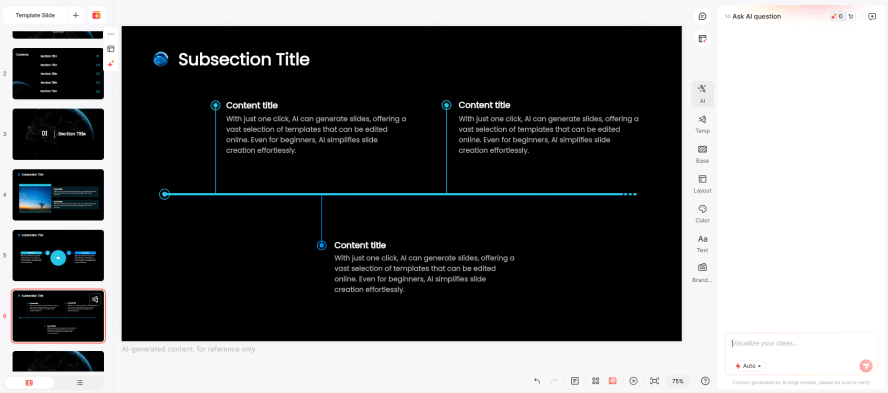
This is where a quiz slides generator ai changes the game. Think of the AI as your personal instructional designer rather than just a layout tool. It can take your messy notes, a dense 50-page PDF, or a long article and instantly spot the "teachable moments." It then builds context-aware questions that are perfectly tailored to the specific stuff you’re teaching. This can save you hours of work, and it also ensures your quizzes are actually smart and aligned with your goals.
The uses for this are everywhere. A K12 teacher can turn a dry lesson on geography into a competitive classroom game in about thirty seconds. A college professor can use it to check if a lecture on quantum physics is actually landing. Even in the corporate world, an interactive presentation ai maker can turn a boring compliance training or a sales pitch into a real dialogue. By automating the "busy work" of quiz building, you get to stay focused on the human side of the room.
Step-by-Step Guide: How to Create Interactive Quizzes
Building a high-engagement deck shouldn't feel like you're trying to launch a rocket. Presenti has smoothed out the process into a single, fluid workflow that goes from a rough idea to a live interactive session in minutes. Here is the play-by-play on how to use this interactive presentation ai maker to your advantage.
Step 1: Content Input and Source Analysis
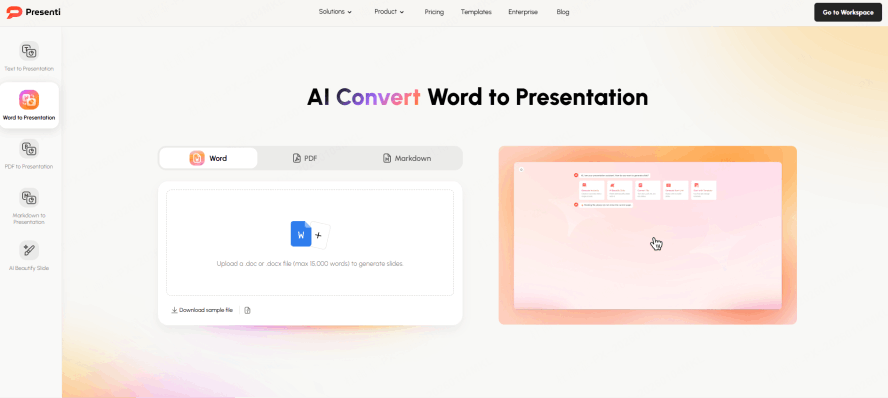
Everything kicks off with your source material. Presenti doesn’t just guess what you’re trying to say; it actually digests the info you give it.
You can upload a PDF, paste a URL, or just type in a quick prompt about your topic. At this stage, the AI does a deep dive into the content, pulling out the main arguments, the key vocab, and the data points that matter. This ensures that when the quiz pops up later, it isn’t some generic "What color is the sky?" question—it’s actually rooted in the nuances of your material.
Step 2: Generating the Narrative and Quiz Structure
Once the AI gets the "what," you tell it the "how." In the settings, you just toggle on the interactive quiz mode. This is where you get to be the architect. Do you want Multiple Choice Questions to check the facts? Or maybe a live Poll to see how people feel about a certain topic? You can even set up Open-ended questions to get a real discussion going. Presenti AI takes these choices and weaves them right into the flow of your slides so the quiz feels like a natural part of the story, not some awkward interruption.
Step 3: Customizing the Interactive Experience
The AI builds the bones, but you’re still the boss. Presenti’s editor lets you tweak questions, swap out answers, or add "Correct Answer Explanations" that help people learn from their mistakes. This is also where the fun happens. You can lean into gamification by setting timers to get the adrenaline pumping or enabling live leaderboards. There is something about seeing your name move up a leaderboard that keeps an audience whether they’re ten or fifty years old totally locked in.
Step 4: Design and Brand Alignment
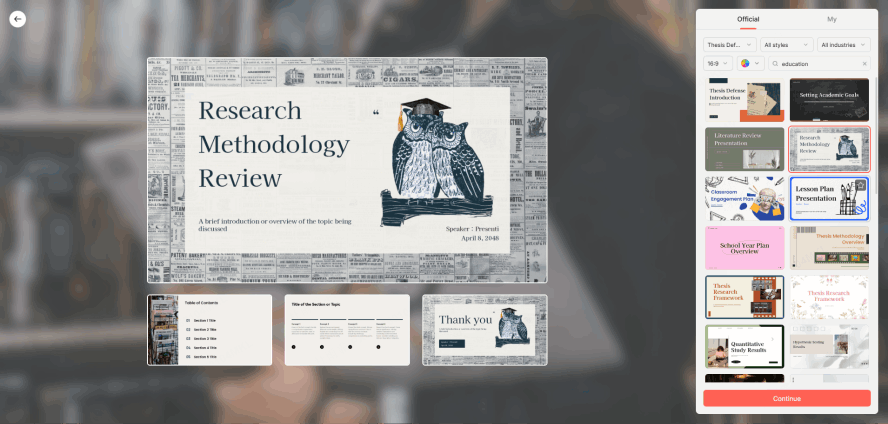
Let's be real: if your slides look like they were made in 1998, you’re going to lose the room. Presenti uses an AI-driven theme engine that makes sure your quiz slides look just as polished as your info slides. It automatically handles the fonts, the color palettes, and the spacing. You don’t have to spend a second worrying about text boxes overlapping or images being the wrong size. The smart layout engine handles the aesthetics so you don't have to.
Step 5: Deployment and Real-time Participation
The "reveal" is the best part. When you’re ready to go live, your audience doesn’t have to jump through hoops. They just scan a QR code on the screen with their phones or hit a link. No apps, no accounts, no friction. As you move through the deck, the questions pop up on their phones in sync with your presentation. You see the results live word clouds growing as people type, or bar charts shifting as the votes come in. It turns a quiet room into a conversation.
Why Presenti is the Advanced Choice
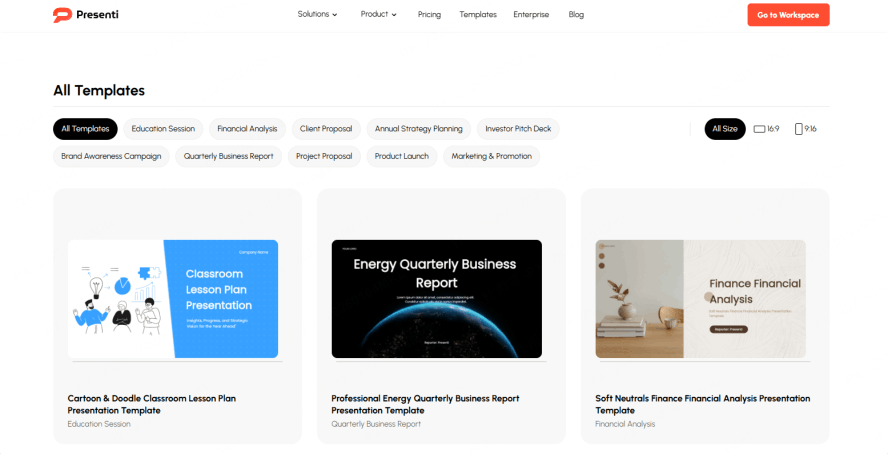
A lot of tools claim to be "interactive," but Presenti is a different beast because it solves the "App Switching Fatigue" that drives presenters crazy. Most people have to use one tool for their slides and then jump over to something else like Kahoot to run a quiz. That’s a recipe for a tech disaster. Presenti is a true interactive slides ai maker because it keeps everything in one house. The one-click transformation from raw content to a polished quiz is a massive time-saver.
For the pros the career educators and the corporate trainers a tool has to do more than just look pretty. It has to solve real problems. Presenti hits four main pillars that high-level users care about.
- The workflow: Pros want zero friction. Presenti gives you a "Content to Delivery" loop that stays in one single browser tab. You aren't juggling five windows while trying to talk to a room full of people. It keeps your focus where it belongs: on the audience.
- The "brain" of the tool: A cheap quiz slides generator ai might only ask the easiest questions possible. Presenti’s AI is built to understand things like Bloom’s Taxonomy. It can generate "Analyze" or "Apply" level questions that actually make people think, rather than just reciting facts they'll forget in five minutes.
- Data: In a professional setting, the quiz is your radar. Presenti gives you granular analytics so you can see where people are struggling. If everyone misses question four, you know you need to go back and explain that concept better. It’s a real-time feedback loop that makes you a better presenter.
- The "boring but essential" stuff: compliance and accessibility. Presenti is built to meet WCAG standards, so everyone in your audience can participate, regardless of ability. It also plays by the rules when it comes to privacy (GDPR/FERPA), which is a huge deal for schools and big companies. And for the corporate side, it respects your branding. You can make sure your company’s colors and logos stay front and center, even when the AI is doing the heavy lifting.
Best Practices for Using an Interactive Slides AI Maker
Apply the "10-Minute Rule"
Attention spans naturally drift after ten minutes. Use AI to strategically insert a quiz or poll at these intervals to "reset" the audience's internal clock and re-engage them.
Provide Meaningful Feedback
Don't just reveal the correct answer—explain why it is correct. Use the AI to generate brief explanations that turn simple interactions into deep learning moments.
Adopt a "Mobile-First" Mindset
Since many students participate via smartphone, keep your questions punchy and your visuals high-contrast. Ensure your layout is optimized for small screens to maintain readability.
Leverage AI Layout Engines
Use specialized tools (like Presenti) to handle the design heavy-lifting. This ensures your interactive elements are structurally sound, allowing you to focus entirely on the quality of your content.
Conclusion: Transform Your Presentations Today
The days of the one-way, boring lecture are numbered. As we’ve seen, the wall between "making a slide" and "creating an experience" has been torn down by the quiz slides generator ai. Platforms like Presenti have made it so that anyone even if you aren't a tech wizard can build a professional-grade interactive deck that actually leaves an impact.
At the end of the day, using an interactive presentation ai maker isn't just about the cool factor. It’s about being a better communicator. It’s about making sure the people you’re talking to actually walk away with something in their heads. By using these student engagement presentation tools to their full potential, you stop being just another person with a PowerPoint and start being a facilitator of real ideas. If you’re tired of the "Death by PowerPoint" routine, go ahead and build your first deck with Presenti. Your audience will thank you for it.