
Release history
September 28, 2026
v1.45
New features
- Enterprise plan users can now purchase AI credits
- Added 10 professional process layouts for a better user experience
Improvements
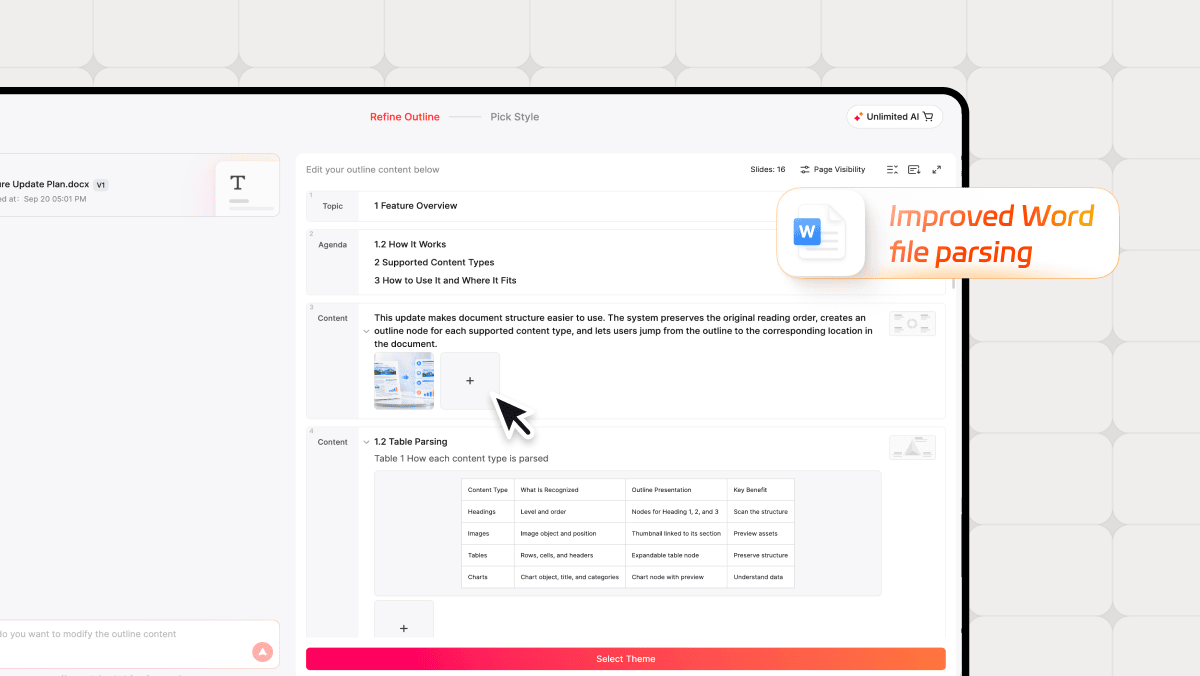
- Improved Word file parsing to extract images, tables, and charts directly into the outline
September 15, 2026
v1.44
New features
- Added 10 professional process layouts to improve the user experience
- Added flip and preview options to the image right-click menu
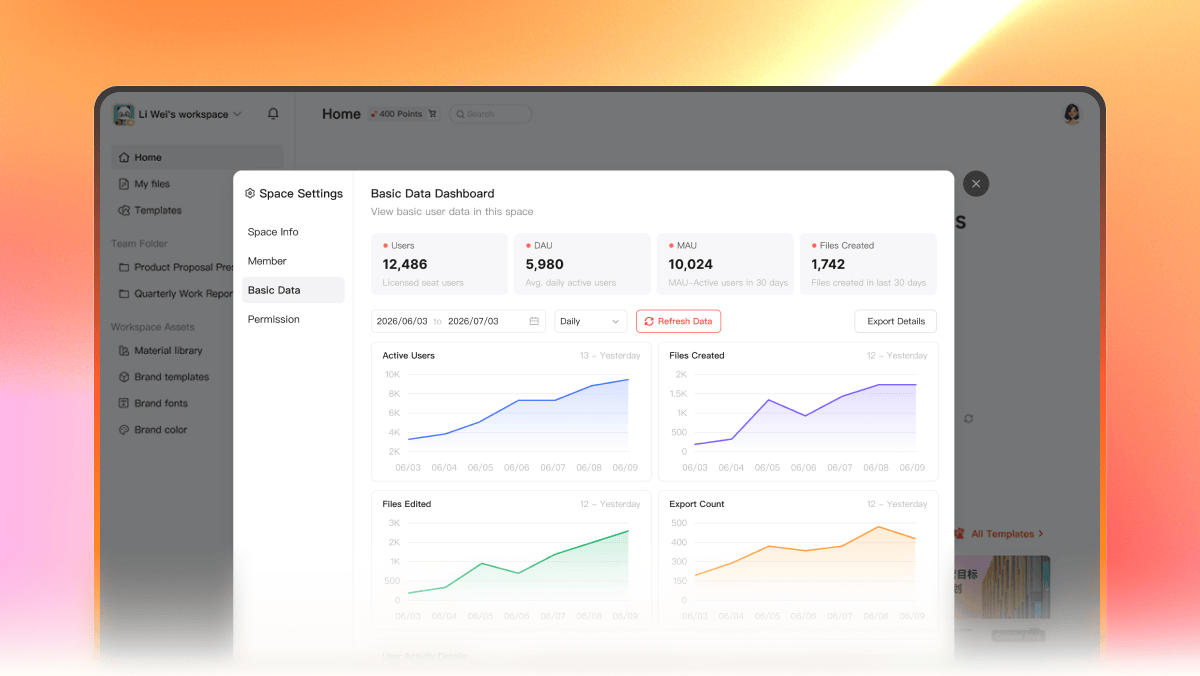
- Added a team basic Dashboard to the Enterprise edition to improve data management
Improvements
- Improved image replacement: select an image, then open Assets or Gallery to replace it directly
- Fixed watermark issue on images generated in overseas regions
- Refined Outline copy to enhance the user experience
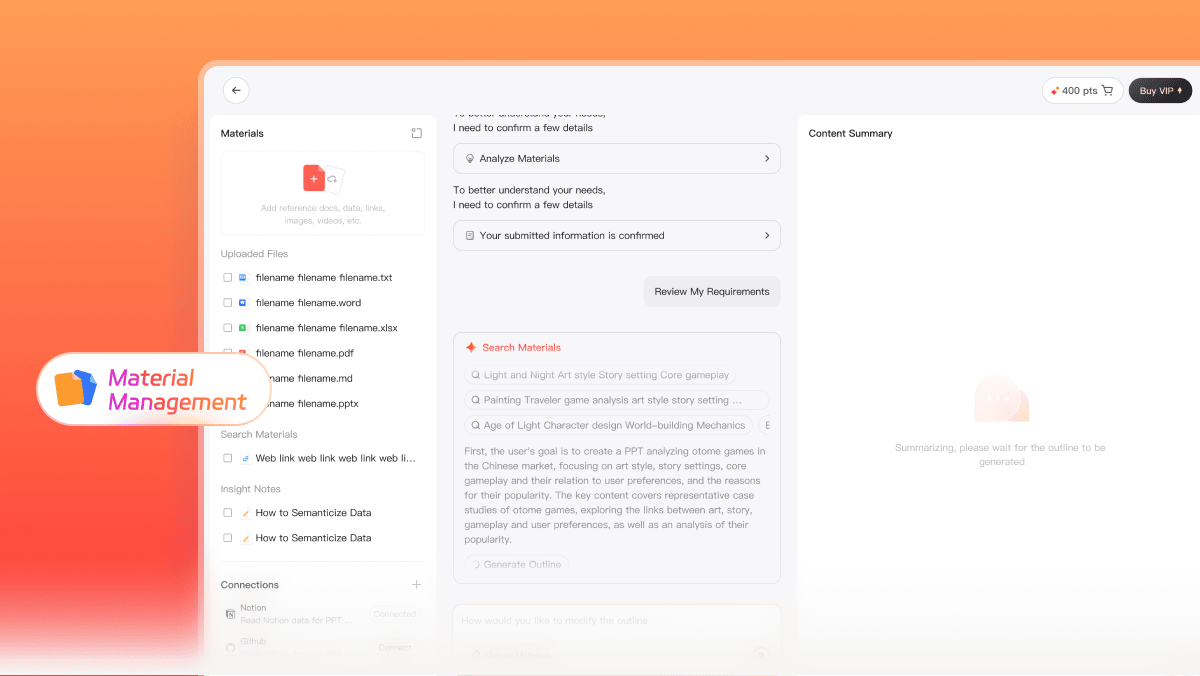
- Improved Expert Mode generation with new Material Management and MCP Configuration
Fixes
- Fixed UI display issues during AI Beautify
- Fixed thinking style rendering in Single-Page Agent to improve user experience
- Fixed an issue where images selected via AI Image Match could not be located in the album
September 1, 2026
v1.43
New features
- Adds professional text-and-image layout options to improve the overall experience
- Adds AI Credits usage prompts to keep you informed as you work
Improvements
- Refines language selection in Account Center for a smoother experience
- Expands the Asset Library with more content types to support a wider range of needs
- Improves double-click interaction for images and icons, allowing you to swap content with a quick double-click
- Refines tooltip descriptions for importing PPTX files to make the process clearer
August 20, 2026
v1.42
New features
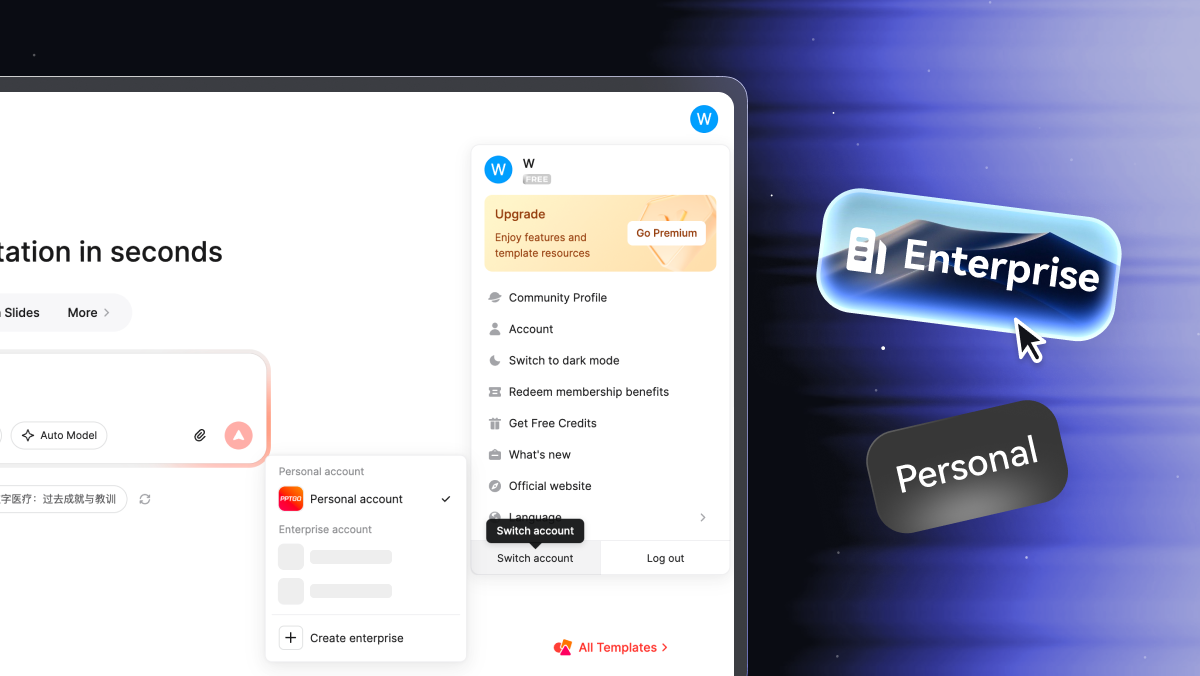
- Added Enterprise Edition for better enterprise management support
- Added 10 professional timeline layouts to improve the user experience
- Added chart commenting to improve collaboration and usability
- Added the option to remove decorative icons from content slide titles
Improvements
- Optimized selected-text brainstorming display by presenting results with visual elements
- Optimized PPTX import to support line element recognition
- Improved default Template selection to display by latest release order
- Improved Dark Mode compatibility to enhance the user experience
Fixes
- Fixed a display issue with zoom popups in Mind Map mode
- Fixed an issue where title decorations remained visible in the next step after being disabled in custom templates
- Fixed an issue where toolbar pop-ups were blocked or hidden
August 4, 2026
v1.41
New features
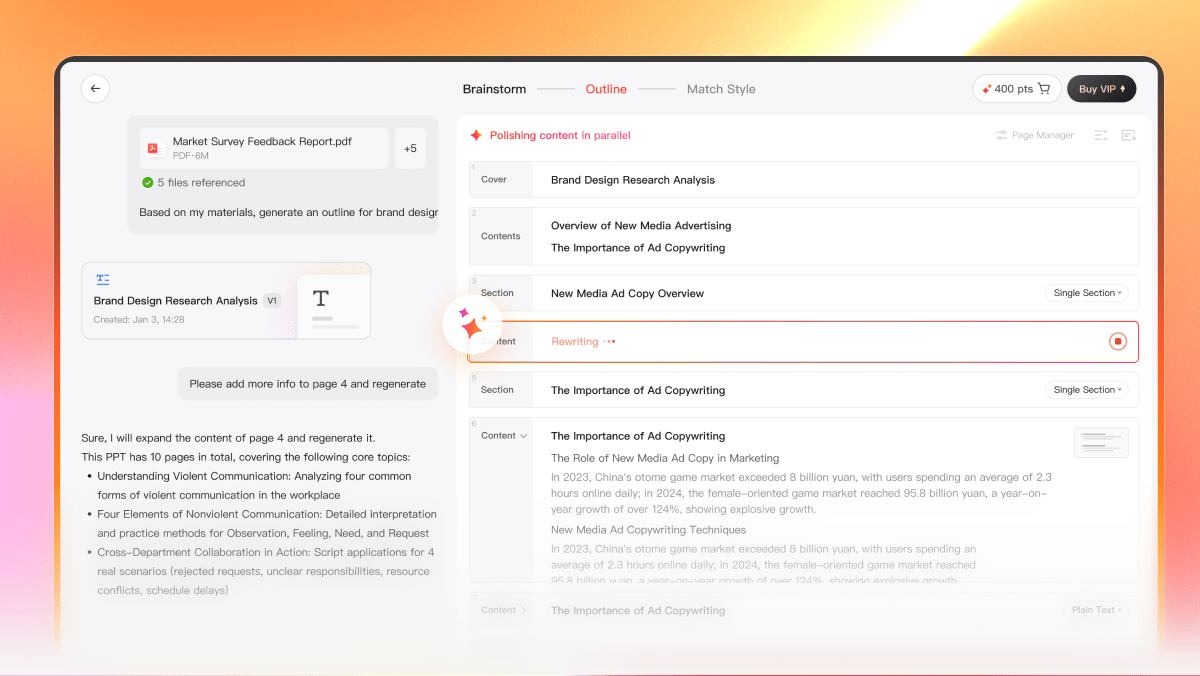
- New: quickly generate a Presentation and refine the Outline through conversation.
- New: paste Markdown content to convert it directly into a single-slide layout.

- New: 10 additional looping professional layouts.
- New: Tamil language support added, with overall experience improvements.
Improvements
- Improved: PPTX export compatibility and fidelity when opening files in Keynote.
- Improved: fixed truncated label display in chart elements.
- Improved: UI design of the template management dashboard.
- Improved: reduced accidental image preview triggers while scrolling through an Asset Pack.
- Improved: fixed display issues with the Outline panel.
- Improved: revised the AI Credits usage notification copy.
