It’s 9 PM on Sunday, and after hours of grading, the last thing you want to do is build a lesson deck from scratch. This constant prep-work grind is why ai tools for teacher presentations have moved from a "nice-to-have" luxury to a classroom survival kit. While most AI generators focus on corporate sales pitches and quarterly reports, educators need a tool that "gets" the unique energy of a K12 environment. Presenti fills this gap perfectly, offering a platform designed specifically to help teachers reclaim their time and transform static lesson plans into vibrant, engaging visuals.
Why Teachers Need a Dedicated AI Presentation Maker
Modern classrooms are occupied by Gen Z and Gen Alpha students who have grown up in a world of high-definition, fast-paced digital content. Standard, text-heavy PowerPoints are failing to keep these students engaged. When slides are just a wall of bullet points, the "passive learning" trap sets in, and student focus drifts to the window or their phones. Teachers are now expected to produce "Instagram-worthy" visuals that are not only informative but also aesthetically stimulating. This creates a massive conflict: how can a teacher maintain this level of quality on a "midnight-before-class" schedule?
The search for the best ai presentation maker for teachers usually begins with three core requirements: ease of use, curriculum alignment, and interactivity. A business-centric AI might suggest a "marketing strategy" for a history prompt, whereas a dedicated educational tool understands you need a timeline of events and a primary source analysis. Using teacher-friendly ai presentation apps allows you to focus on the "how" of teaching—the storytelling, the questions, and the student support—rather than the "what" of dragging text boxes around a screen. By automating the design process, you reclaim your mental energy for the students who need it most.
Presenti: The All-in-One Solution for Modern Educators
When evaluating the market, Presenti stands out immediately because of its generous entry point. Most AI platforms offer a meager three or five "free" trials before locking you behind a steep monthly subscription. Presenti offers 2,000 free AI credits right out of the gate. This is a massive advantage for anyone searching for free ai for education presentations, as it allows a teacher to plan an entire semester’s worth of units without touching their personal budget.
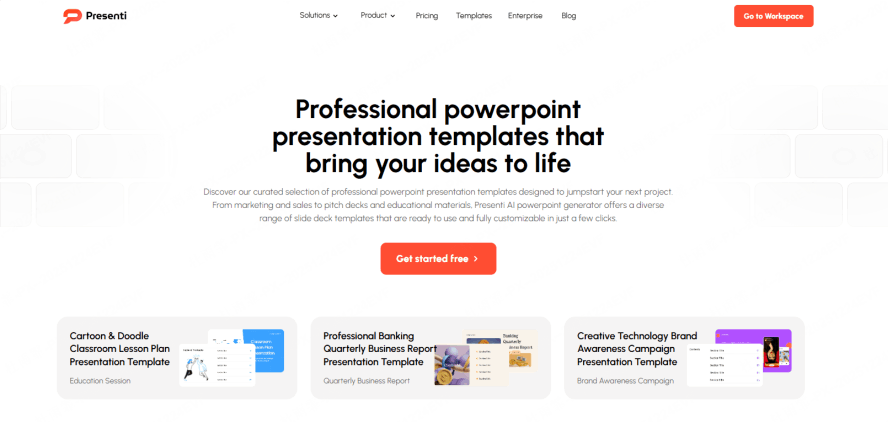
Beyond the credits, the platform’s strength lies in its diverse template library. These are not generic corporate backgrounds; they are curated scenes designed for various educational contexts. Whether you are looking for science labs with realistic equipment visuals, history timelines that flow logically, elementary storytelling themes with vibrant colors, or sober academic styles for university lectures, the options are vast. You can choose between minimalist designs for low-distraction environments or infographic-heavy styles for data-rich subjects.
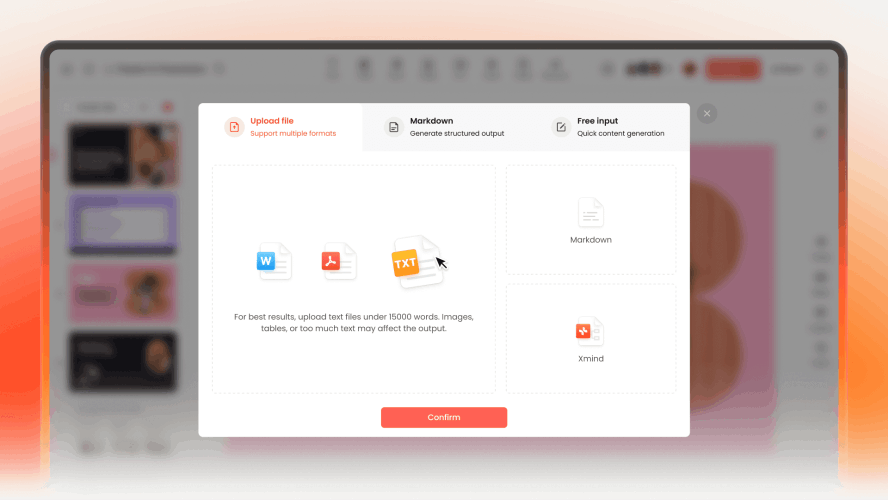
What truly differentiates Presenti is its versatile creation modes. It recognizes that teachers start their planning from different places:
- Topic-to-PPT: Simply type a prompt like "The Water Cycle for 4th Graders" and the AI generates a logically sequenced deck.
- File-to-PPT: This is a fan favorite. You can upload a 30-page PDF textbook chapter or a Word-based lesson plan, and the AI will distill the core concepts into a presentation.
- Text-to-PPT: If you have raw notes or a script you have used for years, just paste it in and let the AI handle the visualization.
- Link/Outline-to-PPT: You can even convert a Wikipedia page or a YouTube transcript into a structured set of slides.
Once the content is there, the "One-click Beautify" feature acts as your personal graphic designer, fixing alignment, font consistency, and imagery instantly so you never have to worry about a messy layout again.
Step-by-Step Guide: Creating Your First Lesson with Presenti
If you are ready to see why this is considered the best ai presentation maker for teachers, follow this simple workflow to build your next lesson.
Step 1: Onboarding and Claiming Credits
Start by signing up for an account. Unlike many other teacher-friendly ai presentation apps, the onboarding is streamlined. Once you enter the dashboard, your 2,000 credits are typically ready to use, giving you immediate access to the full power of the AI generator without an initial paywall.
Step 2: Choosing Your Input Path
Decide how you want to build your lesson. If you have an existing curriculum document, the File-to-PPT feature is your best friend. Upload your document and watch as the AI identifies headers, key terms, and summary points. This turns "old" resources into "new" experiences in seconds.
Step 3: Refining the AI Outline
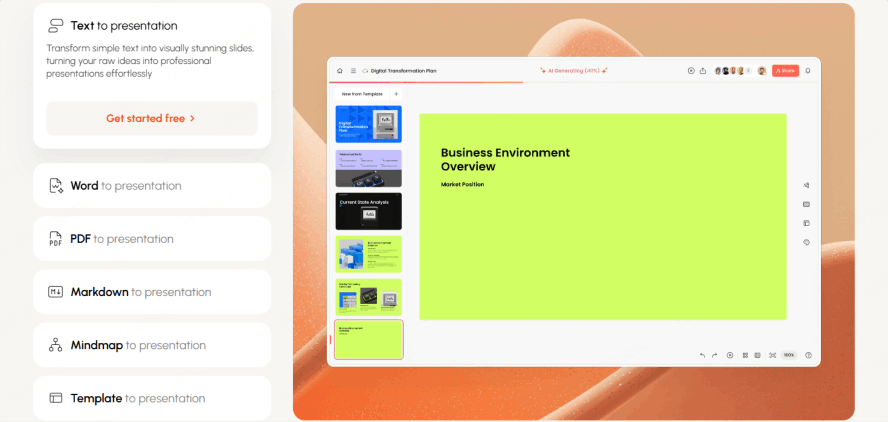
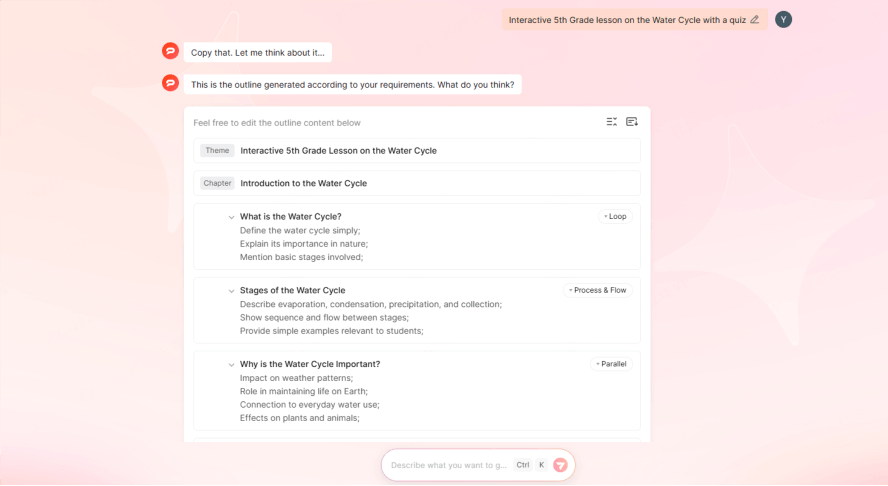
Before the final slides are rendered, Presenti presents you with an AI-generated outline. This is a critical step for pedagogical accuracy. You can add a slide for a "Check for Understanding," remove sections that are too advanced, or reorder the flow to better match your specific lesson objectives.
Step 4: Design and Personalization
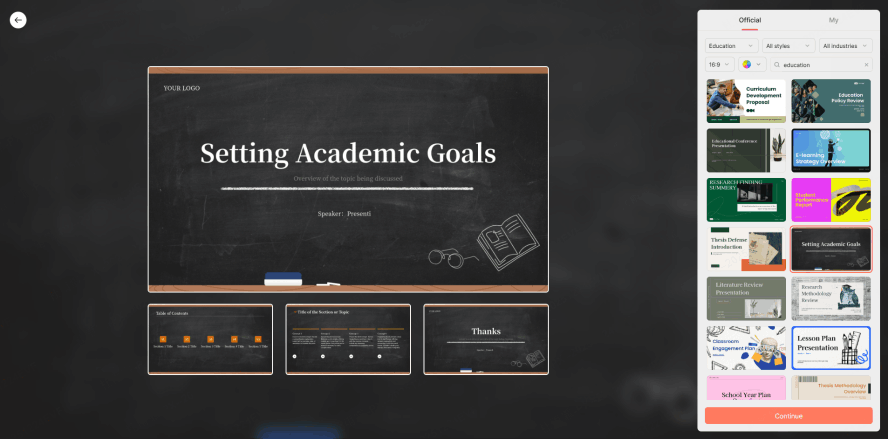
After the outline is approved, you select your template. Here, you can match the "vibe" of your classroom. For a high-energy morning class, you might choose vibrant, high-contrast colors. For a complex afternoon lab, a clean, infographic-style template might work better to keep students focused on the data.
Step 5: Export and Integration
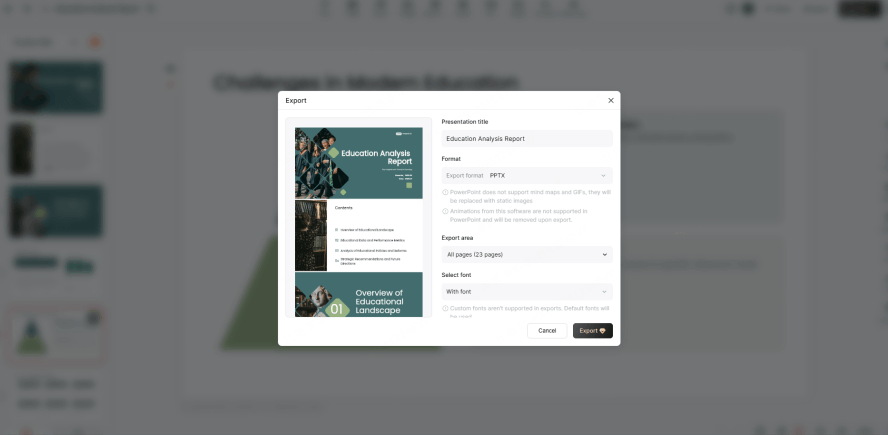
Once you are happy with the AI’s work, you can export the file. Presenti understands that teachers need flexibility, so it allows you to move your creation into your daily workflow easily, ensuring that you can present regardless of your school’s specific software requirements.
Comparing the Landscape: Free vs. Paid AI Tools for Education
The market for ai tools for teacher presentations is split into two categories: general-purpose AI and education-specific tools. General AI like ChatGPT or generic business slide generators often produce results that feel "too corporate." They might use business jargon like "stakeholder engagement" when you are trying to talk about "community involvement." Moreover, their free tiers are often so limited that they are essentially just "teasers."
When searching for free ai for education presentations, you have to look at the "hidden costs." Does the tool water-mark your slides? Does it prevent you from exporting to PowerPoint? Presenti’s credit-based system is much more transparent and teacher-friendly. By providing a high volume of credits upfront, it allows for genuine classroom use rather than just a five-minute experiment. While premium versions of various tools offer "infinite" generations, for the average classroom teacher, the balance of high-quality templates and a generous free tier makes Presenti a much more practical choice than a $30/month business subscription.
Critical Evaluation: What Teachers MUST Look For
To find the best ai presentation maker for teachers, you have to look deeper than just "does it make pretty slides?" The English-speaking teaching community has specific, non-negotiable needs that general AI often ignores.
Ed-First Intelligence (Pedagogical Precision)
The most frustrating part of using generic AI is the lack of "Grade Level" adjustment. A slide about the solar system for a 2nd grader should use simple language and large icons; the same topic for a 12th grader requires orbital mechanics and complex data. Presenti is built to interpret prompts with this nuance, allowing you to generate content that aligns with academic standards like Common Core or NGSS. It understands that "precision" in education is about meeting the student where they are.
Deep Workflow Compatibility (Integration)
Teachers do not work in a vacuum. You likely use Google Classroom, Canvas, or Schoology. You need to be able to export your work into a format that remains fully editable. There is nothing worse than an AI tool that gives you a flat image of a slide you cannot change. Presenti ensures that when you export to Google Slides or PowerPoint, the text remains text and the images remain movable. This allows for those last-minute changes—like adding a student’s name to an example—five minutes before the bell rings.
From Static to Interactive (Engagement)
Moving beyond "Death by PowerPoint" is the goal of every modern educator. The best ai tools for teacher presentations are those that suggest interactive elements. Instead of just presenting facts, the tool should help you create "active learning" triggers. Presenti’s logical layouts make it easy to insert your own quizzes, polls, or "turn and talk" prompts, transforming a lecture into a two-way conversation.
Administrative Security (Compliance and ROI)
In many regions, data privacy is a legal requirement (think FERPA in the US or GDPR in Europe). You need to know that the tool you are using is safe for the school environment. Presenti offers a secure, professional environment that respects these boundaries, making it a safer bet for district-level approval than obscure, unverified apps. Furthermore, the ROI is clear: the time saved on design is time reinvested in student intervention.
Rejecting the "AI Look" (Authentic Design)
We have all seen those generic AI images where people have six fingers or the colors look like a neon fever dream. Teachers need relatable, diverse, and human-centric visuals. Presenti’s templates are curated to avoid this "uncanny valley" look. Because you have a high degree of manual override, you can swap out AI suggestions for your own classroom photos or specific educational diagrams, ensuring the final product feels authentic to your teaching style.
Conclusion: Empowering the Future Classroom
Ultimately, the best ai presentation maker for teachers is the one that disappears into the background and lets your teaching shine. AI should not be a "replacement" for your expertise; it should be the engine that handles the tedious formatting, the image searching, and the initial outlining so you can focus on your students. With its 2,000 free credits and a deep understanding of pedagogical needs, Presenti stands out among teacher-friendly ai presentation apps as a tool that truly respects a teacher’s time and talent.
If you are tired of spending your Sunday nights staring at a blank white slide, now is the time to embrace a more efficient way of working. By utilizing free ai for education presentations, you can elevate your classroom’s visual impact without adding to your workload. Start your journey today, claim your credits, and remember: the AI is here to handle the "busy work," but the inspiration in the classroom will always come from you.