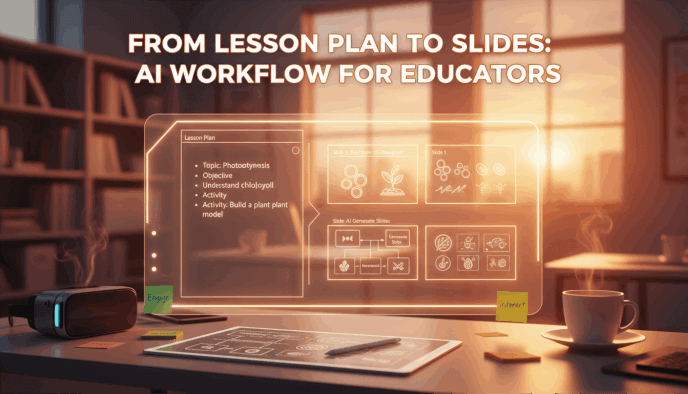
Ask any teacher what they’re most desperate for, and the answer isn't "more professional development" or a new set of textbooks it’s time. We’ve all lived the "Sunday Scaries," where you’re staring at a brilliantly detailed, text-heavy Word document of a lesson plan, wondering how on earth you’re going to turn it into a slide deck by tomorrow morning. It’s a tedious, manual grind: copying bullet points, hunting for images that aren't watermarked, and wrestling with PowerPoint alignment until 11 PM. This is what many of us call the "preparation gap." It’s that frustrating space where the creative energy you should be saving for your students is instead sucked away by the soul-crushing task of manual slide design.
But we’re finally seeing a breaking point with the lesson plan to slides ai movement. This isn't just about using a fancy template to make things "look pretty"; it’s a fundamental rethink of instructional design. Translating a complex curriculum into a visual classroom experience shouldn't be a chore that leads to burnout. By adopting a smarter lesson plan to slides ai workflow specifically through tools like Presenti educators are finally reclaiming their prep periods.
Why Educators Need a Dedicated Teaching Materials AI Generator
Optimizes Cognitive Load
Unlike generic tools, dedicated AI understands "Cognitive Load Theory." It uses chunking and visual hierarchy to prevent information overload, ensuring slides support the teacher’s narrative rather than distracting from it.
Solves the "Efficiency Paradox"
Traditional software (like PowerPoint) offers infinite customization that leads to "analysis paralysis." A dedicated AI automates the design process, saving teachers hours of manual formatting.
Prioritizes Pedagogy Over Design
By handling the "heavy lifting" of visual layout, AI allows educators to shift their focus back to teaching strategy and student engagement rather than aesthetic adjustments.
Ensures Structural Soundness
"Lesson plan to presentation" AI ensures that materials are pedagogically optimized from the very first draft, bridging the gap between rigorous curriculum standards and effective visual communication.
Step-by-Step Workflow: Transforming a Lesson Plan to Slides AI
To get the most out of a lesson plan to slides ai, you shouldn't just dump a random document into a prompt box. A professional workflow ensures the output is high-quality and classroom-ready.
Step 1: Structuring your Lesson Plan for AI.
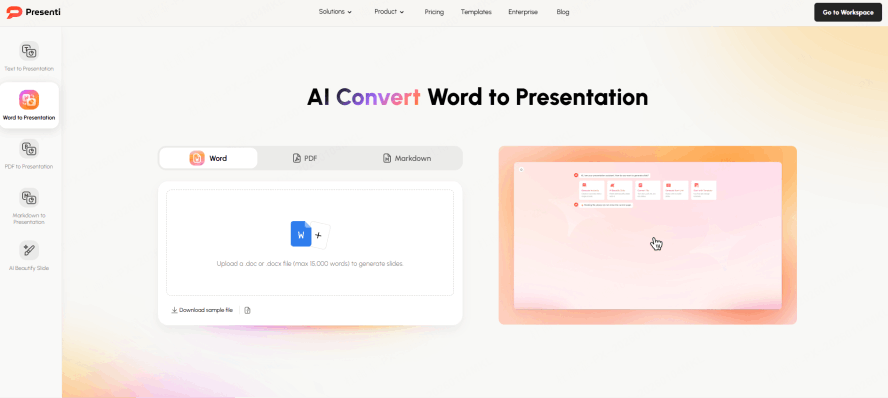
Start by ensuring your source document has a clear logical flow. If you use the 5E Model (Engage, Explore, Explain, Elaborate, Evaluate), label your sections. AI performs best when it can identify the "narrative arc" of your lesson.
Step 2: Setting the Learning Objectives.
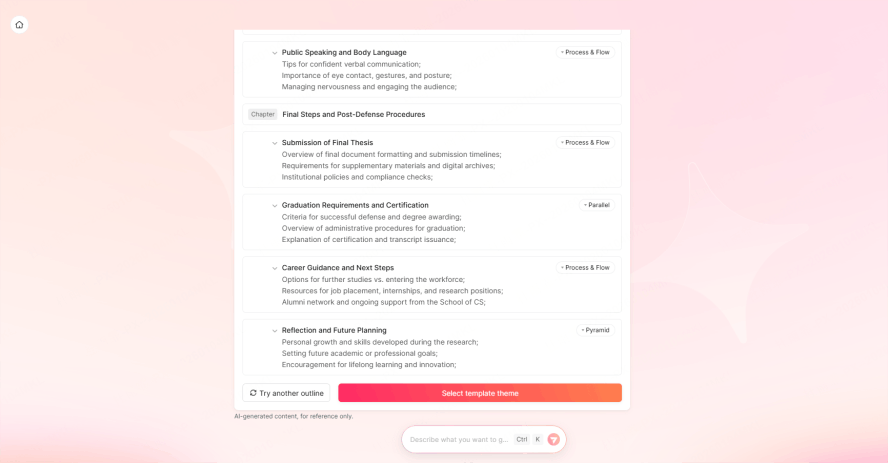
Every good lesson begins with "SWBAT" (Students Will Be Able To) statements. When you feed these into a lesson plan to presentation ai, the system uses them as North Stars to determine what information is essential and what is secondary.
Step 3: Choosing the Right Visual Tone.
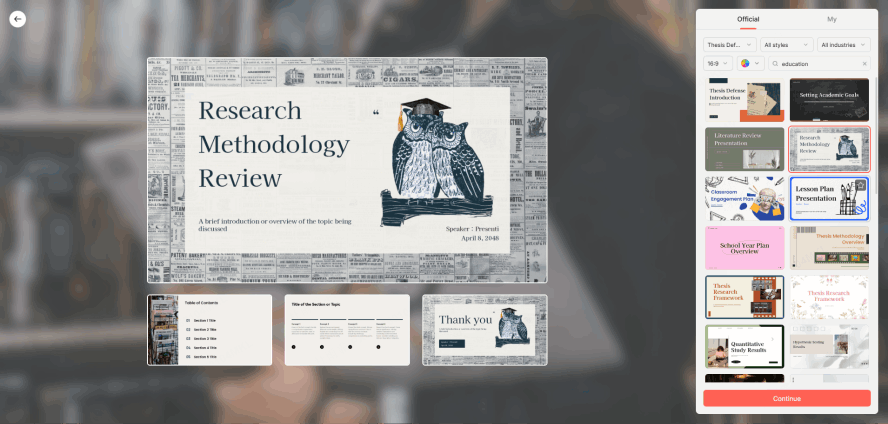
Grade level matters. A slide deck for a 2nd-grade science lesson on pollination should look vastly different from a 12th-grade AP Biology lecture. Advanced AI tools allow you to specify the "vibe" vibrant and simple for K5, or sleek and data-driven for Higher Ed.
Step 4: The Iterative Refinement.
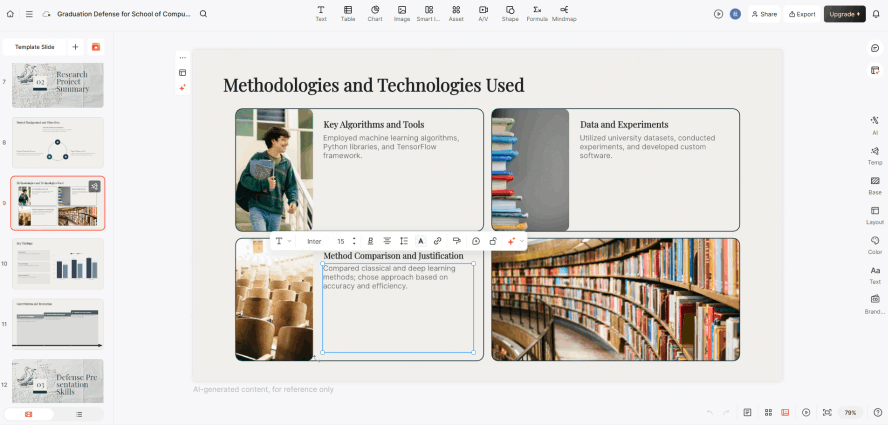
AI should provide the "80% draft." Your job as the expert is the final 20%. Look for opportunities to add personal anecdotes or local school context that the AI wouldn't know. This human-AI partnership is what creates a truly masterpiece-level presentation.
Using Presenti to Master the Lesson Plan to Presentation AI Workflow
While there are many AI tools on the market, most are built for corporate boardrooms, not classrooms. Presenti stands out because it was built through an educator’s lens. It understands that a teacher doesn't just need "slides"; they need an instructional partner. Here is how you can master the workflow using the specific features of Presenti.
The operational path starts with Presenti’s "Smart Import" interface. Instead of manual copying, you can simply upload your Word or PDF lesson plan, or even paste a URL from an educational blog. Presenti’s engine parses the text, identifying key concepts and vocabulary terms. But the real magic happens in the next step: Defining the Pedagogical Framework. When you select "Educator Mode," the AI doesn't just summarize; it reorganizes your content to follow instructional design principles. It knows that a "Bell Ringer" slide should come first and an "Exit Ticket" should come last.
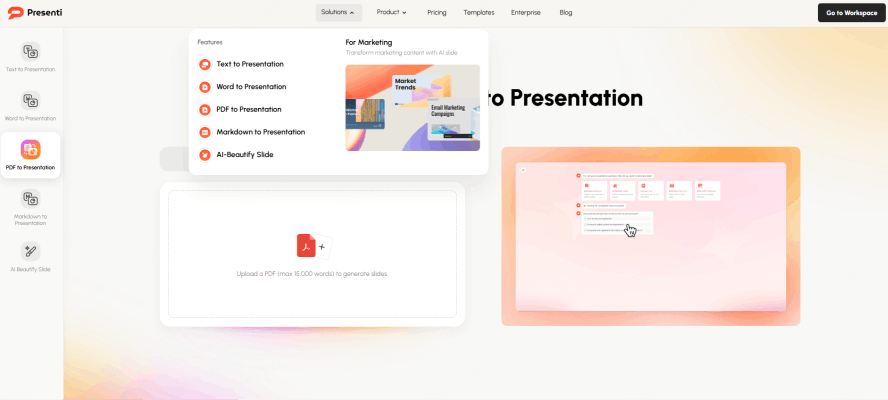
Once the content is processed, the automated classroom slides maker feature kicks in. It converts your bullet points into visual "chunks" automatically. If you have a list of five steps in a chemical reaction, Presenti won't just list them; it will create a visual process map. If a specific slide feels too complex, you can use the "Magic Edit" feature. By typing a simple command like "Simplify this concept for a 5th grader" or "Generate three formative assessment questions based on this slide," the AI adjusts the content in real-time. Finally, the "One-Click Styling" allows you to apply themes that are specifically designed for high readability and "Dual Coding," ensuring that the background never distracts from the learning.
Key Features of Presenti: Solving the "Generic AI" Problem
The primary frustration with generic AI tools is that they produce "corporate-style" decks that feel cold and disconnected from the classroom. Presenti solves this by offering educator-specific templates. You will find layouts specifically for lab procedures, historical timelines, and mathematical proofs. These aren't just pretty backgrounds; they are structural frameworks that guide the student's eye to the most important information.
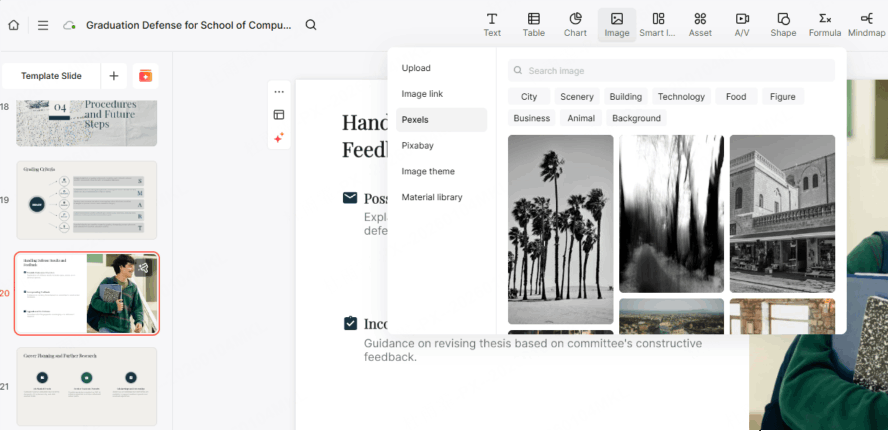
Furthermore, Presenti excels in AI image sourcing. We all know the struggle of finding a diagram of a plant cell that isn't watermarked or over-complicated. As a specialized teaching materials ai generator, Presenti can generate or source instructional diagrams and copyright-free imagery that matches the specific educational context of your slide. It also moves beyond the "static slide" by allowing for dynamic interactivity. You can easily transition your deck into a series of "Teaching Stations," where students can engage with the content at their own pace, making the presentation a centerpiece of an active learning environment rather than a passive lecture tool.
Why Presenti is the Future of Instructional Design
To truly understand why a lesson plan to slides ai is necessary, we have to look at the deep-seated needs of the modern teacher. Presenti is designed to meet these five core pillars of education:
Pedagogical Logic (Built-in Intelligence): Most AI simply performs "text-to-slide" migration. Presenti, however, understands teaching models. Whether you are using Bloom’s Taxonomy or the 5E model, the AI recognizes where you are in the instructional cycle. It will automatically suggest "Check for Understanding" slides at the perfect intervals, ensuring you aren't moving too fast for your students.
Automated Differentiation: This is arguably the "holy grail" for educators. In any given classroom, you have students at vastly different reading levels. Presenti allows you to take a single lesson plan and, with one click, generate a version tailored for ESL/ELL students or adjust the Lexile level for a specialized reading group. This level of differentiation used to take hours; now it takes seconds with an automated classroom slides maker.
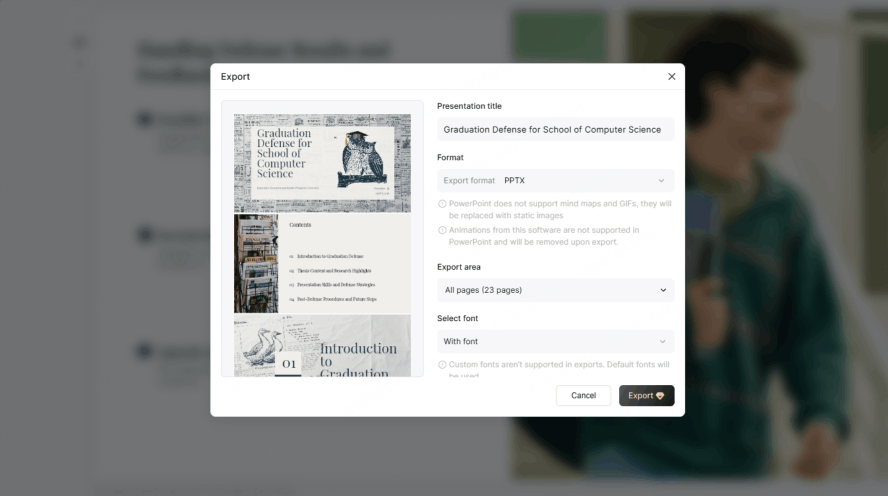
Native Integration: Teachers have established ecosystems. You shouldn't have to learn an entirely new software suite that keeps your data hostage. Presenti supports native integration, allowing you to export your generated decks directly to Google Slides or Microsoft PowerPoint. Crucially, every single element the text, the shapes, the images remains fully editable. It respects your workflow rather than disrupting it.
Instructional Visualization (Dual Coding): Presenti is built on the foundation of Dual Coding Theory. This isn't just about adding "decorative" images. The AI pairs verbal information with specific explanatory visuals that help anchor the information in the student’s long-term memory. It’s the difference between a slide that looks "nice" and a slide that actually teaches.
Privacy & Trust (Compliance): In the world of EdTech, data safety is non-negotiable. Presenti is built with FERPA and GDPR compliance in mind. It ensures that your lesson plans and student-facing materials are handled with the highest security standards. Moreover, it provides fact-checking and academic citations for the content it generates, giving you the peace of mind that your lesson plan to presentation ai workflow is both rigorous and safe.
Conclusion
Using a teaching materials ai generator like Presenti isn’t about being lazy or "handing over the keys" to a machine. It’s about reclaiming your sanity. It’s a conscious choice to spend your limited bandwidth on the "human" parts of the job the mentoring, the storytelling, and the pivoting mid-lesson instead of the clerical grind of slide layout.
Switching to a lesson plan to slides ai workflow isn't just a shortcut; it’s a massive professional upgrade. We’ve all tried to differentiate a single lesson for three different reading levels during a 40-minute prep period, and we all know it’s usually a recipe for burnout. But with these tools, that kind of precision actually becomes doable. So, stop fighting with stubborn text boxes and get back to your students. Give a lesson plan to presentation ai conversion a shot today. You might just find that when you’re not bogged down by the "busy work," you finally have the headspace to be the kind of teacher you signed up to be in the first place.