Every educator knows the "Sunday Scaries"—that looming cloud of anxiety as you realize you have five days of curriculum to prepare and zero slides finished. You have the knowledge, the passion, and the lesson plans, but the manual labor of designing slides, finding icons, and formatting bullet points is a massive productivity killer.
With the emergence of the bulk presentation generator, the landscape of lesson prep has shifted. Tools like Presenti are allowing educators to batch create slides for an entire month in the time it used to take to make one. This guide dives deep into weekly lesson slides automation, showing you how to reclaim your time and focus on what matters most: your students.
Why Batching is the Secret to Teaching Longevity
Before we dive into the "how," we must understand the "why." Weekly lesson slides automation isn't just a shortcut; it’s a psychological strategy. "Batching" refers to the practice of grouping similar tasks together to be completed in one dedicated time block.
When you batch create teaching materials, you eliminate context switching. Instead of opening your presentation software every afternoon, you enter a "flow state" once a week. By using a bulk presentation generator, you ensure that your tone, visual style, and educational scaffolding remain consistent across Lesson 1 through Lesson 10.
Presenti: The Ultimate Bulk Presentation Generator
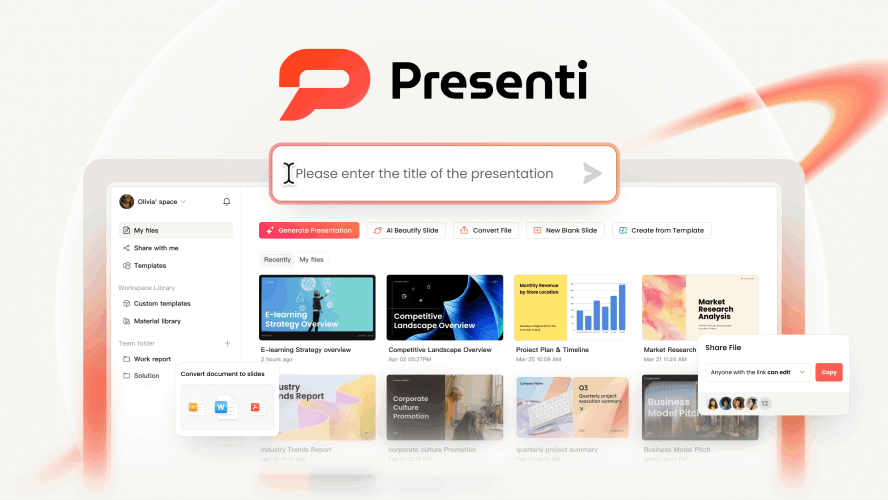
To successfully batch create slides, you need more than a simple chatbot; you need a robust engine designed for volume. Presenti stands out in the crowded AI market specifically because of its ability to handle complex, multi-deck workflows.
Input Your Entire Syllabus and Plan Your Month in One Go
Most AI tools act like a simple chatbot—you give it one topic, it gives you one deck. Presenti thinks like a teacher. Its Multi-Threaded Architecture understands the "flow" of a curriculum.
The Hack: Instead of prompting for "Biology Lesson 1," input your entire syllabus for the month.
The Result: Presenti creates a series of interconnected decks. It ensures that the "Review" slide of Week 2 perfectly aligns with the "Summary" of Week 1, keeping your teaching narrative seamless across the whole term.
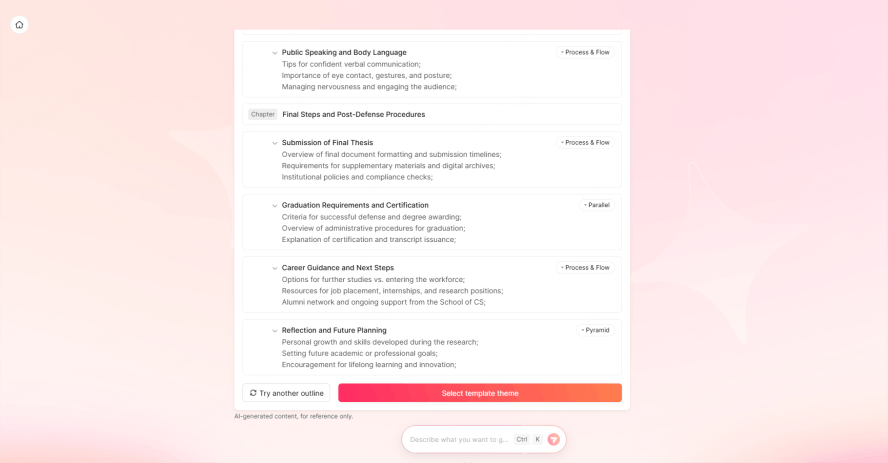
PDF-to-Batch: Turn a Textbook into a Week of Lessons
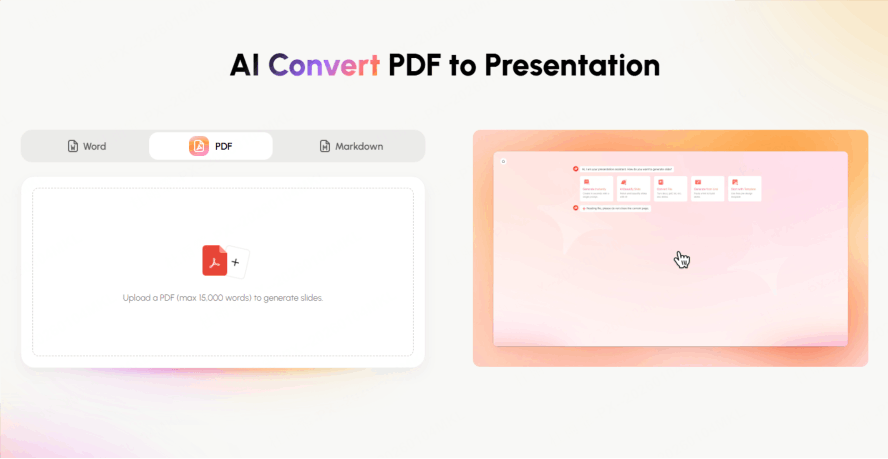
This is the ultimate "cheat code" for busy educators. If you have a massive PDF of a textbook chapter or a curriculum guide, you don't need to read and summarize it—Presenti does the heavy lifting.
How it works: Upload a 50-page PDF and use the command: "Split this into five 10-slide lessons for Monday through Friday."
The Time Saved: What used to take 5 hours of manual outlining now takes under 3 minutes. It extracts the core concepts and structures them into digestible, classroom-ready chunks
Visuals on Autopilot
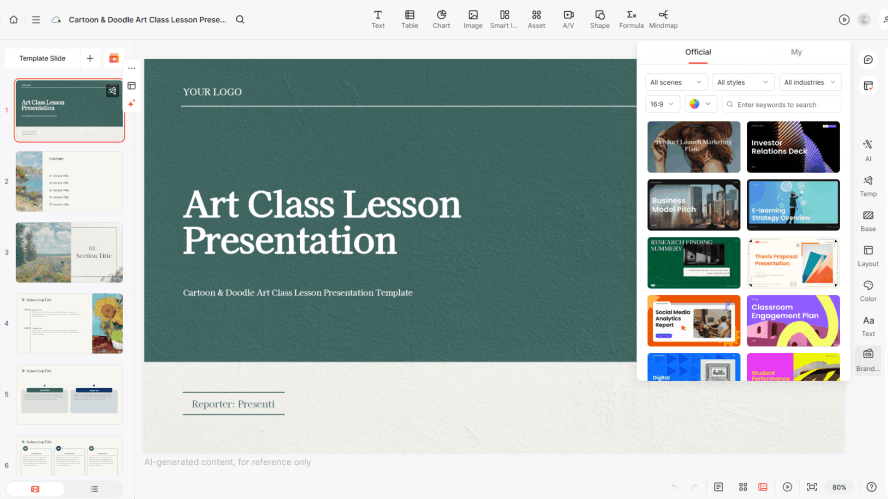
The most tedious part of slide design is finding the right pictures and making them look "pro." Presenti’s Asset Library Integration automates the aesthetics.
Teaching Mode: When you toggle this on, the AI prioritizes diagrams, infographics, and quiz slides over long blocks of text
Auto-Sourcing: As it generates your slides, it automatically pulls high-res, royalty-free images tailored to your subject. If you're teaching about the Roman Empire, you get Colosseums, not clip-art.
Polish with Brand Toolkit
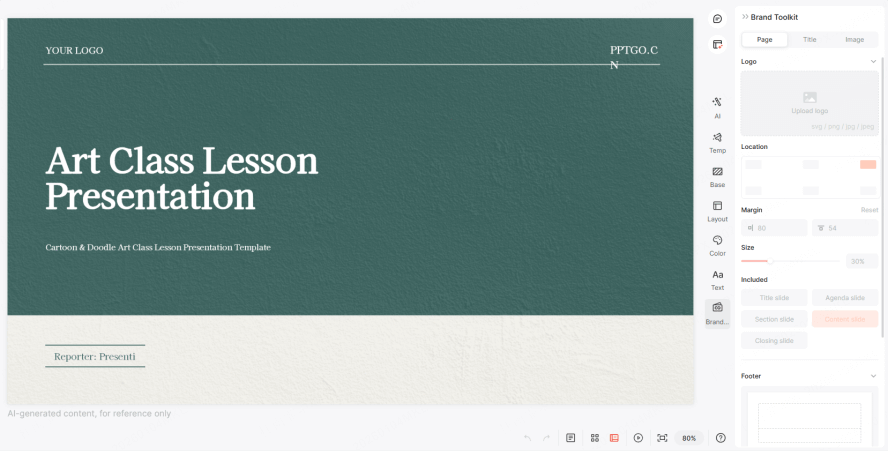
Does your school require a specific logo in the corner or a certain font? Don’t waste time formatting every single slide.
The Fix: Set your school’s colors, fonts, and logos in the Brand Toolkit once. From that point on, every batch of slides you generate will look perfectly polished and professional. It’s like having a personal graphic designer on standby.
How to Use Presenti for Weekly Lesson Slides Automation
Batching your lessons doesn't have to be technical. Here is the exact workflow to turn your weekend back into "me-time" using Presenti’s automation tools.
Step 1: Sign In & Set Your Style
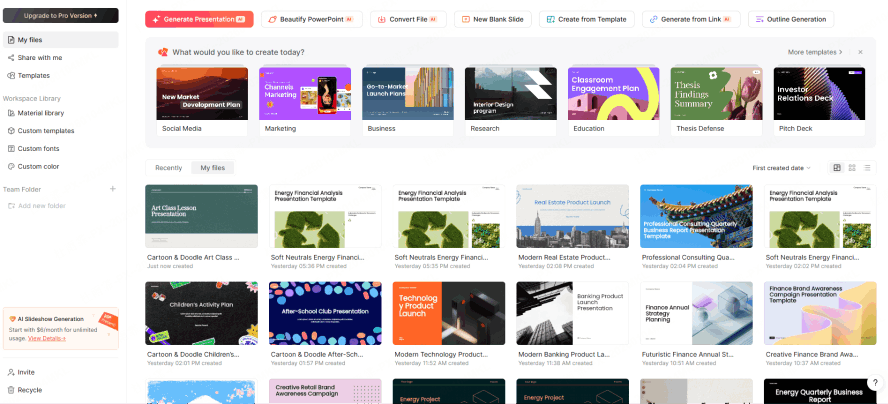
First, head over to Presenti.ai and log in. Before you start generating, take 30 seconds to set your "Global Preferences."
The Pro Move: Go to your dashboard and upload your school’s logo or select your favorite "Teaching Theme." By doing this now, every slide generated in the next steps will automatically follow your branding—no more manual font changes!
Step 2: Feed the Engine (Input Your Syllabus)
This is where you tell the AI what to do for the whole week. You don’t need to write a book; a simple outline or a PDF will do.
The Input: You can either upload your weekly curriculum PDF or simply paste a list like this:
- Monday: Intro to Photosynthesis
- Tuesday: The Role of Chlorophyll
- Wednesday: Light vs. Dark Reactions
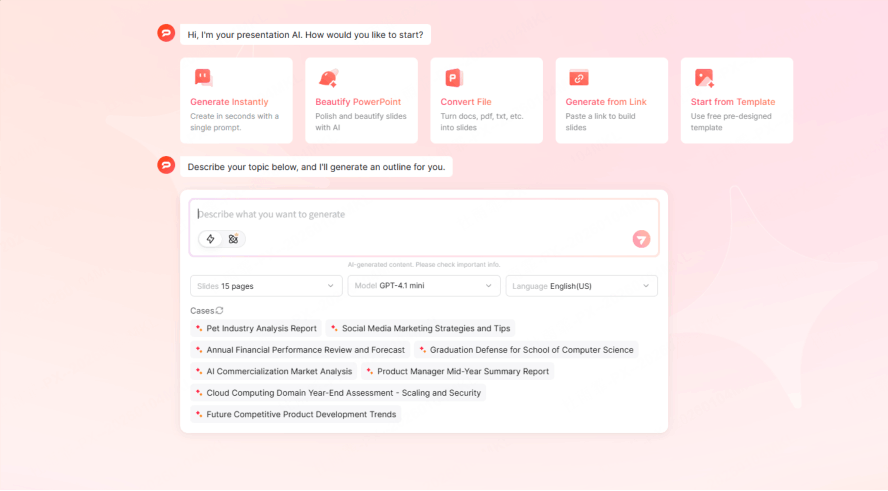
Step 3: Hit "Generate" & Watch the Magic
Once you’ve fed in your topics, click the "Bulk Generate" button. This is where Presenti’s "Multi-Threaded" engine kicks in. In about two minutes, you’ll see 4 or 5 complete lesson decks appear in your library.
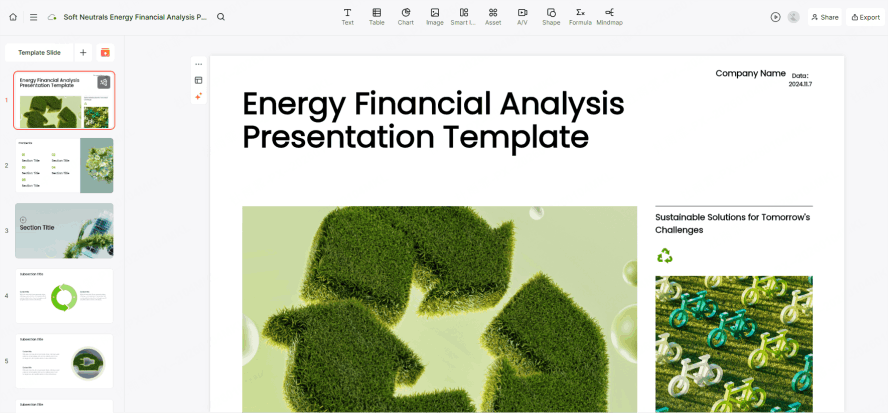
Step 4: Polish, Refine, and Export
Now that the "heavy lifting" is done, it’s time for the finishing touches. You are the expert, so use this stage to add your personal flair.
The Bird’s Eye View: Use the "Gallery Mode" to scan all your slides at once. See a slide that’s too wordy? Click "Refine" and the AI will instantly simplify the text or swap the layout.
One-Click Export: Once you’re happy, hit Export. Presenti plays well with others—you can download your files directly as PowerPoint (.pptx) or sync them straight to Google Slides.Let’s walk through the exact workflow to batch create teaching materials using Presenti.
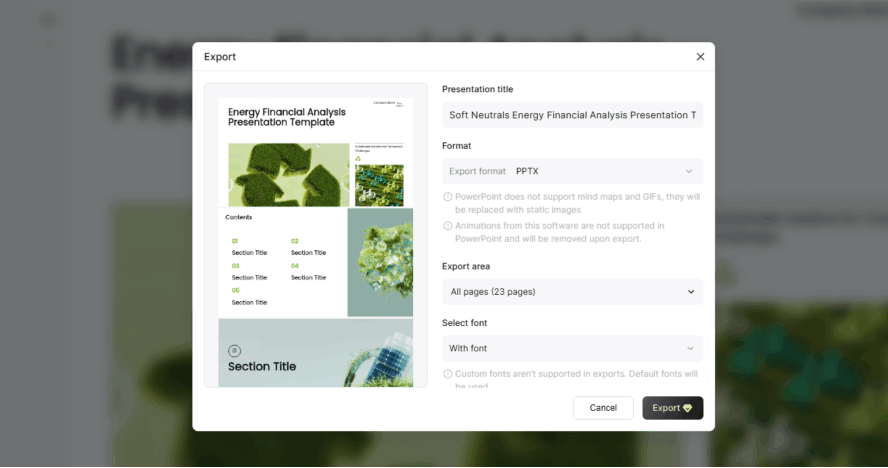
6 Expert Prompts for Batching Your Lessons
To truly master weekly lesson slides automation, you need to speak the AI's language. Here are specific prompts you can use within Presenti to batch create slides that actually engage students:
- "Using the attached curriculum, batch create teaching materials for a 5-day unit on Shakespeare. Each deck must include one slide for historical context, three for text analysis, and one interactive exit ticket."
- "Act as a STEM coordinator. Use the bulk presentation generator to create 3 lessons on Python programming basics, ensuring code snippets are formatted clearly."
- "Batch create slides from this 50-page research paper. Divide the content into a 4-part lecture series for graduate students, focusing on methodology and data results."
- "Use the bulk presentation generator to create a 'History of Art' series. Focus on high-quality image placement and minimalist text for a gallery-walk classroom style."
- "Help me batch create teaching materials for a substitute teacher. Generate 3 days of 'Emergency Lesson' slides that are self-explanatory and include student discussion prompts."
- "I have 10 vocabulary lists. Use the bulk presentation generator to create 10 mini-decks (5 slides each) that use the 'See, Think, Wonder' thinking routine for each word."
Elevating Your Content: Beyond the First Draft
Using a bulk presentation generator is the start, not the finish. To make your weekly lesson slides automation truly effective, follow these "Presenti Pro" tips:
- The 10/90 Rule: Let Presenti do 90% of the work (structure, design, initial text). Spend your 10% adding the "human" elements—the specific jokes you have with your class, recent local news, or specific student shout-outs.
- Interactive Elements: When you batch create slides, ask Presenti to include "Pause for Thought" slides. These are vital for keeping students engaged during long lectures.
- Visual Consistency: When you batch create teaching materials, stick to one icon style (e.g., Line Art or 3D). Presenti allows you to lock an icon set for the entire batch.
Avoiding Pitfalls: The Dos and Don'ts of AI Batching
Even with a powerful bulk presentation generator, errors can happen if the tool is used blindly.
Do:
- Audit for Tone: AI can sometimes be too formal. When you batch create slides, remind Presenti to use a "conversational and encouraging tone."
- Check Slide Density: Ensure the weekly lesson slides automation hasn't packed too much info onto one screen. If it has, use the "Split Slide" feature in Presenti.
- Batch Create Teaching Materials Together: Don't just do the slides. Ask the AI to generate the accompanying worksheets at the same time for total alignment.
Don't:
- Ignore the Preview: Always click through the batch once. AI might interpret a "Cell" as a "Prison Cell" instead of a "Biological Cell" if the context isn't clear.
- Skip the Sources: If you use the bulk presentation generator for history or science, double-check the dates and formulas.
- Over-Automate: Technology is a tool, but you are the teacher. Ensure your voice remains the loudest in the room.
FAQ
1. How does a bulk presentation generator differ from ChatGPT?
ChatGPT provides text, but it doesn't design. A bulk presentation generator like Presenti handles the layout, image sourcing, and multi-file organization specifically for slide decks.
2. Can I really batch create slides for a whole month at once?
Yes. If you provide a clear monthly outline or syllabus, Presenti’s weekly lesson slides automation can generate multiple distinct files in one session.
3. What if I need to change a logo across all batched slides?
Presenti allows for global editing. If you batch create teaching materials and realize you need a different theme, you can apply a new Brand Kit to the entire batch instantly.
4. Is weekly lesson slides automation suitable for all subjects?
Absolutely. From high-level mathematics to creative arts, you can tailor the bulk presentation generator prompts to suit any academic discipline or grade level.
Conclusion
The era of spending 10 hours a week on PowerPoint is over. By embracing a bulk presentation generator, you are not just saving time; you are investing in your own mental health and teaching quality. Presenti makes it easy to batch create slides, offering a level of weekly lesson slides automation that was once a dream.
Whether you are a K-12 teacher, a university professor, or a corporate trainer, the ability to batch create teaching materials ensures that your message is heard, your visuals are stunning, and your prep time is slashed. Ready to see the difference? Join thousands of educators who have already switched to Presenti and start your journey toward effortless lesson prep today.