By 2026, generating a slide deck takes mere seconds. While many presentation tools offer a miraculous boost in speed, they often prioritize polish over logic. The result? High-gloss, homogenized content that lacks human insight. This creates a challenge: How do we separate real thought from algorithmic mimicry? Learning to detect ai-generated presentations is crucial for maintaining integrity in hiring and academics.
In this guide, we explore how to check ppt for ai like a pro. From spotting the signs of "lazy AI" to utilizing specialized verify ppt authenticity tools, we'll help you spot the difference. Sometimes, you just need a good eye; other times, you need an ai presentation checker. Here is how to use both.
Phase 1: Visual "Intuition" and the First Impression
The first step to check ppt for ai involves a gut-level assessment of the visual language. Even in 2026, AI tends to default to a "mathematically perfect" balance that often feels sterile to the human eye.
- Over-symmetrical layout: Human designers, even those using templates, usually introduce subtle variations in spacing, alignment, and focal points to emphasize specific data points. In contrast, AI-generated slides often feel rigidly balanced, lacking the organic, creative "personality" that comes from a human trying to tell a story through design. If every slide follows the exact same visual weight distribution without regard for the content's importance, it’s a major red flag.
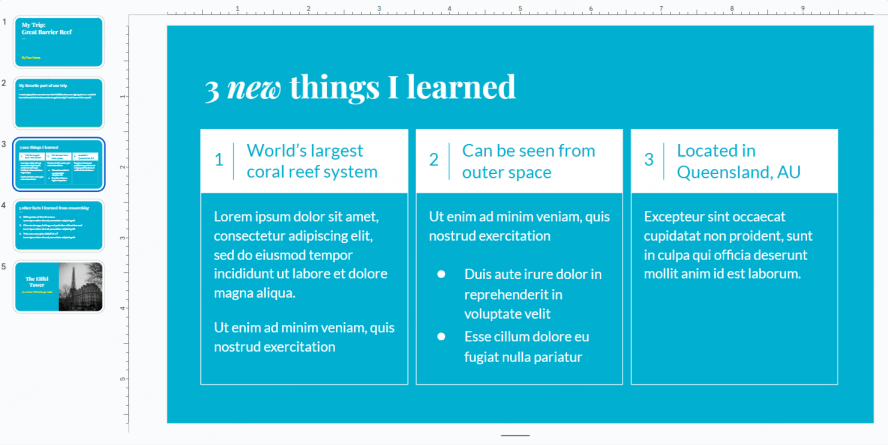
- The "AI Aesthetic" in visual assets: Look closely at the imagery used within the slides. While the "extra finger" glitch is largely a thing of the past, many AI tools still use specific rendering models that produce a "waxy" texture or a hyper-realistic sheen that feels slightly unnatural. Pay close attention to the background details: are the shadows consistent with the light sources? Is the text in the background of a generated photo warped or nonsensical?
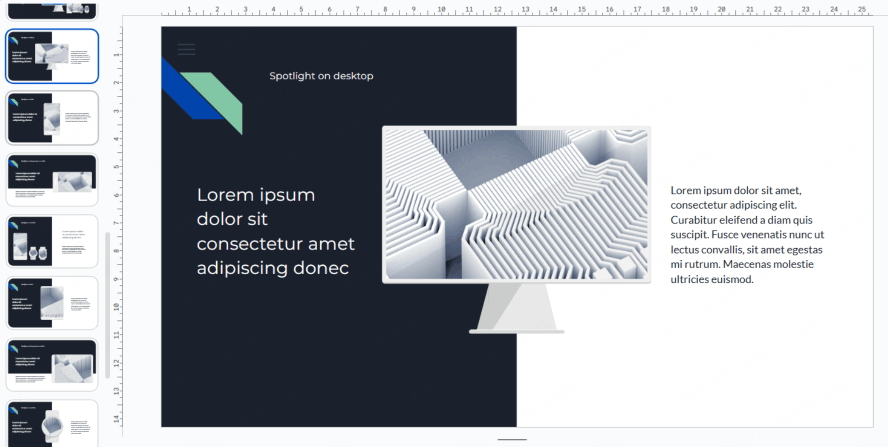
- Obsession with generic stock preferences: you will frequently see abstract, highly saturated 3D spheres, floating geometric light beams, and crystalline shapes that look "premium" at a glance but rarely have any actual relevance to the business content being discussed. Finally, never overlook the obvious; many free versions of these tools leave subtle watermarks like "Made with Gamma" or "Designed with AI" in the corner of the master slide, which is the easiest way to detect ai-generated presentations.
Phase 2: Content & Logic Scrutiny, The Core Detective Work
If the visuals pass the initial test, the next phase is to scrutinize the narrative. This is the most effective way to detect ai-generated presentations because, while AI is a master of syntax, it is often a novice in strategy.
- Professional Fluff: The copy in the slides might sound incredibly sophisticated, using high-level corporate jargon, but upon closer inspection, it lacks deep insights into specific business scenarios or niche industry challenges. It tells you what a solution is in general terms, but fails to explain how it applies to the unique constraints of your specific project. This "vanilla" approach to high-level strategy is a classic sign of an unedited AI prompt.
- Narrative discontinuity: AI is excellent at generating a cohesive single slide, but it still struggles with the "Slide-to-Slide narrative" (the red thread). A human-authored deck is a journey; each slide builds on the previous one. In an AI deck, you might find sudden jumps in logic, or conversely, three slides in a row that essentially say the same thing in slightly different words. Then there is the issue of "Data Hallucinations."
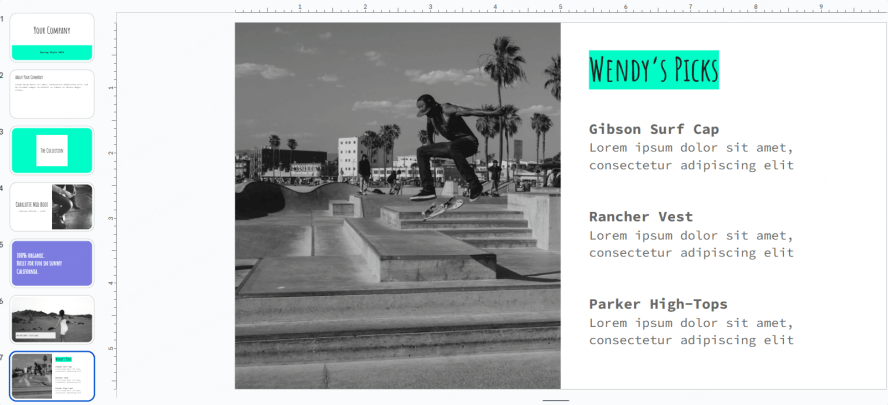
- Fake statistics: AI often uses "placeholder data" like "Item A: 10% growth", or worse, it cites non-existent case studies and fake years to fill a gap.
- Tone: An AI-generated deck maintains an eerily consistent, overly polite, and neutral tone. It lacks the emotional emphasis, the personal anecdotes, or the specific vocabulary shifts that a human expert uses when they are passionate about a topic.
Phase 3: Technical Forensics, Advanced Deep-Dive Techniques
For those who need to move beyond suspicion and into "hard proof," technical forensics provide the answer. To truly verify ppt authenticity tools aren't always necessary if you know where to look in the file’s DNA.
The first place to check is the Metadata.
On a Windows machine, you can right-click the PPT file, go to "Properties," and then "Details." Check the "Author," "Company," or "Last Modified By" fields. Many AI platforms automatically embed their brand name or a specific service account name into these tags during the export process. If the author is listed as a cloud-service bot or a generic platform name rather than a person, you have your answer. This is a primary step when you need to check ppt for ai for official documentation.
Another high-level technique is XML/File Structure Analysis.
- A .pptx file is essentially a renamed compressed folder. If you change the file extension from .pptx to .zip, you can extract it and peer into the inner workings of the presentation.
- Navigate to the ppt/media folder. Here, you will see all the images used in the deck.
- AI-generated images often have complex, long-string alphanumeric filenames (e.g., image_df234_992l.png) or specific prefixes generated by the API of the AI service.
- Human-saved images are more likely to have names like Q3_Growth_Chart.png or CEO_Headshot.jpg. Using these methods to check ppt for ai provides a level of certainty that visual inspection alone cannot offer.
- Additionally, look at the "Slide Master" structure; AI tools often generate highly complex, nested master slides that are far more convoluted than a human designer would create.
Phase 4: Bring in Professional AI Presentation Checker
By 2026, AI has become so sophisticated that the human eye alone isn't always enough. Sometimes, you need backup. For recruiters and professors, using a dedicated ai presentation checker is now essential. The process is simple: extract the text from your slides and run it through established tools like:
- GPTZero
- Copyleaks
- Originality.ai.
These platforms scan for the specific, flat patterns typical of Large Language Models. If the writing feels too smooth and predictable (lacking human "burstiness"), it’s a strong sign that an algorithm wrote the script, not a person.
The Paradigm Shift: From "AI Generation" to "AI Transformation"
Everyone is talking about how to detect ai-generated presentations. But let's be real: AI isn't the enemy, and lazy usage is. Instead of avoiding AI, we need to shift from "generation" to "transformation."
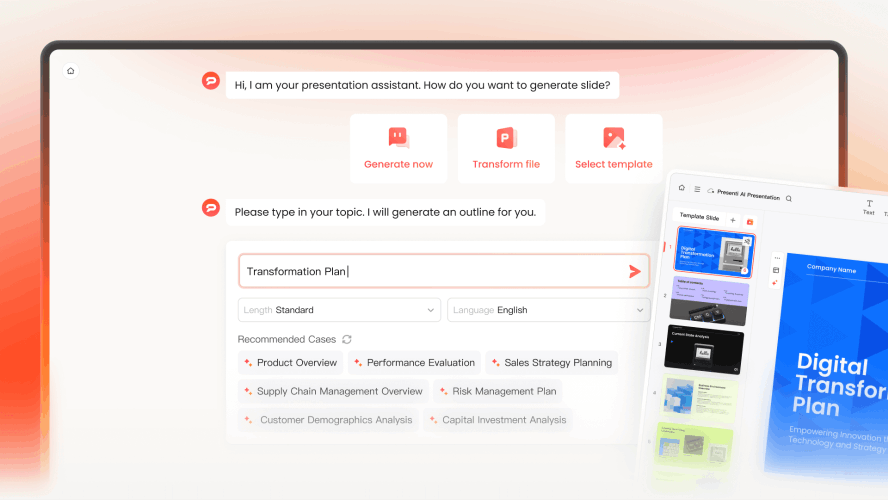
True power comes from tools like Presenti AI that turn raw, messy ideas into polished visual stories. It automates the boring stuff—like alignment and font pairing—without replacing your brain. So, while verify ppt authenticity tools are useful, the goal shouldn't just be to "catch" people. When you use an ai presentation checker or check ppt for ai in the future, don't just look for robot text. Look for efficiency. Ask yourself: Was AI used as a lazy crutch, or as a catalyst to elevate human thought?
The most efficient "Source-to-Slide" workflows of Presenti involve:
- Document-to-PPT (Word/PDF and more): Taking a 20-page research paper you actually wrote and using AI to distill it into key bullet points and visual hierarchies.
- Logic-to-Slide (Mindmaps/outline): Converting a structured outline of your own brainstorming nodes directly into a logical slide flow.
- Markdown Integration: Allowing power users to maintain 100% control over the content structure while the AI handles the aesthetic distribution.
Presenti AI is the perfect example of this approach. Since it uses your own files as the source, you eliminate the "hallucinations" common in other tools. Your specific expertise stays front and center. This makes the final output feel authentic. When put to the test against verify ppt authenticity tools, these presentations stand out because of their depth. You get the benefit of AI speed, but the narrative and logic remain 100% yours.
Conclusion
Whether you use technical tools or a visual eye to detect ai-generated presentations, the end goal is the same: ensuring the "human element" is present. We must embrace "Hybrid Creation." A presentation's value lies in its depth, not just its design.
The best way to check ppt for ai? The "Why" test. Ask the presenter to explain their reasoning. Those who use tools like Presenti to transform their ideas will pass with flying colors; those who rely solely on prompts will fail. Verify ppt authenticity tools can flag code, but only a human can verify intent. Let an ai presentation checker handle the technical side, but remember: AI builds the house; you must live in it.