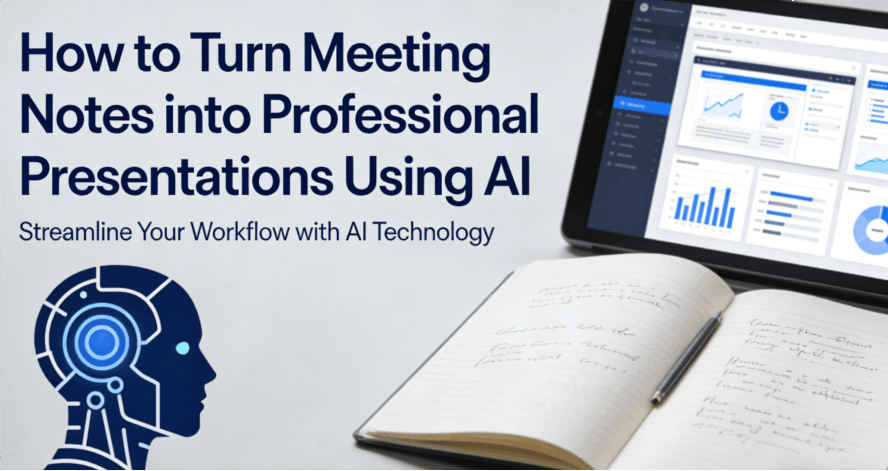
The meeting just ended, and you’re left with a mess: pages of shorthand, cryptic bullet points, and maybe a blurry photo of a whiteboard. Now comes the part everyone hates—spending the next two hours manually turning those notes into a polished deck for your boss or client. Traditionally, this meant endless copying, pasting, and wrestling with text boxes. But in 2026, top performers don't do that "manual labor" anymore.
By using a meeting notes to slides ai, you can transform raw thoughts into structured, professional visuals instantly. With a text-based presentation generator, you provide the ideas, and the AI handles the heavy lifting. It’s not just about saving time; it’s about completely removing the friction from the meeting summary to presentation workflow.
Why Manual Transformation is a Productivity Killer
Before we dive into the solution, it’s important to understand why the old way of working is holding you back. Converting notes to slides manually is a high-effort, low-reward activity that drains your creative energy.
- Information Overload: A sixty-minute meeting can generate thousands of words. Sifting through that mountain of data to find three core "Action Items" is mentally exhausting. Without a notes to slides converter, you are likely to miss critical details or over-complicate your slides.
- The Design Trap: Most professionals waste 80% of their time on "pixel-pushing"—aligning text boxes, choosing font sizes, and adjusting color blocks. This "aesthetic labor" adds zero strategic value to your presentation.
- Lack of Structure: Meeting notes are naturally divergent and messy. A presentation, however, requires a tight, linear narrative. Bridging this gap requires a structural overhaul that most people simply don't have the time to perform correctly.
The Presenti Solution: A Three-Step Leap from Notes to Slides
This is where Presenti changes the game. Unlike generic AI chatbots, Presenti is a purpose-built meeting notes to slides ai that understands the nuances of corporate communication. It is designed to take you from a login screen to a finished deck with minimal friction. Here is the comprehensive guide on how to use it to revolutionize your workflow.
Phase 1: Input and Analysis (The Input)
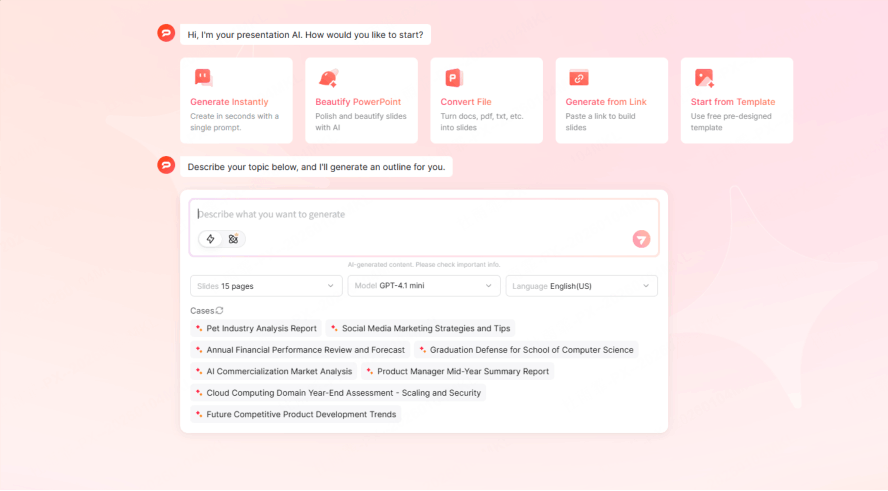
The journey begins at the Presenti dashboard. Once you log in, your first step is providing the raw material. Presenti stands out as a versatile text-based presentation generator because it doesn't limit how you work.
- Flexible Data Ingestion: You can directly paste your raw text, upload a PDF of your minutes, or even sync your collaborative workspace documents.
- Intelligent Parsing: Once the data is in, Presenti’s engine doesn't just "read" the words—it performs a semantic analysis. It identifies the "Who, What, and When." It can distinguish between a casual brainstorming idea and a firm KPI target.
- Context Recognition: If your notes mention a "deadline for next Friday," the AI recognizes this as a critical milestone and flags it for a dedicated timeline slide. This level of intelligence is what makes it a superior meeting summary to presentation tool.
Phase 2: Intelligent Restructuring (The Logic)
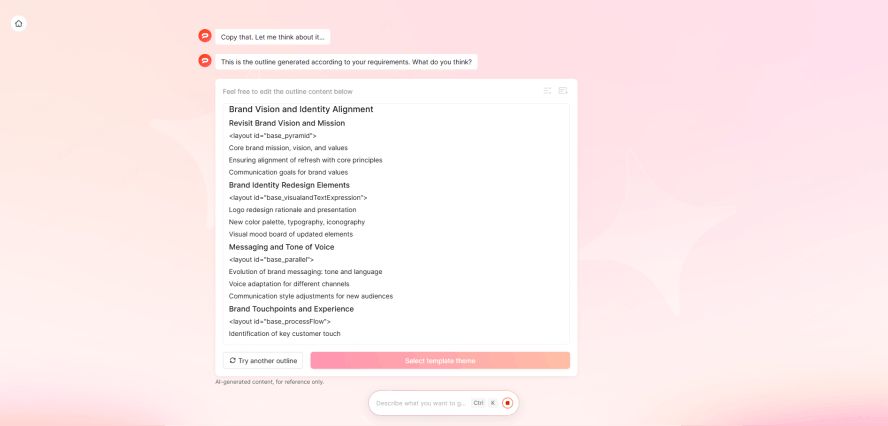
Once the AI understands your content, it moves to the most critical stage: building the skeleton. A common mistake with a basic notes to slides converter is simply dumping text onto slides. Presenti is different.
- Template Matching: Presenti doesn't use "one-size-fits-all" layouts. It analyzes the attribute of your meeting. Is this a Weekly Sync? A Project Proposal? A Client Pitch?
- Logical Frameworks: Based on the meeting type, the AI automatically matches your content to a professional framework. For a "Project Review," it might structure the slides as: Executive Summary → Current Status → Blockers → Next Steps.
- Concise Summarization: It takes long-winded discussions and distills them into high-impact bullet points, ensuring your audience stays focused on the message, not the "wall of text."
Phase 3: Instant Design & Aesthetic Polish (The Output)
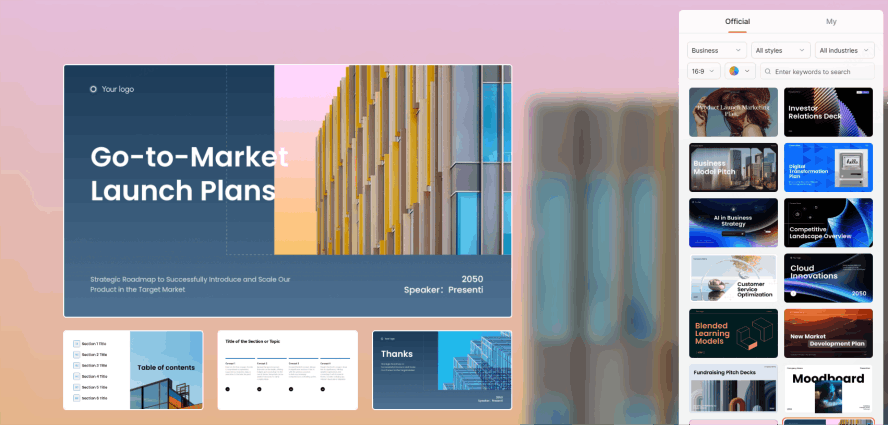
The final step is where your brand comes to life. This is the "magic" moment of the text-based presentation generator.
- One-Click Professionalism: With a single click, the AI applies a cohesive visual style. These aren't the tired, "copy-paste" templates you find in legacy software. These are modern, clean, and distraction-free designs.
- Visual Hierarchy: Presenti automatically handles the design heavy-lifting. It bolds the right headers, selects appropriate icons to represent your data, and ensures that the most important information on the slide is the first thing the eye sees.
- Brand Consistency: You can set your brand colors and fonts once, and every meeting summary to presentation you generate will look like it came straight from your design department.
Pro Tips: How to Make Your AI Presentations Look "Human-Made"
While Presenti does 90% of the work, the best results come from a smart "Human-AI" partnership. To ensure your deck feels authentic and high-stakes, use these practical tips.
Give the AI a Persona
When you use a meeting notes to slides ai, context is king. Before hitting generate, give the tool a "Role." For example, tell the AI: "You are a Senior Project Manager summarizing this week's technical hurdles for a non-technical board of directors." This subtle prompt changes the vocabulary and tone of the entire deck, making it feel much more personalized and "human."
Use Structural Markers in Your Notes
Even if your notes are messy, a few "anchor" words can help the notes to slides converter be even more precise. Use bold headers like [DECISION], [BUDGET], or [ACTION ITEM] in your raw text. This acts as a signal to the AI, ensuring those specific points get their own high-priority slides.
The "90/10" Collaboration Rule
Think of Presenti as your most efficient intern. Let the text-based presentation generator handle the 90%—the grueling work of organizing, summarizing, and designing. Then, you spend the final 10% of your time on the "strategic polish." Add that one specific nuance about a client's preference or a confidential piece of data that wasn't in the original notes. This ensures the final output is 100% accurate and strategically sound.
Conclusion
At the end of the day, tools should exist to let us focus on higher-value work. The meeting summary to presentation transition has been a workplace nightmare for years, but it doesn't have to be.
By using a notes to slides converter, you stop being a "slide technician" and start being a "strategic communicator." When you aren't worried about aligning text boxes, you have more energy to focus on actually executing your plan. That is the true power of a meeting notes to slides ai. Stop letting your best ideas die in a messy notepad. Try Presenti today and see how it feels to finish a professional report in under five minutes.