The "blank slide syndrome" is a relic of the past. For Mac enthusiasts, the challenge has shifted from how to make a slide to which tool creates a deck that doesn't look like a generic corporate template. In 2026, the ai keynote generator market has matured, offering sophisticated apple keynote automation tools that understand the nuances of Apple’s design language—minimalism, precision, and fluid motion.
Whether you're a startup founder or a creative director, finding the right mac presentation maker ai is about more than just speed; it’s about maintaining the professional "Keynote" aesthetic while letting AI handle the logistical grunt work.
What is Keynote? Core Features and Functionality
Keynote is Apple’s native presentation software, designed specifically for macOS, iOS, and iPadOS. As part of the iWork productivity suite, it is built to integrate deeply with Apple hardware and software. Unlike traditional presentation tools that focus on heavy menu ribbons, Keynote prioritizes a canvas-first approach.
Key technical features include:
- Object-Based Animation (Magic Move): This is Keynote’s signature transition tool. It automatically detects identical objects across two different slides and calculates the movement, scale, and opacity changes to create smooth, automated animations.
- Contextual Interface: To maximize screen space, Keynote uses a dynamic sidebar that only displays formatting tools relevant to the selected object (text, image, or chart). This keeps the workspace uncluttered.
- Ecosystem Integration: Keynote supports real-time syncing via iCloud. This allows users to start a deck on a Mac, edit it on an iPad with an Apple Pencil, and control the presentation remotely using an Apple Watch or iPhone.
- High-Resolution Rendering: The software is optimized for Retina displays and the P3 wide color gamut. It handles typography and gradients with higher precision than web-based tools, ensuring visual clarity on high-end monitors.
- Flexible Export Options: While its native format is .key, the software allows users to export files as PowerPoint (.pptx) documents, PDFs, or high-quality movie files (QuickTime), making it compatible with non-Mac environments.
By understanding these structural advantages, it becomes clear why modern AI tools are now focusing on automating the "Keynote" workflow rather than just generating basic slides.
The Evolution of Mac Presentation Maker AI
Traditionally, Mac users have been skeptical of automated tools. Early AI-generated slides often suffered from "PowerPoint-ism"—cluttered layouts and poor typography that clashed with the sleek macOS interface. However, the latest generation of keynote ai assistant software has been built from the ground up to respect .key formats and high-DPI displays.
Modern apple keynote automation tools are no longer just text-to-slide converters. They are design partners that can parse 50-page PDFs, suggest on-brand imagery, and export files that remain fully editable within Keynote. This is crucial because, for a Mac user, the AI is the starting line, but the final polish often happens in Keynote’s native environment.
1. Presenti
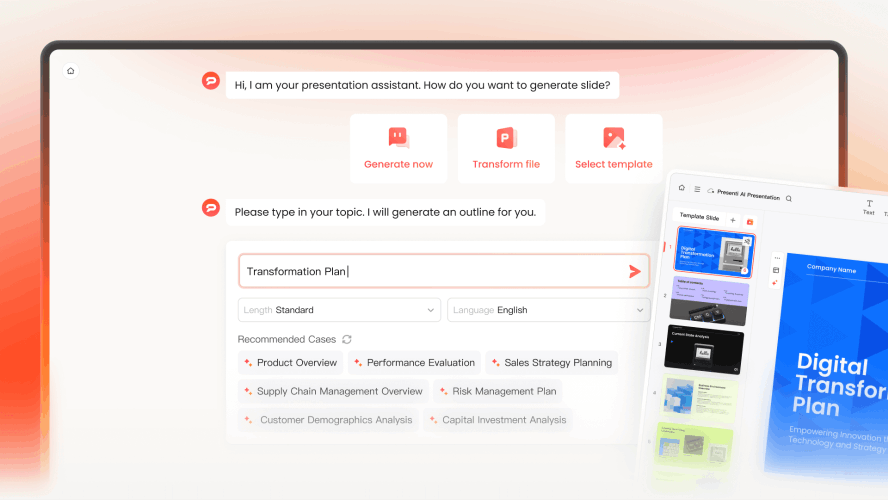
As the flagship ai keynote generator in this review, Presenti bridges the gap between raw data and executive-level storytelling. While other tools focus on "pretty" slides, Presenti focuses on "smart" slides. It is specifically optimized to act as a deep-learning keynote ai assistant for those who work with complex information.
Why it’s the top choice for Mac users:
- Semantic Integrity: Presenti doesn't just summarize text; it understands the hierarchy of your argument. If you feed it a research paper, it identifies the thesis, methodology, and results, automatically mapping them to a logical 12-slide flow.
- The "Clean Export" Guarantee: Unlike competitors that export messy .pptx files that break when opened in Keynote, Presenti’s engine generates clean, layered files. This makes it a leading mac presentation maker ai for those who want to use Keynote’s "Magic Move" later.
- Apple-Native Aesthetics: It avoids the "neon and gradients" trap of web-based AI, favoring the glassmorphism and SF Pro typography that Mac users adore.
2. Gamma
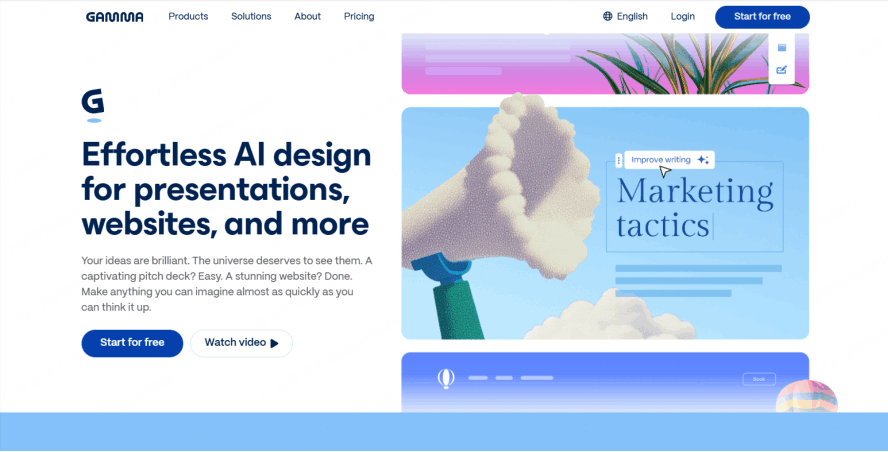
Gamma remains a dominant ai keynote generator, but it takes a web-native approach. Instead of traditional slides, it creates "cards" that feel like a modern website.
Key Strengths: It is arguably the fastest keynote ai assistant for internal briefings. If you need to share a deck via a link rather than a projector, Gamma is unbeatable.
The Mac Limitation: While it is a brilliant mac presentation maker ai, its proprietary format means you lose a lot of "Apple magic" if you try to force it back into a traditional Keynote workflow. It is best used as a standalone tool for modern, web-first teams.
3. Pitch

Pitch has successfully integrated apple keynote automation tools into a high-end collaborative platform. It is designed for teams that need to stay "on-brand" at all times.
Brand Consistency: Its AI ensuring every image and font matches your pre-set brand kit instantly.
Native Mac Experience: Unlike browser-only tools, Pitch offers a dedicated macOS app that supports smooth gestures and high-performance rendering, making it a reliable mac presentation maker ai.
4. Beautiful.ai
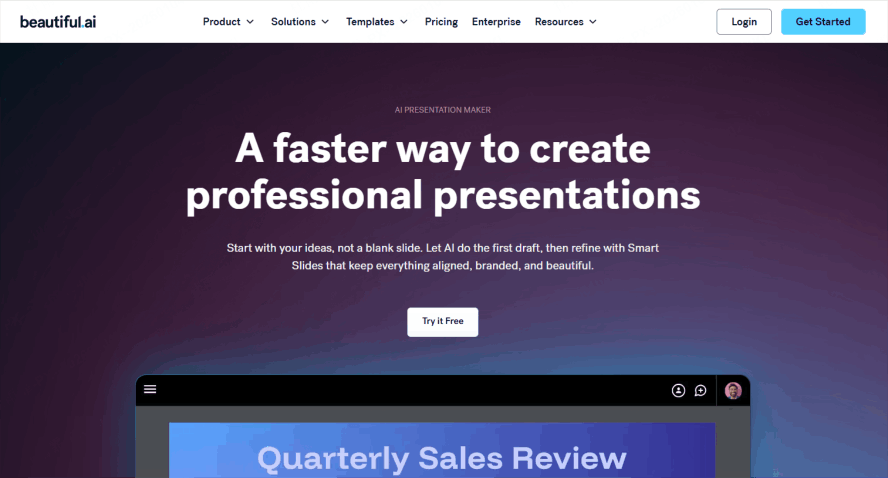
If you have a "perfectionist" streak but lack the time to manually align every box, Beautiful.ai is the keynote ai assistant that handles the math for you.
Smart Slides: As you add content, the AI automatically shrinks fonts or moves images to maintain a perfect visual balance.
Constraints as a Feature: It is a powerful ai keynote generator for those who want a "design-safe" environment where you literally cannot make a slide look ugly.
5. Canva
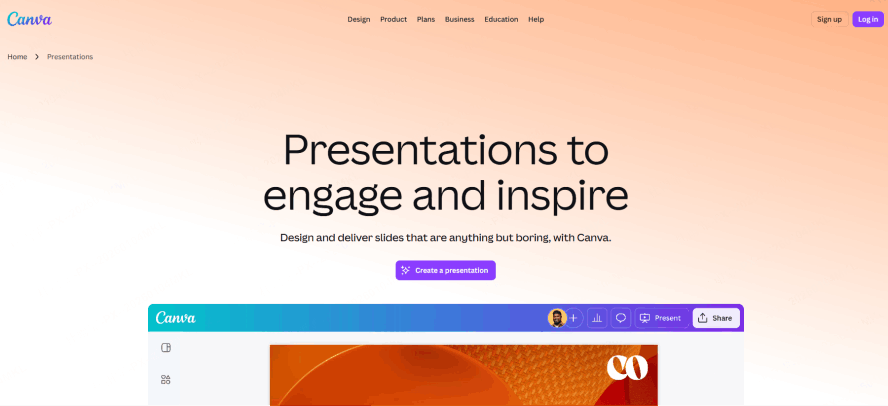
Canva is the go-to ai keynote generator for users who need a massive library of high-end visual assets and trendy graphics.
Multimedia Integration: Type a prompt, and this ai keynote generator pulls from millions of premium photos and videos to build your story.
"Magic Switch" Feature: One of the most versatile apple keynote automation tools, allowing you to transform a deck into a social media post instantly.
Native Desktop App: The Mac app supports smooth drag-and-drop, feeling like a professional mac presentation maker ai workstation.
How to Choose Your Keynote AI Assistant
Choosing the right AI assistant for Keynote depends on balancing export compatibility with content depth. While most platforms like Pitch, Beautiful.ai, and Canva rely on .pptx exports that may require manual formatting adjustments, Presenti distinguishes itself by offering native .key support and superior logical rigor for complex, data-heavy projects.
| Feature | Presenti | Pitch | Beautiful.ai | Gamma | Canva |
|---|---|---|---|---|---|
| Keynote Export | Native (.key) | Good (.pptx) | Good (.pptx) | Fair (Web-focus) | Good (.pptx) |
| Logic Depth | Highest | Medium | Medium | Medium | Light |
| Best For | Pro & Deep Data | Team Branding | Auto-Alignment | Quick Web Decks | Creative Visuals |
Whether you prioritize Gamma’s agile web-first approach or Canva’s visual flair, your choice should hinge on whether you need a quick creative draft or a professional, structurally sound deck built specifically for the Apple ecosystem.
Conclusion
Choosing an ai keynote generator isn't about being lazy; it’s about being effective. In a world where we are judged by the clarity of our ideas, a keynote ai assistant ensures that your message isn't lost in a sea of bad formatting. For Mac users, Presenti offers the most seamless transition from raw thought to polished Apple-style presentation. By leveraging these apple keynote automation tools, you can finally focus on your delivery rather than your margins. The future of the mac presentation maker ai is here, and it’s beautiful.