In the 2026 remote work economy, static slides are the new dial-up internet—slow, flat, and outdated. Modern teams have moved beyond simple screen sharing to demand robust team presentation tools online that handle the complexity of asynchronous work.
If you are still using legacy software, you are falling behind. The right collaborative presentation software transforms a meeting from a lecture into a workspace. This post breaks down the best powerpoint programs for remote teams. We’ll analyze how these cloud-based ppt alternatives are using AI to turn "just another presentation" into a compelling, interactive narrative that actually converts.
5 Remote Work Essentials for 2026
The best powerpoint programs in 2026 have moved beyond static slides to become dynamic, living workspaces. To support a global team, modern tools must offer these five non-negotiable features:
1. Async Narration
The best pitch is one that doesn't require a meeting. Cloud-based ppt alternatives now treat recorded video narration as a core feature. This turns a static doc into a performance that stakeholders can watch at 1.5x speed, anytime, anywhere.
2. AI Data Agents
Stop manual copy-pasting. Advanced team presentation tools online integrate with Jira and Notion. You simply tell the AI to "update the metrics," and it pulls real-time data into your slide, formatted perfectly.
3. Real-Time Collaboration
Collaborative presentation software isn't just about editing together; it's about being present together. Look for tools that offer live cursors, reactions, and the ability for users to browse slides independently during a live talk without disrupting the presenter.
4. Automated Brand Control
Keep your team on-brand, globally. 2026 tools use strict "Brand Fences" that lock fonts, colors, and layouts. Design leads set the rules; the team fills in the content without breaking the design system.
5. Zero-Lag Meeting Integration
Say goodbye to "Can you see my screen?" The top tools run natively inside your video call apps. This means smooth video playback, zero lag, and interactive elements that the audience can click directly.
Comparing the Top Best PowerPoint Programs for 2026
In 2026, the presentation landscape has split into two distinct camps: the Legacy Giants who are adding AI to old frameworks, and the AI-Native Challengers who are reimagining what a slide deck even is. Choosing between them depends on whether you need a traditional file for a boardroom or a living, data-synced document for a global team.
| Tool | Core Positioning | Best For... |
|---|---|---|
| Presenti | The "Thinking" Workspace for Global Teams | Deep AI Integration & Asynchronous Workflows |
| Microsoft 365 | The Corporate Gold Standard | Traditional corporate environments & offline stability |
| Gamma | The Web-First Visualizer | Quick, one-off visual docs and interactive briefs |
| Google Slides | The Lightweight Collaborator | Basic team tools with frictionless web sharing |
| Canva | The Creative Template Hub | Visual-first creators and social media assets |
1. Presenti: The "Thinking" Workspace for Global Teams
Why We Picked It
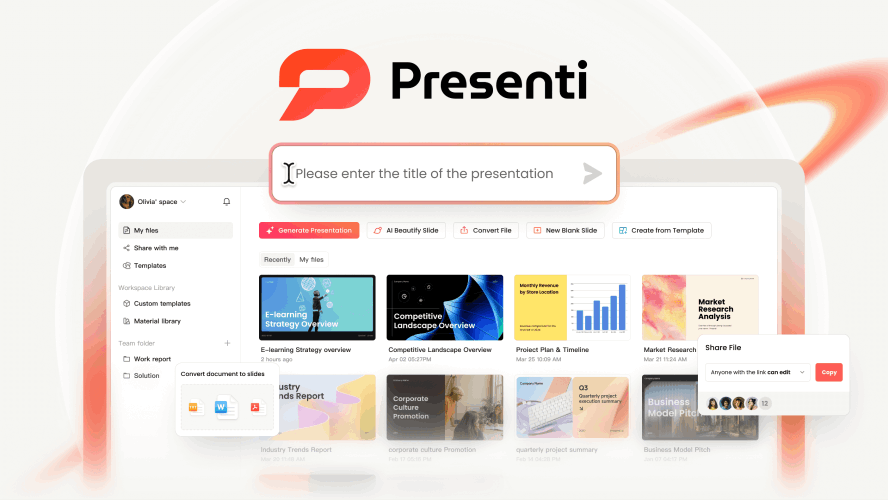
We selected Presenti as a top contender because it solves the biggest bottleneck for remote teams: turning messy documentation into clear communication. It is far more than just a cloud-based PowerPoint alternative. Presenti AI is an intelligence layer that sits on top of your team's knowledge base.
While other tools focus on decorating slides, Presenti focuses on logic and speed. By automating the conversion of raw files into structured presentations, it allows distributed teams to move from "reading a 20-page Word doc" to "viewing a 10-slide summary" in seconds. It defines what collaborative presentation software should look like in 2026: fast, smart, and brand-compliant.
Key Features
- Multiple File-to-PowerPoint Conversion: Remote work runs on documents. Presenti connects the dots by instantly converting Word docs, PDFs, Markdown, Audio files, and even raw outlines into fully designed decks. It’s the ultimate async tool—turn a report into a presentation without scheduling a briefing meeting.
- Pro Agent Mode: This is where Presenti shines as one of the best powerpoint programs. Instead of generic auto-fill, the "Pro Agent" uses a "Chain of Thought" process to analyze your uploaded materials, research context, and structure a logical narrative before a single pixel is placed.
- Global Collaboration & Translation: For team presentation tools online, language barriers are real blockers. Presenti breaks them down by supporting content generation in 40+ languages. Teams can co-edit in real-time and instantly translate decks for local markets, ensuring a truly global workflow.
- Enterprise "Brand Fence": Decentralized teams often go rogue with design. Presenti’s centralized Brand Kit acts as a guardrail. Admins upload logos, fonts, and palettes once, and the AI ensures every generated slide adheres to strict corporate identity standards—whether the creator is in New York or Tokyo.
Best For
Fast-moving tech companies, global agencies, and modern enterprises that have outgrown static slides. It is the ideal choice for teams that prioritize asynchronous communication, require real-time data accuracy, and need Figma-level design precision combined with enterprise-grade brand governance.
2. Microsoft PowerPoint 365 (Legacy Plus)
Why We Picked It
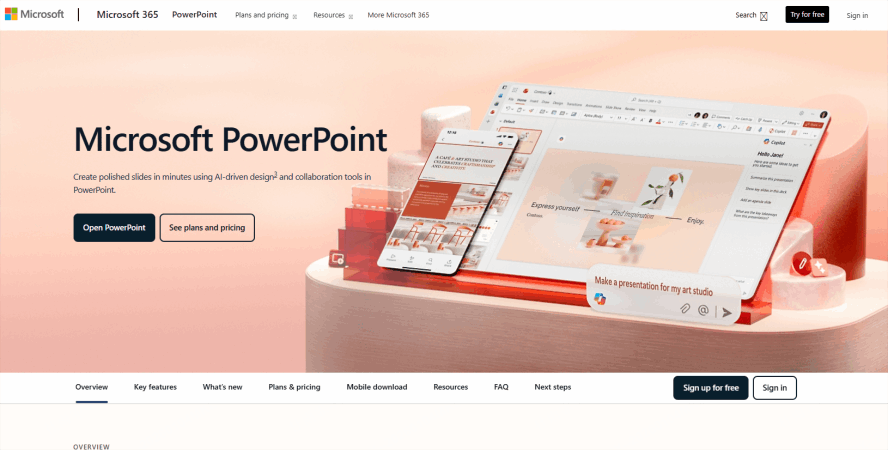
Microsoft PowerPoint remains the "Corporate Gold Standard" for a reason. In 2026, it’s no longer just a static tool; it is a high-performance engine for traditional business environments that demand 100% offline reliability and deep infrastructure integration. For organizations where data security is paramount and presentations must function flawlessly without an internet connection, PowerPoint 365 offers a level of sophistication—especially in complex animations and Excel data linking—that web-only challengers still struggle to match.
Key Features
- Copilot Pro for Enterprise: Beyond simple drafting, the 2026 iteration of Copilot can analyze months of internal company data, emails, and spreadsheets to suggest highly context-aware slide structures and executive summaries.
- Deep Excel Living-Links: For financial reporting, nothing beats PowerPoint’s ability to embed live Excel charts that update automatically across local and cloud servers without breaking formatting.
- Advanced Motion Path & 3D Rendering: While AI tools focus on speed, PowerPoint focuses on "The Big Stage." Its Morph transition and 3D model support remain the industry leaders for high-end keynote visuals.
- Unmatched Offline Stability: For presenters traveling to locations with spotty connectivity, the desktop application provides peace of mind that no cloud-based tool can guarantee.
Best For
Corporate executives, financial analysts, and keynote speakers who require heavy-duty data visualization, complex animations, and the security of a desktop-native environment within the Microsoft ecosystem.
3. Gamma: The Web-Doc Hybrid
Why We Picked It
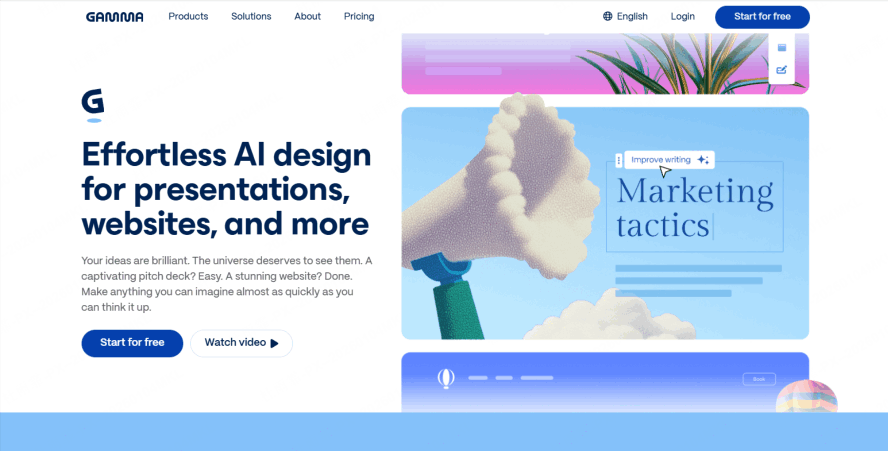
Gamma is the champion of "The New Document"—a hybrid between a slide deck, a webpage, and a visual brief. We picked it because it eliminates the "Canvas Anxiety" of a blank white slide. It is designed for the modern professional who needs to turn a rough idea into a visually stunning, interactive experience in seconds. Gamma doesn't just make slides; it crafts responsive visual stories that look as good on a smartphone screen as they do on a 4K projector.
Key Features
- One-Click Aesthetic Transformation: Gamma’s AI doesn't just suggest layouts; it applies entire "visual identities" across your deck, ensuring that fonts, colors, and image styles are perfectly synchronized with zero manual tweaking.
- Responsive Web-Native Design: Unlike traditional PPTs, Gamma decks are responsive. They automatically adjust their layout for mobile devices, making them perfect for sending "decks" that people actually read on their phones.
- Interactive Web Embeds: You can bake live websites, interactive maps, and functional apps directly into your slides, turning a static presentation into a "living" portal.
- The "A-Z" AI Generator: Provide a single sentence, and Gamma will generate an entire structured deck with professional imagery and coherent copy, providing a 90% finished draft in under 30 seconds.
Best For
Startups, freelancers, and marketers who need to move at high speed and want their presentations to feel modern, web-ready, and effortlessly stylish.
4. Google Slides (2026 Update)
Why We Picked It
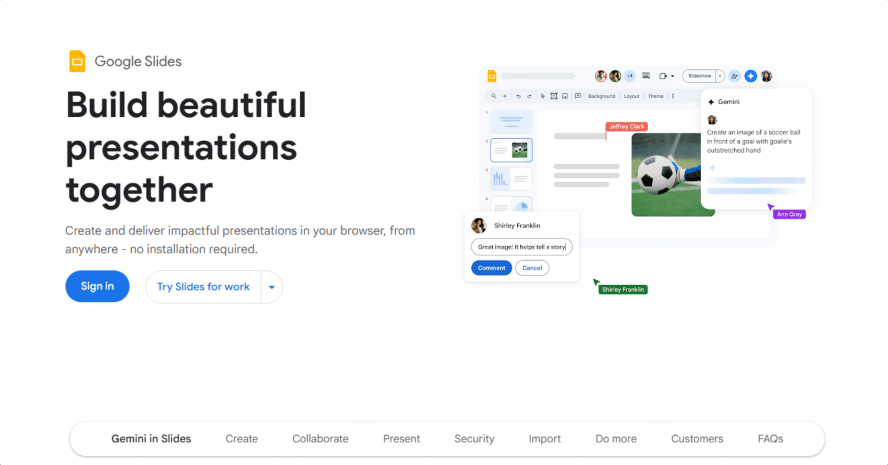
Google Slides remains the ultimate "Frictionless Collaborator." In its 2026 update, Google has leaned heavily into its Gemini AI integration, making it the fastest way to turn a Google Doc or a Gmail thread into a shared presentation. It is the tool of choice for teams that value "radical transparency" and need a zero-barrier entry point for multiple contributors to jump in and start typing simultaneously.
Key Features
- Gemini Ecosystem Sync: The AI sidebar can instantly pull data from your Sheets, summarize a 20-page Doc into 5 slides, and even suggest images based on your organization’s Google Drive history.
- Zero-Lag Live Co-Editing: Its multi-user collaboration remains the most stable in the industry. Seeing 10+ cursors moving in real-time without a hint of lag makes it the "default" for rapid internal brainstorming.
- Massive Add-on Marketplace: Its greatest strength is its openness. By integrating with tools like Plus AI or Slido, Google Slides can be customized into a specialized power-tool for almost any niche.
- Simplified Web Sharing: The "Share" button remains the gold standard for ease of use—no file downloads, no version conflicts, just a single URL that works for everyone.
Best For
Education sectors, internal project teams, and Google Workspace-native companies that prioritize real-time teamwork and cross-platform simplicity over high-end design complexity.
5. Canva: The Design Powerhouse
Why We Picked It
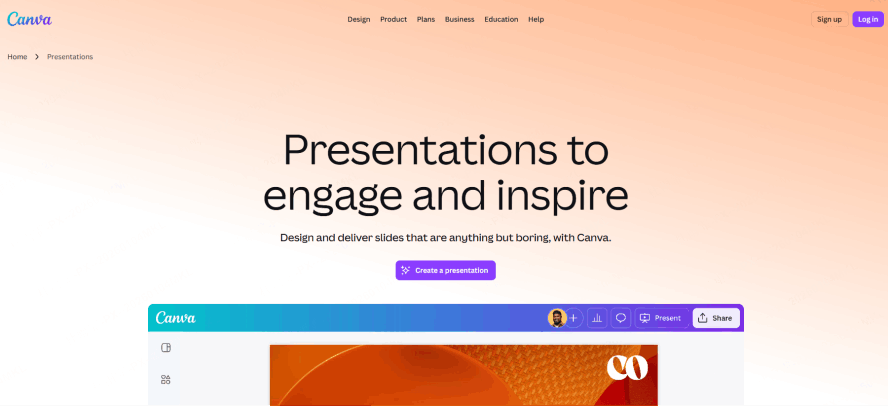
Canva is the bridge between "Graphic Design" and "Presentations." We chose it because it democratizes high-end visual creativity. For users who find traditional presentation tools too "boring" and AI tools too "automated," Canva offers the perfect middle ground: a massive library of premium assets and a drag-and-drop interface that makes everyone feel like a professional designer. In 2026, its "Magic Studio" has turned it into an all-in-one content powerhouse.
Key Features
- The Magic Studio Suite: Use AI to remove backgrounds from videos, "Magic Grab" objects to move them around slides, or "Magic Expand" a photo to fit a wide-screen layout perfectly.
- Infinite Asset Library: Access millions of premium photos, videos, 3D elements, and music tracks directly within the presentation editor—eliminating the need for external stock sites.
- Present-and-Record Workflow: Canva’s built-in recording studio allows you to create high-quality, "picture-in-picture" video presentations that are perfect for social media, training, or asynchronous updates.
- Social-to-Slide Repurposing: With the "Magic Switch," you can instantly turn your 10-slide presentation into a series of Instagram carousels, a LinkedIn PDF, or a short-form video.
Best For
Social media managers, small business owners, and creative educators who need their presentations to be visually "loud," vibrant, and multi-purpose.
6. Pitch: Aesthetic Consistency & Analytics
Why We Picked It
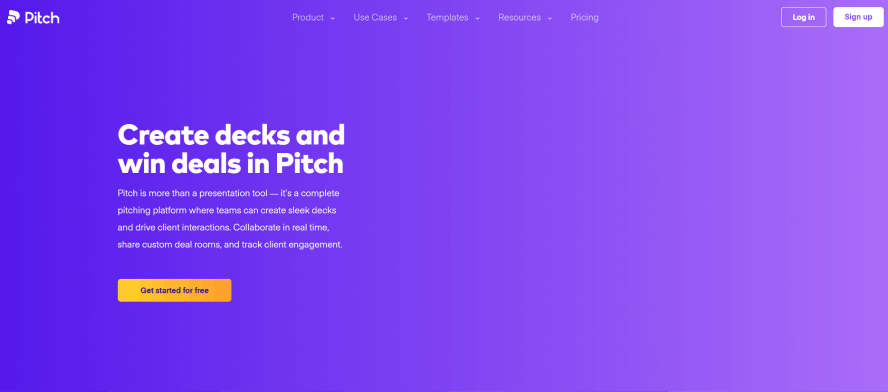
We recommend Pitch for teams that view presentations not just as static files, but as active sales and marketing assets. In 2026, the platform has solidified its position at the intersection of high-end aesthetic consistency and hard data. While other tools focus purely on the creation phase, Pitch "closes the loop" by providing deep insights into how your audience interacts with your content. It transforms a standard pitch deck into a powerful source of business intelligence, allowing teams to iterate based on real-world performance rather than guesswork.
Key Features
- The Analytics Edge: This is Pitch’s standout differentiator. The "Deck Analytics" suite notifies you the instant a prospect opens your file. You can see exactly which slides they lingered on, which ones they skipped, and where they stopped reading—giving your sales team the "warm lead" context they need for a perfectly timed follow-up.
- Smart Styles for Absolute Consistency: Pitch eliminates "design drift." Through its Smart Styles engine, you can define your brand’s visual language once and apply it across every slide. If you update a font or a primary brand color, the change ripples through the entire deck instantly, ensuring 100% aesthetic harmony.
- Unified Team Workflows: Pitch provides a seamless, Google Docs-like co-editing experience. With built-in task management and status labels (e.g., "In Progress," "Needs Review"), it is built for fast-moving marketing departments that need to collaborate without leaving the platform.
- Interactive Player Experience: In 2026, the Pitch web player is more than a slide viewer; it’s a cinematic experience. It supports high-fidelity embeds and smooth transitions that make your shared links feel like high-end microsites rather than PDF exports.
Best For
Modern sales organizations, growth marketers, and business development teams who need to track engagement and maintain a high-end, consistent brand presence across every outbound proposal.
7. Beautiful.ai: The Smart Template Guardian
Why We Picked It
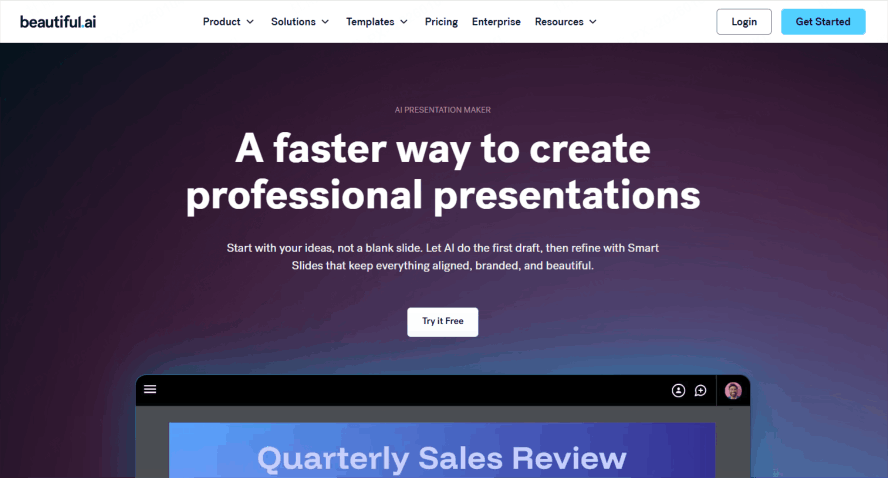
Beautiful.ai remains the ultimate "Smart Template Guardian" and our top choice for professionals who need a designer's touch without the designer's billable hours. Its core philosophy is rooted in design automation—using a heuristic engine that acts as a set of guardrails for your creativity. In 2026, it is practically impossible to "mess up" a slide in Beautiful.ai; the tool understands design principles like white space, alignment, and hierarchy, and enforces them in real-time as you build.
Key Features
- Heuristic Design Engine: This is the tool's foundational magic. As you add a new bullet point, a third image, or a complex data set, the layout automatically resizes and realigns all elements. It removes the tedious "manual dragging" and pixel-hunting that plagues traditional PowerPoint users.
- 2026 "Auto-Infographics" Engine: A major update for 2026, this feature allows users to upload raw CSV or JSON data directly into the editor. The AI instantly suggests and generates animated, brand-compliant infographics—turning dry spreadsheets into compelling visual narratives with a single click.
- Enterprise Brand Governance: For large organizations, Beautiful.ai offers "Locked Themes." Admins can set strict brand controls that prevent team members from using non-approved colors or off-brand fonts, ensuring that even the most design-challenged employees produce polished, professional output.
- DesignerBot AI Assistant: You can describe a slide concept (e.g., "a 3-step timeline for a product launch") and the DesignerBot will draft the structure, select the icons, and populate the layout, providing a high-quality starting point in seconds.
Best For
Consultants, project managers, and data-heavy professionals who need to produce high-frequency, polished presentations but want to spend 90% of their time on the message and only 10% on the design.
Step-by-Step: How to Manage a Global Presentation Project with Presenti
To illustrate the power of this collaborative presentation software, let’s look at a typical workflow for a global team launch.
Step 1: Setting the Governance Perimeter
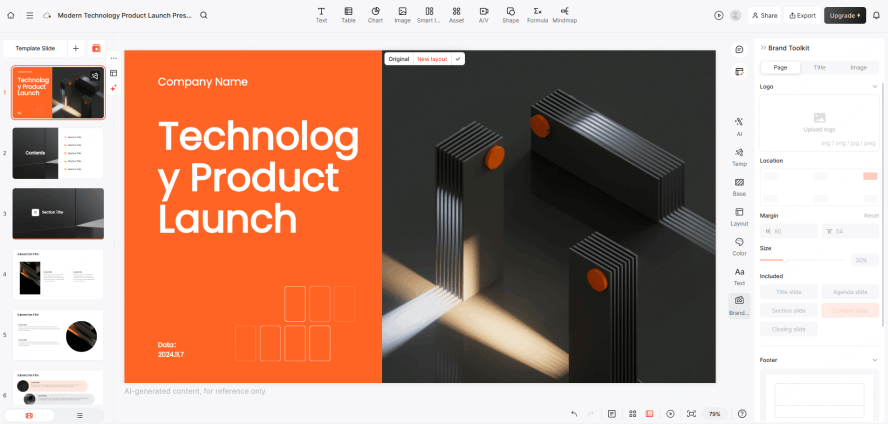
Start by initializing your Workspace. Upload your 2026 Brand Kit, including AI-Style Guides that dictate how the AI should write and design. This ensures that even if a teammate in London starts the deck and a teammate in Singapore finishes it, the "soul" of the brand remains intact.
Step 2: AI-Driven Content Sourcing
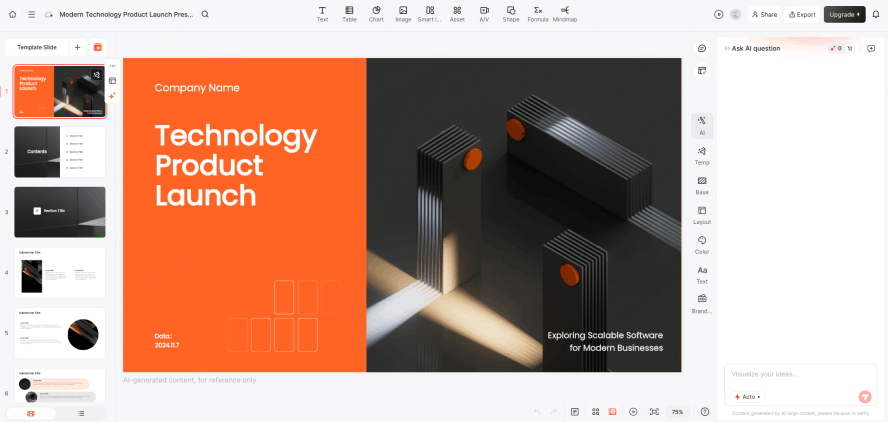
Use the "Sync" command to pull data from your team's Notion or Jira. Watch as Presenti’s AI Agent builds the initial logic. It doesn't just give you a template; it creates a narrative flow based on the actual status of your project tasks.
Step 3: Asynchronous Feedback Loops
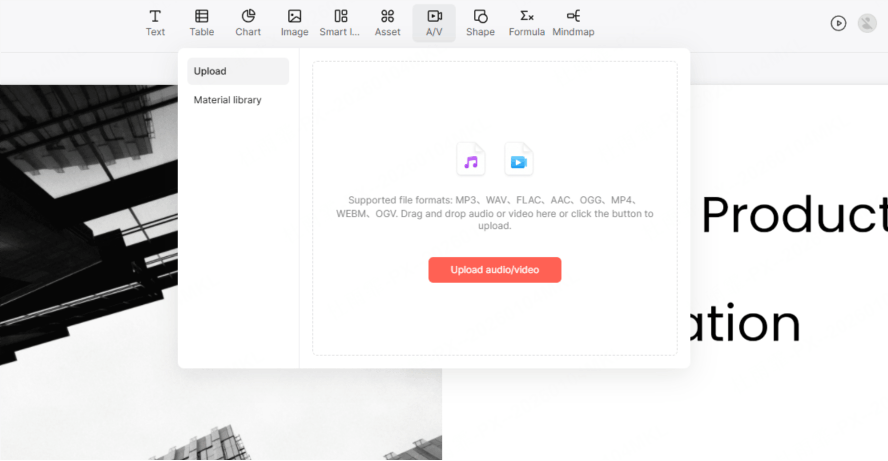
Record a 30-second video intro for the title slide to "set the stage." Tag your lead researcher to provide the data for the market analysis slide. They can do this during their own work hours, leaving a video comment to explain the nuances of the data.
Step 4: Collaborative Polishing
Join a live "Presence Session." Use the multi-cursor tool to refine the layout simultaneously. Since the tool is built on a high-performance engine, there is no "laggy" movement. You can chat via the integrated voice-comm, making final tweaks as a team.
Step 5: Global Localization
Leverage Presenti’s AI engine to automatically adapt idioms, units of measurement, and visual metaphors based on the audience's location (e.g., transitioning from London to Tokyo). The AI cross-checks color psychology against local customs, ensuring your brand message is "transcreated" with precision, rather than just translated.
Conclusion
The best powerpoint programs of 2026 have moved beyond the "slide" and into the realm of "experience." As remote work becomes the standard, the tools we use must work harder to keep us connected, aligned, and inspired. Presentation software is no longer just a way to show work; it is the workspace itself.
Platforms like Presenti are leading the charge by integrating AI agents, asynchronous video context, and real-time data syncing into a single, seamless package. By moving away from legacy files and toward dynamic, collaborative presentation software, you aren't just making better slides—you are building a better way to work. Stop fighting with tools that were built for the 1990s. Switch to Presenti and experience the future of professional communication today.