By 2026, the era of staring at a blank white slide and fumbling with text boxes is officially over. We’ve moved beyond simple chatbots into an age of "Generative Orchestration," where the value lies not in the tools themselves, but in how seamlessly they talk to each other. While ChatGPT has become the undisputed "brain" for content strategy, it remains a text-based entity; it lacks the visual "eyes" to create a boardroom-ready aesthetic.
This is where the ChatGPT to PowerPoint workflow evolves. By using Presenti as the intelligent bridge, you can transform raw logic into high-impact visual narratives in seconds, reclaiming hours of your life that were previously wasted on alignment and font sizing.
Phase 1: Strategic Content Engineering with ChatGPT
The secret to a world-class deck isn't just the design—it's the architecture of the message. To use a chatgpt presentation generator effectively, you must move past simple prompts like "make me a pitch deck." In 2026, we use "Chain-of-Thought" prompting to ensure the AI understands the nuance of our audience.
Start by defining a persona for ChatGPT. Ask it to act as a Senior Consultant or a Creative Director. When generating your outline, specify that you need a structured narrative: an opening hook, a problem-solution framework, and a clear call to action. To ensure the smoothest transition to a gpt-4 to ppt converter, ask ChatGPT to format its output using Markdown headers or clear slide-by-slide breakdowns.
For example:
"Act as a marketing expert. Generate a 10-slide outline for a brand refresh. Use [Slide Title], [Key Bullet Points], and [Visual Suggestion] for each slide so I can import this directly into Presenti."
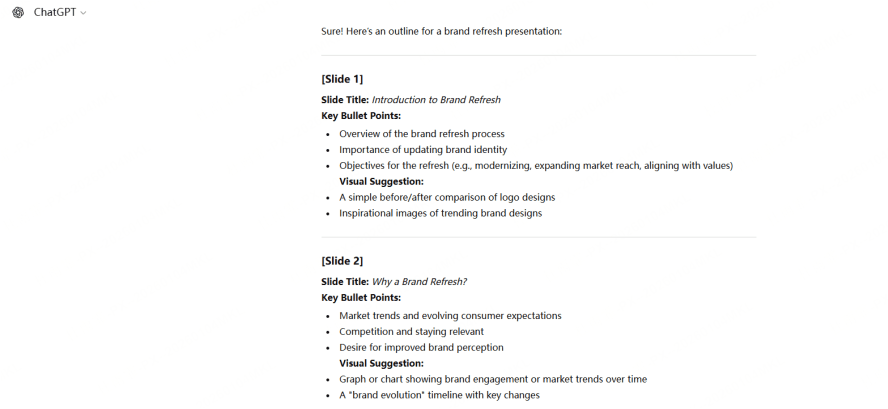
Phase 2: From Text to Masterpiece—The Presenti Integration
This is where the magic happens. While many still struggle with manual formatting, the pro-level chatgpt slideshow maker workflow relies on Presenti to handle the heavy lifting of visual translation.
Step 1: Importing Content into Presenti
Once ChatGPT has polished your narrative, you don't need to copy and paste every single line. Presenti is designed to ingest structured text and instantly recognize the hierarchy of information. Simply paste your ChatGPT output into the Presenti interface. The AI identifies what is a title, what is a supporting argument, and where a data visualization should live. This is the most efficient way to execute a chatgpt to powerpoint conversion without losing the context of your message.
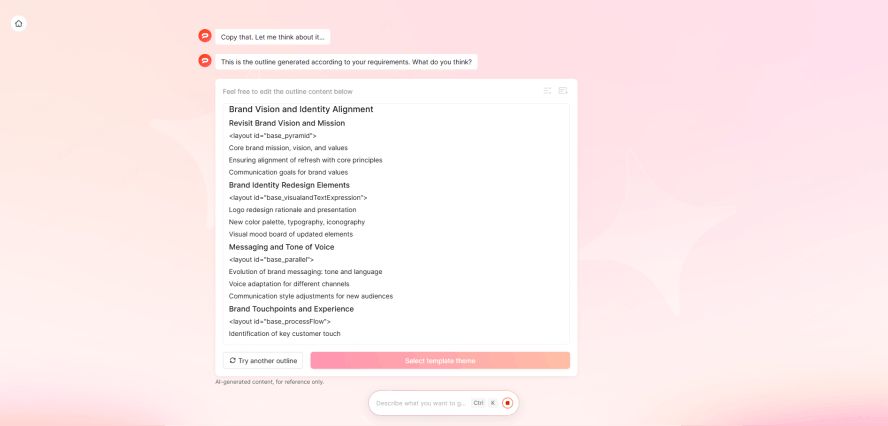
Step 2: Choosing Your Template
In 2026, static templates are a relic of the past. Presenti utilizes a Live Theme Engine that adapts to the "vibe" of your text. If your ChatGPT content is about "Future Tech Trends," Presenti will automatically suggest a sleek, dark-mode aesthetic with neon accents. If it's a "Quarterly Financial Review," it shifts to a clean, authoritative, and data-focused layout. You aren't picking a template; you are selecting a visual language that evolves with your content.
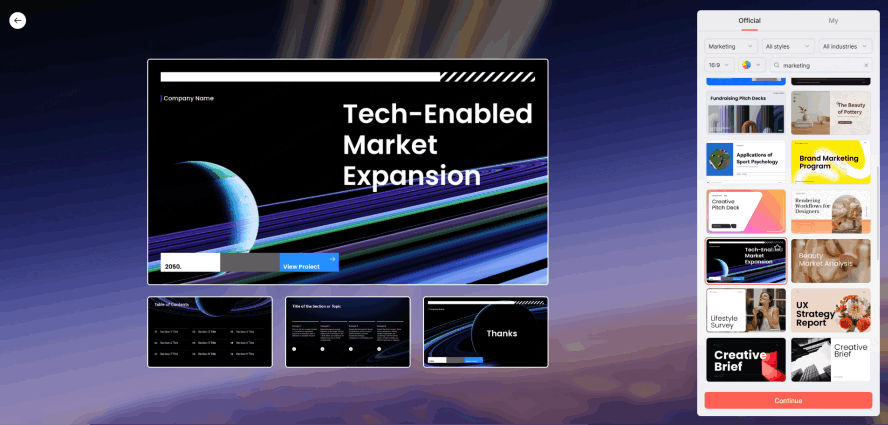
Step 3: AI Image & Icon Synthesis
One of the biggest bottlenecks in slide creation is searching for the perfect image. Presenti solves this by using the "Visual Suggestions" from your ChatGPT prompt to generate or source high-fidelity, royalty-free assets. It analyzes the sentiment of each slide—if your slide mentions "global growth," Presenti automatically places a high-resolution, branded icon or a cinematic image of a globe. This level of automation is why Presenti is the preferred chatgpt presentation generator for modern professionals who value both speed and quality.
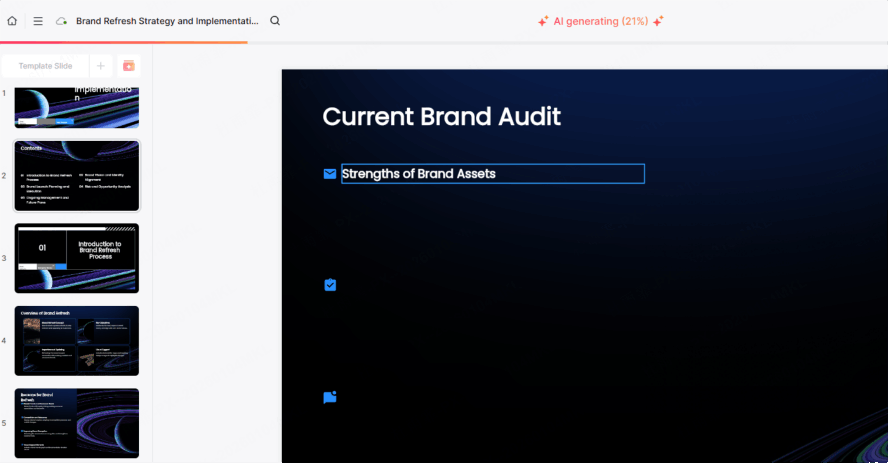
Step 4: Intelligent Layout Refinement
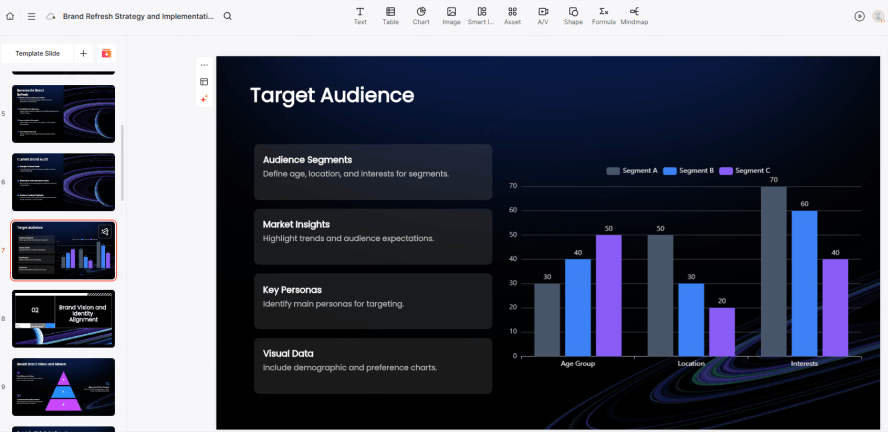
Unlike traditional software, Presenti doesn't just drop text on a page. It uses "Smart Containers." If you add a fourth bullet point, the AI instantly reshapes the entire slide to maintain perfect golden-ratio proportions. This ensures that your chatgpt to powerpoint workflow results in a deck that looks like it was touched by a human designer, not just a robot.
Phase 3: Fine-Tuning and Exporting to PowerPoint
While Presenti provides the design muscle, we know that the corporate world still runs on .pptx files. The final leg of the journey is ensuring your masterpiece is portable and editable.
- Real-time Collaboration: Before exporting, use Presenti's collaborative suite to invite teammates. Much like a Google Doc, you can tweak the AI’s design choices together, ensuring the brand voice is perfect.
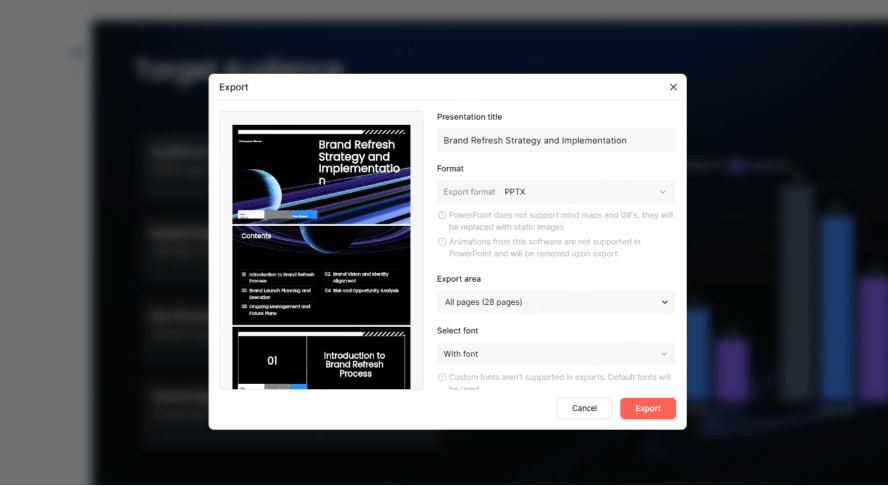
- The Native Export: When you are ready, hit the export button. Presenti generates a native PowerPoint file. Unlike other tools that export slides as "flat images" (which are impossible to edit), Presenti maintains every text box, shape, and image as an editable element. This means if you have a last-minute typo to fix in the boardroom, you can do it directly in PowerPoint.
- Final Polishing: Using Presenti as your gpt-4 to ppt converter means your animations and transitions are already baked in. However, you can still use PowerPoint’s native "Designer" tool for that final 1% of customization if your corporate brand guidelines are extremely specific.
Pro Tips for 2026 Power Presenters
To truly master the chatgpt to powerpoint workflow, you should look beyond the basics. The most successful users in 2026 leverage these advanced tactics:
- Dynamic Data Visuals: Ask ChatGPT to summarize complex CSV data into a table. Then, let Presenti transform that table into a beautiful, animated bar chart. It’s the fastest chatgpt slideshow maker technique for data-heavy industries.
- Multilingual Global Reach: If you are presenting to an international team, let ChatGPT translate your speaker notes while Presenti maintains the layout across different languages, automatically adjusting font sizes for longer German or French strings.
- Iterative Design: Don't settle for the first draft. If a slide doesn't feel right, use Presenti's "Regenerate" button. It will offer three different layout variations for the same ChatGPT text, giving you creative agency without the creative effort.
Conclusion
The integration of chatgpt to powerpoint via Presenti represents the pinnacle of 2026 productivity. We have moved from a world of "doing" to a world of "directing." By letting ChatGPT handle the intellectual structure and Presenti manage the visual execution, you reduce a five-hour task into a fifteen-minute strategic review. The result is a professional, persuasive, and polished presentation that allows your ideas to shine without the friction of manual design.