
In both education and professional environments, presentation slides are a core communication tool. Whether you are an educator preparing lesson materials, a student delivering a class presentation, or a project manager presenting a roadmap to stakeholders, the quality of your slides directly affects how your message is understood and remembered.
However, creating professional PowerPoint courseware from scratch can be time consuming and design intensive. Instead of starting with a blank slide, many teams now rely on specialized PPT template platforms to accelerate production while maintaining visual and structural quality.
This article introduces the practical value of PPT courseware, explains why high quality templates matter, and recommends an AI powered presentation platform that helps users quickly generate professional slides for teaching, training, and business presentations.
1. Why PPT Courseware Still Matters in Modern Workflows
Despite the growth of video content and collaborative documents, presentation slides remain one of the most efficient formats for structured communication. PPT courseware plays a critical role across education, training, and enterprise environments.
Organizing Complex Information Clearly
Well designed PPT courseware helps presenters structure complex content into digestible sections. Through clear headings, logical sequencing, and visual hierarchy, slides guide audiences through key ideas without overwhelming them.
For educators and trainers, this means lessons follow a clear learning path. For project managers and technical teams, it ensures requirements, timelines, and dependencies are easy to follow.
Improving Information Delivery Efficiency
Slides allow large volumes of information to be presented visually using charts, diagrams, tables, and icons. Compared with dense documents or whiteboard explanations, PPT courseware enables faster comprehension and reduces cognitive load.
This is especially important for technical audiences who often need to process data, workflows, or system architectures quickly.
Enhancing Knowledge Retention
Research consistently shows that combining text with visual elements improves memory retention. PPT courseware leverages visual and auditory channels to reinforce learning outcomes.
Diagrams, process flows, and data visualizations help audiences form mental models, making concepts easier to recall after the session.
Supporting Interaction and Engagement
Modern PPT courseware supports interactive elements such as discussion prompts, polls, quizzes, and checkpoints. These features encourage participation and transform passive presentations into two way communication.
In classrooms, this strengthens student engagement. In corporate settings, it drives alignment and feedback during meetings or training sessions.
2. Why Using a PPT Template Platform Is More Efficient Than Starting From Scratch
Many professionals underestimate how much time is spent on slide formatting rather than content creation. Choosing a dedicated PPT template platform addresses this problem directly.
Instead of designing layouts, color systems, and typography manually, users can focus on refining their message while relying on proven visual frameworks.
Key advantages include:
- Consistent design across slides
- Faster production cycles
- Reduced design skill requirements
- Higher perceived professionalism
For teams that frequently create presentations, this efficiency compounds quickly.

3. Presenti AI: An AI Powered PPT Courseware Platform
Presenti AI is a professional AI driven presentation platform designed to help users generate and customize PPT courseware efficiently. It supports a wide range of use cases, including educational courseware, corporate training materials, and conference presentations.
Below are the key features that make Presenti AI particularly useful for technical and professional users.
Intelligent Generation and Customization
Presenti AI uses artificial intelligence to generate slide decks based on user input, goals, and content structure. Users can start with a topic, outline, or document, and the system creates a complete presentation framework automatically.
Customization options allow users to adjust colors, fonts, layouts, and visual assets to match branding guidelines or specific scenarios. This balance between automation and control makes it suitable for both individual creators and teams.
Professionally Designed Templates
All PPT templates provided by Presenti AI are created with professional design standards in mind. Layouts follow clear visual hierarchies, consistent spacing, and modern typography practices.
Templates are optimized for clarity and usability rather than decorative excess, making them appropriate for technical briefings, training sessions, and executive presentations.
Each template is fully editable, allowing users to adapt content without breaking the design system.
Easy Download and Export Options
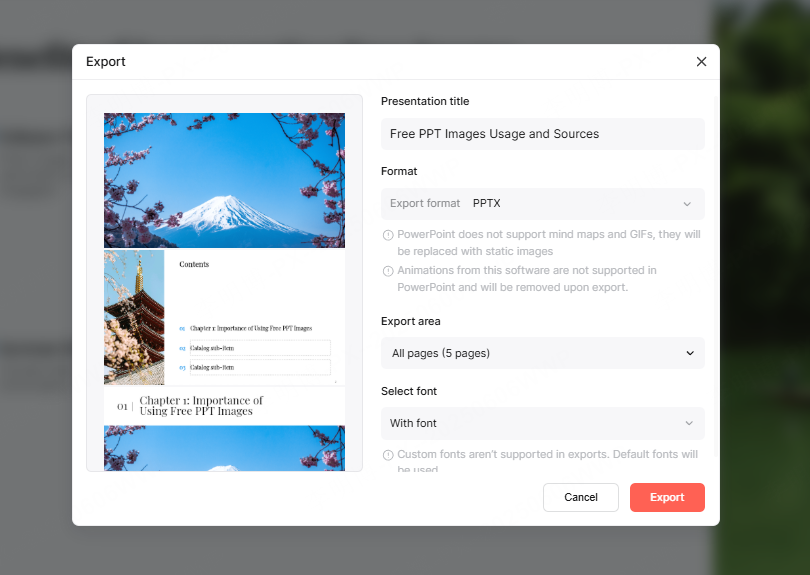
Presenti AI supports multiple export formats, including PPTX and PDF. This flexibility ensures compatibility across devices and platforms, whether users are presenting in Microsoft PowerPoint, Google Slides, or sharing static files.
The download workflow is simple and efficient, reducing friction between creation and delivery.
4. Featured PPT Courseware Templates Generated by Presenti AI
Below are three representative PPT courseware templates generated using Presenti AI. Each template is designed for a specific professional scenario and can be downloaded and customized.
4.1 Education and Teaching Courseware Template
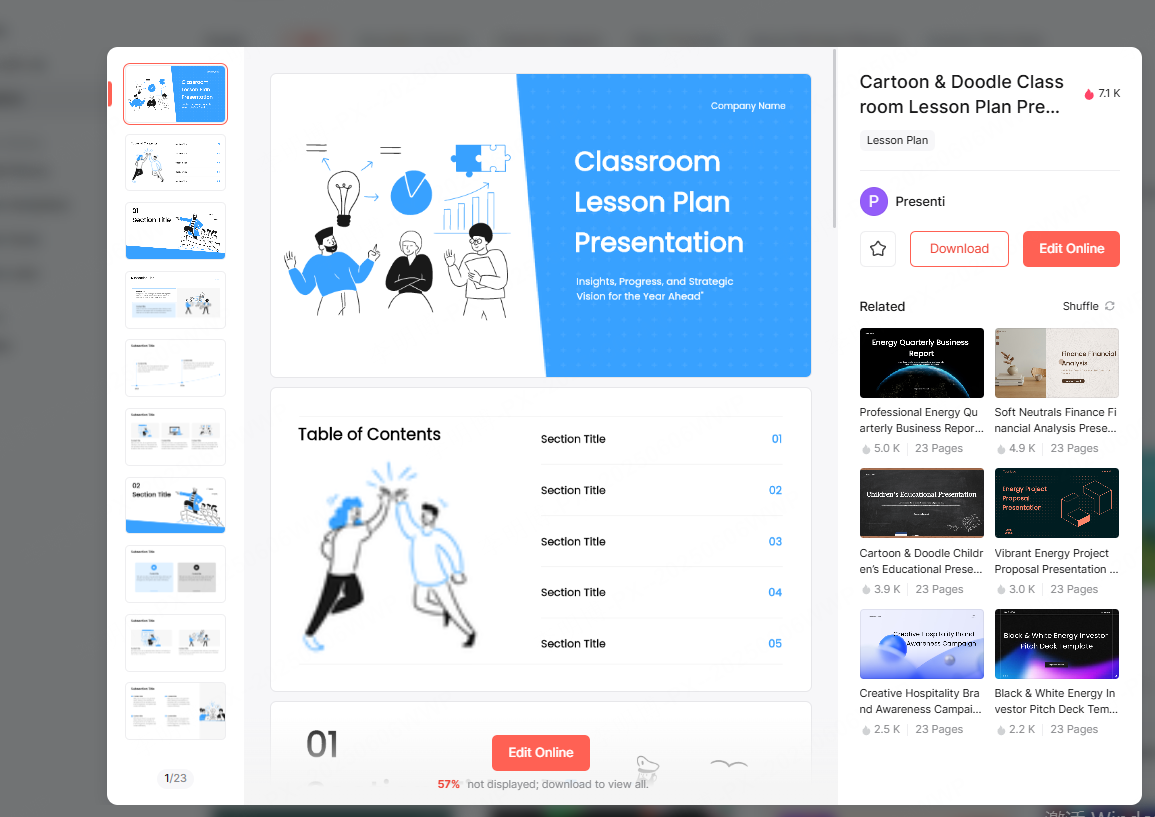
This teaching focused PPT template uses a clean and approachable design style suitable for classrooms, workshops, and online learning environments.
Key characteristics include:
- Structured slide types such as title, agenda, content sections, and summaries
- Visual elements commonly used in education, such as icons, diagrams, and highlight blocks
- Balanced color palettes that improve readability during long sessions
This template helps educators quickly build lesson materials while maintaining consistency across sessions.
4.2 Corporate Training Presentation Template
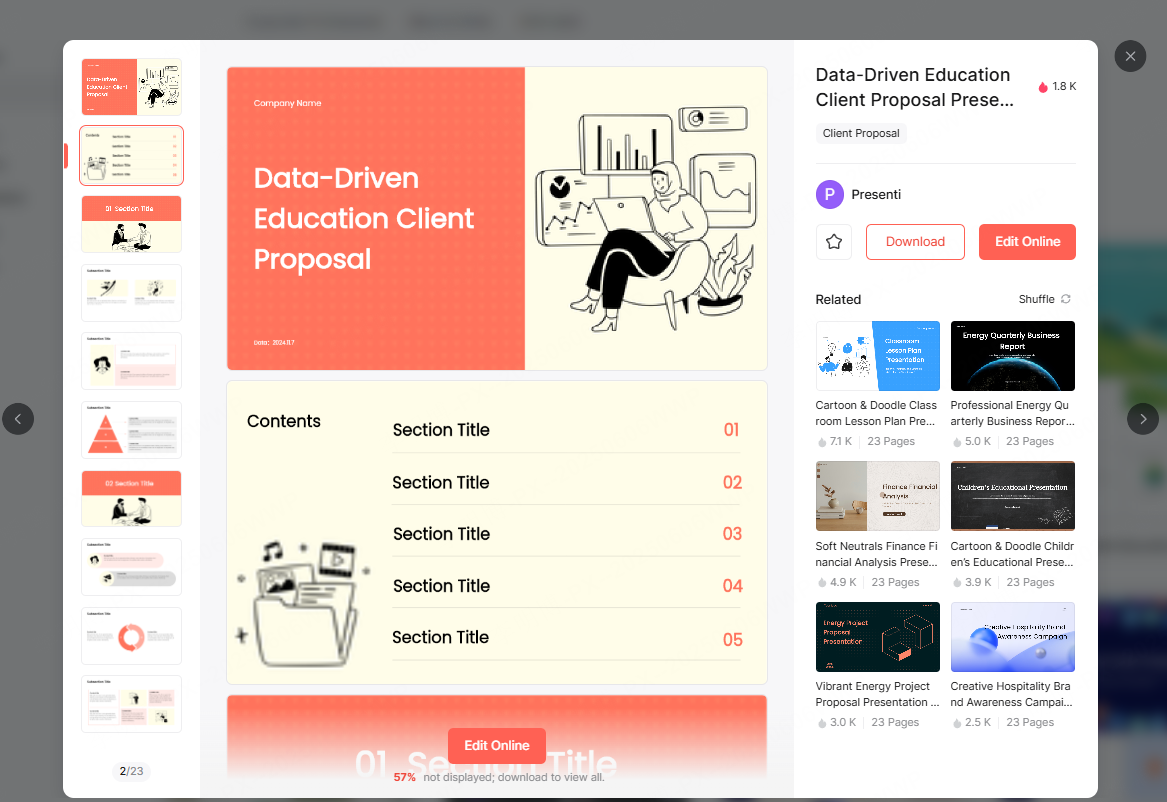
The corporate training template emphasizes clarity, credibility, and practical application. It is designed for onboarding programs, internal workshops, and professional development sessions.
Core features include:
- Modules for objectives, learning outcomes, and key takeaways
- Dedicated slides for case studies, scenarios, and exercises
- Data friendly layouts for metrics, charts, and evaluation results
For HR teams, trainers, and project leaders, this template streamlines the creation of repeatable training materials.
4.3 Conference and Meeting Presentation Template
This template is optimized for meetings, talks, and conference presentations where clarity and impact are critical.
Highlights include:
- Minimalist design that keeps focus on the speaker’s message
- Clear sections for speaker introduction, problem statements, data insights, and conclusions
- Visual emphasis on key points and summaries
It works well for product updates, technical talks, and stakeholder briefings.
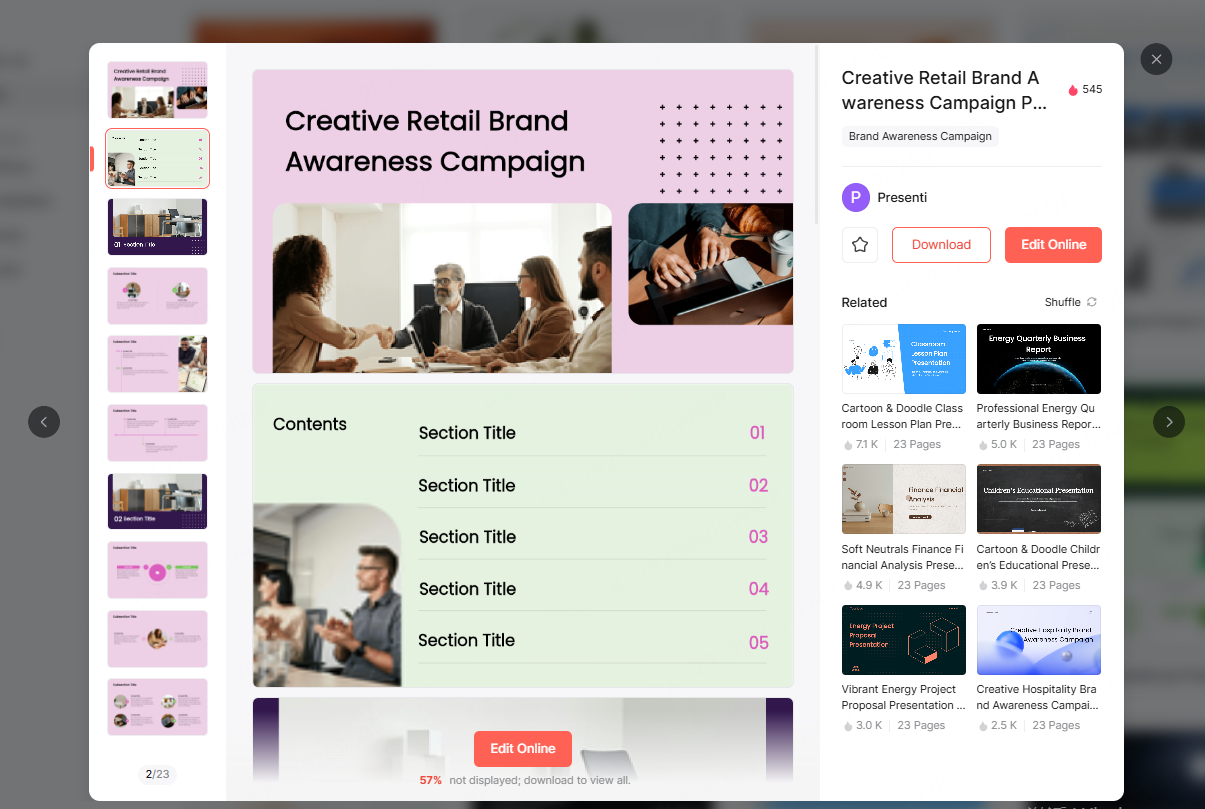
5. How AI Generated PPT Courseware Improves Productivity
Using AI powered tools like Presenti AI changes how presentations are created. Instead of treating slide design as a manual task, teams can adopt a more scalable workflow.
Key productivity benefits include:
- Faster turnaround for presentations
- Reduced reliance on design specialists
- Consistent quality across teams and departments
- Easier updates and revisions as content evolves
For technical teams, educators, and project managers, this means less time spent formatting slides and more time focused on strategy, teaching, and execution.
6. Best Practices for Using PPT Templates Effectively
Even with high quality templates, following best practices ensures presentations remain effective.
- Keep text concise and readable
- Use visuals to support, not replace, key ideas
- Maintain consistent terminology and structure
- Tailor templates to your audience and context
AI tools provide a strong foundation, but thoughtful content organization remains essential.
Conclusion
High quality PPT courseware is a powerful asset in education and professional communication. Platforms like Presenti AI significantly reduce the time and effort required to create polished, effective presentations.
By combining intelligent generation, professional templates, and flexible export options, Presenti AI offers a practical, all in one solution for modern presentation workflows.
Whether you are designing lesson plans, training programs, or business presentations, leveraging AI driven PPT tools allows you to focus on what matters most: delivering clear, impactful messages with confidence.








