Creating a clear and professional work summary presentation is a recurring task for many professionals. Team leads prepare quarterly reviews, project managers report progress to stakeholders, and educators summarize learning outcomes. In all of these cases, a well designed PowerPoint presentation saves time and helps ideas land more clearly.
Free work summary PowerPoint templates are often the first thing people search for. The problem is that many free templates look outdated, lack structure, or require heavy editing before they are usable. When deadlines are tight, that extra effort quickly becomes a bottleneck.
This guide explains how to choose and customize a work summary presentation template and how to turn them into polished presentations with minimal effort. You will also learn how an AI powered tool like Presenti AI can help you generate, edit, and present professional slides faster, especially in modern remote or hybrid work environments.
1. How to Start a Work Summary Presentation
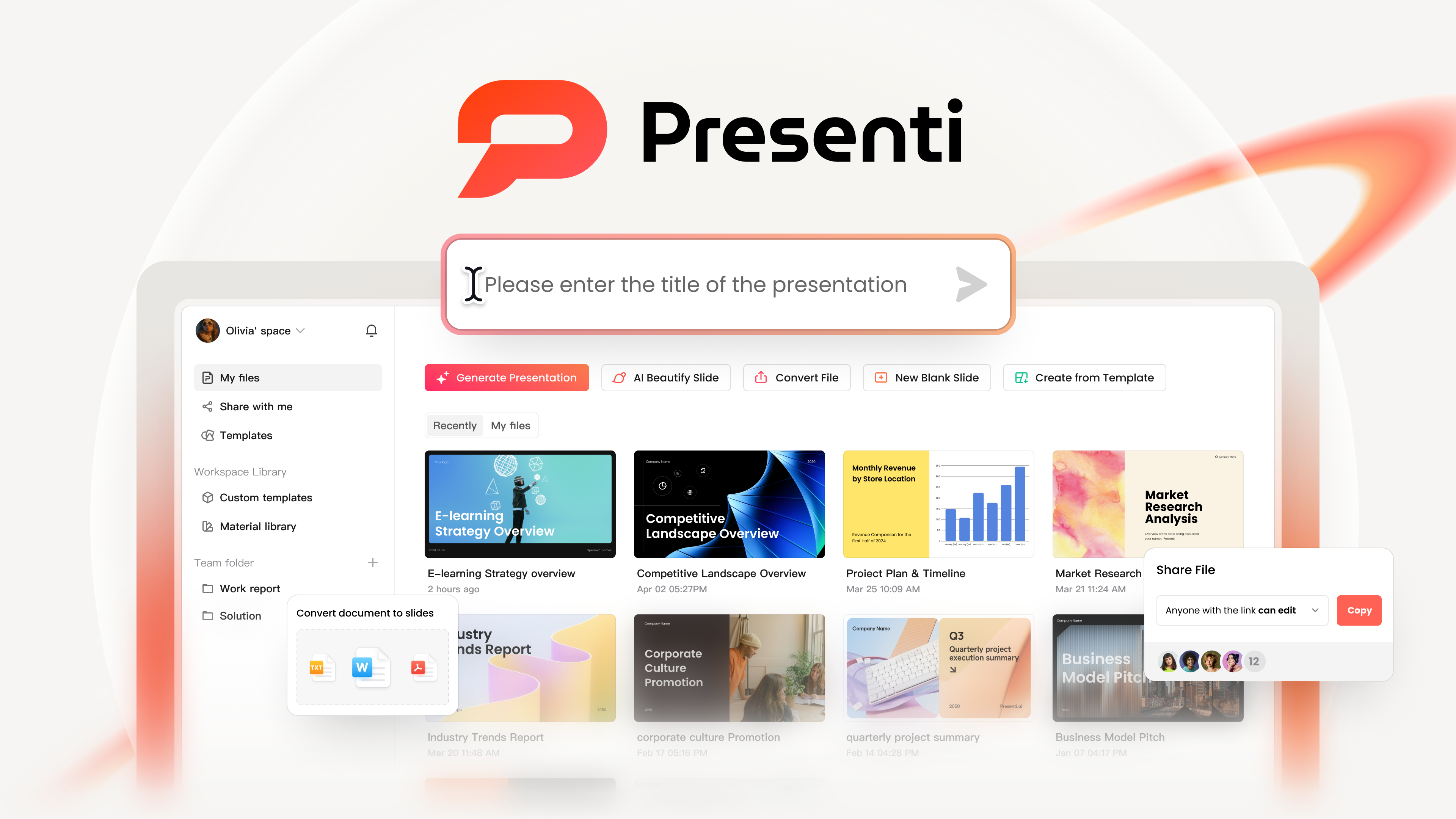
Presenti offers templates and AI drafting in the browser. Free use has limited AI credits and Markdown/XMind input; Word/PDF/TXT imports and editable PPTX/PDF exports are listed on paid plans. Check those requirements before starting a full work-summary deck.
Instead of downloading random files from multiple websites, you can complete the entire process in one place. Here is how it works.
Step 1: Access and Log In to Presenti AI
Start by visiting the Presenti AI website and creating an account or logging in. Once inside the workspace, you can immediately begin creating a new presentation without installing any software.
This browser based workflow is especially useful for distributed teams, educators, and consultants who work across multiple devices.
Step 2: Choose a Work Summary Template
Select the option to create a presentation from a template. Presenti AI provides a wide range of templates designed for common professional scenarios, including weekly reports, monthly summaries, project retrospectives, and executive reviews.
You can search or filter templates based on your specific needs, then select a work summary template that matches your presentation goal and audience.
Step 3: Select a Generation Method
Presenti AI supports three ways to generate your presentation:
- AI generated outlines based on your input
- File import from documents or notes
- Link based generation from online content
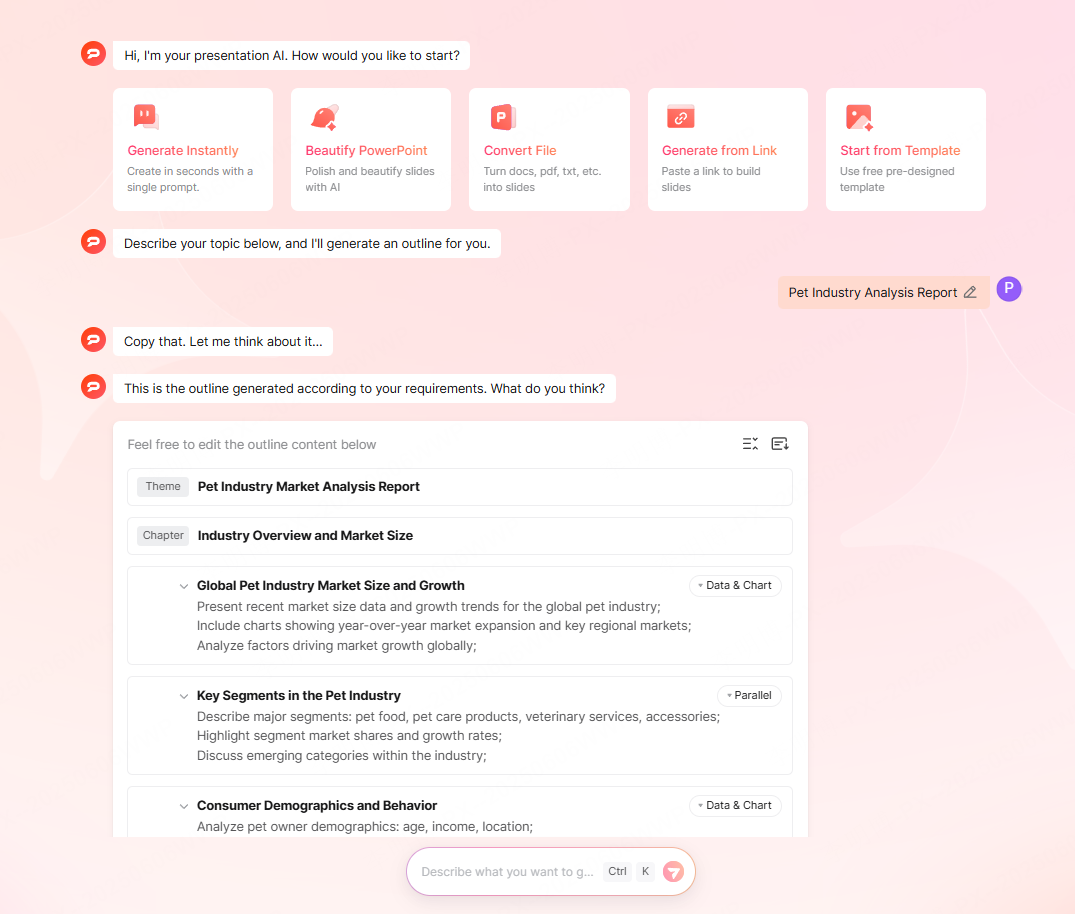
No matter which option you choose, the system generates a structured outline first. You can review and adjust the structure before the slides are created, which gives you more control over the final result.
Step 4: Generate the Presentation
After confirming the outline, Presenti AI automatically generates a complete PowerPoint style presentation. Review the generated draft’s content blocks, layouts, and visual structure before adding the final results.
At this point, compare the draft with your source data and refine it for the meeting.
2. Using Work Summary Templates Online
Once your template is generated, the real value comes from how easily you can customize, collaborate, and present it online.
2.1 Online Editing and Customization
Automated content with manual control
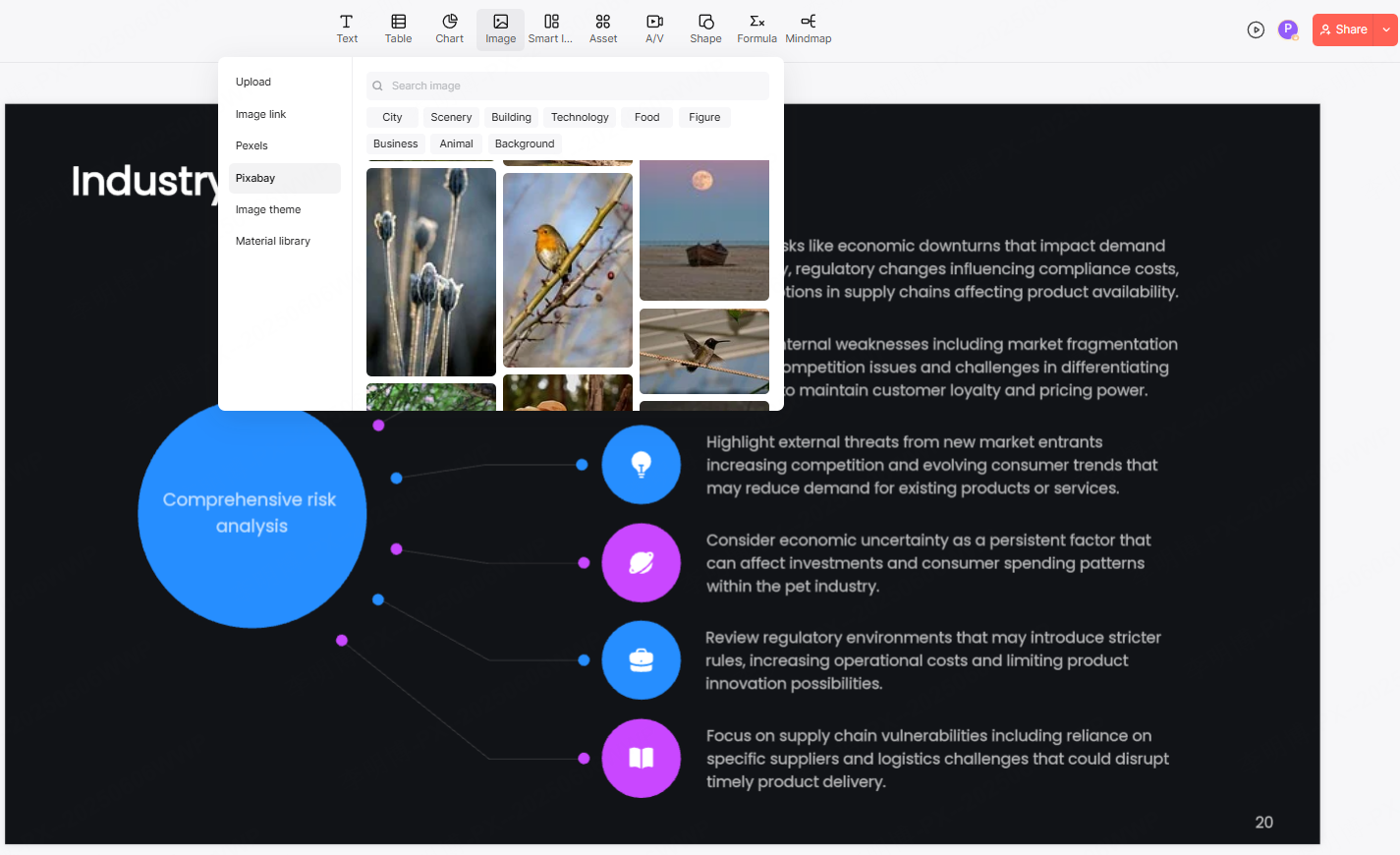
Presenti AI automatically fills slides with text, charts, and placeholders based on your input. You can directly edit any element, including titles, bullet points, tables, and charts.
For example, a project manager can replace generic milestones with real delivery dates, update metrics, or insert screenshots from tools like Jira, GitHub, or Notion.
Layout and design adjustments
Even when using an AI generated template, you are not locked into a fixed design. You can adjust layouts, color schemes, fonts, and spacing to match your brand or organization style.
This flexibility makes the templates suitable for internal team meetings as well as external client presentations.
Adding visual elements
Presenti AI includes a built in asset library with icons, illustrations, tables, flowcharts, and other visual components. These elements help transform a basic summary into a more engaging and easier to understand presentation.
For technical teams, this is especially helpful when explaining workflows, system architecture, or project timelines.
2.2 Collaboration and Sharing
Real time collaboration
Presenti AI allows you to generate a shareable link for your presentation. Team members can view or edit the slides simultaneously without downloading files or managing version conflicts.
This real time collaboration model is ideal for remote teams and cross functional projects.
Permission management
You can control who can view or edit the presentation. This helps maintain clarity and prevents accidental changes. Agree on who owns the working version and how reviewers should submit changes.
2.3 Online Presentation Mode
With cloud based storage, you can access saved work when your account, device, and connection support it. As long as you have an internet connection, you can open and present your slides from any device.
Before the meeting, test the deck in the delivery setup you will use, including screen sharing through Zoom or Microsoft Teams. Check slide navigation, video or audio, and any presenter controls you rely on.
3. Why Use Presenti AI for Work Summary Presentations
Beyond free templates, Presenti AI offers several advantages that make it a strong choice for professionals who create presentations regularly.
3.1 Higher Efficiency
AI driven generation
You do not need to design slides from scratch. By providing key information, the AI handles structure, layout, and initial content creation. This significantly reduces preparation time.
Fast iteration
Generated presentations are easy to revise. You can quickly adjust text, visuals, and data and then check the layout. This makes it easier to respond to feedback or update reports before meetings.
3.2 Easy to Learn
Simple and intuitive interface
Presenti AI is designed to be approachable. The workflow focuses on a few clear steps, from generating the outline to editing the final slides.
No design background required
Because the platform handles most of the design work, users do not need advanced PowerPoint skills. This makes it especially helpful for engineers, educators, and managers who want professional results without spending time on design details.
3.3 Flexible, Cloud Based Workflow
With cloud storage, presentations sync across devices automatically. You can start working in the office, make edits at home, and present while traveling.
This flexibility supports modern work patterns and reduces dependence on specific hardware or local files.
3.4 Rich Presentation Assets
High quality design resources
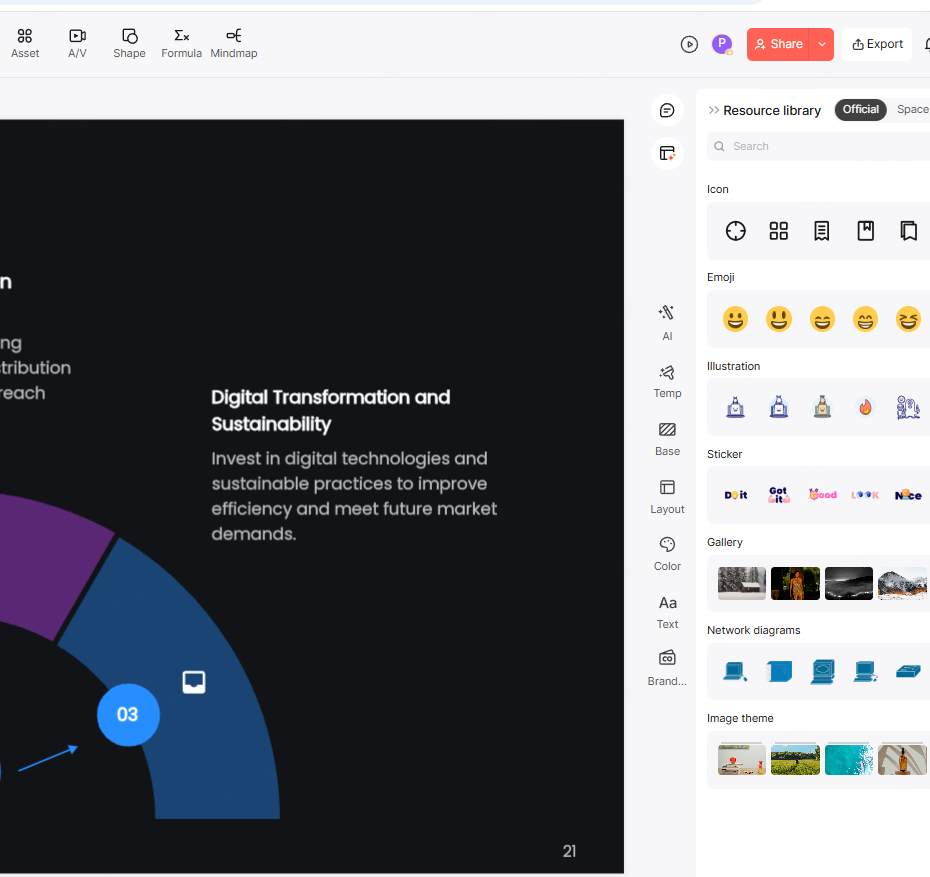
Presenti AI provides backgrounds, icons, charts, and images that align with professional presentation standards. These assets help improve visual clarity and overall quality.
Industry specific templates
In addition to general templates, Presenti AI offers templates tailored to different scenarios, such as business reports, educational training, and project summaries. This ensures that each presentation feels relevant and professional for its intended audience.
Final Thoughts
Whether you are creating your first work summary presentation or looking to improve efficiency in a fast paced environment, combining free templates with an AI powered tool can make a significant difference.
Presenti AI helps you move from a blank slide to a polished presentation in less time, while still giving you full control over content and design. It saves effort, improves clarity, and supports better communication across teams. If work summaries are a regular part of your role, this approach can quickly become an essential part of your workflow.