In a corporate environment, presentations remain one of the most essential tools for communication, whether for project updates, sales proposals, strategic reviews, internal training, or high stakes executive reporting. Yet traditional PowerPoint creation is notoriously time consuming. Employees often spend hours on layout tweaks, design adjustments, and formatting tasks that add little value to the substance of the message.
With the rapid rise of artificial intelligence, AI powered PPT generators have emerged as a transformative solution. Teams can use text, an outline, or a topic to generate a presentation draft, then review its structure, facts, and design. As businesses pursue higher efficiency, reduced manual workload, and consistent branding, AI assisted presentation tools are becoming a key driver of modern, intelligent workplace productivity. For a topic-to-slides workflow, you can start with Presenti’s AI presentation maker and edit the draft before presenting.
This article provides a comprehensive exploration of how AI generated PPT technology works, the scenarios where enterprises can leverage it, the best tools available, and how organizations can implement AI driven presentation workflows.
1. Understanding How AI Generates PPTs: Principles and Advantages
AI generated presentations depend on several advanced technologies: natural language processing (NLP), deep learning, and visual design automation. These systems turn raw text into complete slides with polished visual layouts, freeing teams from repetitive design work.
1.1 How AI PPT Generation Works
AI PPT systems typically follow three main steps:
(1) Content Understanding and Structural Analysis
The AI parses user provided text or prompts, identifying key topics, logical relationships, hierarchical structure, and presentation flow. It proposes a narrative pattern, such as problem–solution, timeline, comparison, or workflow, and builds an outline. The reviewer still decides whether that structure fits the audience and decision.
(2) Automated Layout and Visual Design
Based on the analyzed content, the system selects or generates appropriate slide layouts from extensive template libraries. It intelligently adjusts typography, spacing, color palettes, and alignment to create visually cohesive pages with a consistent visual style.
(3) Visual Enhancement and Content Enrichment
The AI further enhances slides by recommending charts, icons, images, illustrations, or AI generated visuals. This turns abstract information into clear visuals that strengthen storytelling and audience engagement.
1.2 Key Advantages of AI Generated PPTs
AI PPT generation is more than a convenience, it is a major step toward streamlined, intelligent workplace operations. Its advantages include:
(1) Drafting and Review Time
AI can shorten some drafting and formatting tasks, but generation time is not the same as time to an approved deck. In a workplace pilot, use an approved report and the same audience brief for both workflows. Record drafting, fact-checking, brand correction, and export-review time separately; compare the total effort only after both versions meet the same acceptance criteria.
(2) Improved Professional Design Quality
Employees who lack design training often struggle with color matching, alignment, and layout. AI tools can apply a consistent layout, but teams still need to check text fit, chart labels, contrast, and brand requirements.
(3) A Starting Point for Collaboration and Review
An initial draft gives reviewers a concrete document to discuss. Assign someone to confirm the source figures and another person to approve the message and branding. Faster generation does not by itself show that decisions or approvals will happen sooner.
(4) Brand Consistency and Customization
Check which branding controls the specific tool and plan provide: approved templates, colors, logo placement, and fonts. Test a long title, a dense chart, and an exported slide against the brand rules; choosing a theme alone does not guarantee compliance.
(5) Reusable Templates and Feedback
Teams can improve consistency by reusing approved templates, prompt examples, and edited source material. Do not assume that a tool learns privately from past edits unless the provider documents that behavior.
2. Common Enterprise Use Cases for AI Generated PPTs
AI PPT generators are now widely adopted across everyday corporate functions. They are not merely document converters, they help reshape how information is visualized and communicated. Common scenarios include:
(1) Internal Reporting and Operational Updates
Weekly reports, monthly summaries, project updates, and internal reviews are recurring tasks. Employees can supply approved bullet points or report text to create a draft. Keep each reporting period and source figure explicit so an omitted qualification does not become a misleading update.
(2) Marketing and Sales Support
Pitches, client proposals, and promotional materials demand strong visuals and persuasive storytelling. AI can propose a structure and visual style for a marketing deck. Sales teams still need to approve customer claims, confirm permission to use examples, and check that the wording matches the actual offer.
(3) Training, Workshops, and Educational Content
Internal training materials often require structured explanations, diagrams, and examples. AI can draft lesson slides from approved training material. Instructors still need to check the explanation, examples, practice activity, and whether learners understand the topic; a generated deck does not establish a learning improvement.
(4) Executive and Strategic Reporting
High level presentations require strong logic, data visualization, and premium design. AI can build narrative flow, generate data charts, and apply high quality templates to support decision makers and reduce manual design labor.
(5) Rapid Response and Emergency Meetings
For an urgent meeting, use an approved short brief and keep the deck to the essential decision and evidence. AI may help prepare an initial draft, but urgency is not a reason to skip checking figures, confidential material, or the final export.
3. Evaluation and Recommendations for Leading AI PPT Tools
The following tools offer different starting workflows. These are options to evaluate with the same source material and acceptance criteria, not a market-share ranking or a measured performance comparison.
(1) Presenti AI

Presenti AI is an intelligent and easy to use AI PPT solution that quickly converts text, keywords, or documents into professional slide decks. It offers:
- Fast generation and beginner friendly operation
- Extensive templates and industry specific layouts
- Editable layouts and styling; check the available logo, color, and font controls for your brand requirements
- AI rewriting, design switching, and beautification features
- Team working options to verify against your workspace permissions and review process
It is well suited for daily reports, project presentations, and cross department workflows.
(2) Gamma App
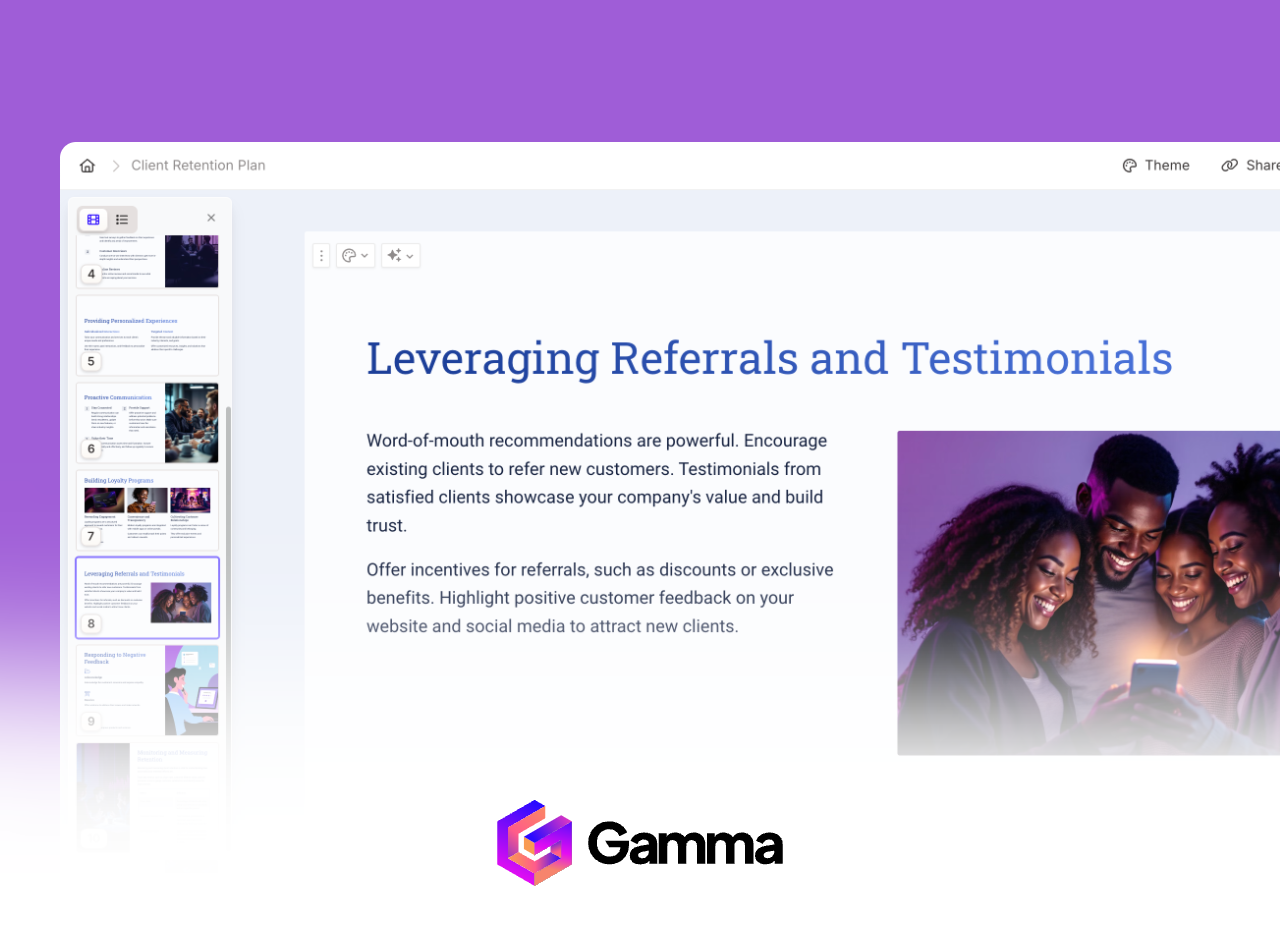
Gamma's official creation guide describes ways to draft from a topic or work with existing content. When evaluating it, check:
- Whether the available layouts fit your content and delivery format
- How much revision your source material needs after generation
- Whether the result suits your pitch, product explanation, or proposal
(3) Beautiful.ai
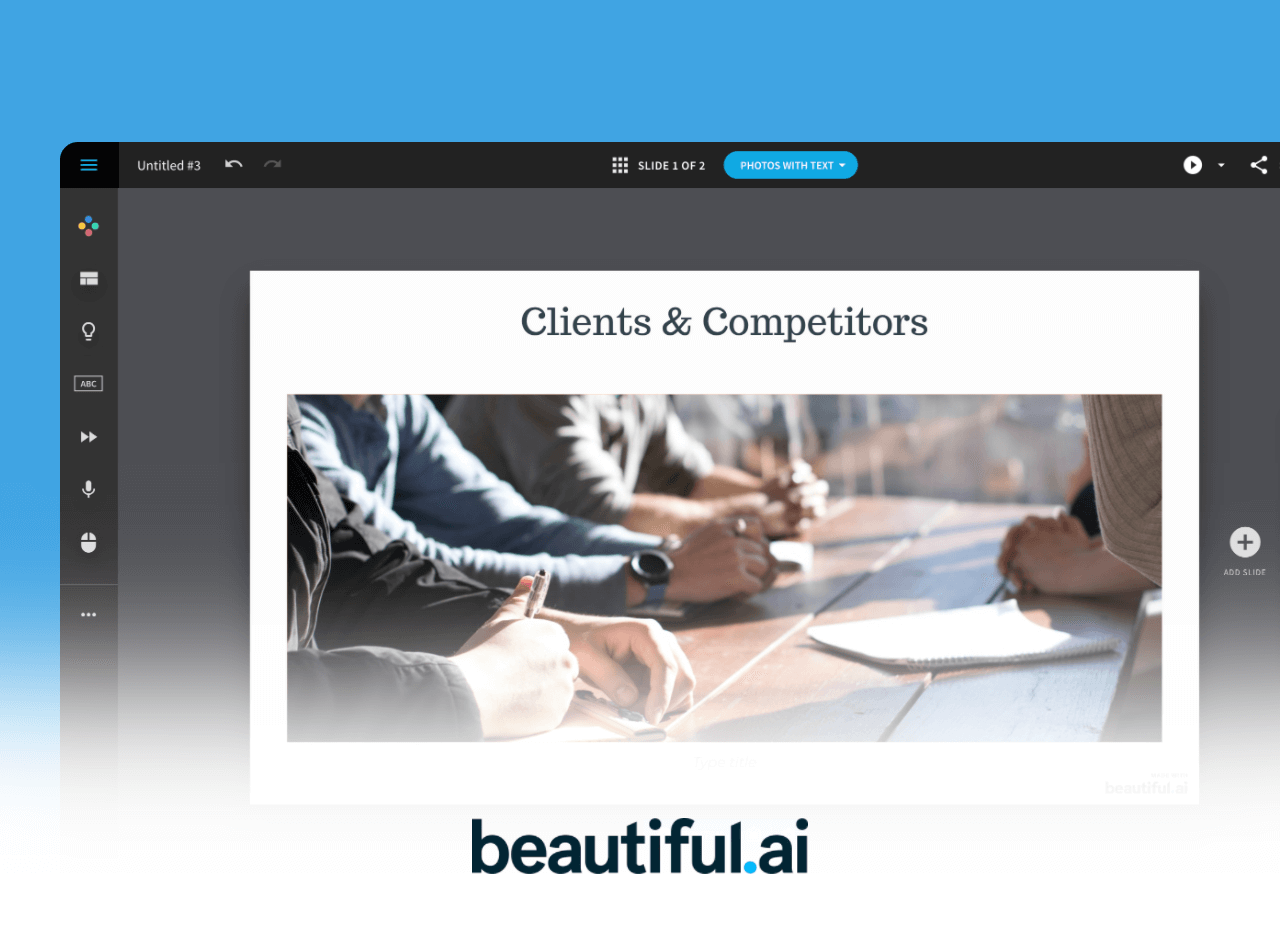
Beautiful.ai describes Smart Slides as layouts that adjust spacing and content as you edit. In a trial, check:
- Whether the selected layouts remain readable with your actual text and charts
- Whether the theme matches your brand and intended audience
- Whether the client-facing export preserves the required formatting
(4) Microsoft Copilot for PowerPoint
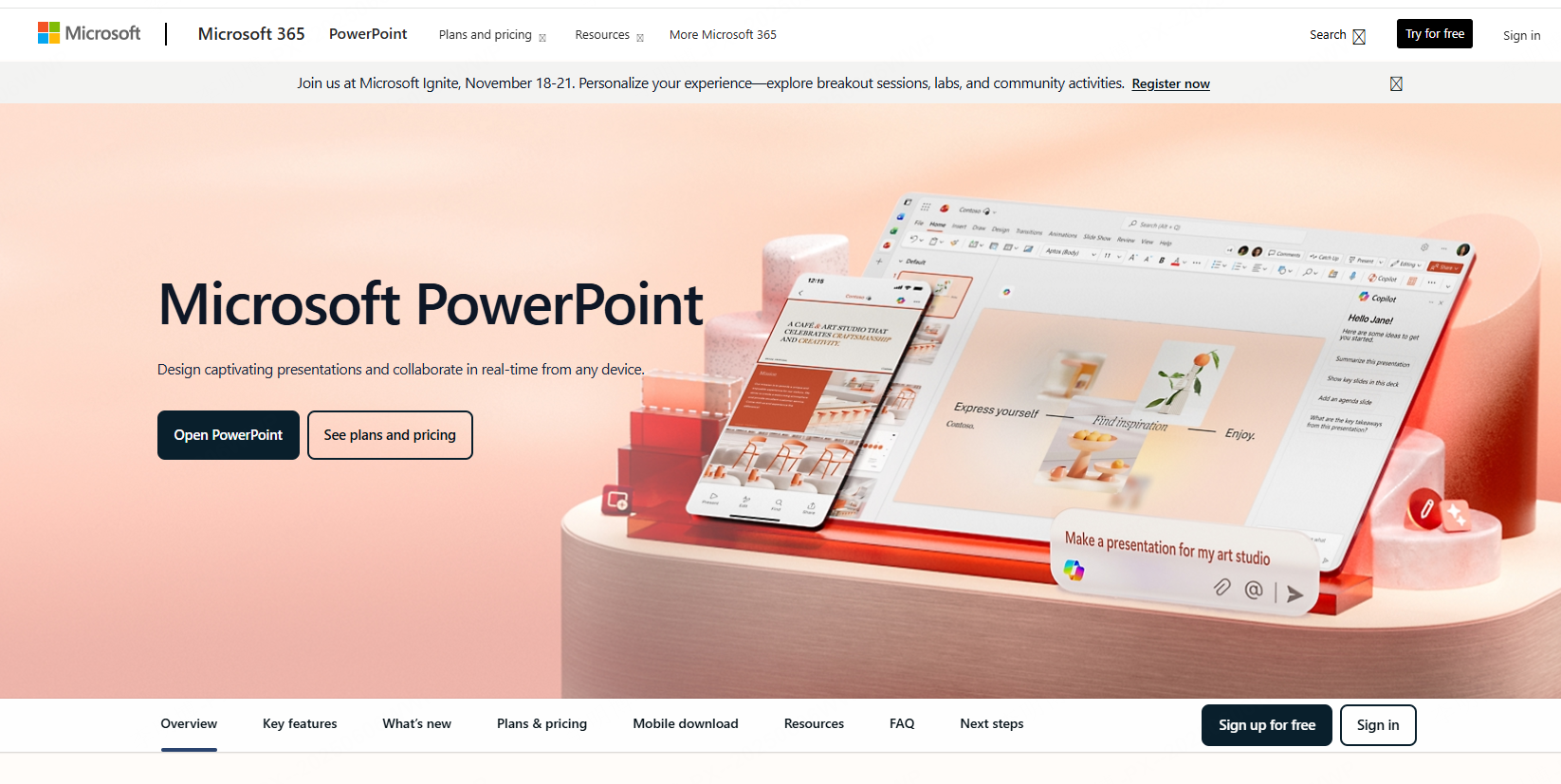
Microsoft documents presentation creation with Copilot in PowerPoint. Availability depends on the subscription and organization settings. Relevant capabilities and checks include:
- Draft generation from a prompt, followed by outline and slide review
- AI-assisted summarization and content revision where available in the current experience
- Integration with the Microsoft 365 workflow, subject to the available features and account setup
- Organization-specific access, data-handling, and governance requirements to verify before use
It is worth evaluating when your organization already works in Microsoft 365.
Tool Recommendation Summary
- Editable browser-based drafts: evaluate Presenti AI with your approved brief and brand examples
- Data-heavy reporting: test source-value preservation, chart editability, and labels in each candidate tool
- Topic or existing-content drafting: compare Gamma's workflow with your preferred editing process
- Adaptive slide layouts: evaluate Beautiful.ai with dense and sparse examples
- Microsoft ecosystem users: Copilot for PowerPoint
4. How Enterprises Can Implement AI PPT Tools Effectively
(1) Team Training
Provide workshops and hands on sessions so employees understand not only how to generate slides but also how to refine and personalize them.
(2) Standardized Templates and Branding
Create branded AI templates with company fonts, color palettes, and formatting rules to ensure output consistency.
(3) Workflow Integration
Incorporate AI PPT creation into common work processes such as weekly reporting, client proposals, and project reviews.
(4) Data Security and Compliance
Before uploading company material, confirm the approved data categories, retention terms, access controls, and deployment requirements with the organization. Check the provider's current documentation and contract; do not assume local deployment or private cloud options are available.
(5) Continuous Optimization
Collect employee feedback, refine templates, and adopt newly released AI features to keep presentation workflows efficient and up to date.
5. Frequently Asked Questions (FAQ)
Q1: Can AI completely replace human PPT creation?
No. AI provides strong drafts and structure, but human review is still essential for creative expression, deep insights, and contextual accuracy.
Q2: Do enterprises need the paid version?
List the required export formats, user permissions, branding controls, and data-handling terms before comparing plans. A paid plan is useful only if its documented features meet those requirements; payment alone does not establish better security.
Q3: Are AI generated visuals copyright safe?
AI generation does not establish permission for every use. Review the provider’s terms and any source-image licenses before using visuals in commercial or public-facing decks.
Q4: Does AI PPT generation pose data security risks?
The answer depends on the data and the service's documented handling of it. Obtain approval for the intended material and check retention, access, sharing, and deletion requirements before upload. Encryption alone does not answer every policy requirement.
Q5: Can AI output follow enterprise brand standards?
Some tools provide template, color, logo, or font controls, but availability varies. Test the required layouts and exported files against your organization's actual brand rules before adopting a tool.
Conclusion
AI generated PPT tools are rapidly becoming a core component of modern enterprise productivity. They accelerate content creation, enhance visual quality, and empower teams to focus on strategic thinking rather than repetitive formatting work. While AI does not replace human creativity, it serves as a powerful assistant, especially when combined with standardized templates, branding guidelines, and secure deployment practices.
Use the pilot results to decide where the workflow is useful. Retain it when the approved deck meets the same factual, brand, accessibility, and delivery requirements with an acceptable total effort.