
Whether you are delivering corporate training, teaching in an academic setting, or presenting technical concepts to stakeholders, knowing how to create effective PowerPoint courseware is an essential professional skill. Well designed PPT courseware does more than display information. It helps structure complex ideas, improves audience engagement, and reinforces learning outcomes. A clear and visually consistent presentation can significantly improve how your message is received and remembered.
In this guide, you will learn how to create professional PPT courseware in three practical steps. This tutorial is designed for educators, technical teams, project managers, and developers who want a repeatable, efficient workflow that scales from simple lessons to advanced training programs.

Step 1: Define Your Course Content Clearly
Before opening PowerPoint or any presentation tool, you need a clear content strategy. Strong courseware starts with well defined goals and a logical knowledge structure.
1.1 Set Clear Learning Objectives
Learning objectives guide every decision you make during courseware creation. Without them, slides become unfocused and overloaded with information.
Ask yourself the following questions:
- What should learners know or be able to do after this session?
- Which skills or concepts are most critical to their work or studies?
- How will this knowledge help them solve real world problems?
For example, in a software onboarding session, your objective might be for participants to understand system architecture basics and complete a simple deployment task independently.
Clear objectives help you decide what content belongs on the slides and what should be explained verbally or provided as supplemental material.
1.2 Organize and Refine Key Knowledge Points
Once objectives are defined, organize the content into structured knowledge points.
Summarize core concepts
Focus on the essential ideas learners must understand. Remove redundant explanations and avoid placing full paragraphs on slides. Slides should support your explanation, not replace it.
Many educators and trainers use visual structures such as bullet hierarchies or mind maps to show how topics relate. Tools like Presenti AI offer built in visual outlining features that make this process faster and more intuitive.
Highlight logical relationships
Ensure the flow between topics is logical. Common relationships include cause and effect, comparison, process steps, or problem and solution. Logical sequencing improves comprehension and retention.
Extract key concepts for review
For each section, identify the most important definitions, principles, or examples. These become anchors for learners during revision and future reference.
Step 2: Design a Clear and Scalable PPT Framework
With content prepared, the next step is building a solid presentation framework. This is where tools and templates can dramatically improve efficiency.
Presenti AI is an intelligent PPT creation tool designed to generate professional courseware quickly. It combines AI powered content structuring with a wide range of customizable templates, helping teams save time without sacrificing quality.
2.1 Choose the Right Template
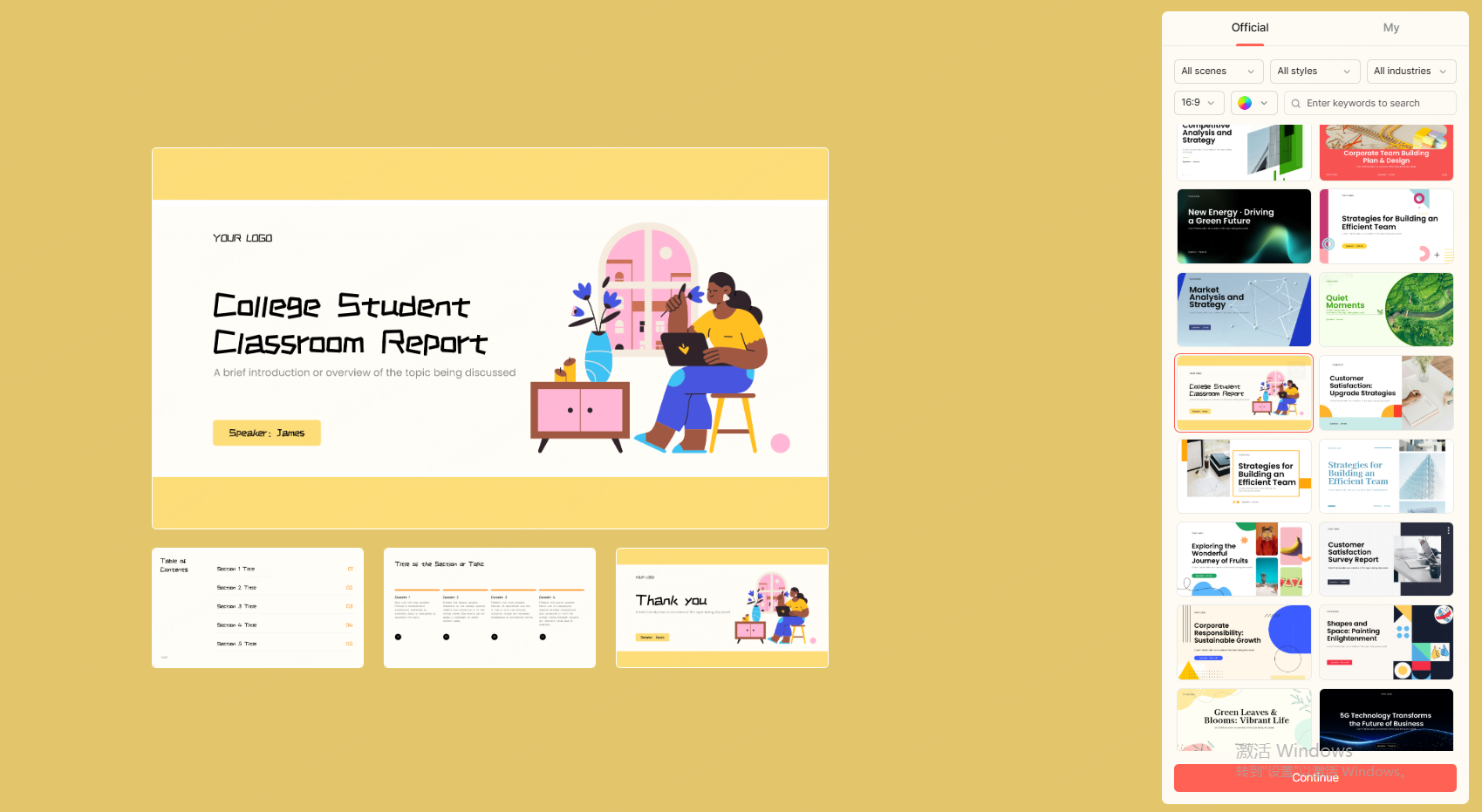
A template sets the visual tone and structural consistency of your courseware. Presenti AI offers a large template library that can be filtered by theme, style, and color scheme.
When selecting a template, consider the following factors:
Content alignment
Choose a visual style that matches your subject. Educational and technical topics often benefit from clean, minimalist designs. Creative or marketing related courses may use more expressive layouts.
Layout flexibility
Ensure the template supports multiple content formats such as text, diagrams, charts, and images. This flexibility is critical when covering complex material or data driven topics.
A good template should enhance readability and guide attention, not distract from the message.
2.2 Fill in the Presentation Outline Efficiently
Once the template is selected, you can populate the framework using AI assisted workflows.
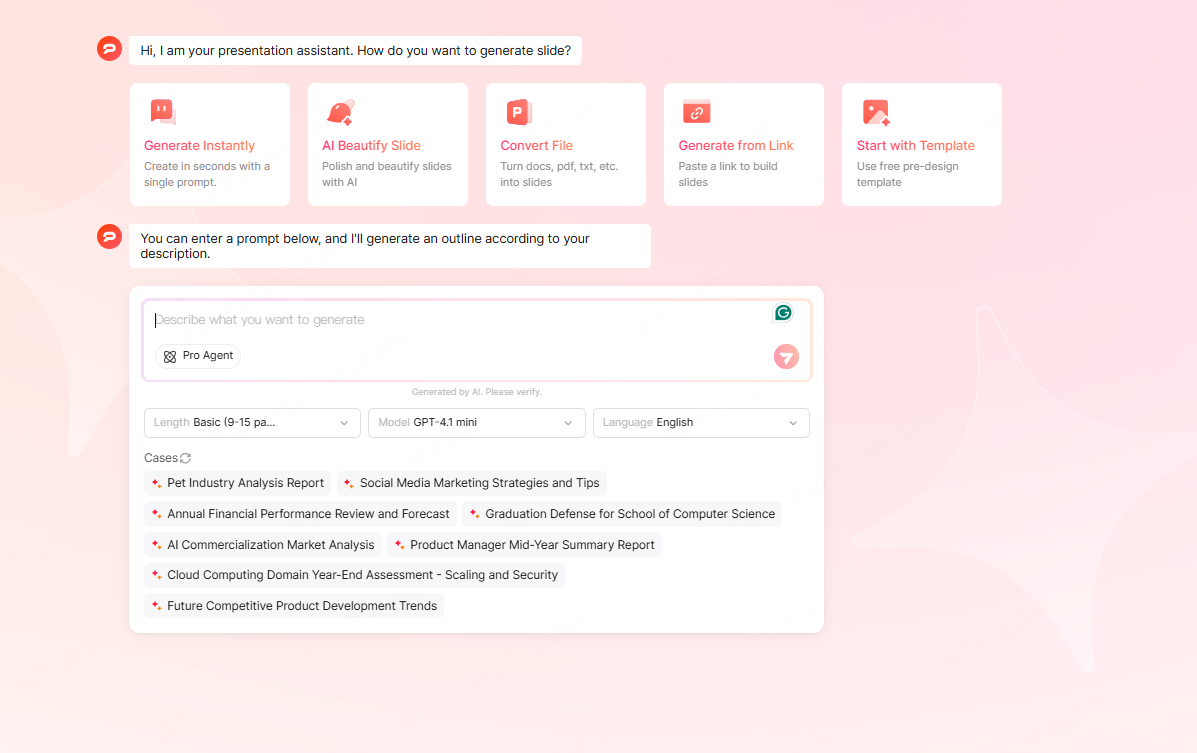
AI generated outlines
By entering a topic or key keywords, Presenti AI can automatically generate a structured PPT outline with slide titles and suggested content. You can preview the results and refine them to match your teaching style or organizational standards.
This approach is especially useful for recurring training programs or standardized onboarding sessions.
Import existing documents
If you already have content in formats such as Word, PDF, Markdown, TXT, or mind mapping tools, you can import them directly. Presenti AI analyzes the document structure and converts it into a coherent PPT outline.
This is ideal for educators converting lesson notes into slides or project managers turning documentation into presentation ready material.
Step 3: Build, Optimize, and Deliver the Courseware
After generating the initial slides, refinement is key. Optimization ensures your PPT is clear, visually appealing, and aligned with learning goals.
3.1 Optimize Content for Clarity and Accuracy
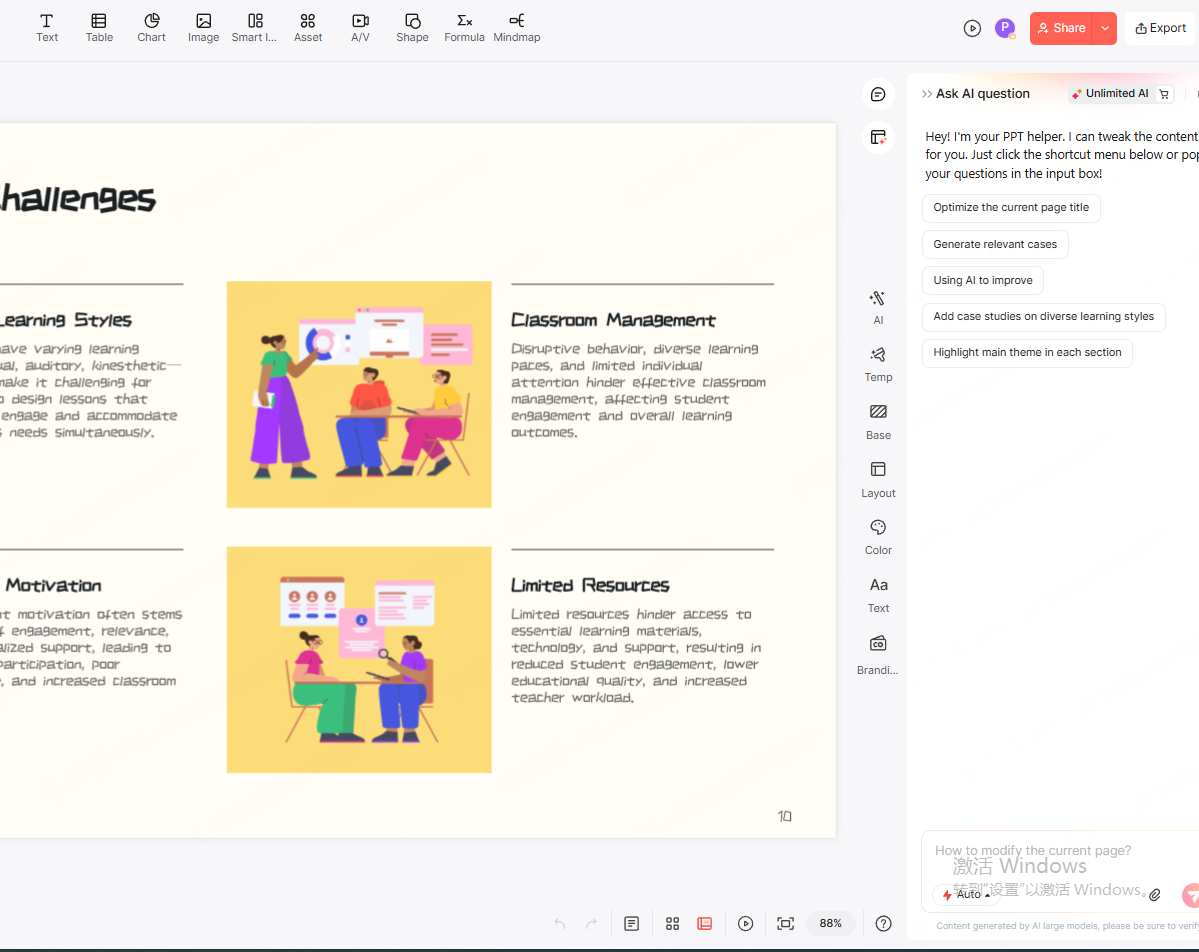
Logical content flow helps learners follow along and stay engaged. Presenti AI includes built in AI editing features that allow you to:
- Rewrite content for clarity
- Simplify complex explanations
- Expand or condense sections as needed
- Correct grammar and spelling
- Translate content for multilingual audiences
- Summarize key points for review slides
These tools are particularly useful for technical teams and educators working under tight deadlines or managing large volumes of training material.
3.2 Improve Visual Presentation
Visual design directly affects how information is perceived and retained.
Consider the following best practices:
- Use charts and diagrams to explain processes or data trends
- Add relevant images or short videos to support understanding
- Maintain consistent spacing, font sizes, and alignment
- Use color schemes that enhance readability rather than overwhelm
Presenti AI allows you to adjust layouts and color themes with a few clicks, making it easy to maintain visual consistency across large slide decks.
3.3 Share and Export with Confidence
Modern courseware often requires collaboration and flexible delivery formats.
Presenti AI supports real time online collaboration through shareable links, allowing teams to review and edit slides together. This is especially valuable for distributed teams or cross functional projects.
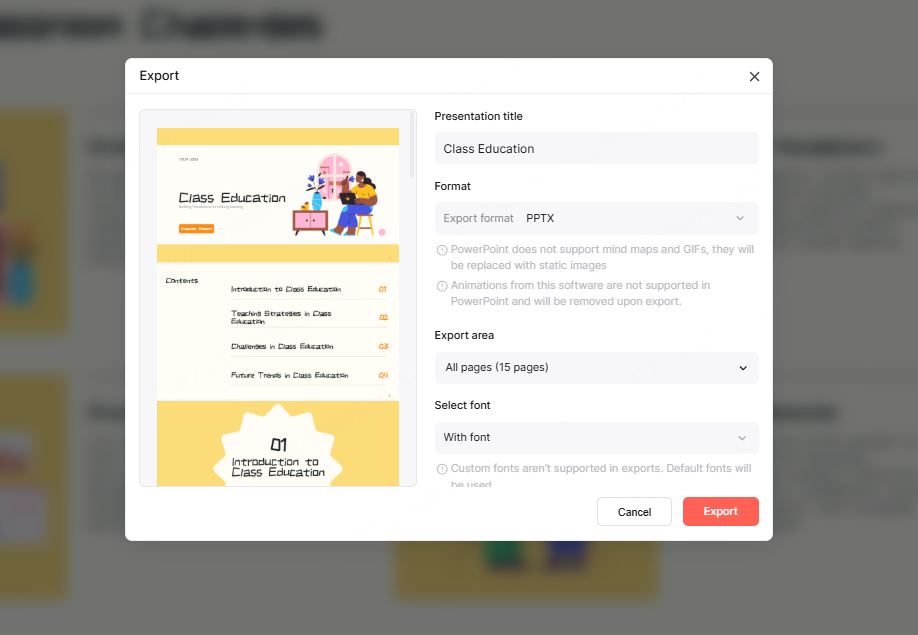
For offline use, presentations can be exported as PPTX or PDF files, ensuring compatibility with standard presentation environments and learning management systems.
Final Thoughts: Build Better Courseware with Less Effort
Creating professional PPT courseware does not require advanced design skills or years of experience. With a clear content strategy, a structured framework, and the right tools, even beginners can produce high quality presentations.
By experimenting with different templates, layouts, and visual elements, you can gradually develop a personal presentation style while maintaining professional standards.
Presenti AI streamlines the entire process, from content structuring to visual optimization, allowing you to focus on what matters most: delivering valuable knowledge clearly and effectively.









