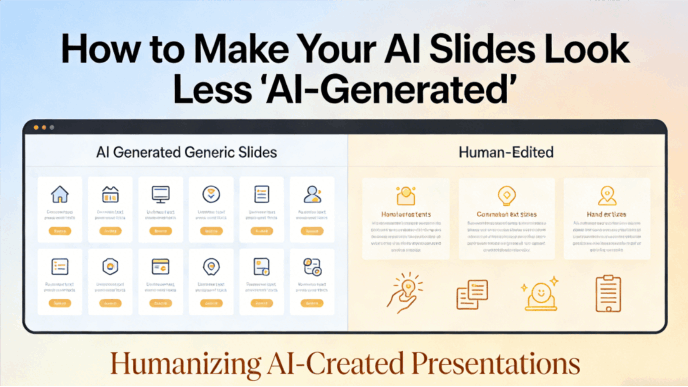
Many audiences now recognize the generic templates and repetitive layouts common in basic AI-generated content. When a presentation appears to be a standard automated output, it can diminish the speaker’s credibility and suggest a lack of preparation. To maintain professional standards, it is necessary to move beyond simple automation. This guide examines how to utilize advanced design tools to create high-quality presentations that offer both technical efficiency and professional-grade aesthetics.
Why “Standard” AI Decks Fail
Most AI presentation tools are "black boxes." You type a prompt, and it spits out a rigid, unchangeable file. This lack of control is exactly what makes them feel "fake." To truly humanize AI presentations, you need a tool that treats AI as a co-pilot, not a replacement.
Presenti understands that a great presentation requires a human's logical flow. This is why it moves beyond the simple "text-to-slide" model. By allowing users to intervene at every critical stage—from structure to style—Presenti ensures that the final product feels intentional and authentic.
How to Make Your Slides Less AI-generated with Presenti
1. Ground Your Logic: The Power of Markdown and MindMap Imports
The "AI smell" often starts with a weak structure. When you ask a general AI to "create a deck," it defaults to a generic sequence. To create a truly personalized presentation AI experience, you need to provide it with a human-designed skeleton.
Presenti’s Unique Workflow
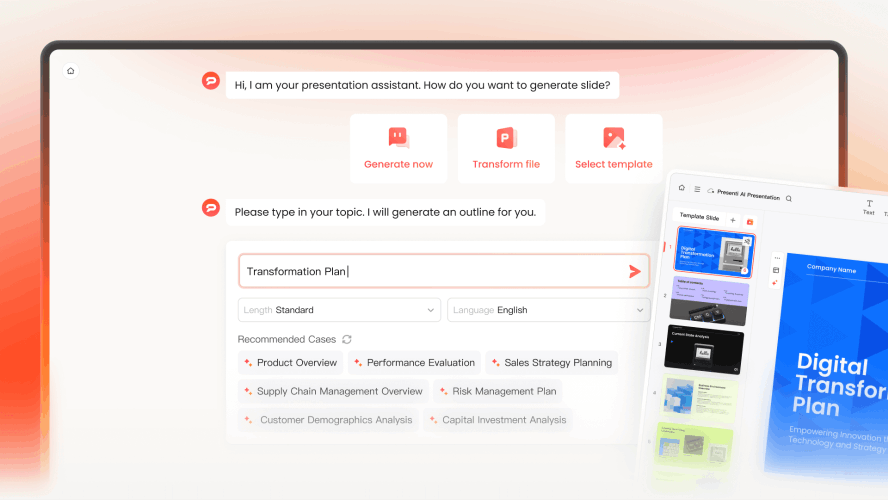
- This is where Presenti shines. Instead of starting with a vague one-sentence prompt, Presenti allows you to import Markdown files or MindMaps.
- Why this matters: When you import a mind map, you are dictating the hierarchy of information. You decide which points deserve a full-page spotlight and which are sub-bullets.
- How to humanize AI presentations here: By using Presenti to turn your structured thoughts into visual slides, the "logic" of the deck remains human. The AI handles the heavy lifting of layout, but the narrative DNA belongs to you.
2. Refine the Voice: Moving Beyond "Buzzword Bingo"
AI-generated text is notoriously wordy. It loves phrases like "In today's fast-paced world" or "Unleash your potential." To make your slides resonate, you must kill the fluff.
Using Presenti’s AI Content Editor
- Presenti doesn't just generate text and walk away. Its built-in AI Content Editor is designed to help you "talk like a human."
- The "Punchy" Pass: Use Presenti’s "Refine" tool to ask the AI to "make this text more conversational" or "summarize this into a single, bold statement."
- Adding Specificity: A personalized presentation AI should use your data. Presenti makes it easy to swap out generic claims for your specific KPIs. Instead of "Improved efficiency," use Presenti to highlight "34% faster turnaround in Q4."
- Tone Control: Within the Presenti interface, you can adjust the "professionalism level" of the copy, ensuring it matches your specific brand voice rather than a generic internet average.
3. Customize AI Slides Design: Breaking the "AI Template" Curse
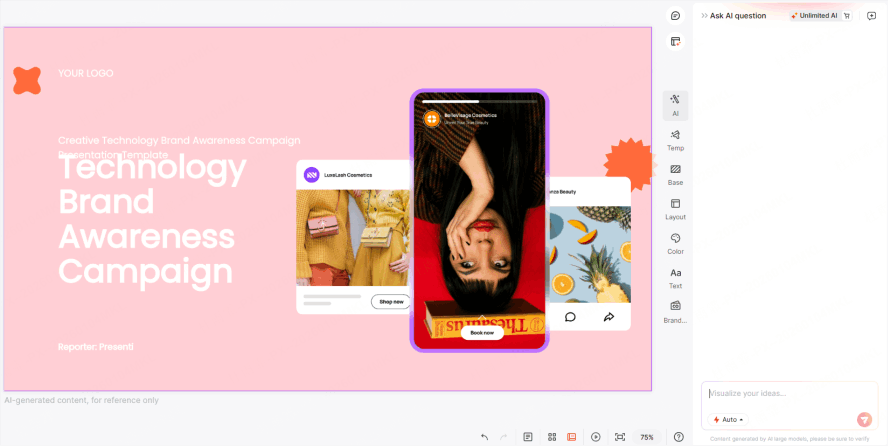
If your slides look like a generic template, your audience will treat your ideas as generic, too. To customize AI slides design, you need to break the visual patterns that AI usually relies on—like perfectly centered text boxes and stock-photo-clichés.
Intelligent Layout Optimization
- Unlike traditional tools that force content into a static box, Presenti uses Intelligent Layout Optimization. This means the design adapts to the content, not the other way around.
- Visual Hierarchy: If you have a critical quote, Presenti’s engine recognizes the emphasis and scales the typography automatically to create a "hero" moment.
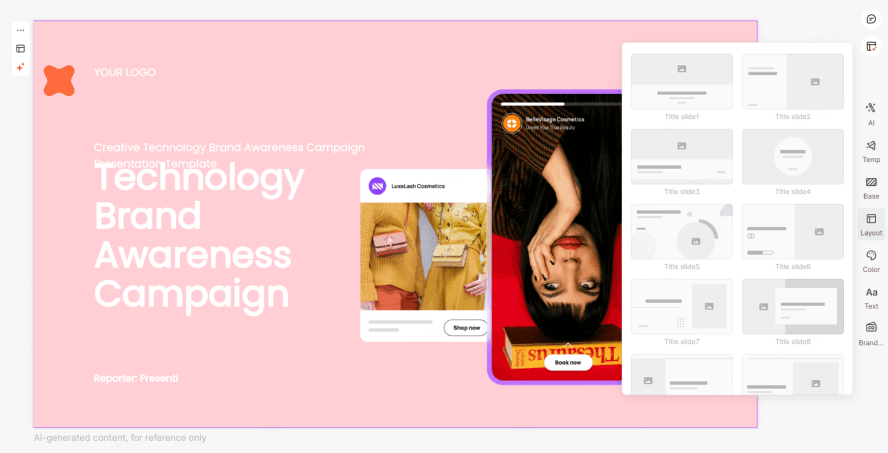
- The "Human" Asymmetry: Humans don't always put things in the center. Use Presenti’s layout switcher to experiment with asymmetrical designs that feel more like a custom editorial layout in a magazine than a standard PowerPoint.
4. Branding as a "Humanity" Signal
The most obvious sign of an AI deck is a lack of Brand Identity (VI). A deck that is just "white and blue" belongs to no one. To humanize AI presentations, the deck must feel like it came from your office.
Presenti’s Brand Kit Integration
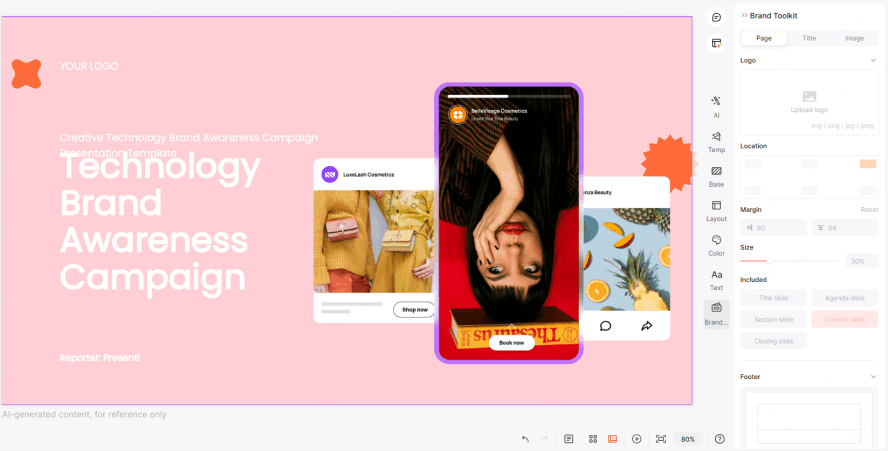
- Presenti allows you to bake your brand directly into the AI’s brain.
- Custom Color Palettes: Don’t settle for the AI’s suggested colors. Input your brand’s exact Hex codes into Presenti.
- Typography: A personalized presentation AI uses your brand's fonts. Presenti supports custom font uploads, ensuring that even an AI-generated layout feels like it was designed by your internal team.
- Logo Placement: Presenti intelligently places your logo where it adds value without cluttering the design, maintaining a professional, "human-curated" look.
5. Visual Storytelling: Beyond Stock Photos
We’ve all seen the "AI-generated business people" with too many fingers or eerie, glowing skin. Using these images is the fastest way to lose your audience.
Presenti offers a more sophisticated approach to visuals:
- Ditch the "AI-Face": Instead of generic humans, use Presenti’s integration with high-quality icon libraries and abstract illustrations.
- Focus on Data: Use Presenti to transform raw numbers into clean, minimalist charts. Nothing feels more "human" than a well-interpreted data point.
- Real Imagery: Presenti makes it easy to upload your own photos. A grainy photo of your actual team is 10x more effective at building trust than a 4K AI-generated office scene.

6. The Presenti Advantage: Editing Fluently
The biggest problem with most AI slide generators is that they make editing difficult. They assume the AI's first draft is the final draft. Presenti flips this.
Presenti is built on the philosophy that AI gets you to 80%, but the human provides the final 20%. Its editor is as flexible as a traditional slide builder but as smart as a modern AI tool.
- One-Click Beautify: If a slide feels "off," use the AI Beautify feature to cycle through different professional layouts until you find one that feels right.
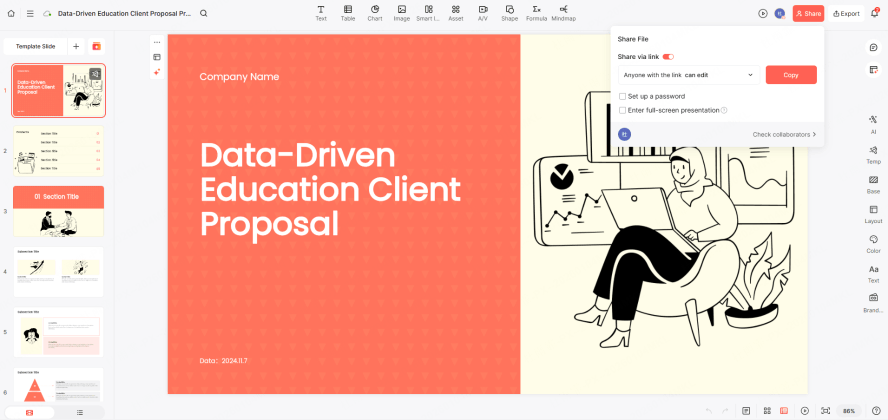
- Collaborative Refining: Presenti allows teams to jump in and tweak the AI’s work. This collaborative layer is essential to customize AI slides design because it allows for multiple human perspectives to polish the final product.
7. The Psychology of the "Non-AI" Look
Why does it matter if people know you used AI? It’s about perceived effort. We value things that feel like they took effort to create. When you use Presenti to humanize AI presentations, you aren't trying to "trick" the audience; you are showing them that you care enough about the message to refine the delivery.
A personalized presentation AI like Presenti allows you to focus on the high-level strategy while it handles the tedious alignment. This leaves you with more time to rehearse your delivery, which is the ultimate way to humanize any presentation.
Step-by-Step Checklist to Humanize Your Next Presenti Deck
To ensure your next project doesn't fall into the AI trap, follow this Presenti-powered workflow:
- Import, Don't Prompt: Start by importing an Xmind map or a Markdown outline into Presenti. This ensures the logic is 100% yours.
- Apply Your Brand Kit: Immediately switch from "Default" to your custom brand colors and fonts within Presenti’s settings.
- Audit the Copy: Use the AI Content Editor to shorten sentences and remove "robotic" adjectives.
- Vary the Layouts: Ensure no two consecutive slides use the same layout. Use Presenti’s layout gallery to keep the visual pace dynamic.
- Add the "Human Element": Insert a slide that is purely a personal anecdote or a specific company case study that no AI could possibly know.
Conclusion
The future of communication isn't about choosing between human and machine; it’s about synthesis. If you want to know how to humanize AI presentations, the answer is to stop using AI as a "generator" and start using it as a "magnifier." Presenti is designed to be that magnifier. By giving you control over the structure, the branding, and the visual hierarchy, it allows you to customize AI slides design in ways that basic tools simply cannot.
Don't let your ideas get buried under a layer of generic AI "dust." Use Presenti to create a personalized presentation AI that reflects your expertise, your brand, and your unique story. In a world of automated content, the most powerful thing you can be is human—and Presenti helps you look the part.