
Creating a polished PowerPoint presentation no longer requires hours of manual formatting or fighting with complicated slide layouts. Nowadays, Markdown: a lightweight, text based markup language, has become one of the most efficient ways to create clean, structured, and professional slides with far less effort. When paired with AI tools like Presenti AI, Markdown can instantly transform simple text into a complete online PPT, saving time while improving content quality.
Whether you're preparing a technical talk, pitching a business idea, designing an academic lecture, or building collaborative team presentations, Markdown offers a faster, cleaner, and more scalable workflow. This guide explains why Markdown is ideal for PPT creation and walks you through a simple 4 step methods to generate online slides effortlessly.
1. What Is Markdown and Why Is It Perfect for PPT Creation?
Markdown is a lightweight markup language that uses simple symbols, such as # for headings, * for bullet points, and - for lists, to define structure and formatting. Instead of manually adjusting fonts, spacing, or styles, Markdown lets you focus entirely on your message.
Key Benefits of Using Markdown for PPTs
- Structured writing for clear slide hierarchy
Markdown headings map naturally to slide titles, while bullet points become slide content. This makes it ideal for presentations that require clear structure and logic. - Cross platform compatibility
Because Markdown is pure text, it can be interpreted by countless tools, allowing you to convert the same content into PPT, PDF, HTML, or even documentation with one click. - Faster iteration and content editing
You can update content instantly without dealing with complex visual formatting each time. This makes Markdown especially valuable for: - Technical documentation
- Research reports
- University lectures
- Data presentations
- Business proposals
Combined with AI powered slide generators like Presenti AI, Markdown becomes even more powerful, automatically converting text into visually polished presentations.
2. Four Steps Guide: How to Generate a PPT from Markdown
Worried that converting Markdown to PPT might be difficult? With Presenti AI, the entire workflow is simplified into four intuitive steps, even beginners can produce clean, professional decks without touching a design tool.
Before you begin, visit the Presenti AI website and sign in or create an account. After logging in, go to the dashboard and click “Import File.”
Step 1: Upload or Paste Your Markdown Content
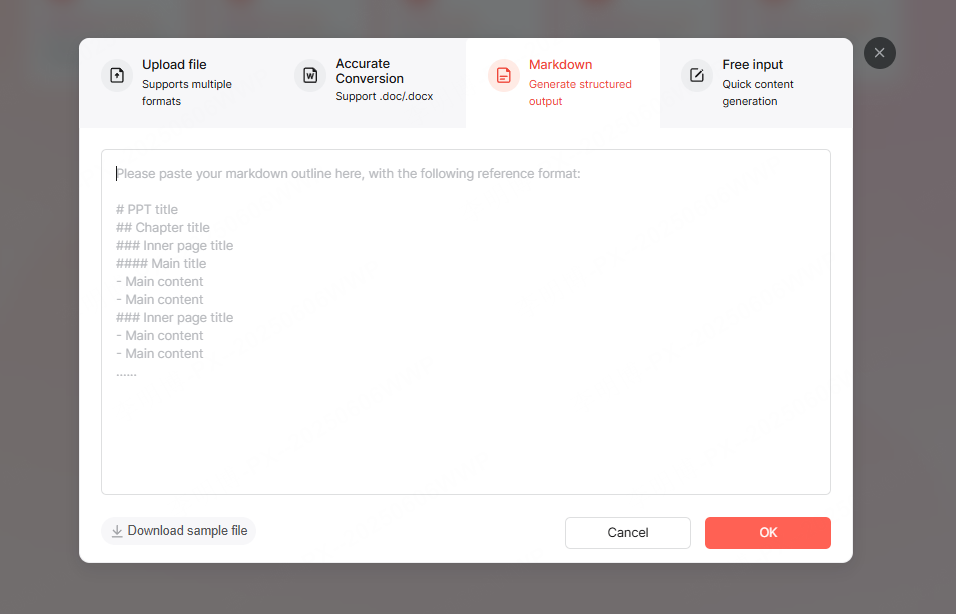
If you already have a Markdown file, simply upload it (.md format).
If not, you can write Markdown directly inside the online editor, using:
- # for slide titles
- ## for subtitles
- - or * for bullet points
Live preview allows you to see your PPT outline as you write.
Step 2: AI Automatically Converts Markdown into a Slide Outline
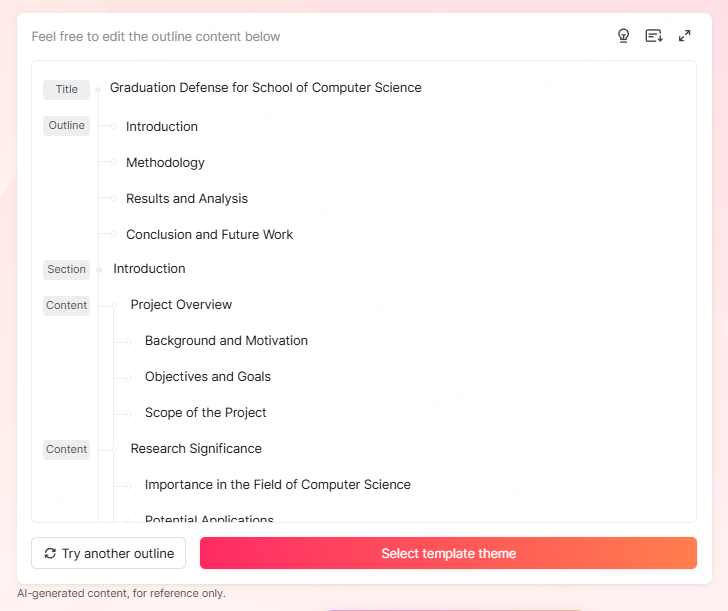
Once uploaded, Presenti AI analyzes your heading structure and automatically generates a slide outline with a complete table of contents. This eliminates manual formatting and helps you instantly visualize the flow of your presentation.
You can edit the outline in two views:
- Outline Mode: for linear slide editing
- Mind Map Mode: for reorganizing content structure more intuitively
This helps you polish logic before moving into design.
Step 3: Apply a Professional Template with One Click

After finalizing the outline, click “Adjust PPT Theme”.
Presenti AI provides professionally designed templates for dozens of industries:
- Business
- Education
- Tech & startup
- Marketing
- Corporate training
You can also customize templates by modifying colors, typography, or uploading your brand logo. This means your team can generate consistent, on brand presentations instantly.
Step 4: Generate, Edit, and Share the Final PPT
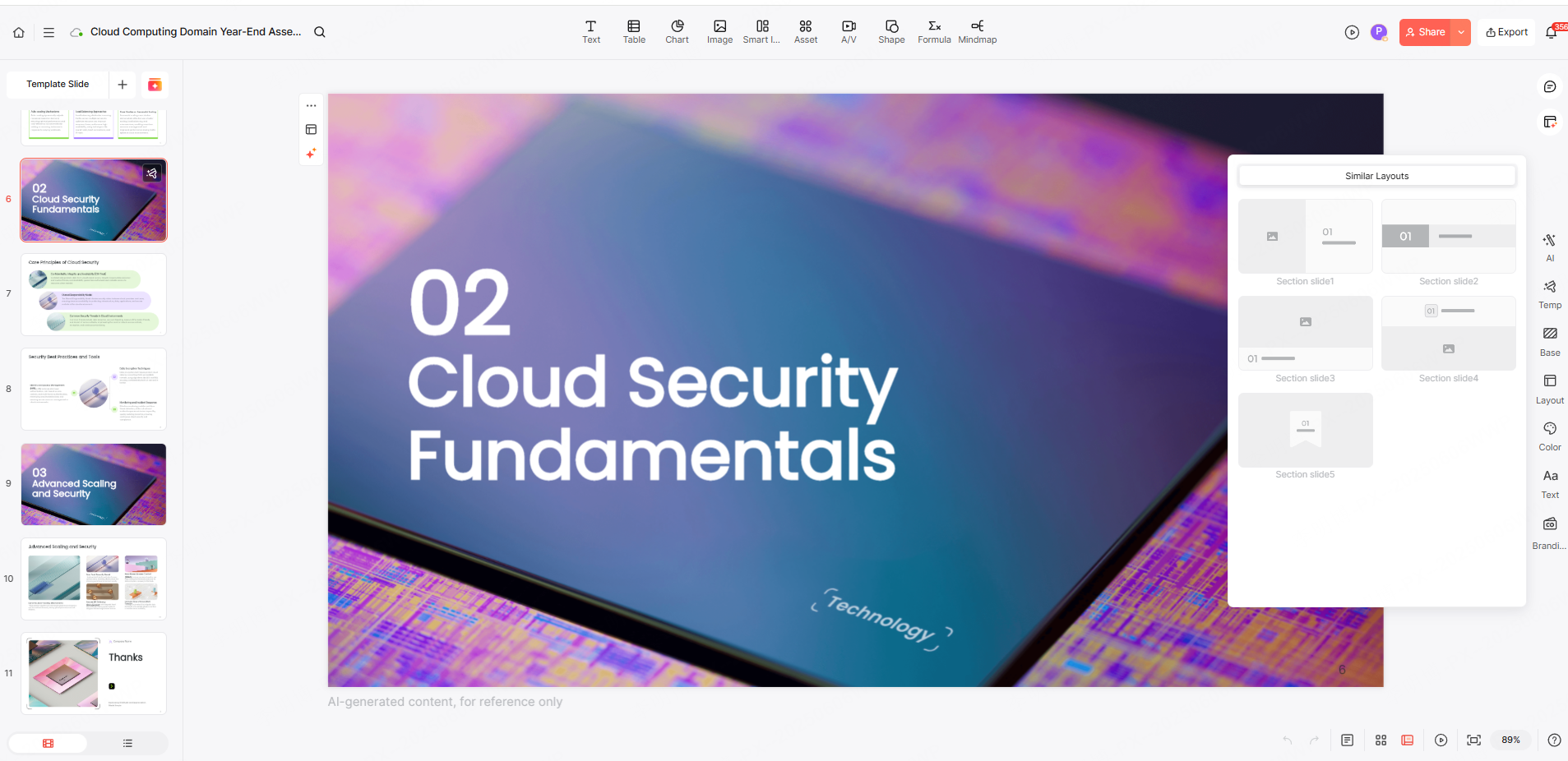
Presenti AI creates the full presentation automatically, complete with AI optimized spacing, color coordination, and image suggestions.
You can then:
- Edit text, layouts, and images
- Export the file as PPTX or PDF
- Share it via online link
- Collaborate with team members in real time
The collaboration feature is especially powerful, enabling multiple team members to comment and edit simultaneously without version conflicts.
3. Common Issues When Using Markdown for PPTs and How to Avoid Them
Even though Markdown to PPT conversion is highly efficient, users sometimes encounter formatting and compatibility challenges. Here are the most common issues and how Presenti AI solves them.
(1) Markdown Syntax Errors or Unrecognized Formatting?
Complex Markdown elements (like footnotes or task lists) may not always render correctly in basic converters. Presenti AI supports CommonMark syntax and smart parses tables, footnotes, code blocks, and more.
If needed, you can fine tune formatting after conversion using the built in editor.
(2) Templates Feeling Too Limiting or Not Unique Enough?
If default templates feel too generic, Presenti AI allows you to create fully customized themes:
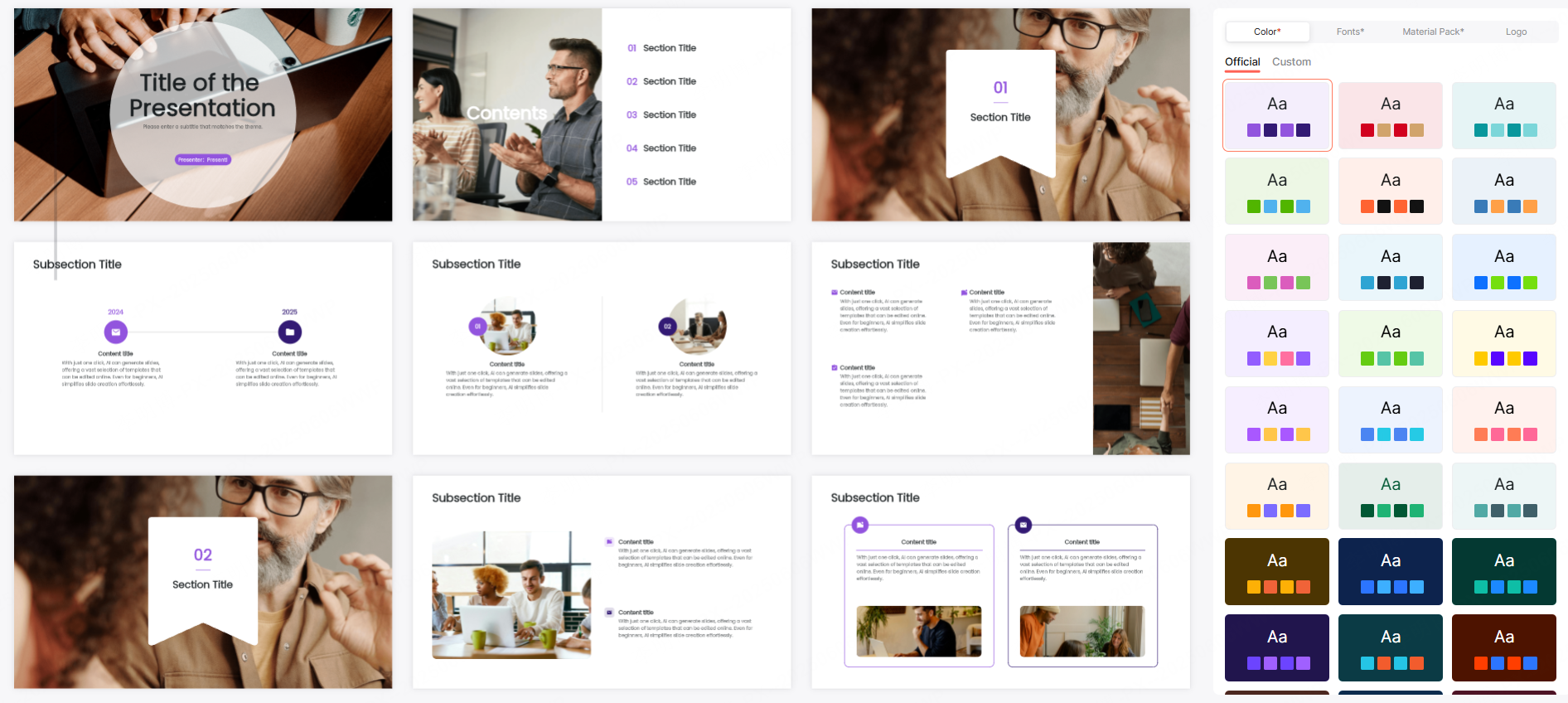
- Upload your preferred slide layout
- Adjust fonts, colors, and branding
- Save it as a reusable company template
AI can then automatically adapt your Markdown content to match the personalized layout.
(3) Team Collaboration Causing Version Conflicts?
Traditional PPT workflows often suffer version confusion like “Final_V5.1_Real_Final.pptx.”
Presenti AI solves this with:
- Real time collaborative editing
- 30 days version history
- Permission settings for view/edit roles
This ensures all team members stay aligned, even across departments or remote teams.
Conclusion
Using Markdown to generate PPTs brings the focus back to content, not formatting. When combined with AI powered tools like Presenti AI, you can create presentations faster, collaborate more smoothly, and maintain consistent branding without extra effort. Whether you're producing academic slides, business reports, or personal projects, this lightweight workflow has become a new productivity standard for modern creators.









