

Creating a polished presentation used to mean spending hours on slides, layouts, and formatting. Nowadays, cloud based presentation editors and AI automation have transformed that workflow. With tools like Presenti AI, you can instantly generate slide structures, streamline layouts, and collaborate with teams across devices.
Whether you're a developer presenting architecture diagrams, an educator building course materials, or a project manager preparing stakeholder updates, this guide walks you through how to edit PPT files online efficiently, and how AI helps you ship high quality decks in minutes.
1. Why Edit PPTs Online?
Online presentation editors remove the constraints of traditional desktop tools. Instead of relying on a single machine, you gain real time collaboration, cloud syncing, and AI powered creation features.
Key Benefits of Online PPT Editing
Cross Device Sync
Cloud storage (e.g., Google Drive, OneDrive) ensures you always access the latest version of your slides. Edits are saved automatically, even if your connection drops.
Real Time Collaboration
Teams can co-edit slides, leave comments, review versions, and track changes. This significantly improves the workflow for remote teams or distributed technical organizations.
AI Enhanced Design
Presenti AI helps you generate slide structure, automate layouts, recommend color palettes, and apply design consistency, making it especially valuable for non-designers creating professional decks.
Multi Scenario Adaptability
From pitch decks to lecture slides, from internal reports to workshop materials, online editing tools allow you to quickly tailor content for any communication context.

2. How AI Is Reshaping the Way We Build Presentations
Traditionally, creating a presentation required manual work: formatting text boxes, aligning elements, choosing fonts, and building diagrams. AI powered editors change that entirely.
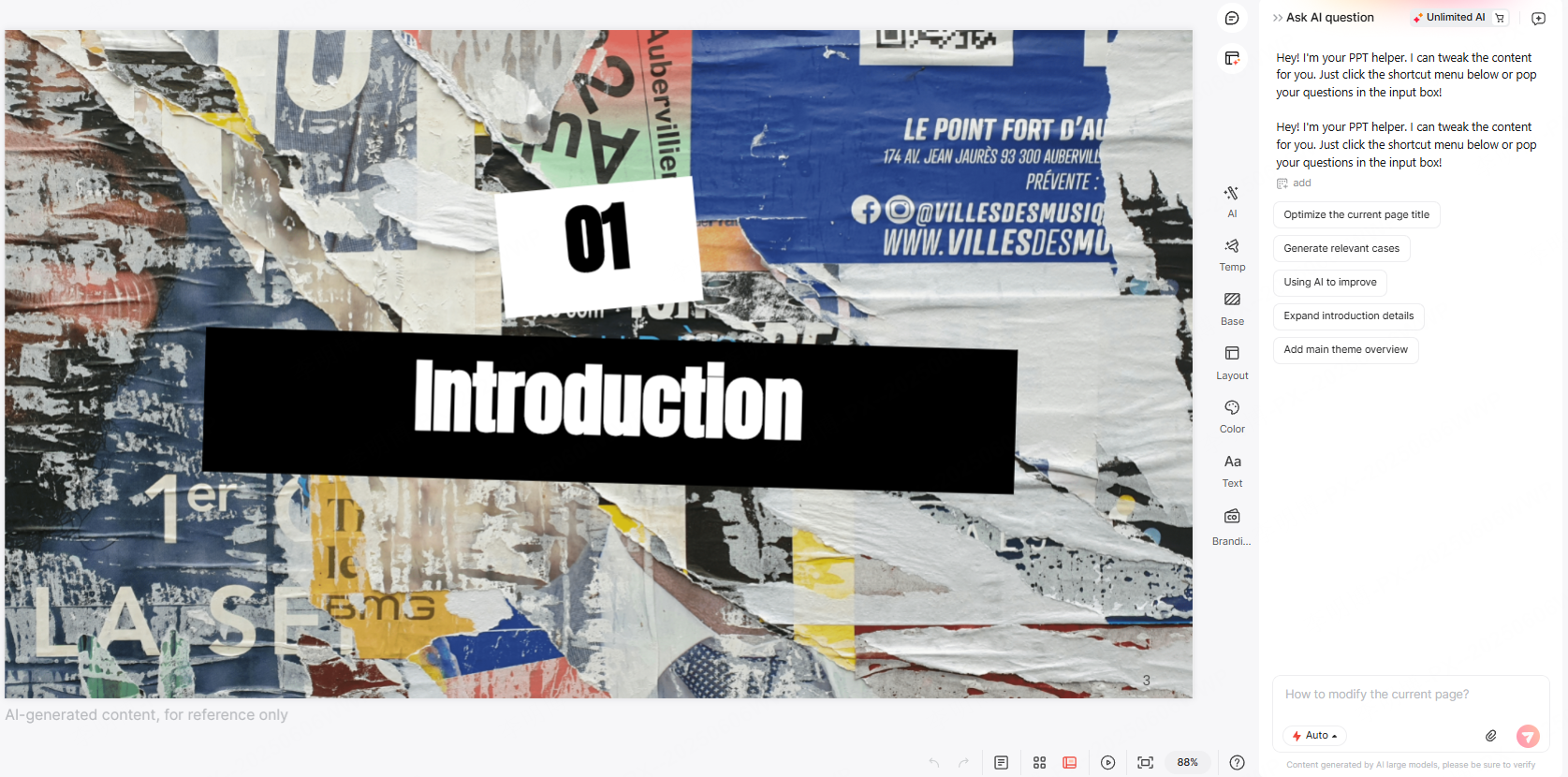
Here’s how AI fundamentally improves the PPT creation process:
Automated Layout & Visual Optimization
Instead of dragging elements pixel by pixel, AI can analyze your content and apply best practice design patterns. This includes spacing, alignment, typography, and color harmony.
Smart Copywriting & Content Enhancement
If you struggle with writing speaker notes, AI can:
- Generate slide content from a topic
- Rewrite or condense text
- Improve clarity and tone
- Localize content for different audiences
This is especially useful for technical teams who spend more time on data than storytelling.
Instant PPT Generation
Provide an outline or a few keywords, and AI instantly produces:
- A structured deck
- Visual placeholders
- Suggested diagrams
- Slide transitions
- Section summaries
This dramatically reduces the time needed to create project reports or sprint review presentations.
Intelligent Chart & Image Suggestions
Based on your text, AI can generate charts such as:
- Bar, line, or pie charts
- Comparison tables
- Timeline visuals
- Flowcharts and diagrams (including Mermaid style charts)
It can also propose royalty free images that match your content.
Multilingual Support for International Teams
If your organization works globally, AI can translate, localize, and culturally adapt your slides, making them suitable for audiences in North America, Europe, or any other region.
In short: AI doesn’t just speed up presentation creation, it fundamentally upgrades the quality and impact of the final product.
3. Online PPT Editing Tutorial (Using Presenti AI)
Even if you're new to creating presentations, the workflow below helps you build a clean, professional slide deck in under 30 minutes.
Step 1: Create a Free Presenti AI Account
Visit the Presenti AI website and sign up using your email. Registration takes less than a minute and unlocks cloud sync and AI editing features.
Step 2: Choose an AI Powered PPT Generation Method
Presenti AI offers several creation workflows:
- Generate from keywords
- Generate from an outline
- Generate from uploaded files
For this tutorial, we’ll use the Import File method.

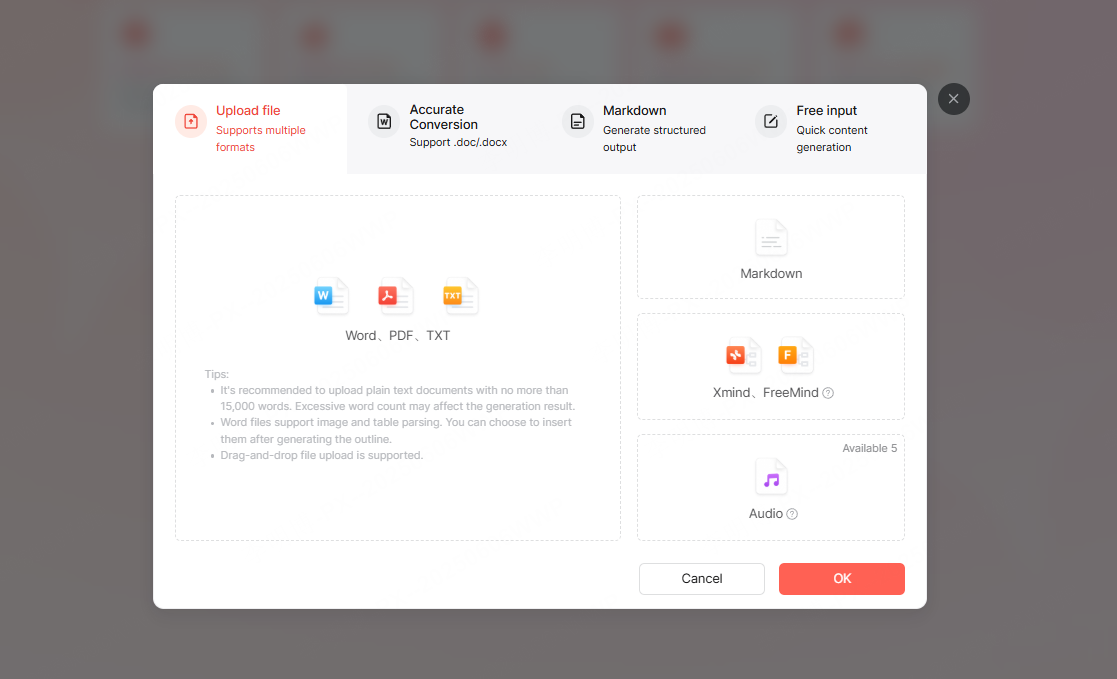
Step 3: Upload Your Document
Upload a .doc, .docx, or .txt file from your computer or cloud drive.
The system will automatically:
- Analyze the structure
- Extract headers
- Detect slide groupings
- Identify keywords and topics
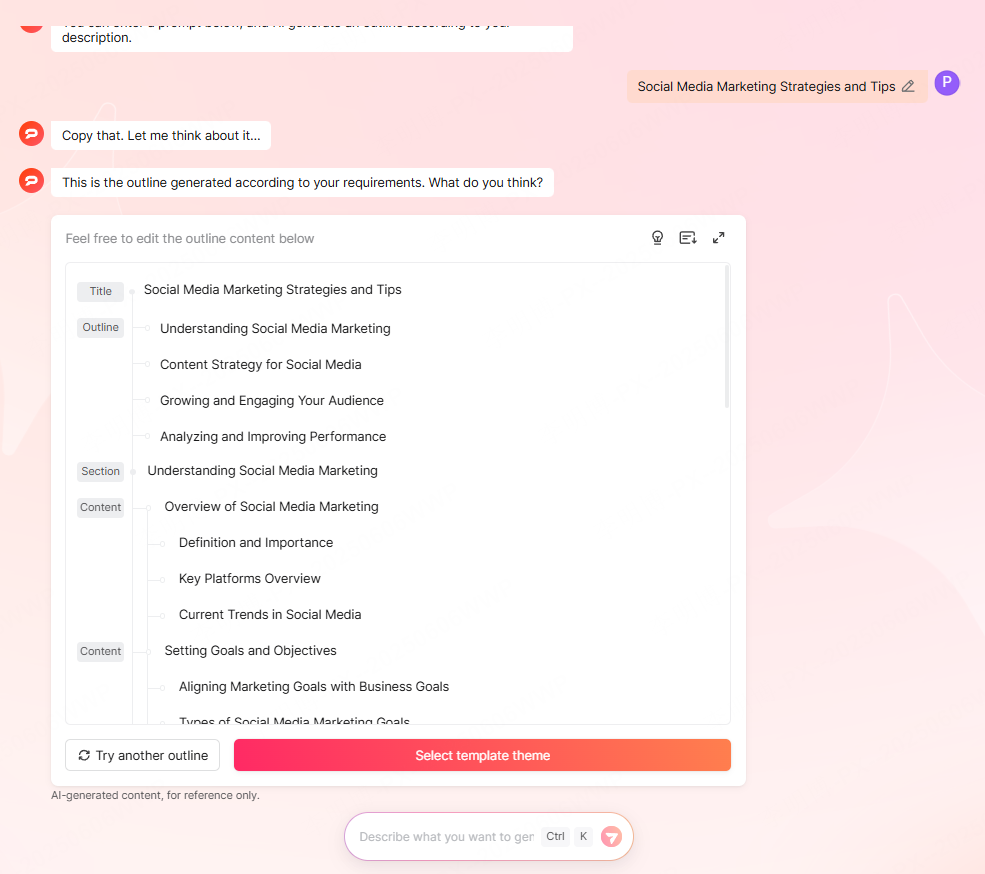
Step 4: Review & Customize Your Generated Outline
Presenti AI will produce a structured slide outline. Here you can:
- Add or remove topics
- Reorder sections
- Merge or split slides
- Update titles to match your messaging
After finalizing the outline, browse AI recommended templates. These templates are matched based on your content style and use case (e.g., academic lecture, product demo, business proposal).
Step 5: Edit the PPT Online
Once the PPT is generated, you can refine your slides directly in the online editor:
Layout & Design Adjustments
- Change backgrounds
- Edit theme colors
- Replace images
- Adjust spacing & layout grids
AI Editing Tools
Presenti AI’s assistant lets you:
- Rephrase or shorten text
- Generate new content
- Improve grammar & clarity
- Summarize long paragraphs
- Translate to another language
- Quickly switch slide layouts
This is especially useful for technical users preparing explanations, architecture diagrams, research results, or onboarding materials.
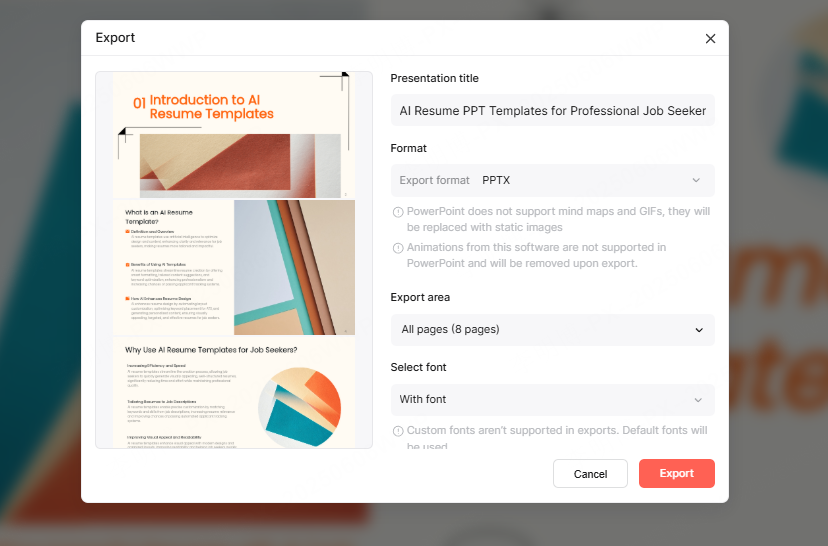
Sharing, Reviewing, and Exporting
When your PPT is ready, you can:
- Share via link for collaborative editing
- Allow comments for feedback rounds
- Present directly in the browser
- Export as PPTX or PDF for offline use
For remote teams using Slack, Teams, or Notion, you can embed or link your slides seamlessly.
Conclusion
AI Is Rewriting the Rules of PPT Creation
Online PPT editing, enhanced by AI helps you move from time consuming manual formatting to fast, intelligent content creation. Presenti AI brings together automation, collaboration, and smart design to help anyone, from interns to senior engineers, deliver polished, clear, and professional presentations.
If you’re ready to streamline workflows and improve your impact, try editing your next PPT online with Presenti AI.









