
In the competitive job market, your resume needs to stand out quickly and clearly, especially when you’re applying for roles in tech, education, product development, or project management. A well structured resume PowerPoint (PPT) is a powerful way to present your experience, skills, and achievements in a more visual and compelling format.
Presenti AI is an online tool designed to help job seekers generate a clean, professional, and customizable resume PPT in minutes, no design experience required. Whether you're a recent graduate entering the workforce or an experienced professional looking to level up your presentation, Presenti AI provides multiple ways to build a polished resume that fits global recruitment standards.

1. Choose How You Want to Generate Your Resume PPT
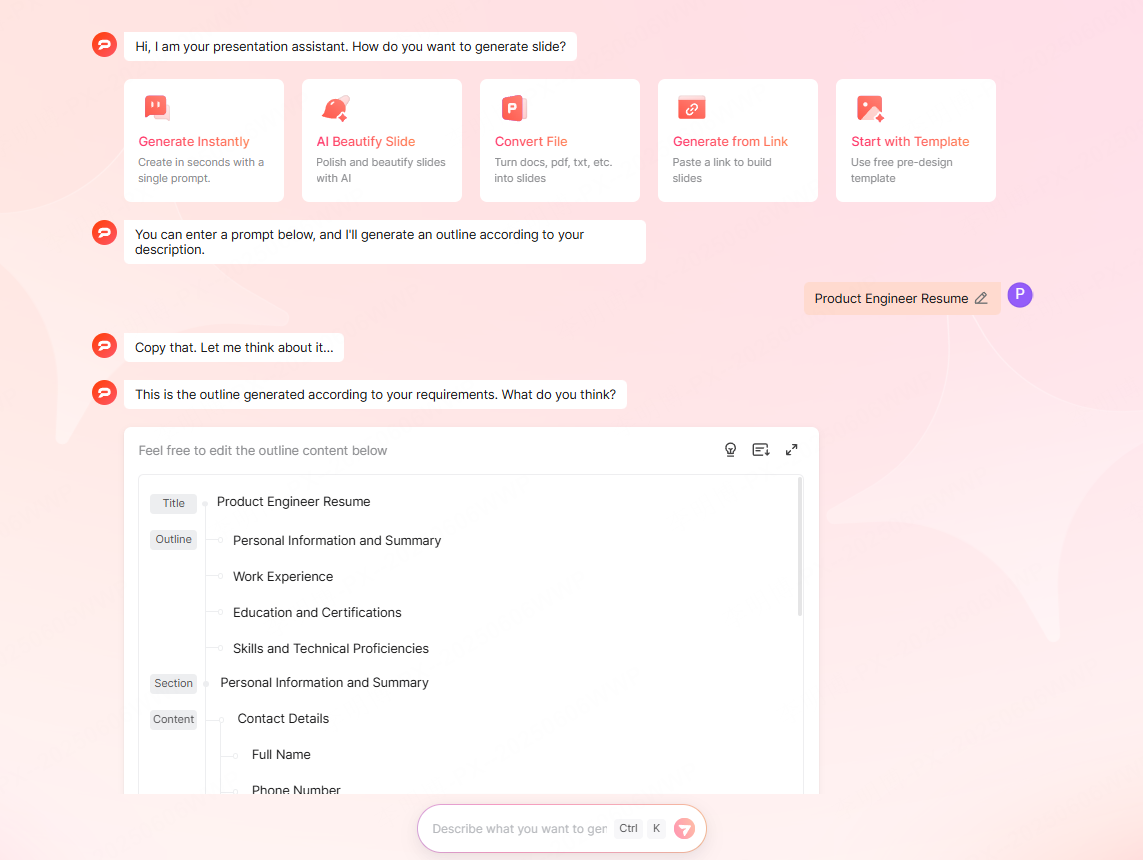
Presenti AI offers several creation workflows designed for different user needs. Each option helps streamline your resume building process while maintaining consistency and clarity.
AI Generated Resume PPT
Simply enter a job title, for example, “Digital Marketing Specialist Resume”and Presenti AI automatically creates a structured slide outline. Typical sections include:
- Personal Information
- Skills & Technical Strengths
- Work / Project Experience
- Education
- Certifications and Awards
From there, you can edit or refine the generated outline to match your exact background.
Import an Existing Resume
If you already have a resume in Word, PDF, or Google Docs, upload it directly. The system extracts key information, restructures it, and transforms it into a clean, visually balanced PPT. This option is perfect for applicants who want to upgrade the design of an existing résumé without manually formatting slides.
Start from a Template
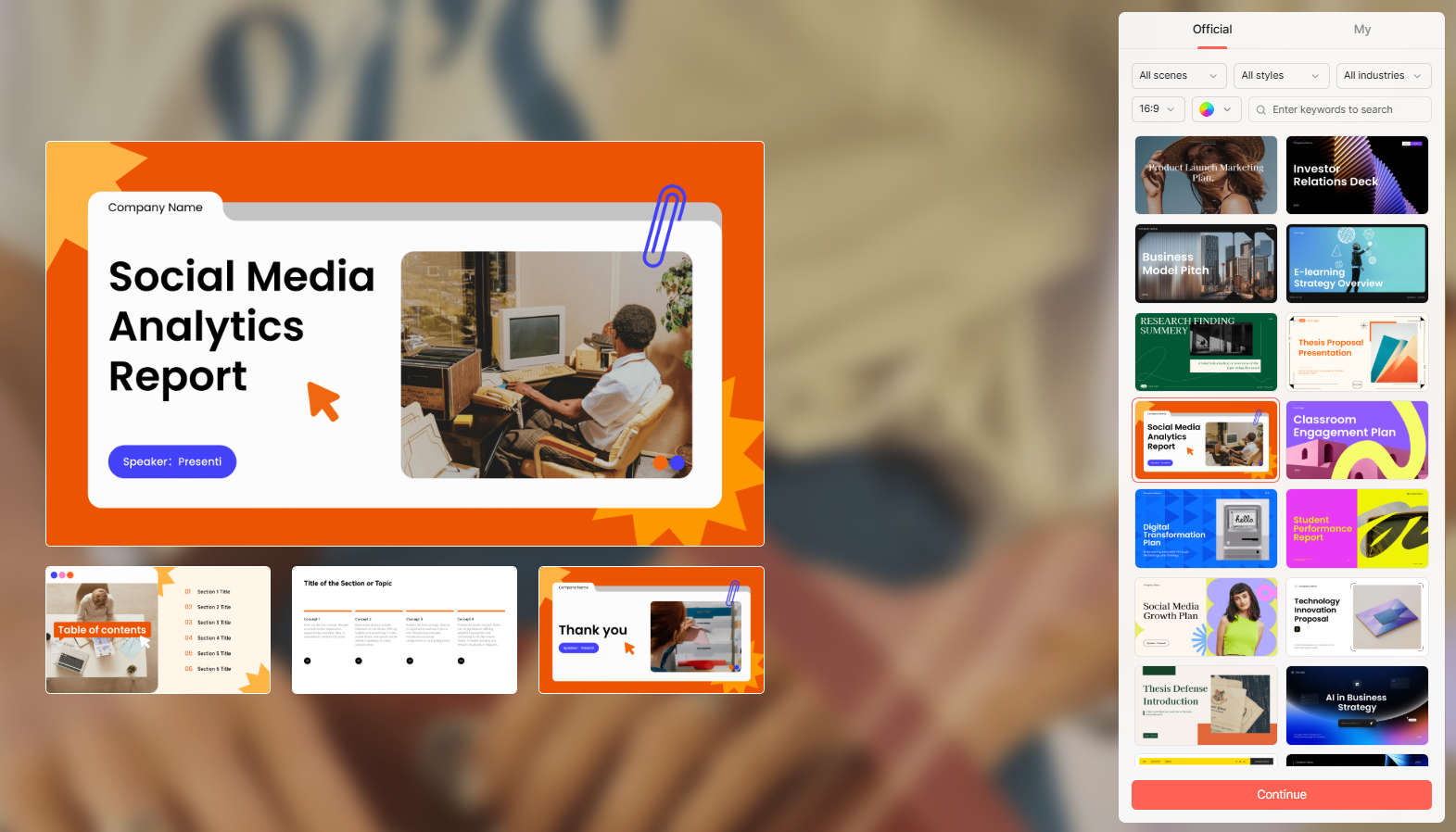
Browse a library of professionally designed PPT templates and customize the content. This option works well for users who prefer a specific visual style or need slides tailored to certain industries.
Generate from a URL
Paste a link containing your resume or portfolio content, such as a personal website, LinkedIn profile, Notion page, or online portfolio. Presenti AI automatically pulls text and converts it into a polished PPT.
2. Choose a Resume Template Style That Fits Your Industry
Your template choice should match the expectations of your target market and the norms of your industry. Presenti AI offers templates suitable for a wide range of professional contexts commonly seen in the US and Europe.
Business & Corporate Roles
Perfect for marketing, operations, finance, product, or management positions.
- Clean layout
- Conservative color palette (navy, gray, black)
- Minimalistic structure emphasizing clarity
Creative & Design Driven Roles
Ideal for designers, product managers, UX researchers, and creative strategists.
- Unique layouts
- Modern color schemes
- Visually expressive elements
Tech & Software Engineering Roles
Matches the expectations of software engineers, data analysts, DevOps teams, and IT professionals.
- Futuristic visuals
- Cool toned palettes (blue, purple)
- Emphasis on metrics, tools, and technical skills
Education & Research Roles
Suited for teachers, lecturers, researchers, academic coordinators, and learning specialists.
- Clean and structured
- Soft colors
- Clear logical flow for research or educational achievements
Template Selection Guidelines
When choosing a template:
- Ensure the layout can present key sections (profile summary, experience, skills, education, certifications).
- Avoid overly decorative or distracting elements that reduce readability.
- Stick to two or three main colors for a consistent look.
- Match industry expectations,tech prefers cool, minimal styles; creative industries favor bold aesthetics.
3. Generate Your Resume PPT with AI
Once you choose a style or upload content, Presenti AI automatically designs a complete slide deck. It organizes information into well structured slides with consistent spacing, typography, and formatting. Visual elements: icons, section dividers, and layout blocks, are applied automatically to keep the design professional and engaging.
This automation eliminates hours of manual formatting and ensures your resume looks polished across different devices and screen sizes.
4. Customize and Edit Your Resume Slides
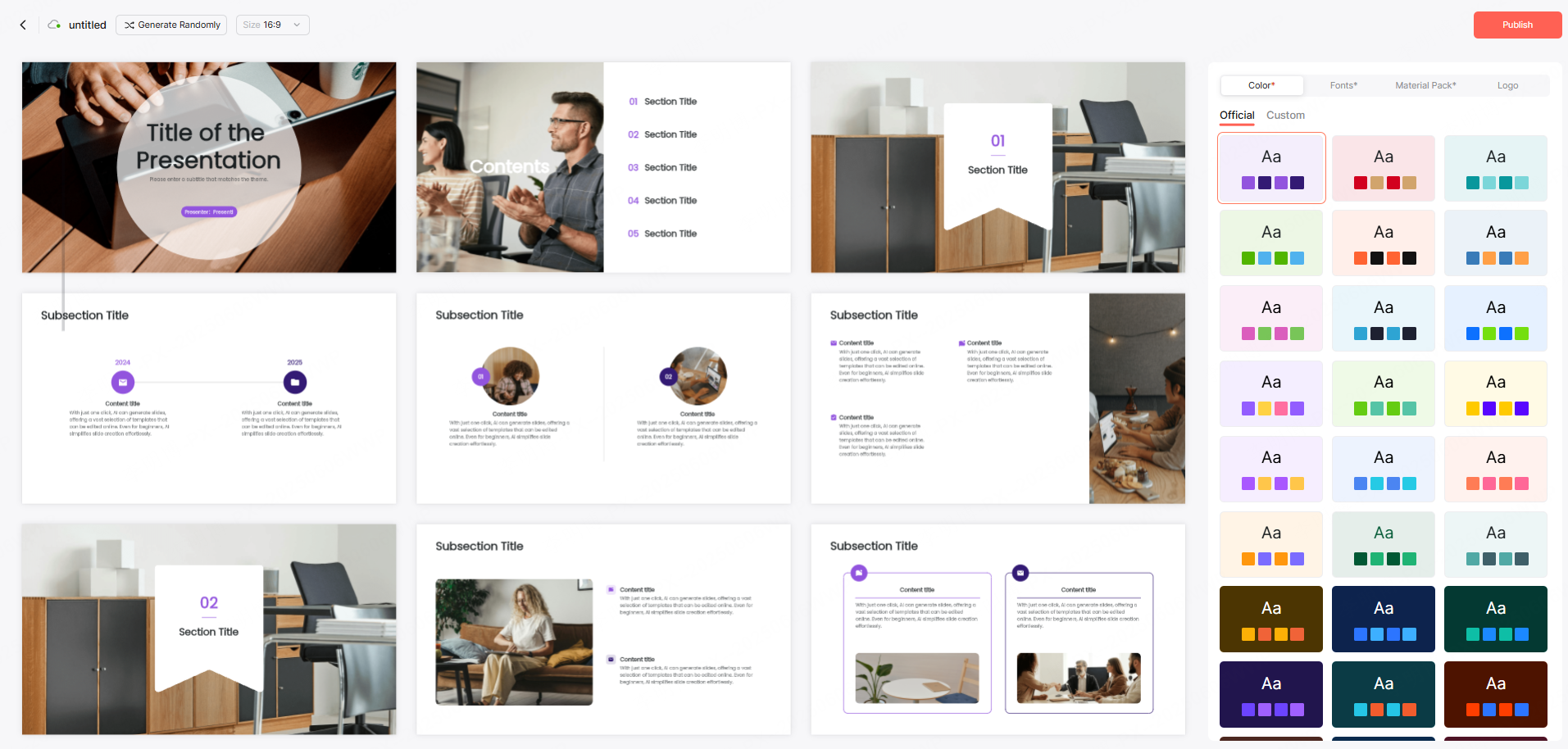
You maintain full control over the content. After AI generation, you can:
Edit Text and Content
- Update job descriptions
- Add measurable achievements
- Adjust keywords for ATS scanning
- Refine bullet points or summaries
Adjust Layout and Styling
- Modify fonts, spacing, and alignment
- Update color themes to match personal branding
- Rearrange content elements for emphasis
Add Visuals and Data
- Insert charts for performance metrics
- Add project screenshots or product images
- Include badges or certificates
These customization features allow you to create a resume that feels both personal and industry appropriate.
5. Export and Share Your Resume
After editing, you can select from multiple export and sharing options:
Share via Link
Generate a shareable link protected with access permissions, useful when sending your resume to hiring managers, recruiters, or collaborators.
Export as PPT
Ideal for in person interviews, portfolio presentations, or online meetings where you present your experience visually.
Export as PDF
A universal, print friendly format commonly requested by employers and job boards.
Final Thoughts
Presenti AI provides a fast, intuitive way to create a professional resume PPT without the need for design skills. Its AI powered structure generation, flexible customization options, and modern templates help job seekers showcase their strengths clearly and confidently to global employers.
Whether you're applying for a technical role in the US, a creative position in Europe, or an academic job worldwide, Presenti AI helps you deliver a résumé presentation that makes a strong first impression.









