
Creating a polished presentation has long been one of the most time consuming tasks for students, professionals, marketers, and educators. Traditionally, building a PowerPoint required selecting templates, arranging text boxes, designing layouts, and carefully adjusting every page, an effort that often took hours. But the rise of AI powered text to PPT generation has completely changed that workflow. Nowadays, you can paste a block of text or upload a document, and an AI tool instantly produces a clean, structured, and visually appealing slide deck. This article breaks down what text to PPT technology is, how it works, the best tools available, and a full step by step guide to creating presentations automatically.
What Is Text to PPT Generation?
Text to PPT generation refers to the process of converting plain written content: an article, outline, report, or even a few keywords, into a ready to use slide presentation automatically. Instead of manually formatting each slide, users simply provide textual input, and AI handles everything from structure to layout.
How It Works Behind the Scenes
Although the process feels effortless, the underlying technology involves powerful natural language processing (NLP) and structural analysis. The AI first “understands” your input by:
- Identifying key themes
- Extracting hierarchical structure
- Detecting logical relationships
- Organizing major and minor points
It then maps these elements onto presentation templates, generating slides with consistent formatting, balanced spacing, and a clear narrative flow. In other words, AI simultaneously acts as a content editor, designer, and layout engine, compressing hours of work into minutes.
Why Text to PPT Tools Are Becoming Essential
Compared to traditional manual slide creation, AI generated PPTs offer several major advantages:
- Massive time savings: Even beginners can produce a complete draft in minutes.
- Consistent design: Fonts, colors, spacing, and style remain uniform across all slides.
- Content focused workflow: Users can invest more energy in ideas, not formatting.
- Beginner friendly: No design experience or technical skill required.
While AI tools may not replace highly customized design or advanced animations, they are ideal for business reports, academic presentations, proposals, marketing pitches, training materials, and any situation where clarity and speed matter.
Best Text to PPT Tools You Can Use Right Now
Many tools claim to generate slides automatically, but only a few deliver reliable results. Below are three of the most effective and user friendly solutions for different audiences.
1. Presenti AI (The Best All Around Choice for Fast, High Quality PPT Creation)
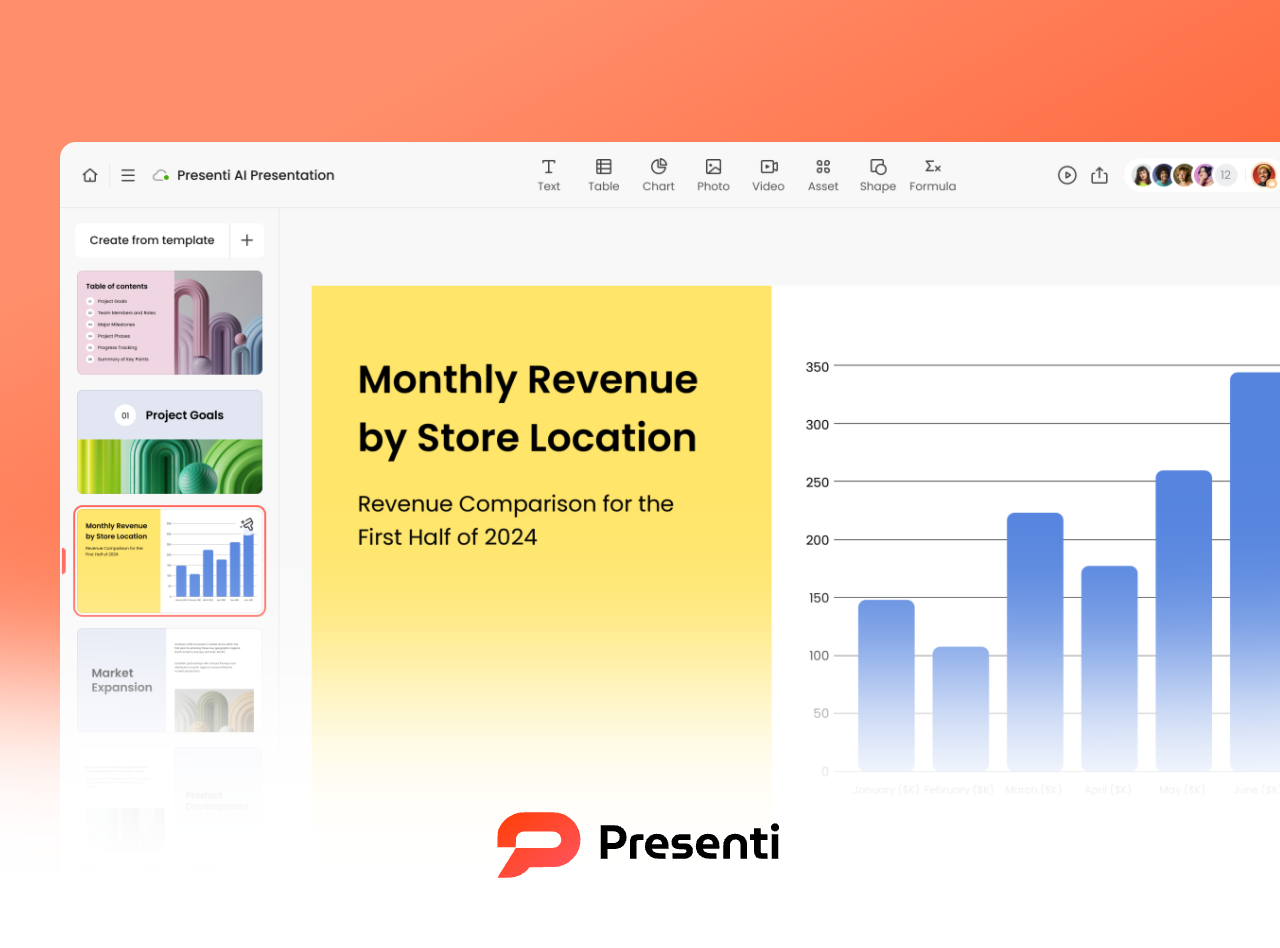
Presenti AI is designed specifically for users who want a polished and professionally formatted deck with minimal effort. You can paste text, upload a document, or provide a simple outline, and the platform automatically produces a full PPT draft, including titles, content organization, structure, and page layouts.
Key strengths:
- Excellent performance for Chinese language and multilingual input
- Strong auto layout engine
- Huge library of business ready templates
- Adaptive color schemes and styles
- Highly accurate content summarization and expansion
If you need to produce a visually appealing slide deck quickly, without deep editing Presenti AI stands out as one of the best.
2. Gamma.app (A Lightweight Option for Clear, Minimalist Presentations)

Gamma is popular among global users for its extremely intuitive text to presentation workflow. You simply paste text, and Gamma’s AI restructures it into clean and modern slides.
Best suited for:
- Quick drafts
- Proposals and concept presentations
- Minimalist and content focused slide layouts
Its design style leans toward clean, simple aesthetics, making it ideal for business meetings or brainstorming sessions.
3. ChatGPT + Canva/PowerPoint (Maximum Flexibility for Semi AI Workflows)
For users who still want design control, the combination of ChatGPT and a design tool like Canva, WPS, or Microsoft PowerPoint offers a balanced approach.
How it works:
- ChatGPT structures your content into a logical outline
- It formats each slide’s text clearly
- You paste the output into your preferred design tool
- Canva or PowerPoint templates handle visual layout
This method provides the customization freedom designers need while still reducing content preparation time dramatically.
Step by Step Guide: How to Generate a PPT from Text
To show how smooth the workflow really is, here’s a complete guide using Presenti AI as an example.
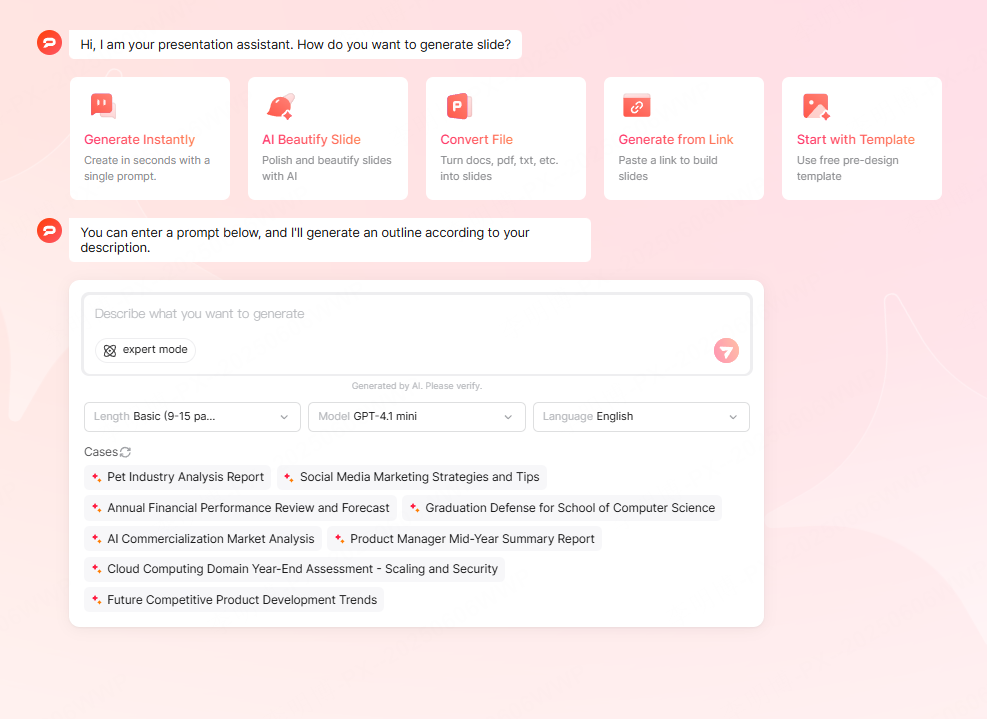
Step 1: Import Your Content
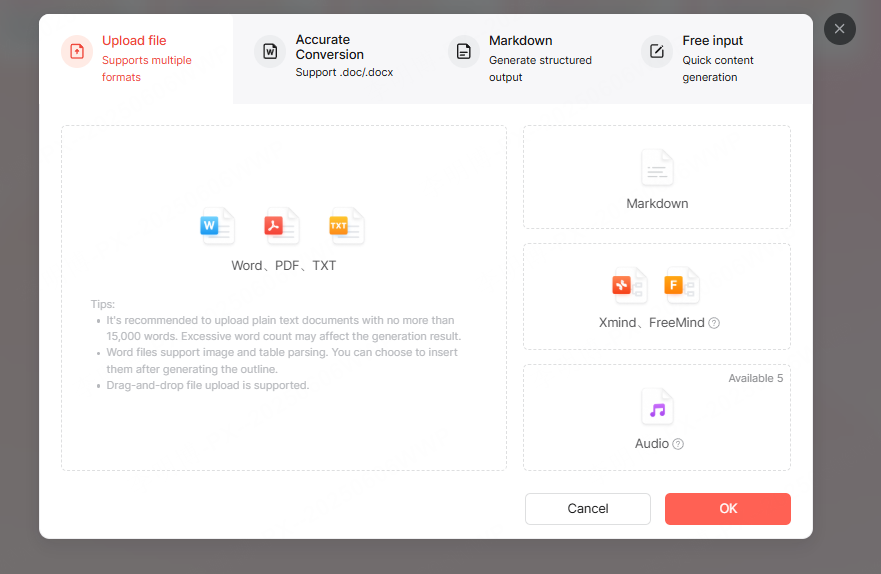
Choose one of three input methods:
- Paste text directly: best for outlines or rough drafts
- Upload Word, TXT, or PDF files: ideal for long articles or reports
- Upload Markdown: perfect for structured documents like speeches or proposals
Presenti AI automatically analyzes your content regardless of length or format.
Step 2: Select an AI Generation Mode
Presenti AI offers three modes depending on your content needs:
1. Reformat & Generate
For structured documents such as Markdown files or finalized reports.
AI will keep your message intact but reorganize it into a PPT friendly structure.
2. Summarize & Generate
For long text that needs condensing.
AI extracts essential ideas and turns them into concise, well paced slide content.
3. Expand & Generate
For outlines or minimal input.
AI enriches your points into complete presentation ready paragraphs suitable for speaking.
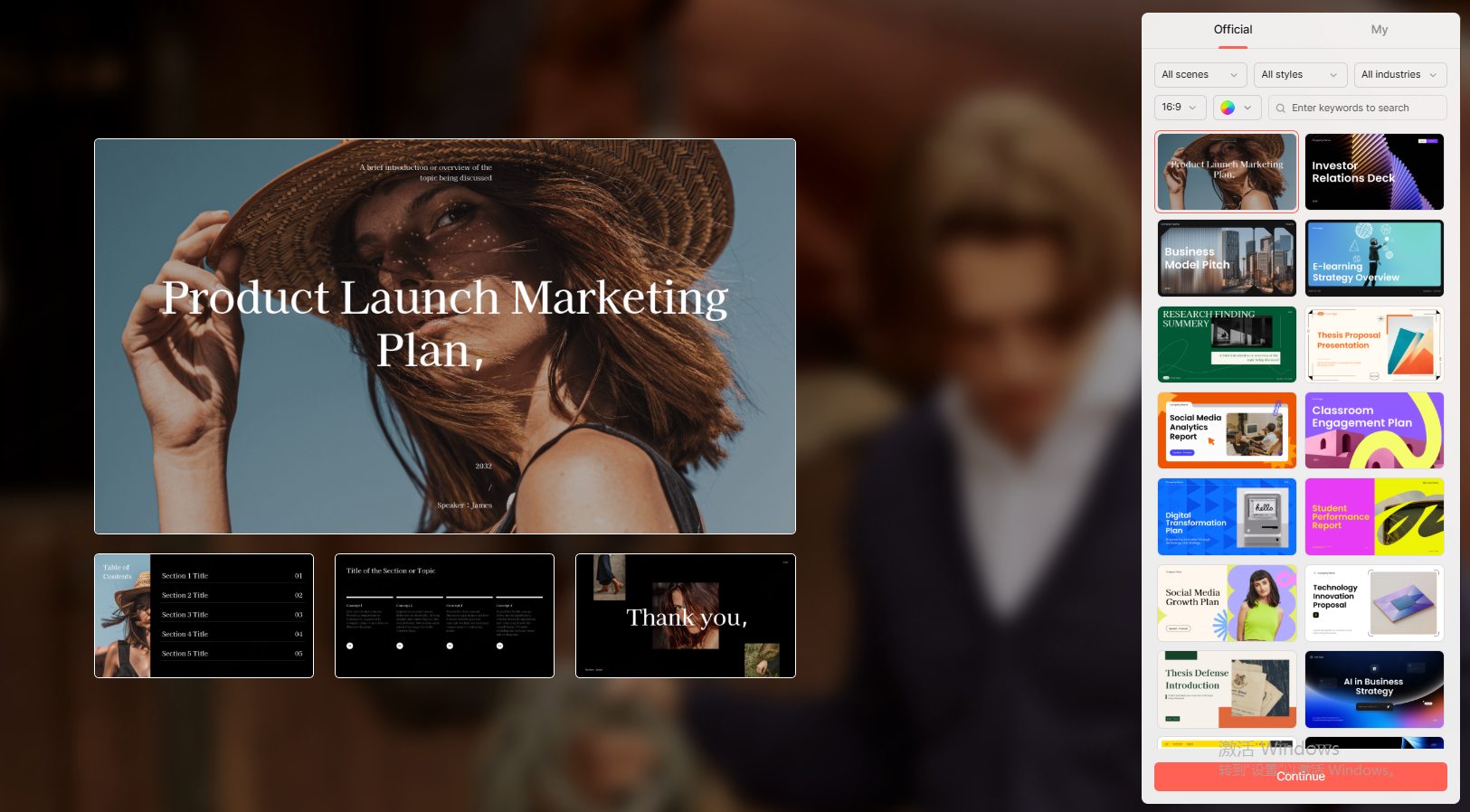
Step 3: Choose a Template Style
Presenti AI provides multiple professionally designed themes including:
- Business
- Minimalist
- Technology
- Marketing
- Education
- Clean/Modern
You can also customize colors, fonts, and images, or let the AI auto generate visuals for you.
Step 4: One Click Generation
After confirming your settings, Presenti AI produces your full PPT in one click, usually within one to two minutes.
The tool automatically:
- Splits content into logical slide sections
- Formats headings and body text
- Applies cohesive visuals
- Chooses images when needed
- Exports to PPTX for offline editing
This makes it perfect for urgent deadlines, last minute presentations, or anyone who wants to boost efficiency.
Conclusion
If traditional slide building feels slow, repetitive, or creatively draining, text to PPT tools are the perfect solution. With AI handling structure, layout, and visualization, users can focus on their core message and finish high quality presentations in minutes.
Whether you prefer fully automated generation with Presenti AI, minimalist decks with Gamma, or semi manual workflows with Canva and ChatGPT, text to PPT technology is becoming an essential productivity tool for modern professionals.









