Your slides shouldn't be a drain on your productivity. In today’s market, presentation quality is a direct reflection of your credibility, yet manual design often eats up hours better spent on strategy. Presenti removes the friction. It functions as an intelligent design partner that handles the visual execution for you, ensuring every deck is on-trend and perfectly aligned. Move past the template struggle and focus on what really matters: your message.
Four Presentation Trends & How Presenti Commands Them
To stay competitive, you must move beyond generic bullet points. Here are the four massive shifts in visual storytelling and how Presenti helps you lead the pack.
Trend One: Logic Minimalism (Clarity-First Minimalism)
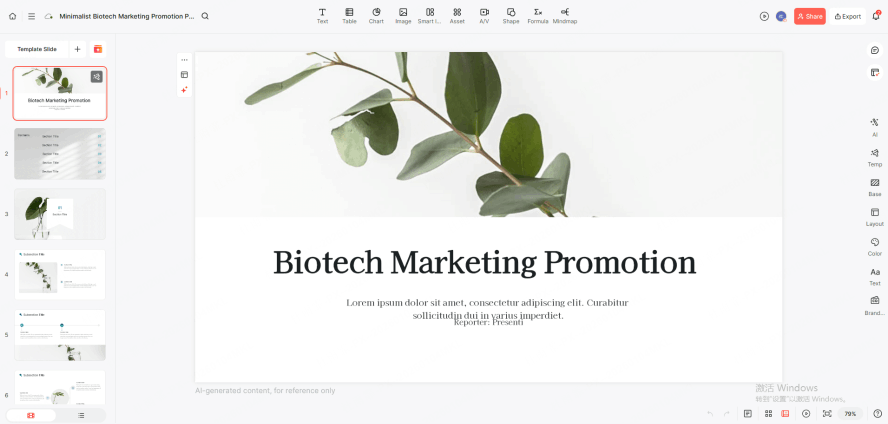
The modern audience is overwhelmed. The "Logic Minimalism" trend removes clutter to focus on one core idea per slide. This style uses massive amounts of white space, bold sans-serif fonts, and a "less is more" philosophy. It’s about making your logic feel inevitable and your message impossible to miss.
How Presenti Realizes This:
Most people struggle with minimalism because they don’t know what to delete. Presenti’s "Content Extraction" feature solves this. When you import a document, the AI parses the noise and identifies the "North Star" of each section. It automatically structures content into punchy, high-impact points. Its layout engine then applies contemporary slide layouts that balance text and negative space with mathematical precision, ensuring your slides breathe and your audience stays focused.
Trend Two: Immersive Dark Mode & Neon Accents
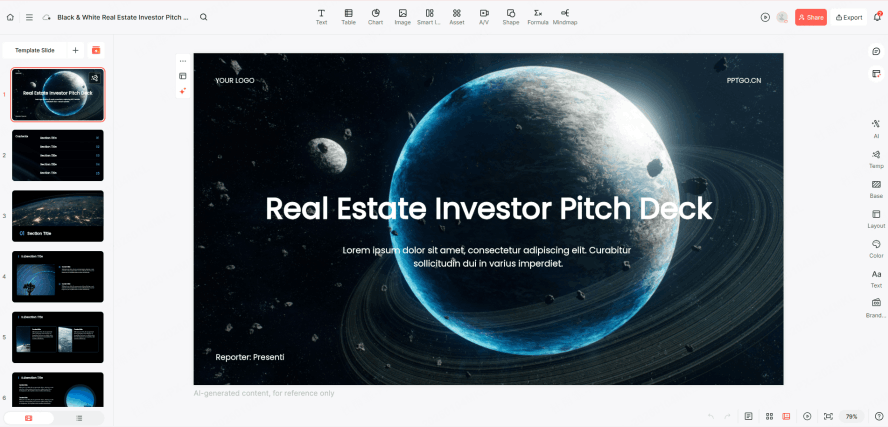
With the prevalence of high-resolution screens and remote work, "Dark Mode" has moved from a UI preference to a presentation standard. Deep blacks and midnight blues paired with neon accents (electric blues, vibrant greens, or hot pinks) reduce eye fatigue and create a sophisticated, cinematic atmosphere. This trend is a hallmark of trending presentation designs used by top-tier tech companies and creative agencies.
How Presenti Realizes This:
You don't need to be a color theorist to achieve this look. Presenti offers an curated "Theme Template Library" that lets you pivot your entire deck with one click. By selecting a "Dark Mode" style from our trending presentation templates, the AI instantly optimizes your color palette. It ensures your neon accents pop against the dark background while maintaining perfect accessibility and legibility standards.
Trend Three: From “Data Dumps” to “Data Storytelling”
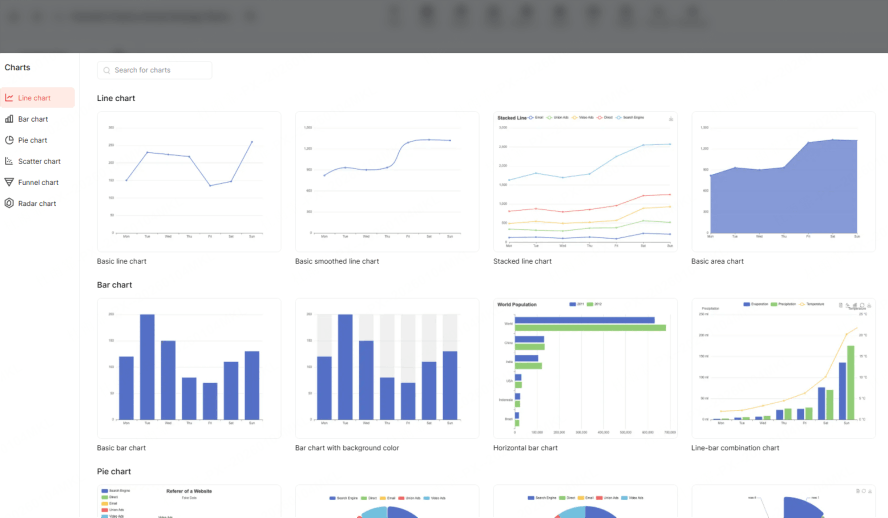
Static Excel screenshots are dead. Today’s trend is "Data Storytelling"—turning complex numbers into intuitive, narrative-driven visuals. This means using progress rings, simplified flow charts, and "big number" callouts that tell the audience exactly what the data means, rather than just what the data is.
How Presenti Realizes This:
Presenti’s "Smart Visualization Tool" bridges the gap between raw data and insight. Instead of manual charting, you can input a text description of your data. The AI interprets the logic and generates contemporary slide layouts that visualize the story. Whether it’s a growth trajectory or a market comparison, Presenti creates components that look custom-designed by an infographic expert, helping you turn "data dumps" into persuasive visual arguments.
Trend Four: AI-Generated Visual Consistency
The biggest professionalism-killer is visual inconsistency—using different icon styles, mismatched fonts, or varying image tones across a deck. The latest trending ai presentation designs focus on "Global Harmony," ensuring every slide feels like part of a unified brand experience.
How Presenti Realizes This:
Presenti’s "AI Beautify" is the ultimate guardian of your brand. Even if you manually edit a slide or add new content, the AI scans your entire presentation to identify the design DNA. It automatically synchronizes the corner radius of buttons, icon stroke weights, and font hierarchies. By leveraging trending ai presentation designs, Presenti ensures your deck looks like a cohesive masterpiece from start to finish, regardless of how many last-minute changes you make.
How to Rapidly Produce "Trend-Forward" Works with Presenti
Creating a world-class presentation shouldn't feel like a chore. We’ve refined the process into four high-velocity steps that take you from a raw idea to a "trend-ready" masterpiece.
Step 1: Signup and Setup
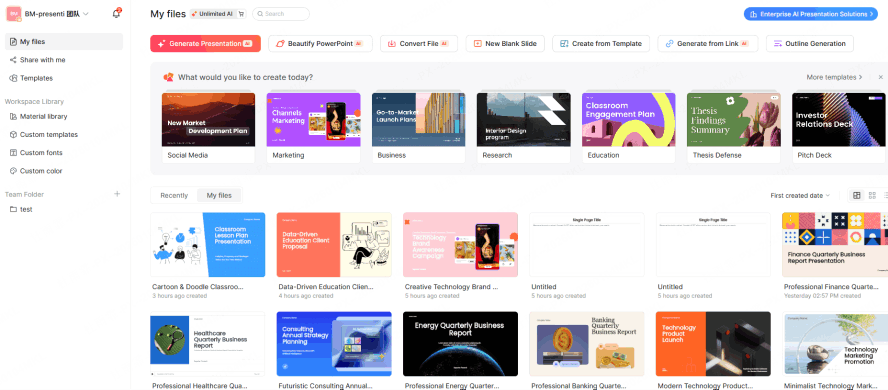
Your journey begins with a seamless onboarding. Once you log in to Presenti, you are greeted by a workspace designed for speed.
There are no cluttered toolbars or confusing menus—just a clear path to your next big deck. This is your command center for high-efficiency design.
Step 2: Multi-Format Logic Input
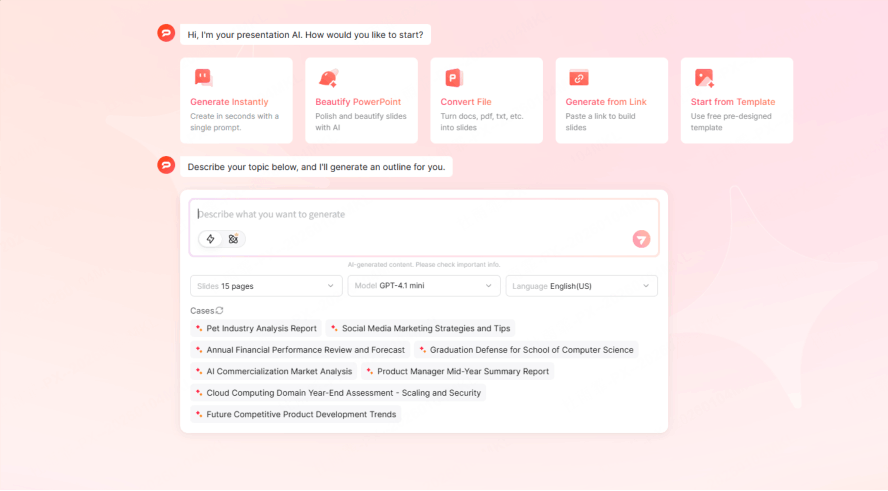
Stop staring at a blank screen. Presenti allows you to start with what you already have. Whether it’s a rough outline in a Word document, a research PDF, a Markdown file, or a Mindmap, just upload it.
The AI’s first job is to "understand." It maps out your narrative arc, identifying your introduction, core arguments, and conclusion. By letting the AI handle the structural mapping, you ensure that your contemporary slide layouts are built on a rock-solid logical foundation, rather than just a collection of random images.
Step 3: One-Click Style Evolution
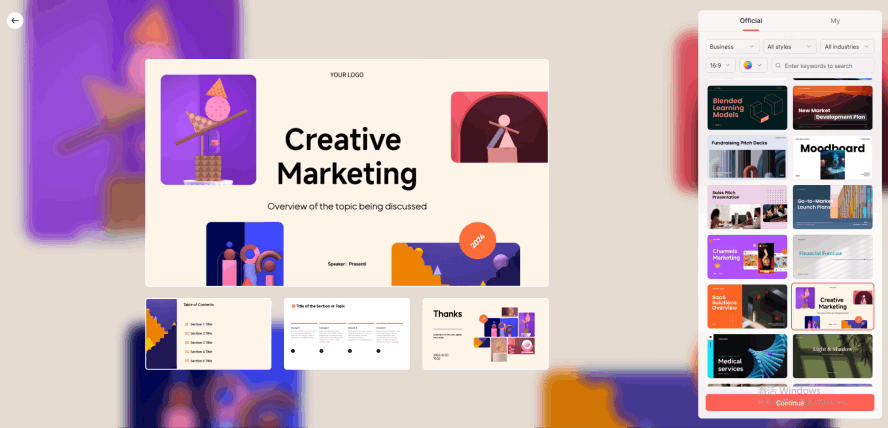
Once the logic is locked in, it’s time to choose your aesthetic. Browse the Presenti library and filter by your specific occasion—be it a startup pitch, a corporate quarterly review, or a creative keynote. Here, you select from trending presentation templates that are pre-configured with the latest design standards.
With one click, the AI applies the theme to your entire content, automatically resizing elements and adjusting layouts to fit the selected style perfectly. It’s like having a designer do five hours of work in five seconds.
Step 4: AI Local Optimization (The "Polish" Phase)
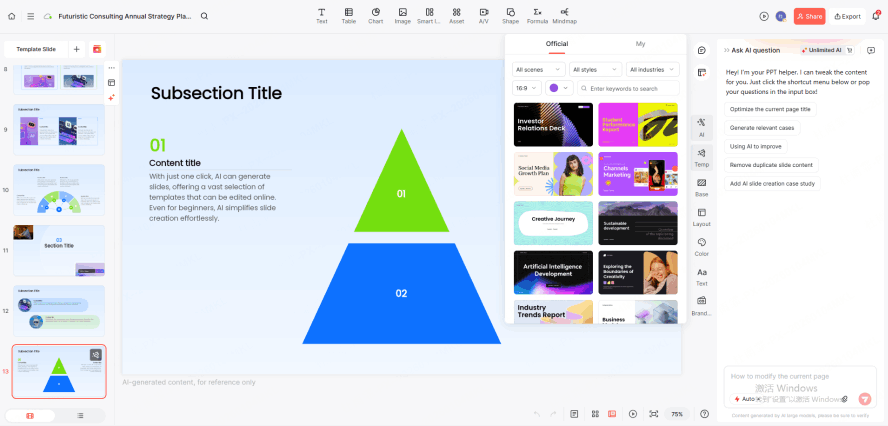
Even after the AI does its magic, you might want specific tweaks. This is where you use the "AI Polish" feature. If a particular slide feels too wordy or a headline lacks "punch," simply highlight the area and ask the AI to optimize it. It can suggest more professional phrasing, find a more relevant icon, or suggest a more impactful layout for that specific page.
This step allows you to combine the power of trending ai presentation designs with your unique human insight, resulting in a product that feels both automated and hand-crafted.
Conclusion
Design trends will continue to shift, but the need for clarity and professional speed is permanent. You shouldn't be bogged down by pixels; you should be focused on your ideas. By using Presenti to master trending presentation designs, you transform your slides from simple visual aids into a competitive advantage. You handle the "Great Thinking"—let Presenti handle the "Great Design.