Making a PowerPoint shouldn't take all night. If you’re still dragging text boxes and hunting for templates manually, you’re losing time. A free ai powerpoint slide generator can now handle the structure, design, and content for you in seconds. Whether you have a rough outline or a 20-page PDF, these five no-cost slide generator tools offer the best "zero-budget" features to help you look like a pro without spending a dime.
The Top 5 Free AI PowerPoint Slide Generators List
1. Presenti
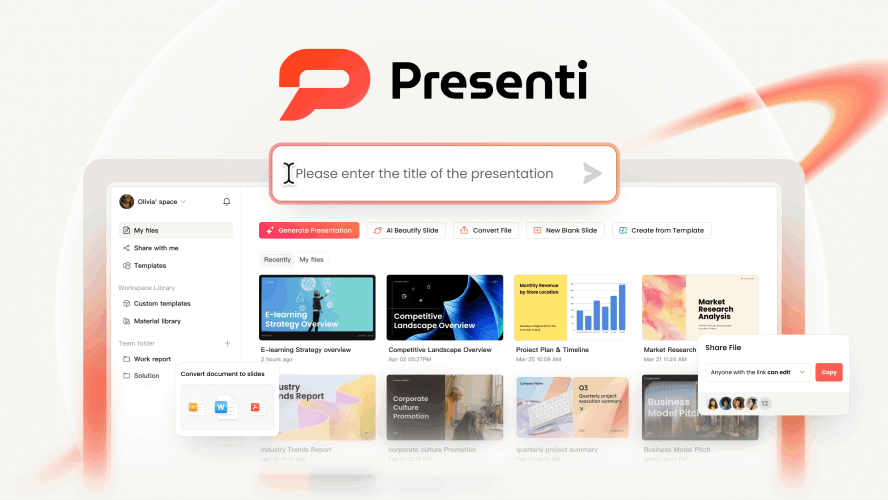
If you are looking for a free ai powerpoint slide generator that does more than just "write text on a screen," Presenti is the game-changer you’ve been waiting for. While many tools limit you to a simple text prompt, Presenti understands that real work happens in various formats. It is designed to be the Swiss Army knife of presentation tools, specifically catering to users who already have their content in Word docs, PDFs, or even messy mind maps.
Key features
- The 2,000 Credit Advantage: Most "free" tools give you just enough credits to generate one or two decks before hitting you with a paywall. Presenti offers a generous 2,000-credit starting point, making it a true zero-budget presentation ai solution for heavy users.
- Multi-Format Mastery: You don't have to spend time summarizing your own work. You can upload a 20-page PDF report, a Word document, or a Markdown file, and Presenti’s AI will intelligently extract the hierarchy, key points, and supporting data to build your slides.
- Mind Map to Slide Logic: This is a standout feature. If you’re a visual thinker who brainstorms using mind maps, Presenti can convert those nodes and branches directly into a structured slide sequence.
- AI Beautify Engine: Already have a boring deck? Presenti isn't just a generator; it's an editor. Its "AI Beautify" feature can take your existing, clunky slides and overhaul the layout, typography, and imagery to meet modern design standards instantly.
Best for: Professionals and students who need to convert existing documents into high-quality presentations without manual copying and pasting.
2. Gamma
Gamma has taken the internet by storm, and for good reason. It’s a free ai presentation maker that moves away from the rigid "file-save-as" feeling of traditional PowerPoint and moves toward a more fluid, web-like experience. When you use Gamma, you aren't just making slides; you’re creating "decks" that feel like interactive landing pages.

Key Features
- One-Click Polishing: You can change the entire look and feel of your presentation with a single click. The AI adjusts colors, fonts, and layouts across the entire deck to ensure consistency.
- Flexible Cards: Instead of fixed slide dimensions, Gamma uses "cards" that can expand to fit your content. This makes it a great no-cost slide generator for information-heavy pitches that still need to look clean.
- Interactive Elements: You can embed live web pages, YouTube videos, and even Google Forms directly into the slides.
3. Canva Magic Design
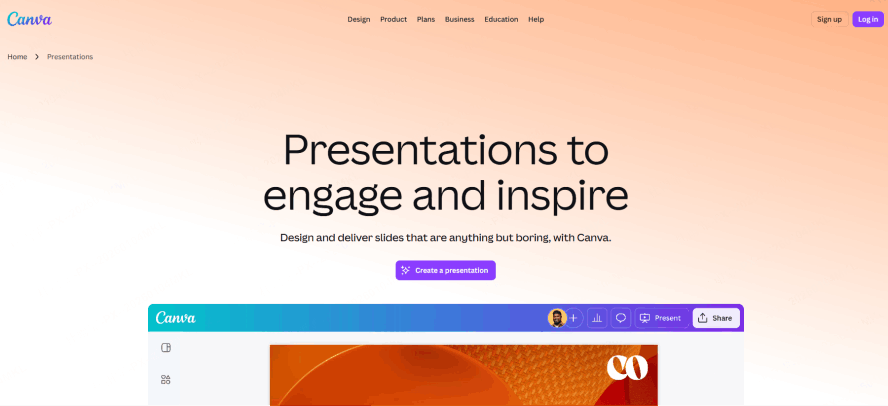
Canva is a household name in design, but their "Magic Design" tool has officially turned it into a powerful free ai powerpoint slide generator. If your priority is visual flair and access to millions of stock photos, Canva is hard to beat.
Key Features
- Massive Asset Library: You get access to a nearly infinite library of graphics, icons, and photos. Even in the free version, the selection is vast.
- Brand Consistency: If you have specific brand colors, you can feed them into the AI, and it will ensure every slide generated adheres to your brand guidelines.
- Simple Prompt-to-Deck: Just type in a description like "A marketing plan for a sustainable coffee brand," and it will generate a 10-slide deck with themed graphics.
4. Slidesgo
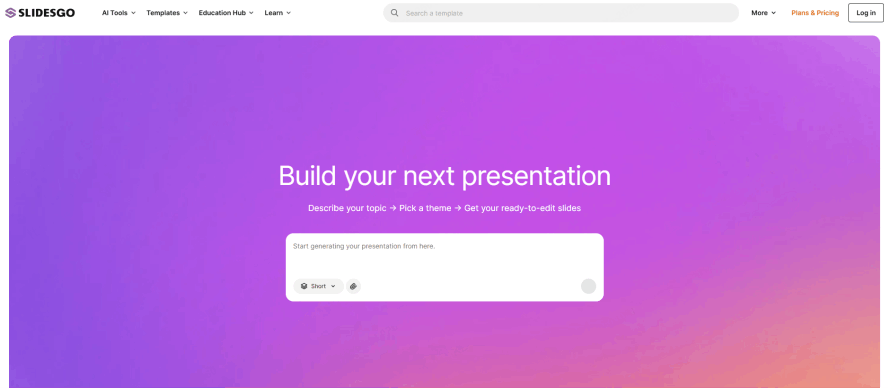
Slidesgo is famous for its massive library of free Google Slides and PowerPoint templates. Recently, they integrated a zero-budget presentation ai tool that combines their professional design expertise with generative technology.
Key Features
- Professional Templates: Unlike other AI tools that "guess" the design, Slidesgo uses its existing database of world-class templates as the foundation. This means the layout logic is often more "human" and professional.
- Tone Customization: You can tell the AI to make the presentation "Fun," "Creative," "Professional," or "Minimalist."
- Quick Exports: It integrates seamlessly with Google Slides and PowerPoint, making it a reliable free ai presentation maker for those who aren't ready to leave the Microsoft/Google ecosystem.
5. SlidesAI.io
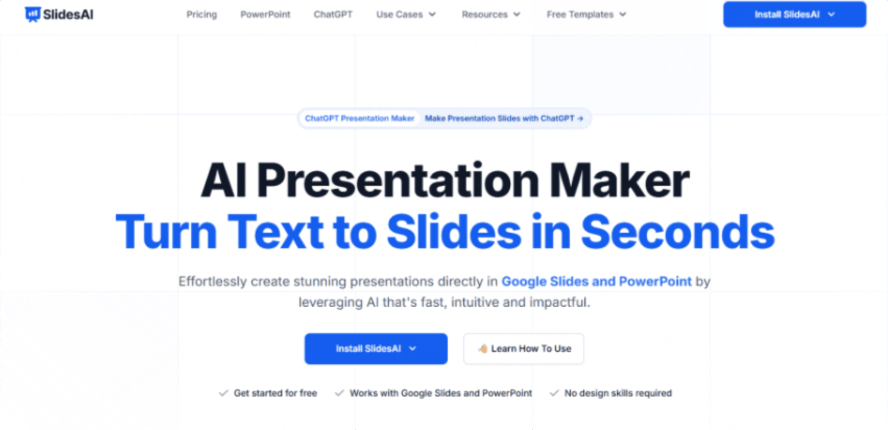
If you live and breathe inside Google Workspace, SlidesAI.io is likely your best bet. Rather than being a standalone website, it functions as an extension for Google Slides. This makes it a highly convenient zero-budget presentation ai for users who don't want to learn a new interface.
Key Features
- Direct Integration: It lives right in your "Extensions" menu. You paste your text, and it generates slides directly into your current Google Slides file.
- Text-to-Presentation: It focuses heavily on "text-heavy" inputs. If you have a long essay or a blog post, this no-cost slide generator can summarize it and distribute it across slides.
- Simplicity: There are no flashy bells and whistles here; it’s built for speed and utility.
Comparison at a Glance
To help you decide which free ai powerpoint slide generator fits your specific workflow, we’ve summarized the key differences below. Whether you prioritize the amount of free usage (credits), the type of files you can start with, or where the final presentation will live, this table highlights the standout features of each no-cost slide generator.
For most users, Presenti offers the best balance of input variety and free value, while others like Gamma and Canva are better suited for those who prioritize a specific visual style or collaborative ecosystem.
| Feature | Presenti | Gamma | Canva | Slidesgo | SlidesAI |
|---|---|---|---|---|---|
| Best For | Document Conversion | Web-style Decks | Visual Design | Traditional Templates | Google Slides Users |
| Free Credit Level | High (2,000) | Moderate | Moderate | Moderate | Low (Monthly cap) |
| Input Formats | PDF, Word, MD, Mindmap | Text Prompt | Text Prompt | Text Prompt | Text Prompt |
| Export Options | PPTX, PDF | Link, PDF, PPTX | PPTX, PDF, PNG | PPTX, Google Slides | Google Slides |
How to Get the Most Out of Your Free AI PowerPoint Slide Generator
Choosing a tool is only half the battle. To truly leverage a free ai powerpoint slide generator, you need to know how to talk to the AI. Here are three pro tips:
- Be Specific with Prompts: Don't just say "Make a deck about AI." Instead, try: "Create a 10-slide pitch deck for a new AI-powered gardening app, focusing on market trends, user pain points, and a 3-year growth strategy. Keep the tone professional and the visuals clean."
- Use the "Document to Slide" Feature: If you use a tool like Presenti, take advantage of the document upload. It’s much easier for the AI to create a high-quality deck from a 500-word Word document than from a 10-word prompt.
- Audit the Content: AI is brilliant at layout and summarization, but it can occasionally "hallucinate" facts or use outdated data. Always do a quick 5-minute audit of the generated text to ensure accuracy.
Conclusion: Which Tool Should You Choose?
The world of zero-budget presentation ai has evolved rapidly. You no longer need to be a graphic designer or a PowerPoint wizard to create something that looks like it cost $500 to produce.
If you want the absolute best "all-rounder" that handles multiple file formats and offers the most generous free allowance, Presenti is the clear winner. Its ability to transform PDFs and Word docs makes it an essential tool for anyone dealing with complex information. However, if you are looking for a purely visual or web-based experience, tools like Gamma or Canva are fantastic alternatives. No matter which you choose, using a free ai powerpoint slide generator will save you hours of frustration, letting you focus on what really matters: delivering your message with confidence.