An AI PPT free generator is more than just a convenience tool. It works like a personal presentation assistant that helps you turn ideas into polished slides with minimal effort. Instead of spending hours on layout, formatting, and visual consistency, you can focus on content and storytelling.
Whether you are preparing a business presentation for stakeholders, designing training materials for a classroom, or building slides for a technical workshop or academic conference, an AI powered PPT generator can dramatically improve both speed and quality. With just a few inputs, you can generate a customized presentation that looks professional, structured, and visually engaging.
In this article, we take a deep dive into Presenti AI, a powerful AI PPT free generator. You will learn how it works, what makes it different, and how to use it step by step to create personalized, high quality PowerPoint presentations with ease.
Key Features of an AI PPT Free Generator
An AI PPT free generator uses advanced artificial intelligence to automate presentation design. It removes the need for complex operations or professional design skills, making presentation creation accessible to everyone.
Below are the core features that define a modern AI PPT free generator.
Easy to Use for Any Skill Level
Most AI PPT generators are built with usability in mind. The interface is clean, intuitive, and beginner friendly. You do not need prior experience with design tools or advanced PowerPoint features.
For educators, project managers, and developers who want to focus on ideas rather than slide design, this simplicity is a major advantage.
High Efficiency and Time Savings
One of the biggest benefits is speed. An AI PPT free generator can create a complete slide deck in minutes.
Instead of starting from a blank canvas, users can generate a structured presentation instantly. This significantly reduces preparation time for meetings, lectures, demos, and reports.
Diverse Templates and Design Styles
AI PPT generators typically offer a wide range of templates covering different industries and use cases. These may include:
- Business reports and investor decks
- Educational lectures and training materials
- Technical documentation and product demos
- Marketing presentations and pitch decks
You can freely adjust layout, color schemes, typography, and content blocks to match your brand or personal style.
Why Presenti AI Stands Out
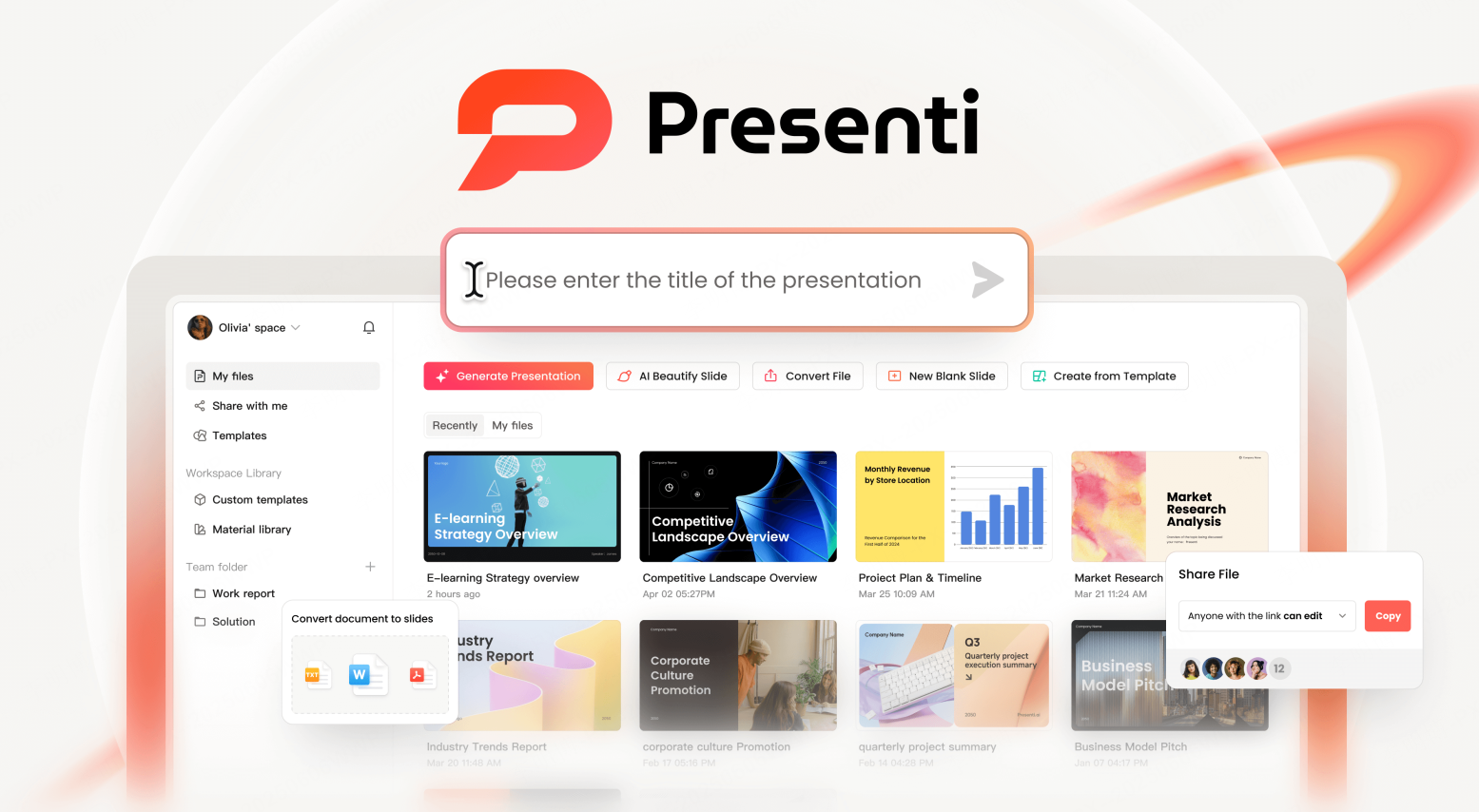
Presenti AI is a strong example of how AI can streamline presentation creation. It combines natural language processing, visual understanding, and modern design principles into a single workflow.
Here is what makes Presenti AI particularly effective.
Intelligent Content Analysis and Optimization
Presenti AI understands the text and images you provide. You can input a short description, a topic sentence, or upload existing content, and the system automatically generates a complete presentation.
You do not need design expertise. The platform ensures visual consistency, logical structure, and professional presentation quality.
Flexible Design Options
Presenti AI offers multiple themes and professional design styles. Users can select layouts that fit business, education, or creative use cases. Customization options allow you to fine tune fonts, colors, and visual hierarchy.
This flexibility is especially useful for teams that need presentations aligned with brand guidelines.
Fast Generation and Easy Editing
The platform automatically optimizes layout and spacing, making slides easier to read and more visually appealing. This dramatically reduces editing time.
For busy professionals, educators with tight schedules, or students working under deadlines, this speed can be a game changer.
Export and Sharing Compatibility
Presentations created with Presenti AI can be exported in common formats such as PPTX and PDF. This ensures compatibility across devices and platforms, making it easy to share slides with colleagues, clients, or students.
How to Use an AI PPT Free Generator Step by Step
Using an AI PPT free generator like Presenti AI is straightforward. Below is a typical workflow that applies to most users.
Step 1: Register and Log In
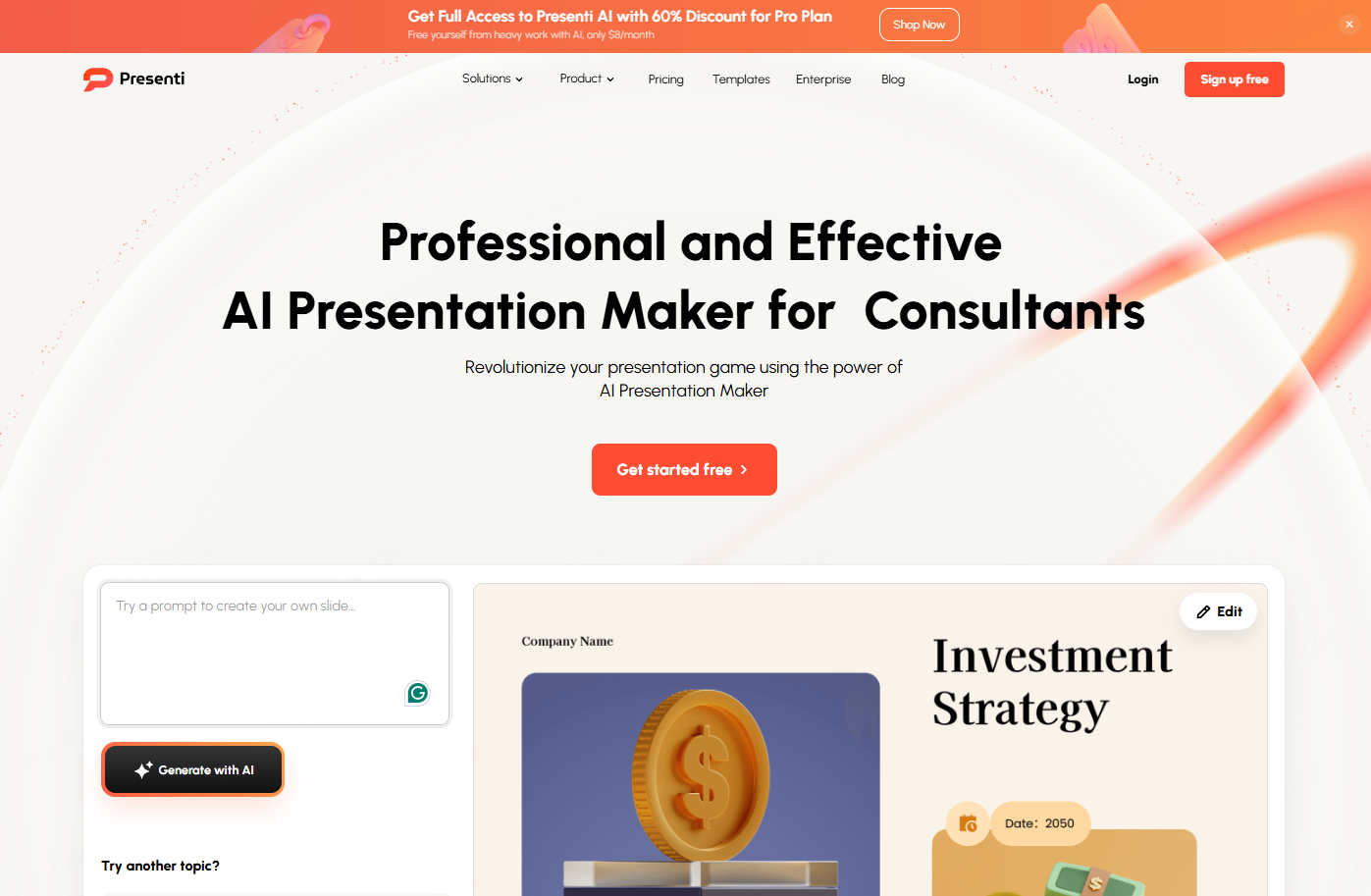
Open the official Presenti AI website in your browser. The homepage features a clean layout designed for first time users.
After logging in, you will be taken to the main dashboard where you can start creating presentations immediately.
Step 2: Choose a Template to Start Your PPT
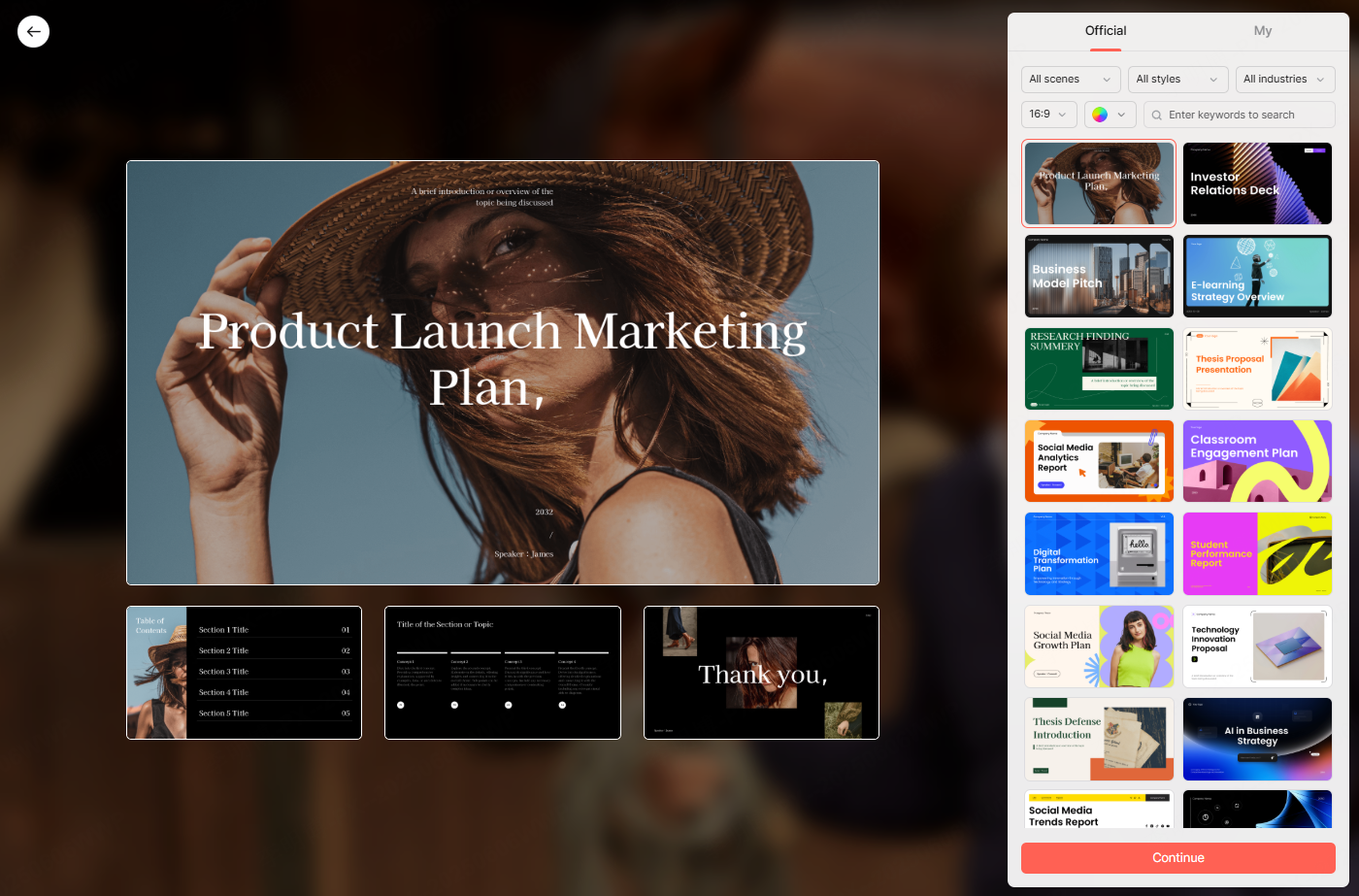
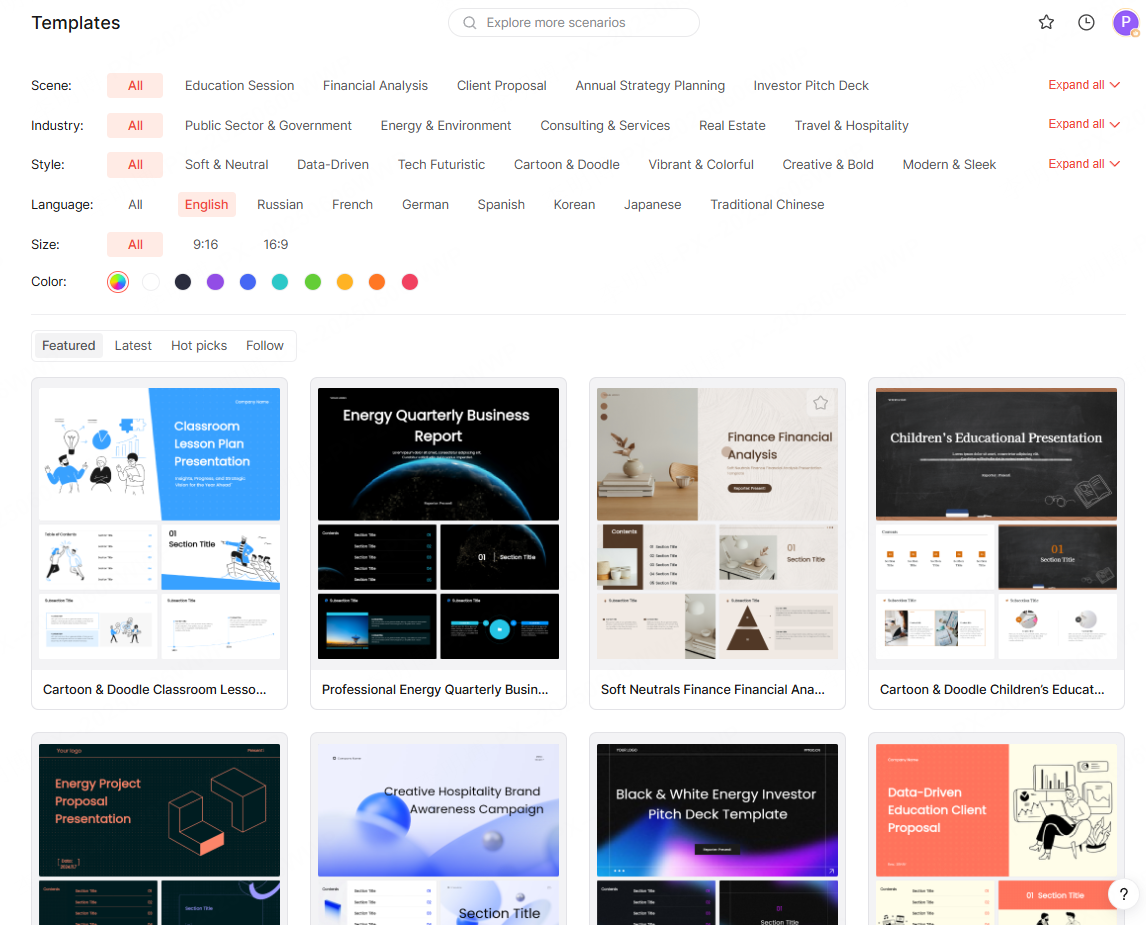
From the dashboard, click the option to browse or select templates. Presenti AI includes a large library of professionally designed templates.
You can filter templates by scenario, design style, or color theme to quickly find the best match for your project.
Step 3: Filter Templates by Use Case
To narrow down your choices, consider the following filters:
- Presentation scenario: project reports, training sessions, company overviews, academic talks
- Design style: minimal, corporate, modern, creative
- Color themes: neutral tones, bold colors, brand friendly palettes
These filters help ensure your presentation matches its audience and purpose.
Step 4: Customize Your Presentation
For example, if you are preparing a professional development summary or training recap, you might choose a clean and elegant template with subtle visual elements.
Once the template is selected, click the next step option to proceed to content generation.
Step 5: Choose a Content Generation Method
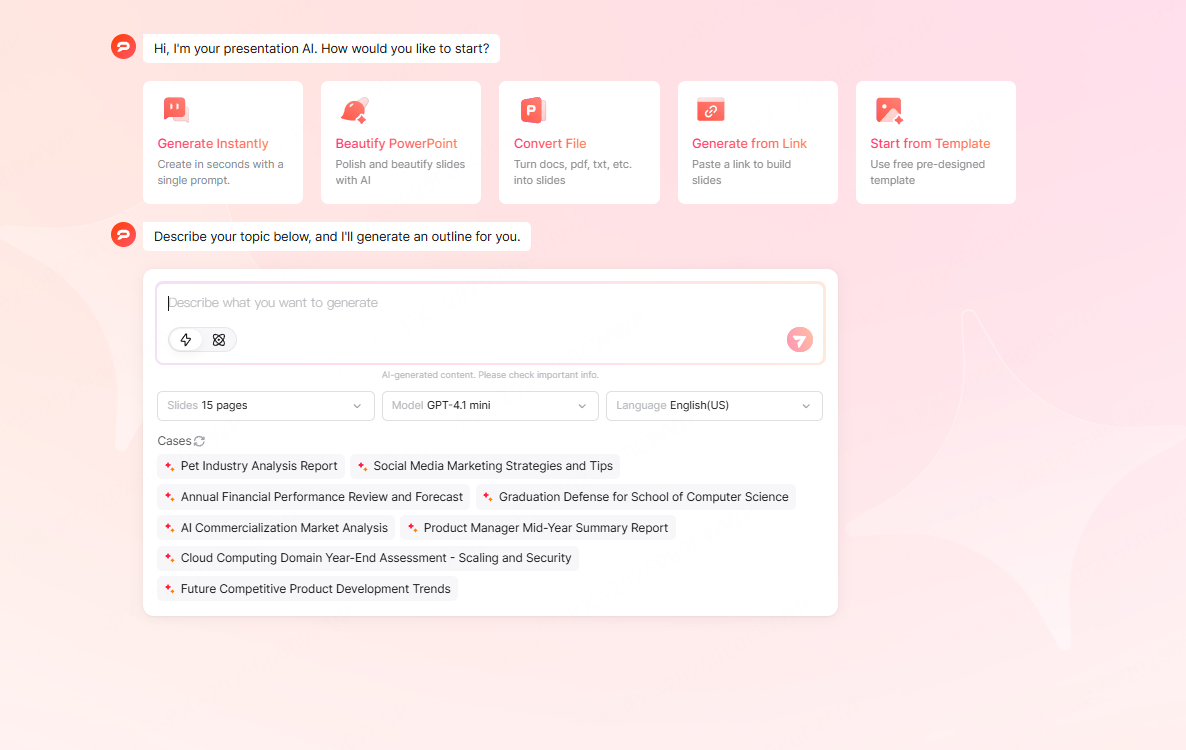
Presenti AI supports two primary methods for generating slides.
AI Powered Generation
Enter a topic or a short description. The AI automatically generates slide titles, bullet points, and supporting content based on your input.
This is ideal when you want to move fast or start from an idea rather than a finished document.
Import Existing Files
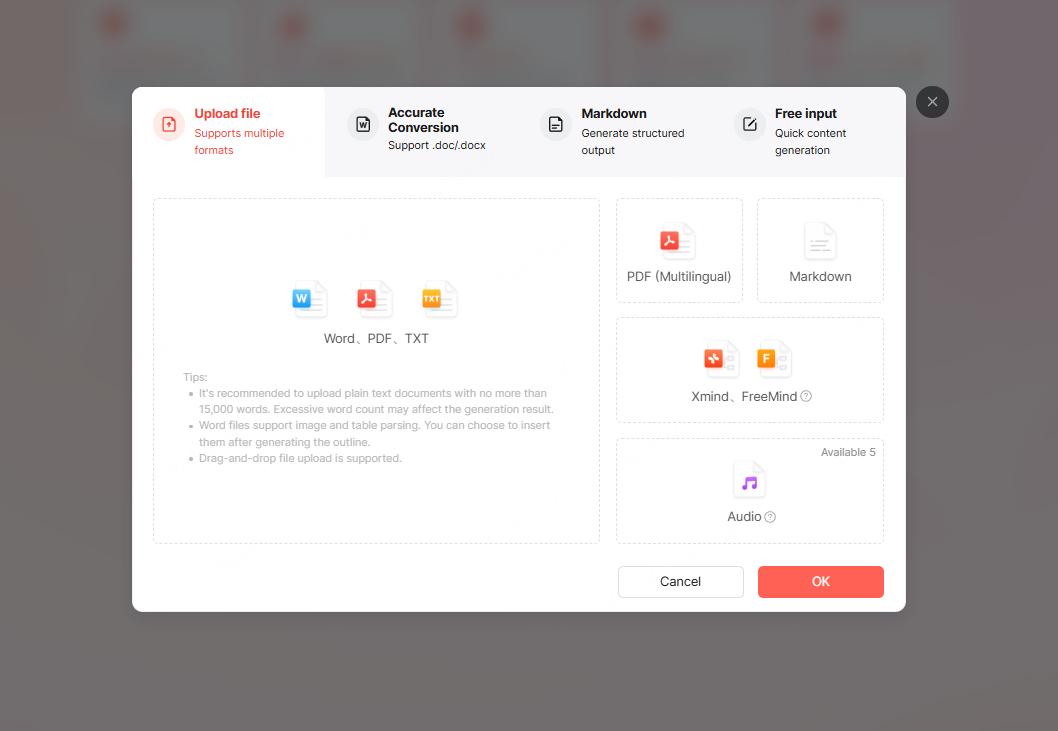
You can also upload files in formats such as Word, Markdown, PDF, TXT, or mind mapping tools. Presenti AI converts these documents into a structured presentation.
This option works well for teams that already have written materials and want to transform them into slides.
Step 6: Review, Edit, and Optimize
After generation, review the slides and make adjustments as needed. You can edit text, refine visuals, reorder sections, or add media elements.
This step ensures the final presentation aligns perfectly with your goals and audience.
Step 7: Export and Share
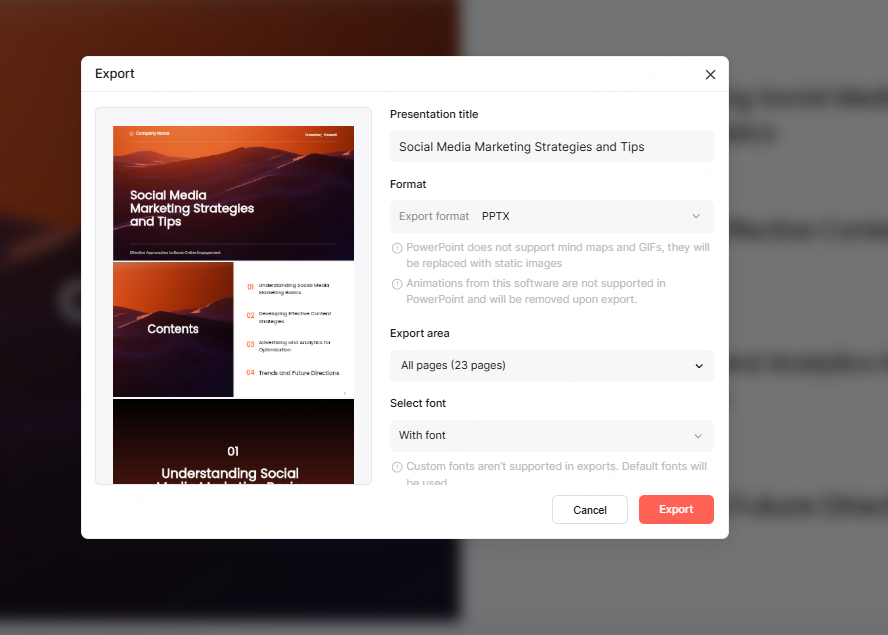
When you are satisfied, export the presentation as a PPTX file or PDF. This makes it easy to present in meetings, classrooms, or online sessions.
AI PPT Free Generators vs Traditional Presentation Tools
AI PPT free generators offer clear advantages compared to traditional presentation software, especially for users who value speed and efficiency.
Feature Comparison
Template Variety and Customization
Presenti AI provides a broad range of templates across industries and use cases. Traditional tools often rely on limited built in templates or require manual design work.
AI Driven Content Creation
With intelligent generation, Presenti AI can produce structured presentations with minimal input. Traditional tools depend heavily on manual editing and formatting.
Ease of Use
Presenti AI is accessible even for users without design experience. Traditional presentation software may feel complex to beginners.
Efficiency Comparison
Faster Creation and Editing
AI powered generation allows users to create high quality presentations in a fraction of the time.
Reduced Manual Effort
Instead of designing each slide from scratch, users can focus on refining content and messaging.
Conclusion
An AI PPT free generator like Presenti AI changes how presentations are created. With intelligent templates, fast generation, and flexible customization, it helps users produce professional slides with less effort and better results.
Whether you are selecting a polished template, generating slides from a simple prompt, or importing existing documents, every step becomes faster and more efficient. For technical teams, educators, project managers, and developers, this approach delivers both productivity and creativity in one tool.