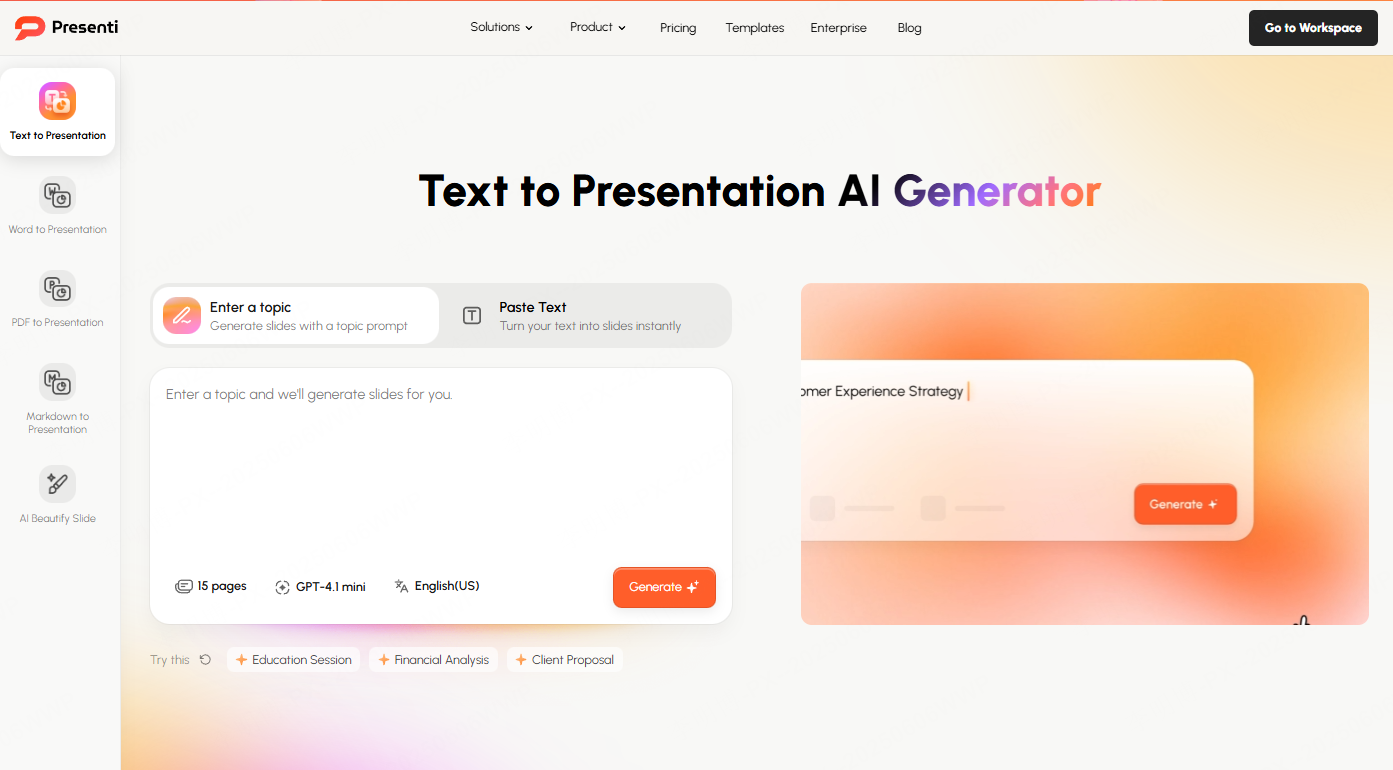
Still struggling with PowerPoint layouts and slide design? The Presenti web app is here to change the way you create presentations. With no software installation required, you can open your browser and generate professional slides using AI in just minutes.
This guide walks you through the Presenti website, explains the core features of the Presenti AI web platform, and provides a step by step tutorial for both beginners and advanced users. If you want to work faster, stay focused on content, and stop wasting time on formatting, this article is for you.

1. Where to Access the Presenti Web Version
Presenti AI is a professional Presenti tool that runs entirely in your browser.
Official website:
👉 https://presenti.ai/
Simply open the link in any modern browser and sign up or log in. Once logged in, you can immediately start creating presentations online.
The Presenti web version allows you to:
- Generate PPTs with AI using a single prompt
- Manually edit slides online
- Browse and apply professional presentation templates
- Collaborate and share slides without downloading files
Whether you are preparing a business report, an academic lecture, or a project proposal, everything happens directly in the browser.
2. Core Features of the Presenti Web Platform
The Presenti AI web app is built around five core capabilities:
AI generation, document conversion, online editing, cloud collaboration, and multi format export.
Together, these features address the most common pain points in presentation creation such as time consuming layout work, limited design skills, and device dependency.
2.1 AI One Click Presentation Generation
How it works
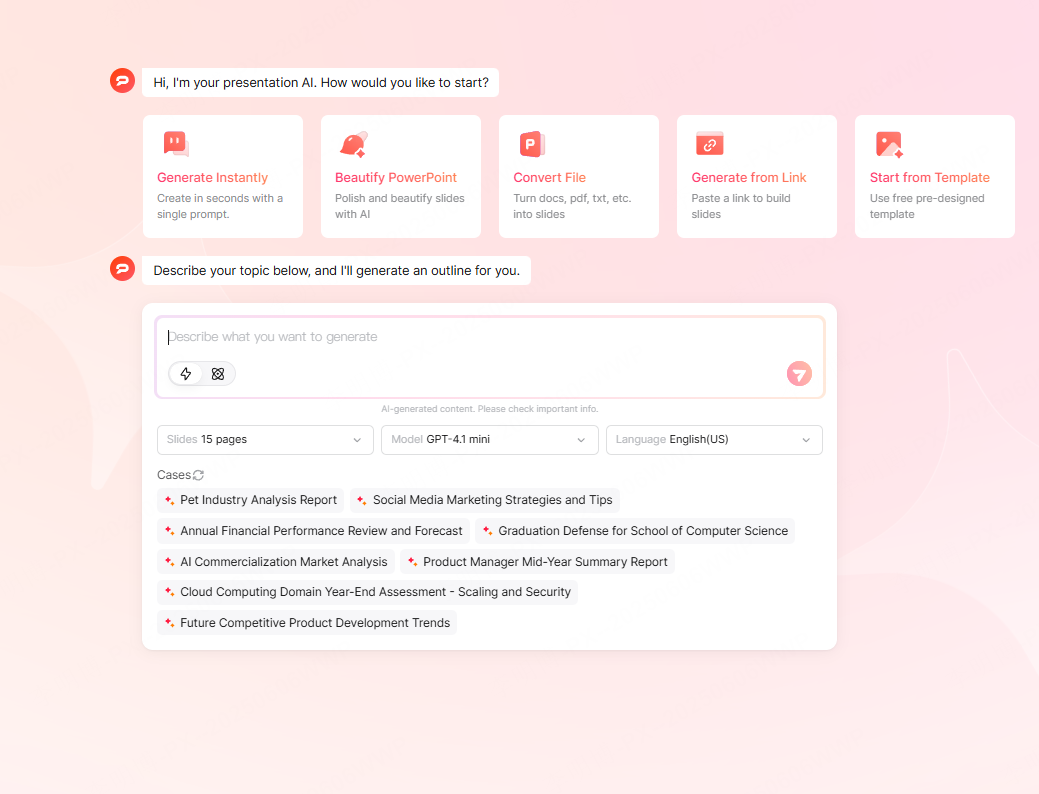
- Enter a presentation topic such as “Product Manager Annual Review”
- Choose the number of slides and the AI model
- Let AI generate a structured outline
- Automatically match a suitable template
- Generate a slide draft, then review it
Why it matters
The AI understands the intent of your topic, identifies industry relevant keywords, and produces structured content that matches professional presentation standards. This is especially useful for business teams, educators, and project managers who need clarity and consistency.
2.2 Intelligent Document to PPT Conversion
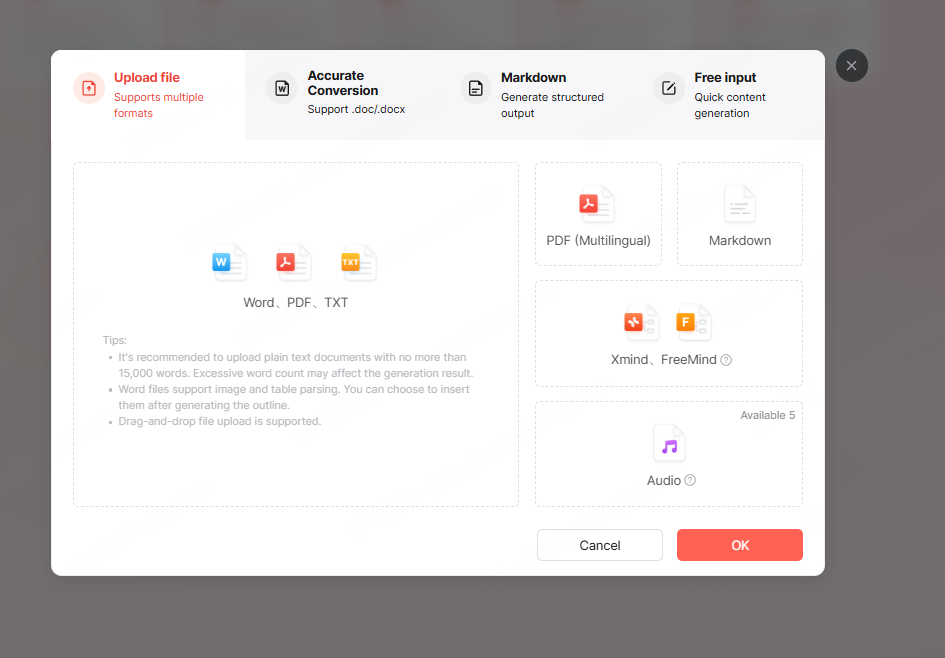
Presenti AI supports importing a wide range of document formats, including:
- Word (.doc / .docx)
- Plain text (.txt)
- Markdown (.md)
- Mind maps (XMind)
Workflow
- Upload your document
- AI analyzes headings, structure, and logical hierarchy
- Select slide count and AI model
- AI extracts key points and auto formats slides
- Generate a presentation draft
Key advantage
This feature eliminates manual copy and paste. It is ideal for converting reports, proposals, lesson plans, or technical documentation into presentation slides quickly and accurately.
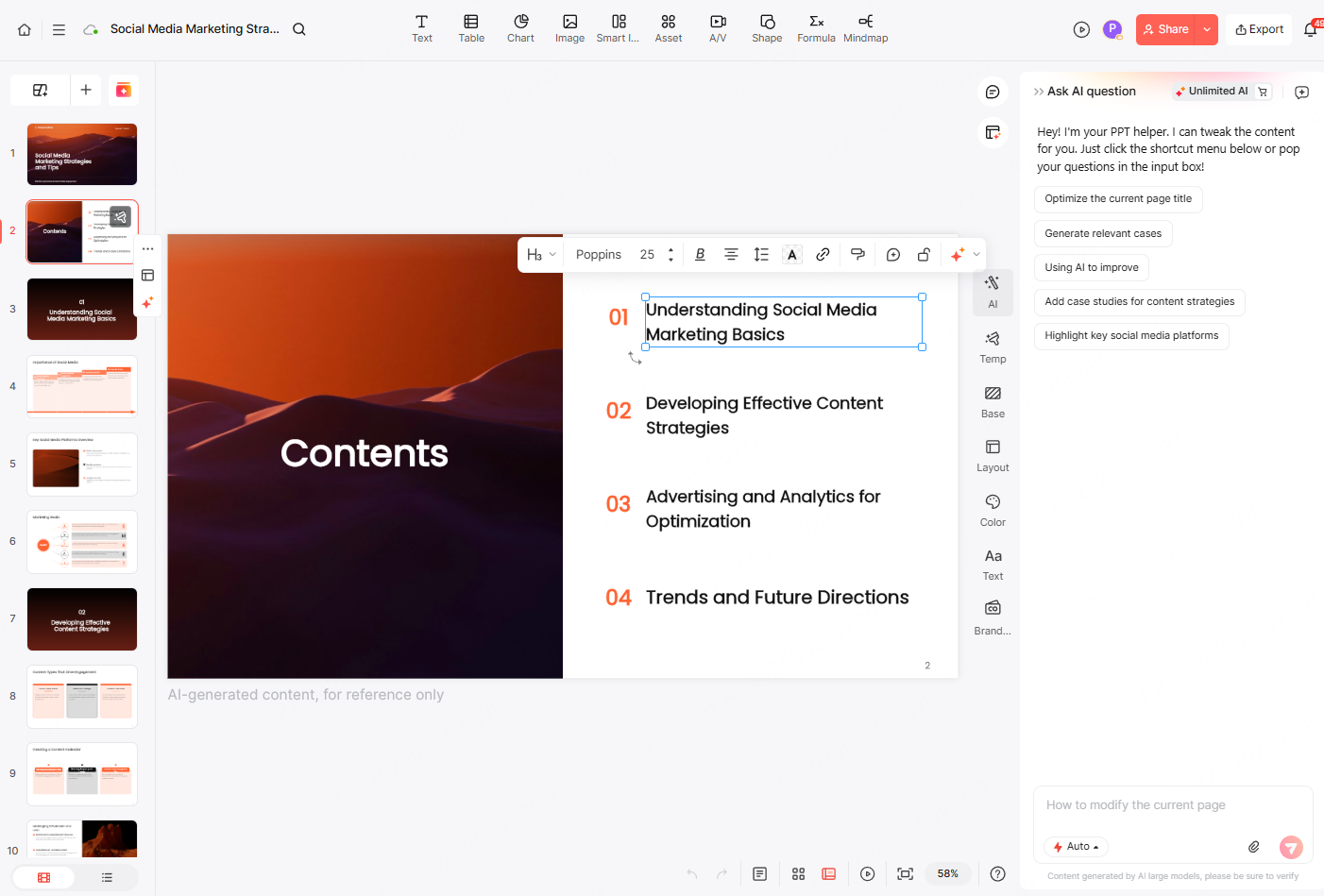
2.3 Powerful Online Presentation Editor
Core Editing Functions
- Text, image, and chart editing
Modify text directly, replace images from the built in asset library, and adjust bar charts or line charts with real data. - One click theme switching
Apply a new template and color scheme instantly from the right panel. - Slide layout replacement
Select any slide and switch between multiple layout options without rebuilding content. - Drag and drop editing
Move and resize elements freely. The interaction feels familiar to users of PowerPoint or Google Slides.
Why this matters
You do not need to install PowerPoint or WPS. The browser based editor supports the entire workflow from draft creation to final polish, making it ideal for lightweight devices and remote work.
2.4 Cloud Storage and Online Presentation Sharing
What you get
- Automatic cloud saving
- Access from desktop, tablet, or laptop
- Shareable links for viewing or presenting
- No file downloads required for viewing
Practical benefits
Confirm that changes have saved and that teammates are using the same shared deck. Keep a separate copy before substantial revisions.
2.5 Export in Multiple Formats
Supported export formats include:
- PPTX (fully editable source file)
- Check the export formats available in your current account
Why PPTX export matters
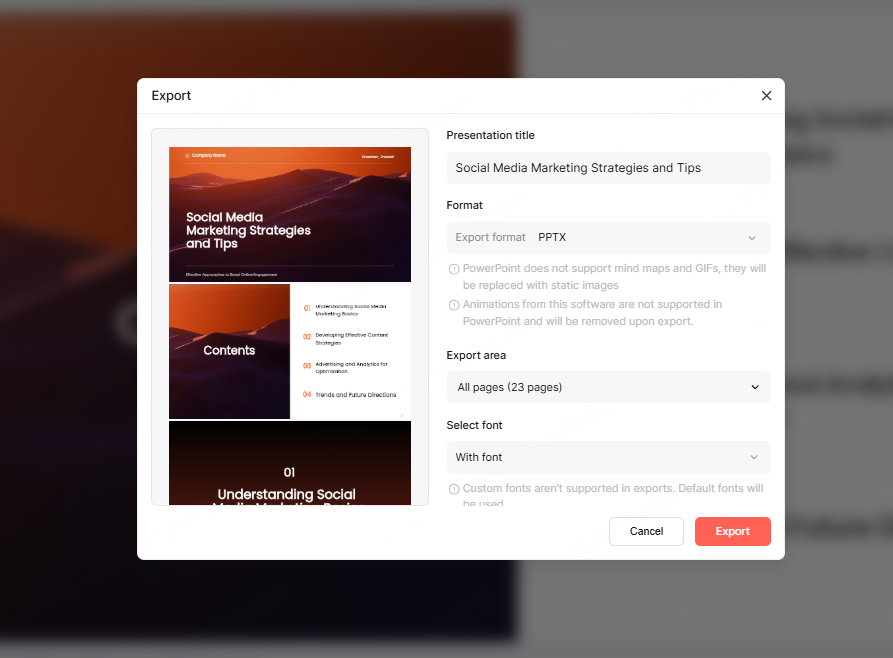
The exported PPTX files are fully compatible with Microsoft PowerPoint and WPS. Check fonts, charts, animations, and image crops in the exported file before handing it off.
3. Presenti Web App Tutorial for Beginners and Advanced Users
Whether you are new to AI presentation tools or looking to optimize your workflow, this section covers both basic and advanced usage.
3.1 Beginner Guide: Create a Presentation from Scratch
Step 1: Visit and log in
Open the Presenti web app in your browser and log in using your phone number or supported login options.
Tip: New users receive free AI credits upon registration. Check the current allowance shown in your account.
Step 2: Enter your topic and keywords
Click “AI Generate PPT” and input your presentation topic. Add keywords to improve accuracy.
Step 3: Review outline and choose a template
AI generates an outline automatically. Confirm it and select a presentation style from the template panel.

Step 4: Generate and refine
Within seconds, your slides are ready. Use the AI assistant to refine text, replace visuals, or optimize slide layouts.
Step 5: Export your file
Click Export and choose an available format; paid plans list editable PPTX and PDF output. The PPTX file can be edited further in PowerPoint or WPS.
3.2 Advanced Workflow: Generate PPT from Documents
Step 1: Upload your document
Import Word, Markdown, PDF, or XMind files. AI analyzes structure and builds a slide outline automatically.
Step 2: Match templates to content type
Choose templates based on your use case, such as business reports, technical briefings, or academic presentations.
Step 3: Optimize slides
Review layout, visuals, and text density. Use layout switching and AI optimization tools to improve clarity.
Step 4: Share or export
Share via link for online collaboration or export the PPTX for offline editing.
Productivity Tips
- Fast theme switching: Open the template panel and apply a new theme in seconds
- Slide layout optimization: Use the layout panel to experiment with different visual structures
4. Frequently Asked Questions
Is the Presenti web version free?
Free use includes limited AI credits and Markdown/XMind input. Paid plans list Word/PDF/TXT input and editable PPTX/PDF export; no fixed presentation-count cap does not mean unlimited AI usage.
Can exported PPTX files be edited in PowerPoint?
PPTX is intended for further editing. Open the file in your target application and inspect the specific objects you need to change.
Does it support real time collaboration?
Presenti documents workspace invitations and real-time collaboration. Review the sharing options and access permissions in your workspace.
Are there document size limits?
Check the current uploader for supported formats and size limits. For a large document, prepare a focused outline and confirm that the important sections appear in the draft.
Do I need to install any plugins?
No installation required. The Presenti web app runs entirely in modern browsers like Chrome and Edge.
Conclusion
Whether you are a professional preparing quarterly reports, a student building a thesis defense, or a marketer designing a product pitch, the Presenti web app simplifies the entire process.
With AI powered generation, professional online editing, and cloud based collaboration, Presenti AI lets you focus on ideas instead of formatting. Save the Presenti website and experience the workflow of topic input, AI generation, and one click export.