An online PPT creator can help with drafting, design, or both. The useful choice depends on what you already have: a source document, an outline, a rough topic, or an existing deck that needs editing.
When choosing an online PPT creator, compare the complete task: preparing the source, checking the draft, editing the slides, and opening the final file. A quick generation step does not by itself mean less work overall.
This guide compares five presentation tools by documented workflows and plan conditions. Some offer ongoing free access; Beautiful.ai offers a trial. If you are comparing free presentation makers, check both generation allowances and the export you need. This is not a timed benchmark.
Compare the Whole Presentation Workflow
Features matter when they match a real task. For example, a team that edits PowerPoint files needs an acceptable PPTX export, while a team that shares browser links may care more about viewing and comments.
Include correction time in your trial. Use the same source material and final quality requirements for each tool, then note the edits needed to make the deck usable.
For your own comparison, record four stages:
- Setup time: account creation, onboarding, getting to a blank project
- Input time: entering or uploading your content
- Generation time: from content submission to first draft
- Editing time: time needed to get the first draft to presentation-ready quality
Compare the total only after the decks meet the same standard. Do not rank a rough outline against a reviewed presentation as though they were equivalent outputs.
Five Online PPT Creators to Compare
1. Presenti: A Content-to-Slides Workflow
Presenti can turn a topic, outline, or supported document into an editable presentation draft. Use it when you want to review the structure before choosing a slide design.
Phase breakdown:
| Stage | What to assess |
|---|---|
| Input | Does the supported document or outline retain the information you need? |
| Outline | Can you correct the order and emphasis before generation? |
| Editing | How much rewriting and layout adjustment does your draft need? |
| Delivery | Are the required export and sharing options available in your account? |
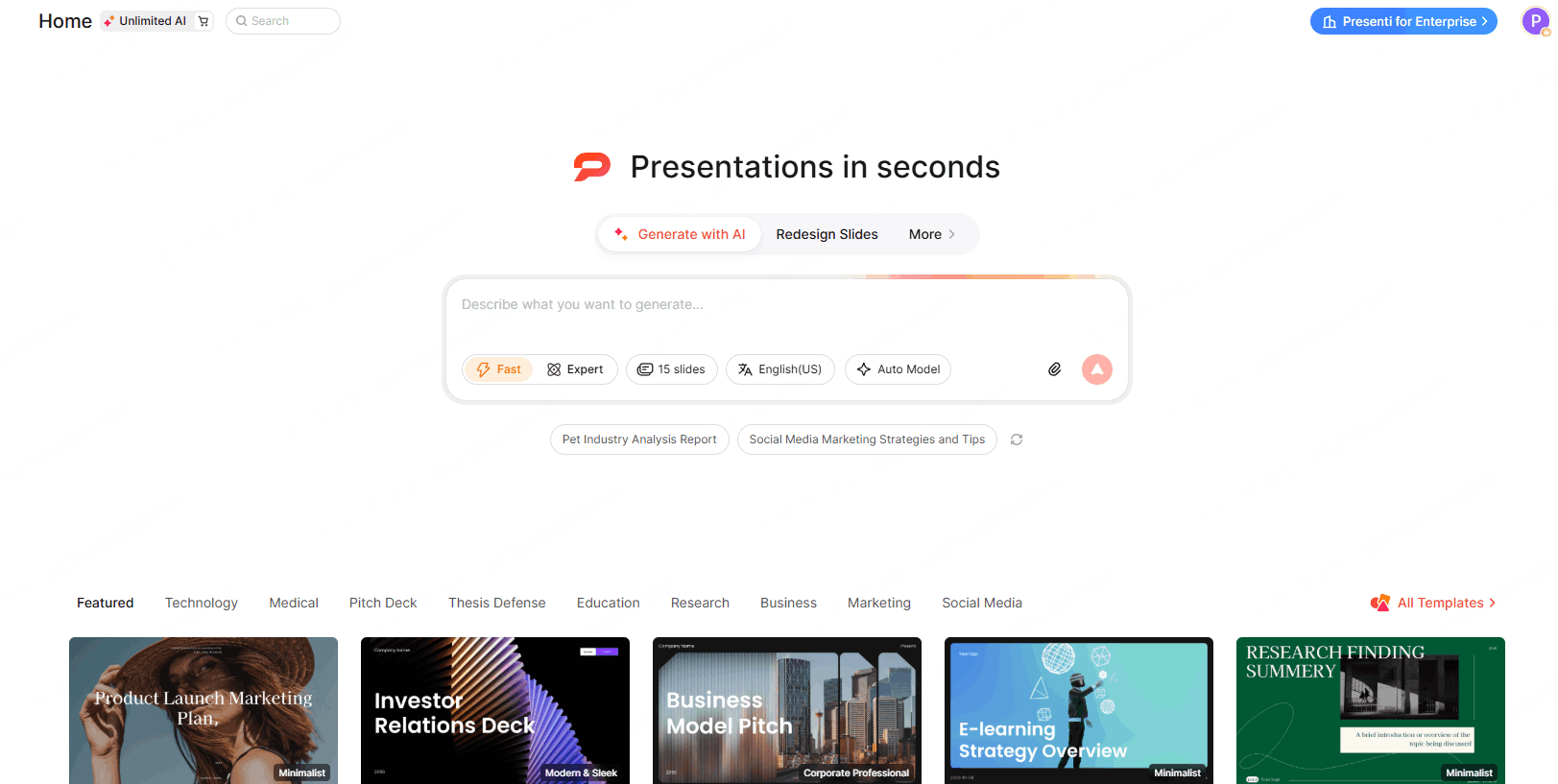
What to assess: Start from a short, fact-checked brief. Inspect the slide boundaries, headings, tables, and images rather than assuming the first layout is finished.
Free access: Check the current signup allowance, credit balance, and export conditions in the account. A starting allowance is not the same as unlimited generation.
Check before choosing: Confirm the features required for your document length, team workflow, and final file.
2. Canva: Templates and AI Drafting in a Design Editor
Canva combines templates, design editing, and AI drafting. Magic Design for presentations can start from a prompt, and you can customize the generated draft in the editor.
Phase breakdown:
| Stage | What to assess |
|---|---|
| Starting point | Try a prompt-generated presentation or a template that fits the task |
| Design | Replace assets and adjust text in the editor |
| Free access | Check limited AI uses and whether the selected assets are free |
| Delivery | Export a sample and inspect the required PowerPoint elements |
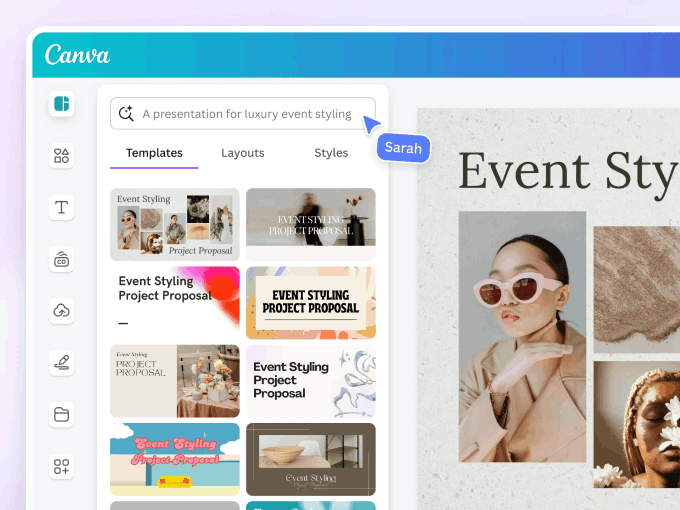
What to assess: Try the edits you make frequently, such as replacing product imagery or applying a brand style. The template library can be useful when the visual direction matters as much as the draft text.
Free access: Canva Free includes free templates and assets with limited Magic Design uses. Premium content and some tools require a paid plan.
Check before choosing: Review AI allowances, selected asset licenses, and export compatibility. Generated slides still need content and layout edits.
3. Beautiful.ai: AI Drafting with Smart Slide Layouts
Beautiful.ai can generate a presentation from a prompt and supporting material, then apply Smart Slide layouts. See the Beautiful.ai comparison for another way to assess its workflow alongside Presenti.
Phase breakdown:
| Stage | What to assess |
|---|---|
| Input | Try a prompt with a document, PDF, or link as context |
| Outline | Edit the draft structure before creating slides |
| Layout | Check whether Smart Slides accommodate the required content |
| Delivery | Inspect editable PowerPoint output in the recipient’s environment |
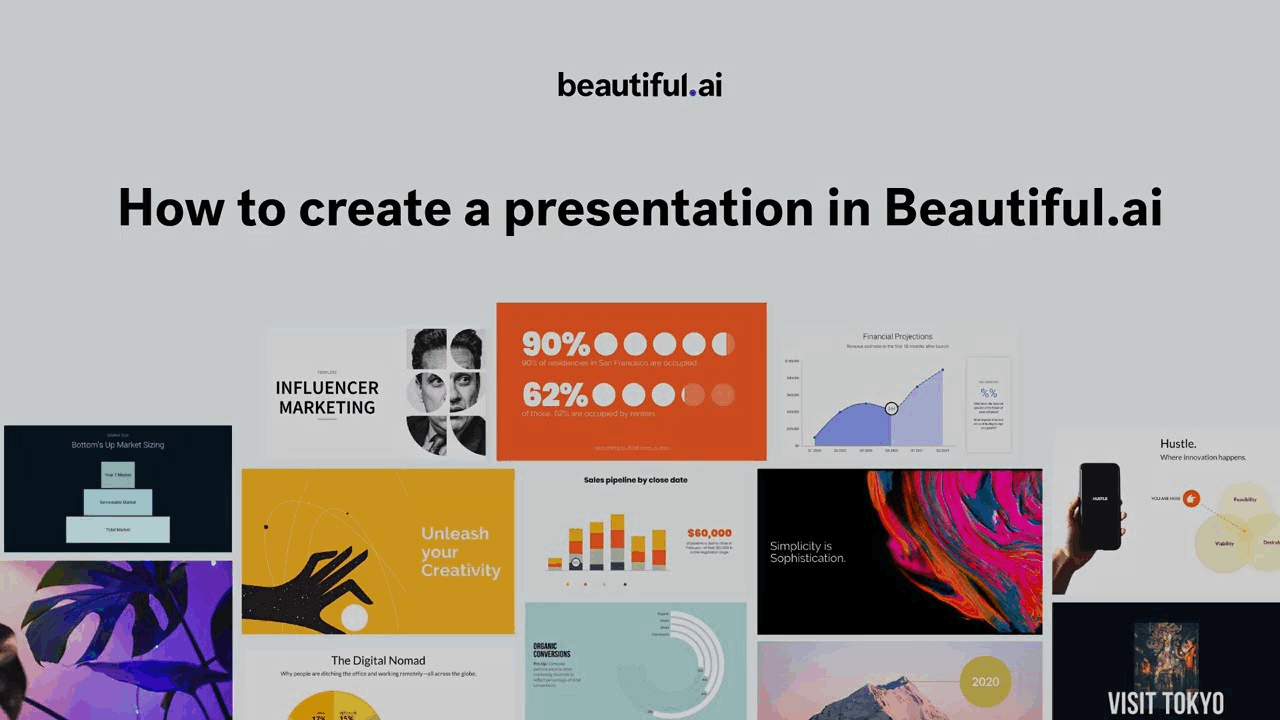
What to assess: Use the same recurring slide types your team needs and check how Smart Slides respond to changes. Try Classic Slides when a custom layout needs more manual control.
Free access: Beautiful.ai offers a 14-day trial rather than a permanent free plan. Its official pricing page describes a card requirement and renewal into a paid subscription unless canceled before expiry.
Check before choosing: Ongoing use requires a paid option after the trial. PowerPoint export is documented in Pro and should be tested during the trial; do not assume every object will transfer unchanged.
4. Gamma: Prompt, Paste, and Document Workflows
Gamma accepts a topic, pasted text, and imported material. It can therefore be compared on existing-content tasks as well as prompt generation. Its Free plan includes PDF/PPTX import and PowerPoint export.
Phase breakdown:
| Stage | What to assess |
|---|---|
| Input | Try the same prompt or source file used for the other tools |
| Draft | Review the generated card structure and claims |
| Editing | Adjust content density for the intended delivery format |
| Delivery | Compare browser sharing with the exported PowerPoint file |

What to assess: A card-based layout may fit browser delivery well. For PowerPoint handoff, inspect how the content fits the exported slides and which elements need adjustment. This is a test to run, not a measured disadvantage established here.
Free access: Gamma lists a signup credit allowance and exports including PDF and PPTX. Check current credit use and branding conditions for the chosen plan.
Check before choosing: Use a Free account to test PowerPoint export, then assess whether the available credits fit your workload.
5. SlidesAI: An Add-on Workflow
SlidesAI offers Google Slides, PowerPoint, ChatGPT, and standalone web workflows for generating slides from supplied content. It is worth considering when working inside an existing slide editor is a requirement. Confirm the supported editor and account permissions before installing it.
Phase breakdown:
| Stage | What to assess |
|---|---|
| Setup | Check installation and organizational add-on permissions |
| Input | Use a brief within the current plan’s input limit |
| Editing | Review the generated content inside the supported slide editor |
| Delivery | Open and inspect the deck in the format you will share |
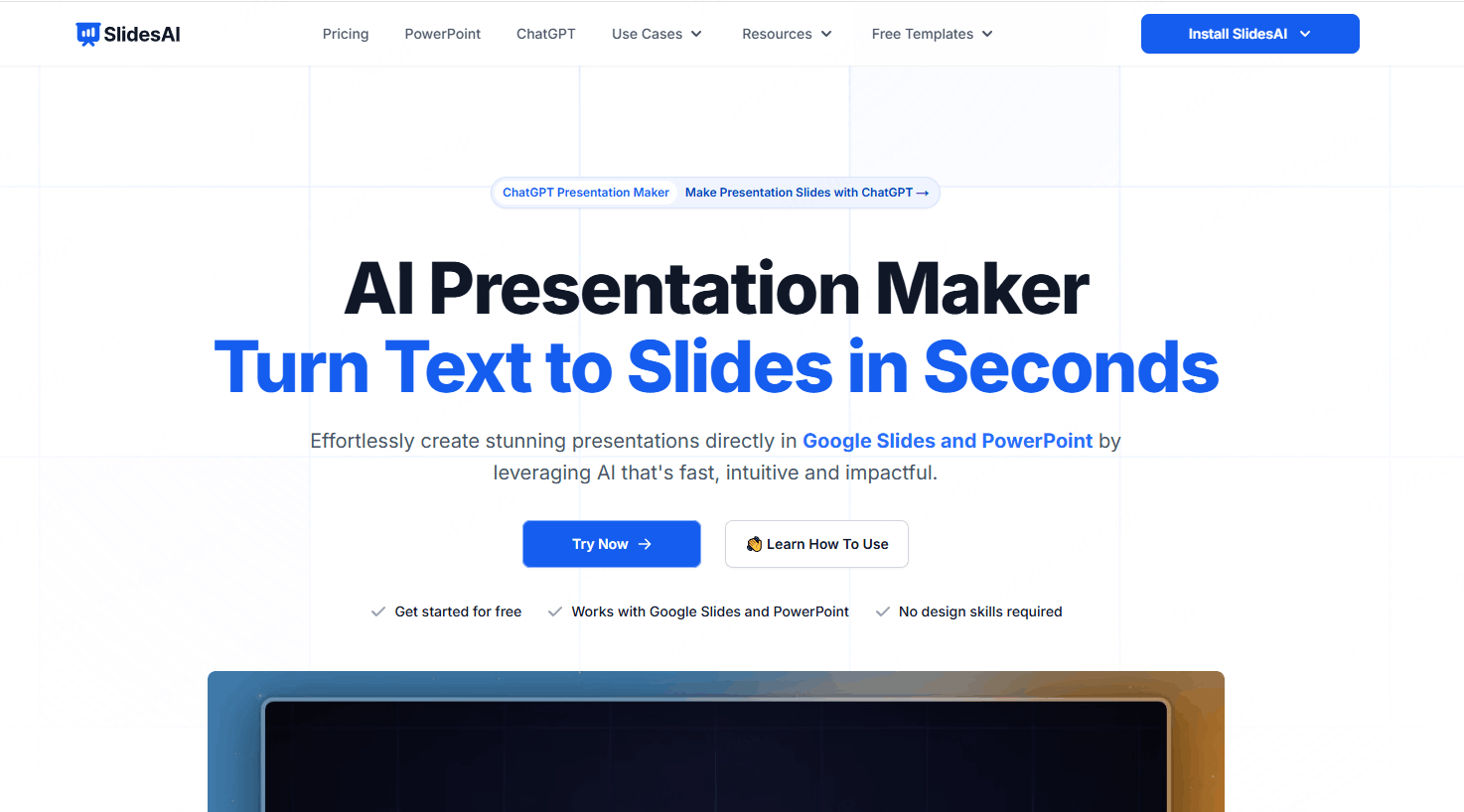
What to assess: Check whether editing in your existing slide environment reduces handoff work. Use the same brief as the standalone tools and review the generated content before judging the result.
Free access: Check the current generation allowance and input limits on the selected plan; these limits can affect whether the tool fits a long document.
Check before choosing: Confirm the input size, editor integration, required permissions, and expected monthly volume.
Workflow Comparison at a Glance
| Tool | Starting point | Main decision to test |
|---|---|---|
| Presenti | Topic, text, or supported documents | Outline control, layout editing, and available export |
| Canva | Prompt or a chosen template | Design flexibility, asset access, and AI allowances |
| Beautiful.ai | Prompt and supporting documents or links | Smart Slide fit and subscription requirements |
| Gamma | Prompt, pasted text, or imported material | Browser delivery and PowerPoint export behavior |
| SlidesAI | Content through a supported editor add-on | Editor integration, input limits, and editing effort |
There is no universal speed winner in this comparison. A tool saves time when it accepts your starting material, makes the necessary edits manageable, and produces a usable final file.
Which Tool Fits Which Scenario
You already have a report or outline. Compare Presenti, Gamma, and Beautiful.ai using that same document. Check whether the draft preserves the argument and the details you need.
You need control over imagery and visual style. Try Canva’s design editor and the template controls in the other candidates. Compare the actual changes your brand requires.
Your team repeats a deck format. Test reusable layouts and brand controls, including Beautiful.ai’s Smart Slides. Change a realistic amount of content to see whether the layout remains workable.
You are starting from a topic. Compare the prompt-generated outlines before judging design. Check claims against sources and remove invented details.
You need to stay inside an existing slide editor. Check an add-on such as SlidesAI, including the organization’s installation rules and the required export.
Frequently Asked Questions
Q: Can I start with Presenti for free?
Check the current signup allowance and account conditions. Confirm generation credits, export options, and any watermark or paid-feature requirements before relying on a free workflow.
Q: Can I use these tools without design experience?
They provide templates or generated layouts that can help you get started. You will still need to review the story, readability, images, and final file.
Q: Which tool produces the best-looking slides on a free plan?
Try the same brief and compare the styles you can access without payment, including any premium-asset restrictions. A layout that works for a short sales deck may be a poor fit for a dense research presentation.
Q: Was this comparison timed?
No. It compares documented workflows and plan conditions. To measure time for your own work, use the same source, account tier, and final quality standard and include editing and export checks.
Q: Can I switch tools for different projects?
Yes. You might choose one editor for a document-based report and another for a highly visual deck. Check the handoff format if the same presentation will move between tools.
Choose an Online PPT Creator for Your Starting Point
Begin with the material you have and the file your audience needs. Those two facts narrow the choice more reliably than a generic claim about the fastest tool.
Compare a short, representative deck in two tools. Keep track of the corrections and final export, then choose the workflow that reduces work on the tasks you actually repeat.
Canva is one option for detailed visual editing; Beautiful.ai combines drafting with structured layouts; Gamma supports cards and file export; Presenti provides a content-to-slides workflow; and an add-on can help when staying in the existing editor matters.
The right choice should preserve your content, support your editing process, and fit the plan conditions you are willing to accept.
Try a short brief in Presenti, then review the draft and export options. Start at presenti.ai.