Creating a PowerPoint presentation can feel overwhelming for beginners. From structuring content to choosing layouts and visuals, the process often requires both time and design experience.
Nowadays, free AI powered tools like Presenti AI make it possible for anyone to create clear, professional, and visually appealing presentations without starting from scratch. Even users with no design background can generate, customize, and deliver polished slides in minutes.
This guide walks you through the complete workflow of free PowerPoint generation using Presenti AI, from defining your topic to refining content and visuals for professional use.

1. Define Your Presentation Topic
Before generating any slides, the most important step is clarifying your presentation topic.
A strong topic acts as the backbone of your entire presentation. It determines the tone, structure, and type of content you include. Whether you are preparing a project update, a training session, or a business proposal, your topic should be specific and goal oriented.
Examples of clear presentation topics include:
- Quarterly project review
- Market trend analysis
- Product onboarding for new users
- Technical roadmap overview
Once the topic is clearly defined, the AI can generate content that stays focused and consistent across all slides.
2. Generate a PowerPoint for Free with Presenti AI
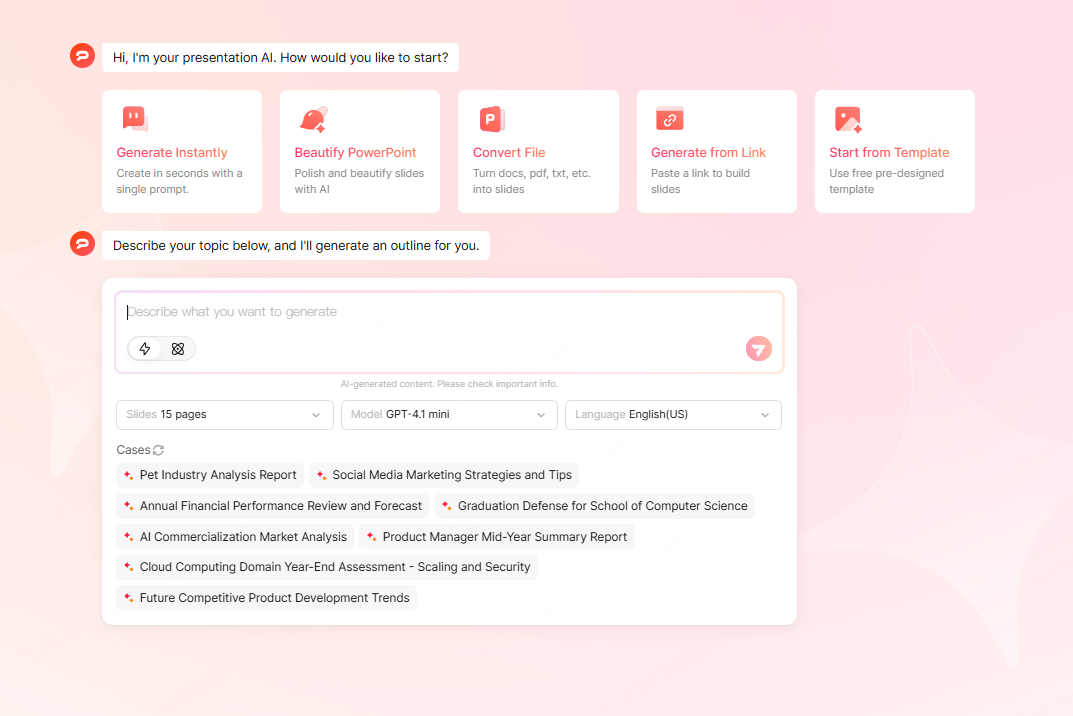
Presenti AI offers multiple ways to generate a complete PowerPoint quickly, depending on your starting point.
2.1 Enter a Topic or Upload Source Files
Option 1: Enter Topic Keywords Directly
On the Presenti AI workspace, you can simply type your presentation topic or core keywords into the input field. For example:
- “Annual performance review”
- “Cloud infrastructure overview”
- “Product launch strategy”
Based on these keywords, Presenti AI automatically creates a structured presentation outline, including:
- Title slide
- Agenda or table of contents
- Main content sections
- Summary or conclusion slides
This method works well when you have a clear idea but no prepared materials.
Option 2: Upload Existing Files
If you already have content prepared, you can upload documents such as Word files or plain text notes. Presenti AI analyzes the uploaded content, extracts key points, and organizes them into well structured slides.
This approach is ideal for:
- Turning written reports into presentations
- Converting training documents into teaching slides
- Repurposing meeting notes into visual summaries
The result is a content rich draft that maintains logical flow and readability.
2.2 Choose a Template Before Generating Slides
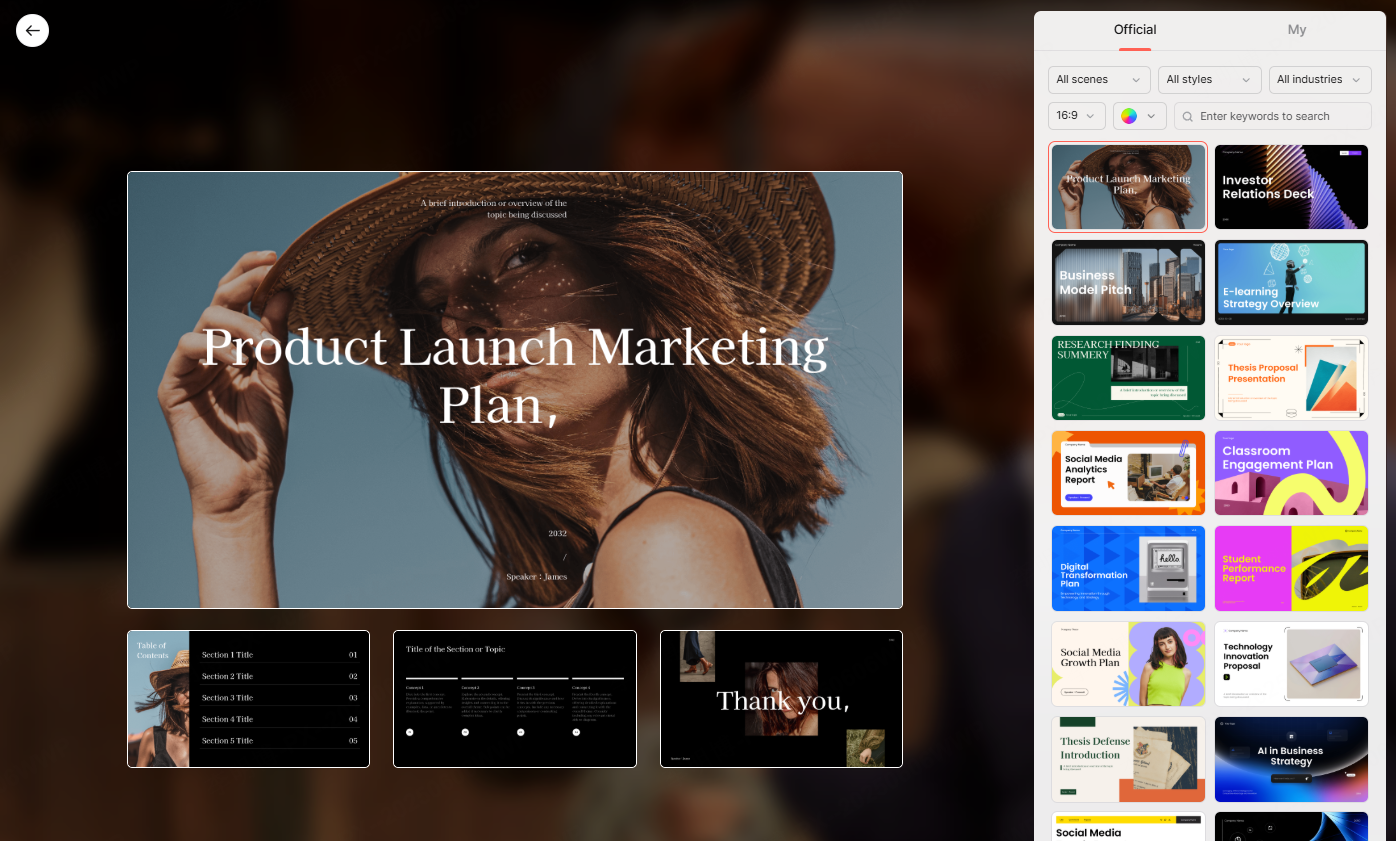
Presenti AI includes a large library of professionally designed templates that cover a wide range of industries and use cases.
You can select templates tailored for:
- Business presentations
- Education and training
- Product demos
- Technical documentation
- Team collaboration and planning
Once a template is selected, Presenti AI automatically applies consistent layouts, fonts, and color schemes to your content. This eliminates the need for manual design adjustments and ensures visual consistency across all slides.
3. Customize and Optimize Your PowerPoint Content
After generating your free PowerPoint, the next step is customization. This phase ensures the presentation communicates your message accurately while maintaining professional quality.
3.1 Content Optimization
AI Assisted Text Refinement
Presenti AI includes built in AI writing tools that help refine slide content. You can select any text block and request improvements such as:
- Shortening lengthy explanations
- Adjusting tone to be more professional or persuasive
- Enhancing clarity and readability
- Expanding key points with supporting details
This feature is especially useful for technical teams and educators who need concise, clear messaging.
Structural Adjustments
Every presentation has unique requirements. Presenti AI allows you to easily restructure content using drag and drop controls.
You can:
- Reorder slides to improve narrative flow
- Add subheadings to clarify complex topics
- Break dense content into multiple slides
- Adjust spacing, fonts, and alignment
These tools help improve logical structure and make the presentation easier to follow for your audience.
3.2 Visual Optimization
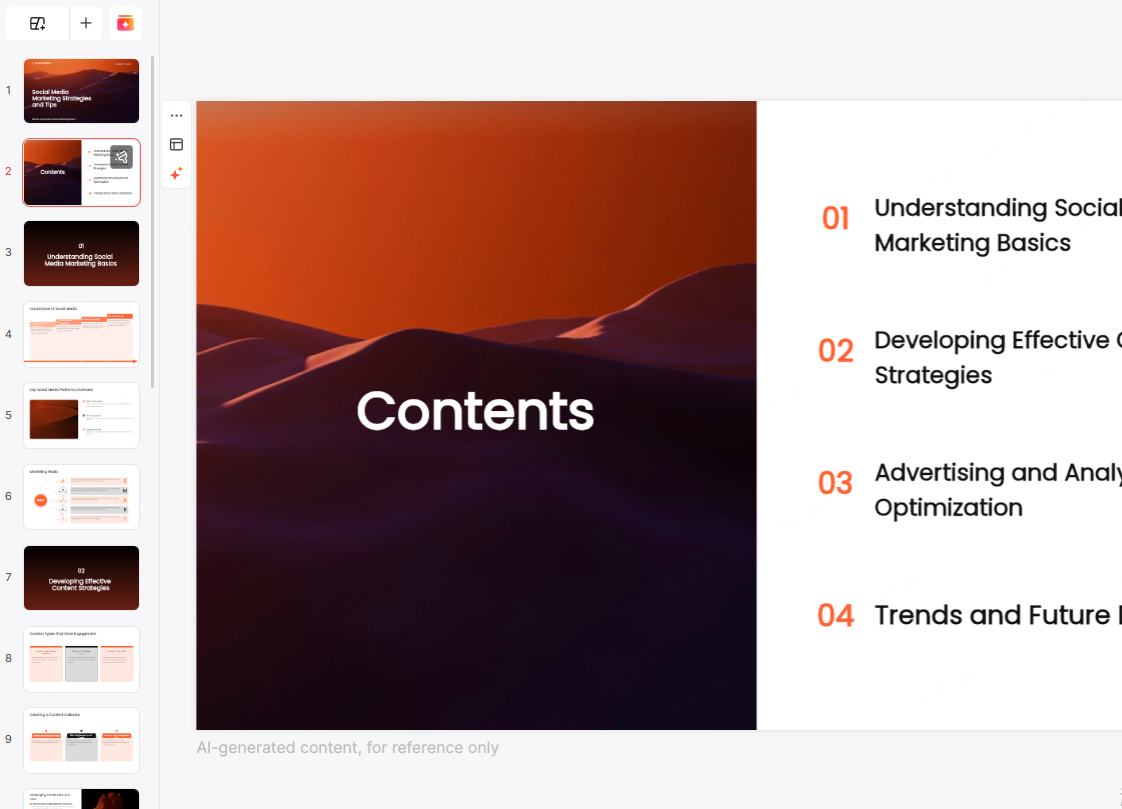
Visual clarity plays a major role in how effectively your message is delivered. Presenti AI offers several ways to enhance visual quality without manual design work.
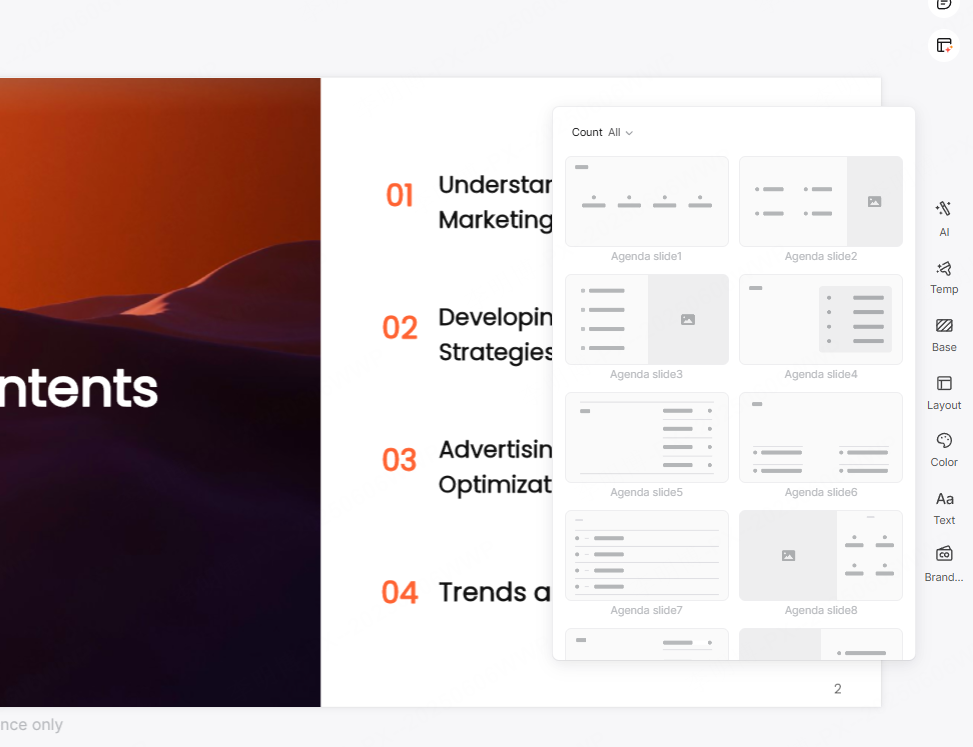
Layout Selection
You can choose from multiple layout styles depending on the content type:
- Comparison layouts for pros and cons
- Process layouts for workflows or timelines
- Sectioned layouts for categorized information
Selecting the right layout improves comprehension and keeps slides visually balanced.
Replace Images and Icons
To better match your presentation theme, you can replace default visuals with assets from Presenti AI’s built in library. The library includes:
- Stock images
- Icons and diagrams
- Charts and visual elements
You can also upload your own visuals to maintain brand consistency or align with specific project needs.
Color Schemes and Theme Styles
Presenti AI provides multiple color palettes and theme styles designed for professional use. You can choose styles that align with:
- Brand identity
- Audience preferences
- Formal or informal presentation settings
Consistent color usage enhances readability and reinforces your message.
4. Collaboration and Presentation Features
Beyond slide creation, Presenti AI supports modern presentation workflows.
You can collaborate with teammates in real time, edit slides online, and present directly from the platform. These features are especially useful for distributed teams, educators, and project managers working across locations.
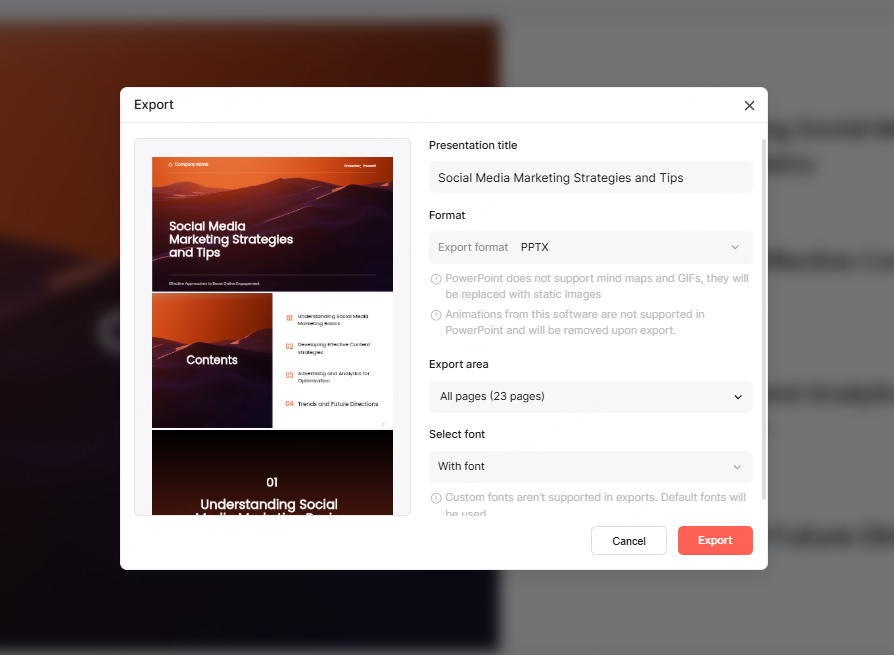
Presentations can be exported in common formats such as PPTX or PDF, making them compatible with standard presentation tools.
Conclusion
Free PowerPoint creation no longer requires design skills or hours of manual work. With Presenti AI, you can generate, customize, and present professional quality slides using simple inputs and intuitive tools.
From defining a topic to optimizing content and visuals, the entire workflow is streamlined. Whether you are preparing a business report, an educational lesson, or a technical presentation, Presenti AI helps you focus on content while the platform handles structure and design.