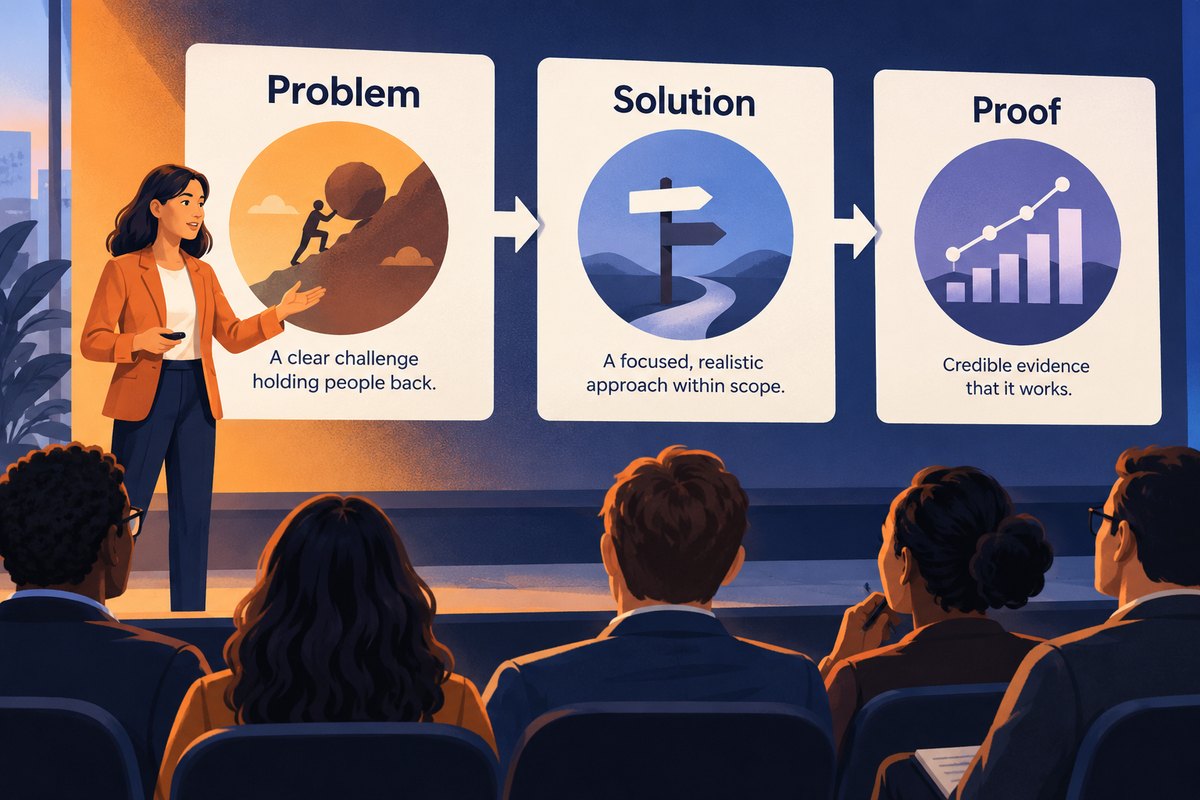
A problem–solution–proof presentation connects a specific difficulty to a proposed response and the evidence for that response. The sequence is useful for a proposal or explanation, but it can become misleading when “proof” is just a confident claim that the proposed solution will work.
Start with an outline that separates observed facts, the proposed change, and what the evidence can establish. You can turn that outline into an editable slide draft in Presenti after those distinctions are clear. A generated narrative should not supply missing customer results or turn a planned test into a completed one.
Define a problem the audience can recognize
Name who encounters the difficulty, when it occurs, and what consequence matters. “Our process is inefficient” is too broad to guide a decision. “A request without an account identifier requires a follow-up before the support team can investigate” identifies a concrete problem.
Distinguish a visible symptom from a suspected cause. Missing identifiers may explain some follow-up questions, but they do not establish that the form causes every delay. If you have measured the pattern, give the sample, period, and source. If you have only an example, call it an example. For a client proposal, the consulting presentation worked example shows how to keep two competing explanations visible and clarify the scope before promising a solution.
Avoid expanding the problem until only your preferred solution can appear reasonable. The audience should be able to understand the issue before they hear your proposal.
Show how the proposed change addresses that problem
Continue with the same fictional support-request example. The proposal is to require an account identifier for the request types that need one and explain where to find it. The mechanism is direct: the investigating agent receives a necessary piece of information at submission.
That does not mean every field should become mandatory. Some requesters may not have an account, and an inflexible form may prevent a legitimate request. Show the relevant exception or alternative route. A solution slide should make the trade-off understandable, not merely replace a red diagram with a green one.
Consider at least the practical alternative the audience is likely to raise. In this case, clearer instructions without a required field may be less intrusive but still allow omissions. Explain why you recommend testing one approach, rather than claiming there is no other option.
Match the proof to the claim
Different evidence supports different conclusions:
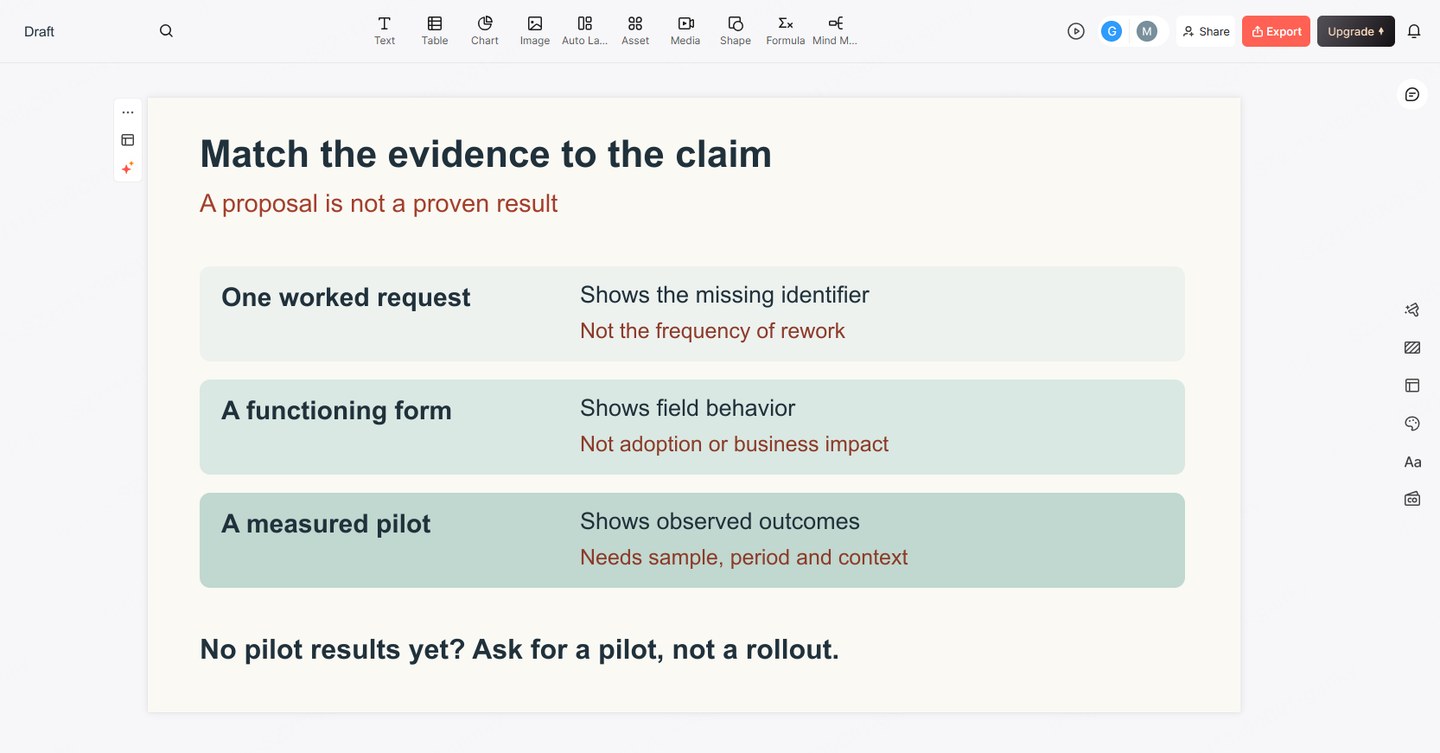
- A worked example can show how the proposed form handles one request. It does not show how often the problem occurs.
- A functioning demonstration can show that a field or workflow behaves as described in that setting. It does not establish adoption or business impact.
- A pilot observation can describe what happened for the people and period observed. It needs context before being generalized.
- A comparison with a credible baseline can help assess change, but differences in users, workload, or measurement may still affect the result.
For the fictional proposal, no pilot results are available. The evidence slide should therefore show the request example and a plan to test the change, not a rising chart labeled “faster resolution.” The decision is whether to run the pilot, not whether an untested outcome has been proven.
If real results become available later, present the actual definition and denominator: what counts as a request needing follow-up, which request types were included, and over what period. Keep completion difficulty in view as well; reducing follow-up would be less persuasive if many users could no longer submit a request. The pilot results presentation example shows how to report improved completeness alongside missed quality and support thresholds before recommending expansion.
Turn the argument into a short slide sequence
Three labels do not require exactly three slides. For a pilot proposal, a five-slide sequence gives the audience room to inspect the reasoning:
- The request: Approve a limited pilot, not a full rollout.
- The problem: Explain one incomplete request and why it needs a follow-up.
- The proposed change: Show the identifier field, help text, and exception route.
- Evidence and unknowns: Separate what the example demonstrates from what the pilot must measure.
- The decision: State the pilot owner, scope, review point, and conditions for continuing or revising it.
Connect the slides with causal sentences. “This missing field leads to a follow-up” explains the move from problem to solution. “The form can collect the field; we still need to learn whether people can complete it” explains why a working demo is not the end of the argument.
For a broader persuasive presentation, the guide to using evidence in a data story can help you decide what comparisons belong in the main deck and what detail belongs in supporting material.
Keep the argument honest when drafting with AI
Give the drafting tool the approved problem statement, proposed mechanism, available evidence, alternatives, and unknowns. Ask for slide titles that preserve those distinctions. A useful instruction is: “Describe the pilot as proposed. Do not invent results, percentages, customer quotations, or sources.”
Read the resulting titles in order before polishing the layout. If “may reduce follow-up” becomes “eliminates delays,” restore the narrower claim. If an evidence slide contains facts absent from your source notes, remove or verify them. The point of this structure is to make the reasoning easier to inspect, not to make an uncertain proposal sound inevitable.