A useful slide title helps the audience understand why the slide is there. “Customer Feedback” identifies a subject. “Six of twelve interviewees struggled with setup” gives the audience a finding to examine. The second title is more informative only if the slide contains evidence for those exact words.
If you are revising an existing deck, Presenti’s AI slide beautification workflow starts from an uploaded PPTX. Decide what each title should say before judging the new design. A clearer layout cannot make an unsupported conclusion true.
The slide title examples below are authored illustrations, not customer results or claims about a product test. Use them to practice a specific edit: replace a vague label with the most useful statement, question, or transition the content can support.
Choose the title’s job before changing its words
A finding title tells the audience what the evidence establishes. Use one when there is a defensible result to communicate. “Seven participants completed the task without help” gives a reader something to check against the body. “A successful experience” asks them to accept an interpretation.
A question title directs attention to an unresolved choice. “Which option fits the two-day training limit?” is useful when the room must compare options. It does not pretend the decision has already been made. The slide still needs enough information to answer the question.
A transition title tells the audience where the explanation is going. “From the first draft to the final review” can introduce a sequence without manufacturing a finding. Section dividers, teaching slides, and image-led openings do not all need answer-first headlines.
There is also a place for plain labels. “References” or “Appendix: calculation method” helps people find material. The problem is not that a title names a topic; it is that the title gives too little help for the job the slide is doing.
Nine slide title rewrites, with the evidence beside them
For each example, inspect the source before choosing the title. A confident sentence is not automatically a better sentence.
1. Keep the people you actually heard from in the title
Original: Customer Feedback
Rewrite: Six of twelve interviewees struggled with setup
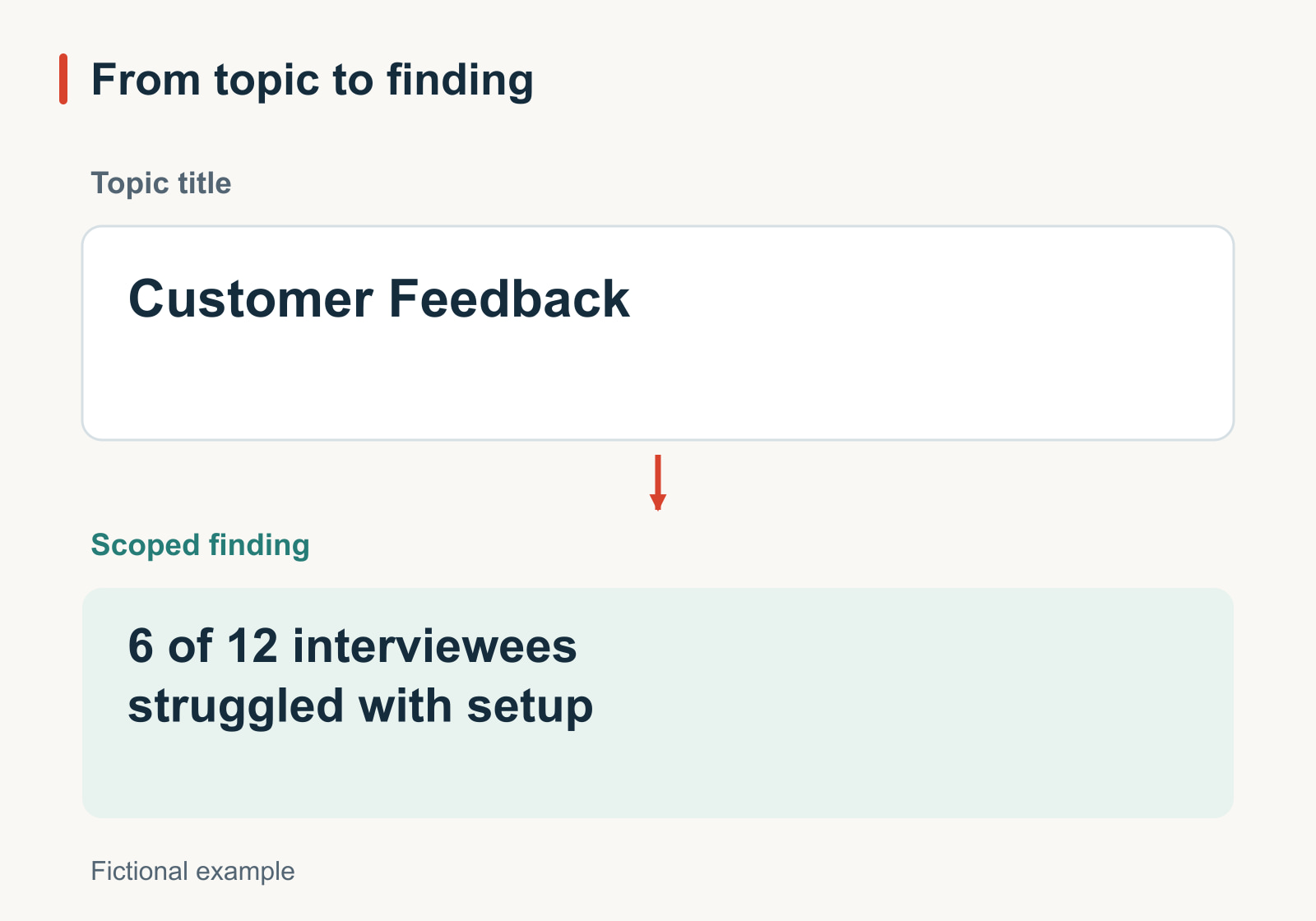
The fictional notes record six setup difficulties among twelve interviews. “Customers find setup difficult” would make the scope unclear; “Most customers struggle” would introduce a claim the notes do not support. The body should explain who was interviewed and what “struggled” means. If those details are missing, investigate the notes before polishing the headline.
2. Report a change without inventing its cause
Original: The New Homepage Doubled Signups
Rewrite: Signup rate rose from 4% to 8%; the cause is untested
The source compares two periods, but the traffic mix also changed. The rewrite preserves the observed rate change and avoids crediting the homepage alone. Put the periods, denominator definitions, and counts in the body. If the title becomes too long, “Signup rate increased in the second period” can work, provided the attribution limit remains immediately visible.
3. Distinguish a target from an achievement
Original: Everyone Will Complete Training by Friday
Rewrite: Friday is the training target; two sessions remain unconfirmed
The schedule proposes Friday, but two facilitators have not agreed to their sessions. The revised title gives the audience a planning fact and the obstacle. Do not turn a target into an outcome to make a roadmap sound decisive. A timeline should distinguish confirmed arrangements from the work still needed to reach the target.
4. Name the decision you are requesting
Original: Recommendations
Rewrite: Approve a two-week trial before committing to Tool B
The comparison supports a trial, not a completed selection. That distinction belongs in the title because it changes what the audience is being asked to do. The slide should state the trial’s purpose and what would inform the later decision. “Tool B is the best choice” would skip the unresolved evaluation.
5. Use a question when the choice is still open
Original: Options
Rewrite: Which option fits the team’s two-day training limit?
The audience has a specific constraint but has not selected an option. This question gives the comparison a common test. It is more useful than “Which option is best?” because readers know what to inspect. If training duration is only one of several decisive constraints, broaden the question or show the others beside it.
6. Describe the visible improvement, not an unmeasured benefit
Original: A Better Form
Rewrite: The revised form makes the required field visible
The slide compares two mockups: the second places the required field above the final action. That is a visible design change. “The new form prevents mistakes” would require evidence beyond the mockups. Keep both images at comparable scales, label them as design examples, and make the field easy to locate.
7. Let a modest result remain modest
Original: Message A Wins
Rewrite: Seven respondents chose each message
In this fictional feedback exercise, fourteen people each chose one of two messages, producing an even split. The slide should show that result without forcing a winner. A question such as “What should we learn before choosing a message?” may work on the following slide, where the team considers its next investigation.
8. Give a consequential limitation its own clear wording
Original: Limitations
Rewrite: These interviews cover current users, not people who left
A study of current users cannot directly explain why former users left. Naming the missing group helps the audience interpret the findings. This title does not invalidate the interviews; it explains the question they cannot answer. Keep the participant definition consistent with the recruitment record.
9. Make a teaching title orient the learner
Original: Step 3
Rewrite: Check the recipient before sending the file
The lesson demonstrates a file-sharing process. This title names the learner’s action instead of relying on a step number that may change during editing. Keep the number as a secondary navigation cue if it helps. Do not promise “Share files securely in one click” when the lesson actually requires a recipient and permission check.
Now read an entire deck using only its titles
Individual titles can be clear while the deck still jumps between ideas. Copy them into a plain document, one per line. This works without relying on a particular slide-sorter feature. Read the sequence as if you had not seen the slides.
Imagine an internal design review with this fictional source record: twelve sample slides were inspected; two charts and one image with a long caption lost essential labels. A simpler layout has been proposed but has not been retested. The team needs a reviewer and a check date before making a wider change.
The original titles are “Background,” “Results,” “Analysis,” “Options,” “Recommendation,” and “Next Steps.” They describe six containers. This revised sequence makes the reasoning available:
- Our layout review found missing labels in three sample slides
- Two charts and one long caption need attention
- The cause is not yet confirmed
- A simpler layout is a candidate, not a verified fix
- Retest those three slides before changing the full deck
- Agree on a reviewer and a check date
The sequence moves from observation to uncertainty, proposed response, and action. It does not imply that a new layout has already solved the problem. Put “three of twelve sample slides” and the inspection conditions in the first slide’s body so the opening title is not mistaken for a claim about every deck.
Notice that the first two titles may still be repetitive. If both slides show the same three examples and neither needs a separate explanation, combine them. Better titles sometimes reveal that the problem is the number or order of slides, not the wording.
Check three connections: source, body, and next slide
First, underline the words in a title that make a factual claim: quantities, populations, causes, dates, comparisons, and certainty words. Locate support for each one. “All,” “best,” “proves,” and “will” deserve particular attention. Replace them when the source supports a narrower statement.
Next, cover the title and look at the body. What conclusion would a careful reader reach from that evidence? If it differs from the title, rewrite one or repair the other. A pie chart of feature requests does not establish which feature will retain customers. A planned milestone does not show that work is complete.
Finally, read the next title. Does the connection follow, or does it introduce a decision without showing the relevant evidence? A short transition can help, but it cannot substitute for the missing explanation. Move the needed slide into the sequence or narrow the conclusion.
Edit the titles, then check the finished deck
Keep a copy of the original file and a brief list of the statements that must remain true. When using an existing-file redesign workflow, inspect the resulting title text as carefully as the new layout. Preserve names, units, sample boundaries, and unresolved decisions; do not assume a more polished draft has retained them.
Check the full title at presentation size. A useful sentence may need two lines. If it wraps awkwardly, remove introductory wording before shrinking the font. “Our research has shown that six of twelve interviewees…” can become “Six of twelve interviewees…” without sacrificing meaning. Removing “of twelve” would sacrifice meaning.
Use consistent sentence case and punctuation unless the deck has an established style. Consistency helps readers scan; identical sentence patterns are unnecessary. A deck can move naturally between findings, questions, and instructions.
Recheck the titles after the final content changes and any export you use. A revised chart may no longer support yesterday’s headline. Read the title sequence once more, then open each slide to confirm that the evidence still tells the same story.