

Creating a professional PowerPoint presentation has traditionally been a time consuming task. From outlining content to designing slides, the process often requires hours of manual effort and design experience. But what if you could generate a complete, polished presentation simply by entering text?
That is exactly what Presenti AI delivers.
Presenti AI is a free and efficient text to PowerPoint generator that automatically converts written content into structured, professional slides. Whether you start with a single sentence or paste a long document, Presenti AI transforms text into presentation ready slides in minutes. For technical teams, educators, project managers, and developers, this means less time formatting slides and more time focusing on ideas, data, and delivery.

How Presenti AI Turns Text Into Structured Presentations
At the core of Presenti AI is an intelligent text analysis engine designed to understand meaning, context, and hierarchy. Instead of simply splitting text across slides, the system identifies key points, logical sections, and presentation flow.
This ensures that each slide supports the overall message rather than overwhelming the audience with unstructured content.
Intelligent Content Extraction From Text
Presenti AI uses advanced natural language processing to analyze your input. It works equally well with short prompts and long form documents.
You can provide:
- A single sentence describing your topic
- A detailed project proposal
- A report summary
- A lesson outline
- Marketing or product documentation
The platform automatically extracts core ideas and organizes them into a clear slide structure that aligns with common presentation best practices used in business, education, and technology teams.
One Sentence to PowerPoint: The Fastest Way to Build Slides
One of the most powerful features of Presenti AI is its ability to generate a complete PowerPoint from a single sentence.
How It Works
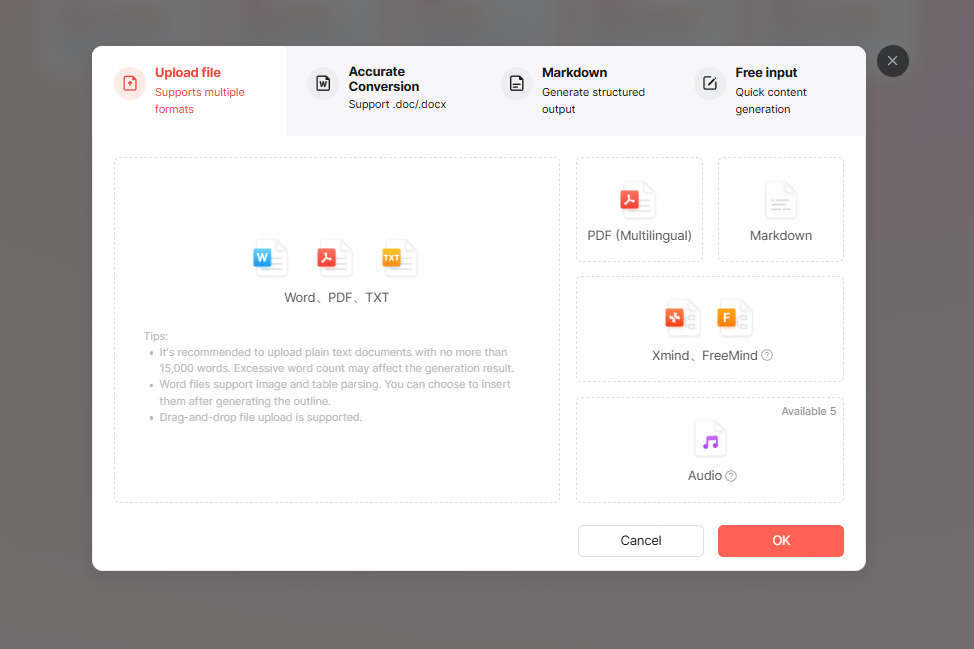
From the Presenti AI dashboard, select AI Auto Generate and enter a one sentence topic. For example:
Product launch strategy for a new SaaS analytics platform
Within seconds, Presenti AI creates a full presentation outline that typically includes:
- A title slide with contextual background
- An agenda or overview slide
- Key product features and benefits
- Target users and use cases
- Market positioning and growth opportunities
- Go to market or rollout strategy
- Summary and closing slide
Each slide is logically connected to the topic and follows a narrative flow that mirrors how experienced presenters structure their decks.
This workflow is ideal for:
- Project kickoff meetings
- Executive briefings
- Product demos
- Classroom lectures
- Internal training sessions
You start with an idea and end with a ready to use presentation.

Convert Long Text Into PowerPoint Automatically
In addition to one sentence generation, Presenti AI also supports full text to PowerPoint conversion.
From Documents to Slides in Minutes
By selecting Import File or Free Input, you can paste or upload longer content such as:
- Technical reports
- Research summaries
- Business proposals
- Academic abstracts
- Marketing plans
The system automatically identifies sections, highlights key points, and converts dense paragraphs into concise slide friendly bullet points.
This eliminates the need to manually copy content into PowerPoint and decide how to split information across slides. Presenti AI handles structure and flow, allowing you to focus on accuracy and storytelling.
For developers and technical teams, this is especially useful when transforming documentation or specifications into presentation format for stakeholders or non technical audiences.

Automatic Slide Design With Professional Templates
Once your text has been converted into a slide outline, the next step is design.
Presenti AI includes a library of professionally designed PowerPoint templates suitable for business, education, and technical presentations. After selecting a template theme, the system automatically applies layout, typography, spacing, and visual hierarchy across all slides.
No Design Experience Required
Even if you have no background in slide design, Presenti AI ensures your presentation looks clean, modern, and consistent. Each deck includes:
- A visually balanced cover slide
- A structured agenda or table of contents
- Well spaced content slides
- A closing or summary slide
This approach aligns with presentation standards commonly used in North America and Europe, making the output suitable for corporate meetings, classrooms, conferences, and remote presentations.
AI Powered Content Optimization Inside Slides
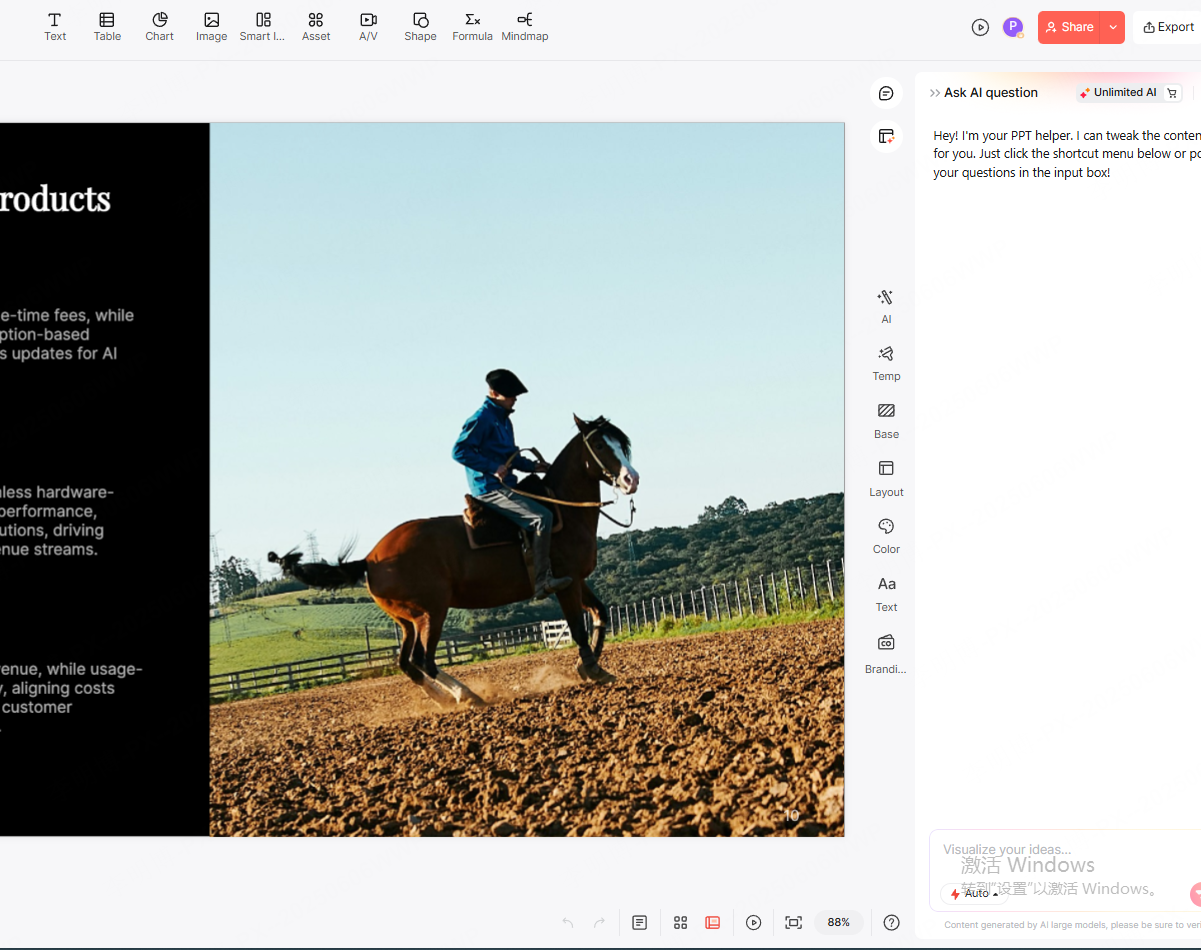
Generating slides is only the beginning. Presenti AI also allows you to refine and improve slide content using built in AI editing tools.
Edit, Simplify, and Improve Text Instantly
After slides are generated, you can use AI assisted actions to:
- Rewrite text for clarity and tone
- Expand short bullet points with additional detail
- Simplify complex explanations
- Summarize long sections into concise points
- Fix grammar and improve readability
- Translate slides into other languages
For example, if a slide contains too much text, the AI simplification feature can condense it into cleaner, more effective bullet points. If you need to present to an international audience, the translation feature helps localize content quickly without rewriting everything from scratch.
This is particularly valuable for educators preparing course materials and project managers tailoring decks for different audiences.
Practical Use Cases for Presenti AI
Presenti AI is designed to fit seamlessly into common professional workflows.
For Technical Teams and Developers
- Turn documentation into presentation slides for demos
- Create architecture overviews for stakeholders
- Prepare sprint reviews or technical briefings quickly
For Educators and Trainers
- Convert lesson notes into structured slide decks
- Create lecture presentations from course outlines
- Prepare training materials without manual formatting
For Project Managers and Consultants
- Build proposals and project updates efficiently
- Generate executive summaries from reports
- Standardize presentation quality across teams
By reducing repetitive formatting tasks, Presenti AI helps professionals focus on content quality and communication impact.
Why Choose Presenti AI for Text to PowerPoint Conversion
There are many tools available for creating presentations, but Presenti AI stands out due to its balance of speed, flexibility, and output quality.
Key advantages include:
- Free and accessible online platform
- Supports both short prompts and long form text
- Automatically structures content logically
- Professional slide design without manual effort
- Built in AI tools for content refinement
Instead of starting with a blank slide, you start with ideas and let the system handle structure and design.
Final Thoughts
If you find yourself spending too much time creating PowerPoint presentations, Presenti AI offers a smarter approach. By turning text directly into polished slides, it streamlines one of the most common yet time consuming tasks in modern work and education.
With just a sentence or a document, you can generate professional presentations that meet global standards and communicate ideas clearly. Presenti AI makes text to PowerPoint conversion simple, efficient, and accessible to everyone.








