A content strategy presentation should make the next 90 days easier to approve and easier to execute. An editorial calendar is only one part of the plan. The strategy deck should connect a business goal to an audience problem, a focused set of content pillars, deliberate channels, available resources, and a measurement loop.
Use the template below for a marketing planning meeting, a cross-functional kickoff, or a quarterly review. Keep the recommendations specific enough to assign, but flexible enough to learn from performance. The goal is not to predict every topic perfectly; it is to make the next set of decisions visible.
For the meeting itself, Presenti’s marketing presentation workflow can organize the research, recommendation, and proposed calendar into a slide draft.
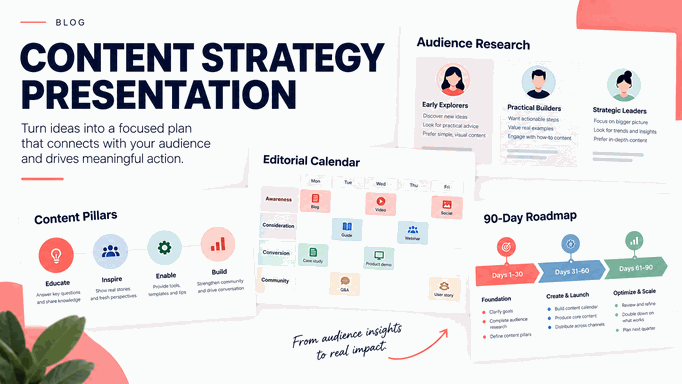
What a Content Strategy Presentation Template Should Do
A useful content strategy template answers five questions in order:
- What business outcome are we trying to influence?
- Which audience and situation matter most right now?
- What content jobs and themes will help that audience?
- Where and how will the content be distributed and maintained?
- What will we measure, learn, and change during the next 90 days?
Asana describes content strategy as the plan for creating, publishing, and managing content to reach a goal. A presentation adds a decision layer: it gives stakeholders a shared view of priorities, trade-offs, owners, and timing. Put the decision the meeting must make near the beginning, and move the detailed topic backlog to an appendix.
Start with the Business Goal
Translate a broad request such as “grow awareness” into a result that can guide choices. A strong objective states who should do what, by when, and how the team will recognize progress.
| Planning element | Question to answer | Example |
|---|---|---|
| Outcome | What business result matters? | Increase qualified demo requests from mid-market teams |
| Audience | Who can create that result? | Marketing operations leads evaluating a new workflow |
| Job | What must the audience understand or do? | Compare options and build an internal case |
| Measure | What outcome and leading signals will we track? | Qualified requests, guide engagement, and return visits |
| Guardrail | What constraint protects quality or focus? | One primary segment and two distribution channels this quarter |
Show the current baseline and the decision that follows from it. If the team has limited production capacity, a narrower audience can be more strategic than a larger list of topics. If the goal is retention, prioritize onboarding and product education even when acquisition topics have higher search volume.
Use Audience Research to Set Priorities
Audience research should explain a situation, not just describe a persona. Capture the question the audience is trying to answer, the trigger that starts the search, the constraint that makes the decision difficult, and the evidence they trust.
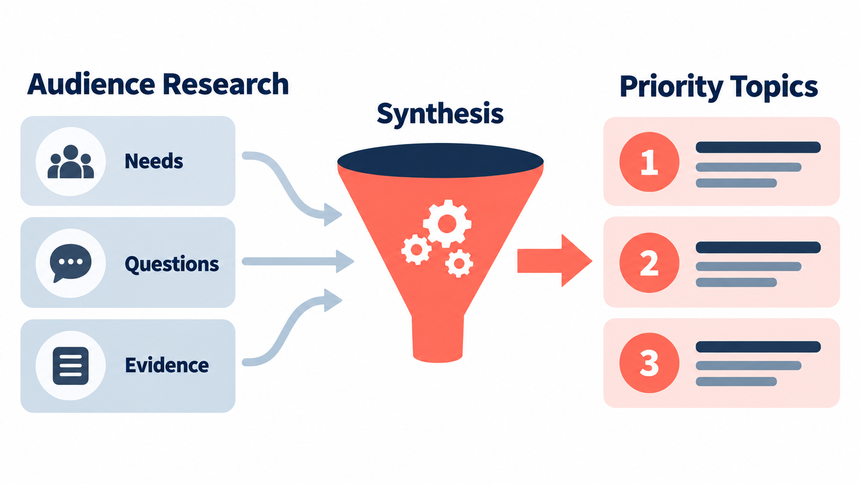
| Research signal | What to capture | How it changes the plan |
|---|---|---|
| Situation | When and where the problem appears | Choose examples and timing that match the moment |
| Task | What the person needs to complete | Prioritize practical guidance over broad claims |
| Constraint | Budget, time, skill, approval, or risk | Address objections before adding more features |
| Evidence | Sources, proof, and language they use | Use credible proof and familiar wording |
Use interviews, support questions, sales notes, search queries, community discussions, and product behavior as inputs. Label an assumption as an assumption. Google’s people-first guidance is a useful quality check: content should be created to help a real audience, not merely to capture a search phrase.
Build Content Pillars and Topic Clusters
Content pillars are recurring jobs or themes that organize the program. They are not a list of keywords. A good pillar can support several formats, stages of the decision, and internal links without becoming so broad that every topic fits.
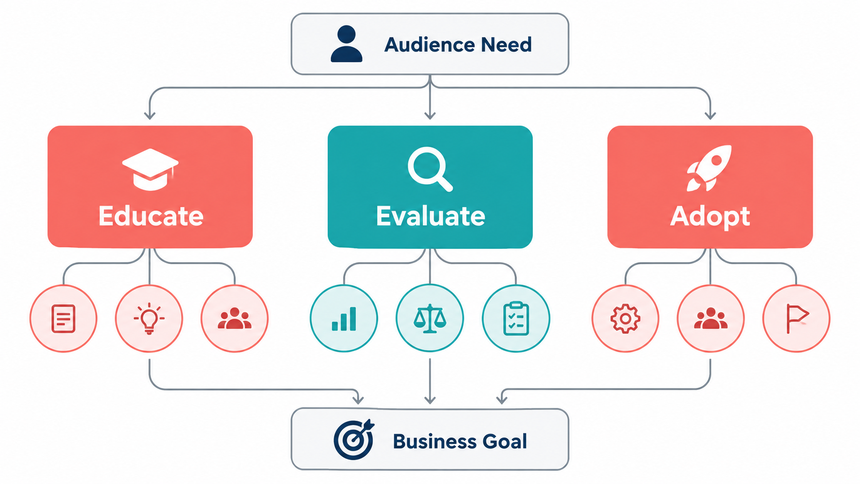
| Pillar | Audience job | Conversion bridge |
|---|---|---|
| Education | Understand the problem and vocabulary | Subscribe, save, or explore a guide |
| Execution | Complete a task with a repeatable method | Use a template or start a workflow |
| Evaluation | Compare approaches and trade-offs | Request a demo or try the product |
| Proof | Reduce risk with examples and evidence | Review a case study or proof page |
| Retention | Get more value after adoption | Activate a feature or return to the product |
Map each planned topic to one primary pillar and one audience job. If a topic cannot be connected to a decision or useful action, move it to the backlog until the purpose is clearer. Use clusters to connect a core guide, supporting articles, examples, and a product or next-step page.
Choose Formats and Channels Deliberately
Do not assign every idea to every channel. Choose a format and distribution path based on the audience job, the proof required, and the team’s ability to maintain it.
| Channel | Best use | Planning question |
|---|---|---|
| Search | Answer a defined problem or comparison | Can the page satisfy the task without a forced detour? |
| Build a sequence or return habit | What should the reader do between sends? | |
| Social | Distribute a sharp idea or proof point | What native context makes the post useful here? |
| Webinar or live session | Explain a complex decision and handle questions | What interaction would improve the content? |
| Sales enablement | Help a buyer evaluate and share internally | Which objection or proof gap does the asset address? |
Reuse an idea by changing the job, not by copying the same paragraph everywhere. A research finding might become a search guide, a live workshop, a short social example, and a sales slide with different calls to action. Document the source asset and the adaptation owner so reuse does not become hidden extra work.
Turn the Strategy into an Editorial Calendar
An editorial calendar is the operating view of the strategy. Asana’s editorial-calendar guidance emphasizes scheduling, ownership, status, and dependencies. Keep those fields, but connect each row to the strategic reason it exists.
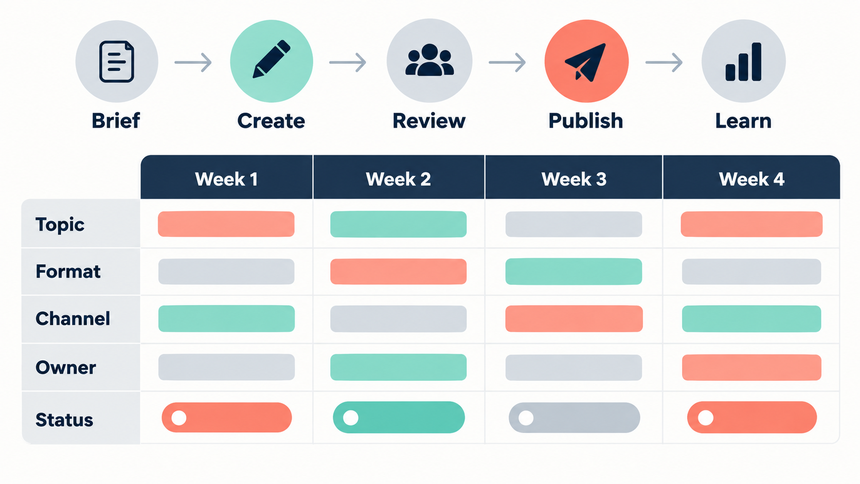
| Calendar field | Why it matters |
|---|---|
| Working title and audience job | Prevents a topic from drifting away from its purpose |
| Pillar and funnel stage | Shows balance across the program |
| Primary format and channel | Sets production and distribution expectations |
| Owner, reviewer, and due date | Creates accountability and a realistic handoff |
| Source, CTA, and internal link | Connects the asset to proof and the next step |
| Status and dependency | Shows what can move and what is blocked |
| Success signal and review date | Closes the loop after publication |
Plan capacity before filling every week. Reserve space for updates, distribution, design, approvals, and learning. A smaller calendar that can be published and measured is stronger than a full quarter of dates that no one can maintain.
A capacity estimate for the first 12 weeks
Consider a fictional team with 10 production hours available each week, or 120 hours across 12 weeks. The remaining days of a 90-day period are not included in this estimate. Count research, drafting, design, and review in the effort for each guide rather than budgeting only writing time.
| Work | Assumption | Hours |
|---|---|---|
| New guides | 6 guides × 10 hours | 60 |
| Existing-page updates | 2 updates × 4 hours | 8 |
| Calendar and briefing setup | One allocation | 6 |
| Distribution | One allocation across the period | 12 |
| Measurement and review | One allocation across the period | 8 |
| Planned total | 60 + 8 + 6 + 12 + 8 | 94 |
| Unallocated capacity | 120 − 94 | 26 |
The plan uses 94 of the 120 available hours and leaves 26 for revisions or unexpected work. These are planning assumptions, not recommended production benchmarks. If specialist review adds three hours to each new guide, the plan needs another 18 hours and the buffer falls to eight. Show that trade-off on the resource slide.
Total hours alone do not make a calendar feasible. Six guides may still stall if one reviewer can approve only one per month. Put that reviewer’s available dates beside the delivery schedule before committing to the six-guide plan.
Plan Resources, Workflow, and Governance
Content quality often fails between the brief and the publish button. Show the workflow and the exit condition for each stage so stakeholders can see where their input is needed.
| Stage | Owner | Exit condition |
|---|---|---|
| Brief | Strategist | Audience job, outcome, evidence, format, and CTA are agreed |
| Research | Writer or subject expert | Sources, examples, and limitations are recorded |
| Draft | Creator | Claim, structure, and useful next step are complete |
| Review | Editor or subject owner | Accuracy, voice, accessibility, and links are checked |
| Publish | Channel owner | Metadata, tracking, and distribution are ready |
| Learn | Analyst or strategist | Performance is reviewed and the next decision is recorded |
Define who can approve a claim, a brand statement, a legal risk, and a product detail. Governance should reduce rework, not turn every short post into a committee project. Include a content refresh rule for time-sensitive pages and a single owner for the calendar.
The 90-Day Content Strategy Presentation
Use the following sequence to turn research into an approval-ready plan:
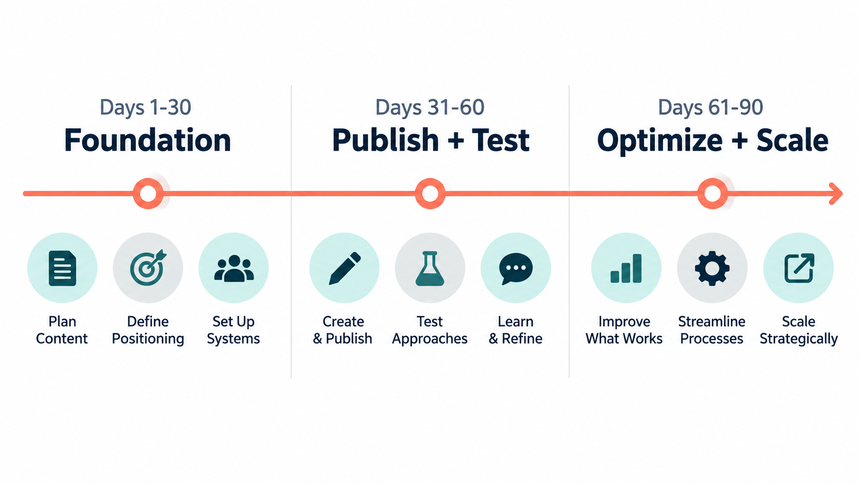
| Slide | Decision job | What to show |
|---|---|---|
| 1. The decision | Align the meeting | What is being approved, by whom, and for which quarter |
| 2. Business context | Explain the opportunity | Baseline, audience, constraint, and why now |
| 3. Audience research | Choose the priority | Situations, jobs, objections, and evidence |
| 4. Content pillars | Set the editorial frame | Pillars, clusters, and the job each serves |
| 5. Topic portfolio | Choose what to make | Priority topics, formats, proof, and next step |
| 6. Distribution | Choose where it travels | Channels, adaptations, cadence, and owners |
| 7. 90-day calendar | Make timing realistic | Milestones, dependencies, capacity, and buffer |
| 8. Measurement | Define learning | Outcome, leading signals, quality, and efficiency |
| 9. Action plan | Start execution | First two weeks, owners, risks, and review date |
Keep the appendix for the full backlog, research notes, editorial calendar, resource assumptions, and measurement definitions. The main deck should make the trade-offs visible: which ideas were not selected, which channel is intentionally limited, and what new evidence would change the plan.
Measure Performance Without Losing the Strategy
Measurement should tell the team whether the strategy is helping the intended audience and business, not just whether content was published. Use a hierarchy that distinguishes outcomes from signals and efficiency.
| Measurement layer | Examples | Use in the review |
|---|---|---|
| Outcome | Qualified pipeline, activated users, retained accounts | Did the program support the business goal? |
| Leading signal | Qualified visits, returning readers, demo starts | Is the audience moving toward the outcome? |
| Quality | Completion, assisted conversion, feedback, accuracy issues | Did the content help rather than merely attract? |
| Efficiency | Time to publish, reuse rate, cost per useful asset | Can the team sustain the operating model? |
Set a review date before publication. Avoid treating a short-term reach spike as proof of a strategy. Segment results by audience, pillar, format, and channel only when the segment changes the decision. Keep a short learning log: what happened, what the evidence suggests, what remains uncertain, and what you will test next.
Build the Content Strategy Deck with Presenti AI
Presenti can help turn an approved content strategy outline into an editable presentation draft. Start with the business goal, audience research, pillar definitions, calendar milestones, resource assumptions, and measurement plan. Ask for one assertion per slide and keep the decision and the 90-day action plan visible.
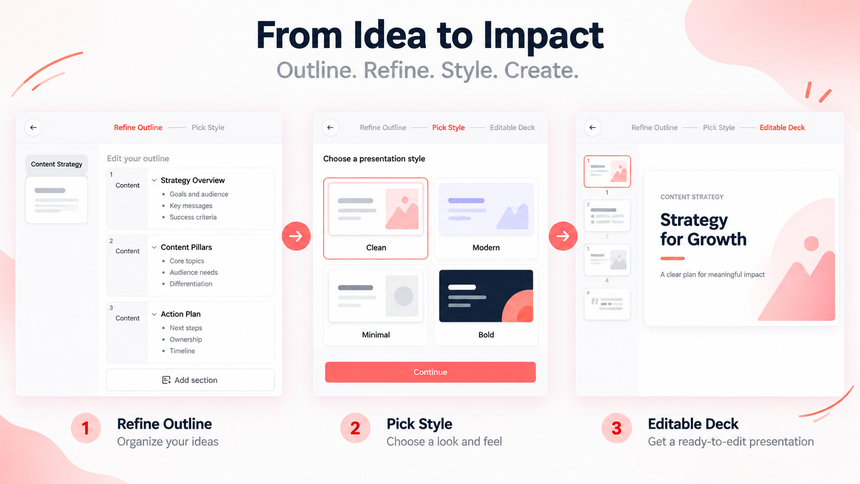
Browse presentation templates for a repeatable visual system, and connect the plan to the existing social media strategy plan when social distribution is one part of the program.
Review the generated deck against the strategy source. Confirm that audience research has not become a generic persona, that the calendar fits capacity, and that a KPI is not presented as a guaranteed outcome. AI can accelerate structure and layout; the team still owns evidence, prioritization, and approval.
Common Content Strategy Planning Mistakes
Calling a calendar a strategy
A list of dates does not explain why the content exists or what the audience should do. Add the goal, job, pillar, channel, and learning signal.
Choosing topics before understanding the task
Search volume or an executive preference can start a discussion, but it should not replace audience evidence. State the situation and decision each topic supports.
Planning beyond capacity
Count research, editing, design, distribution, maintenance, and measurement. Reduce the program before quality and ownership become invisible.
Measuring reach alone
Reach is useful context, not the whole outcome. Pair it with qualified behavior, content quality, and a business measure that the team can influence.
Repeating one message everywhere
Reuse the insight, but adapt the format, context, proof, and call to action for each channel.
Frequently Asked Questions
What is a content strategy presentation?
It is a decision-ready explanation of what content a team will create, for whom, why, where it will be distributed, who owns it, and how the team will learn. It is broader than an editorial calendar.
What should a content strategy deck include?
Include the business goal, audience research, content pillars, topic priorities, formats, channels, workflow, resource assumptions, a 90-day calendar, measurement definitions, and an action plan. Keep the detailed backlog in the appendix.
How is an editorial calendar different from a content strategy?
The strategy explains the choices and intended outcome. The calendar schedules the work and tracks ownership. A calendar without the strategic frame can be busy without being useful.
How many content pillars should a strategy have?
Use the smallest set that covers the audience jobs and business priorities. Three to five pillars are often easier to maintain than a long taxonomy, but the right number depends on the team and the market.
Can AI create a content strategy presentation?
AI can organize a verified outline, suggest a slide sequence, and create a first visual draft. It should not invent audience research, promise an outcome, or decide priorities without human review.
When your goals, evidence, and calendar are ready, try Presenti AI for free, then review the generated deck with your team before approving the plan.