The best free slideshow maker is not necessarily the tool with the largest template library or the fastest AI generator. It is the one that fits how you actually work.
Some people begin with a single idea and need AI to develop the story. Others already have a Word report, PDF, research paper, PowerPoint file, or collection of notes that must be converted into a clear presentation. Design teams may prioritize visual control, while sales and strategy teams may care more about editable PowerPoint exports, brand consistency, and collaboration.
This guide focuses on presentation-style slideshow makers, rather than photo-to-video slideshow apps. We compared 11 popular tools across the same practical dimensions:
- AI content generation
- Document and file import
- Presentation structure
- Design and editing flexibility
- Templates and visual assets
- Collaboration and sharing
- PowerPoint and PDF export
- Free-plan limitations
- Best use cases
- Important trade-offs
Quick Comparison: Free Access and Presentation Workflows
| Tool | Best For | AI and Content Input | Export Options | Free Access | Main Limitation |
|---|---|---|---|---|---|
| Presenti AI | Turning documents and ideas into structured, editable presentations | Prompts, PDF, Word, Markdown, TXT, PPTX, mind maps, URLs and audio | Editable PPTX and PDF on eligible paid plans | Limited introductory AI credits | Editable exports and advanced features are plan-dependent |
| Canva | Templates, visual assets and creative customization | Prompts, media uploads and existing presentations | PPTX, PDF, PNG, JPG and more | Permanent free plan | Many premium assets and AI features require Pro |
| Gamma | Fast, web-native AI presentations | Prompts, outlines, PDF and PPTX | PDF, PPTX, PNG and Google Slides | A limited introductory AI allowance | Free exports include Gamma branding |
| Google Slides | Real-time collaboration | Manual creation, Drive content and Gemini on eligible plans | PPTX, PDF and other standard formats | Core editor is free | Advanced AI access depends on the Google plan |
| Beautiful.ai | Automatically aligned business slides | Prompts and structured AI generation | PowerPoint, PDF and online sharing | 14-day trial | No permanent free plan |
| Prezi | Nonlinear and spatial presentations | Prompts, PDF and PowerPoint import | Online presenting; advanced export options vary by plan | Free Basic plan with AI credits | Free presentations are public by default |
| Visme | Charts, infographics and data-heavy presentations | Prompts and AI-generated visual content | Web sharing and plan-dependent downloads | Free plan with limited AI credits | Free exporting is limited |
| Adobe Express | Multimedia-rich and visually polished presentations | Prompts, documents and uploaded media | PPTX, PDF and JPG | Permanent free plan with limited AI generation | Less specialized for complex business narratives |
| Pitch | Collaborative startup and sales presentations | Prompts and imported PPTX files | PDF on Free; PPTX on paid plans | Unlimited free presentations | Free PDF exports include branding |
| Zoho Show | A genuinely free PowerPoint-style editor | Manual creation and PowerPoint import | PPTX, PDF, ODP, HTML and more | Free with no ads | Less advanced full-deck AI generation |
| Genially | Interactive learning and training content | Prompts, PDF, PPTX and Google Slides import | Web sharing; downloads are plan-dependent | Unlimited slides and free AI credits | Watermark, privacy and export restrictions |
Check the current plan for the input, AI allowance, and export format you need. This comparison describes workflows; it is not a controlled test of output quality.
How We Compared the Tools
This comparison uses a consistent evaluation framework rather than ranking tools solely by template quality.
1. Content intelligence
We considered whether the tool could do more than place text into a template. Strong AI presentation tools should be able to:
- Identify the main argument
- Separate primary and supporting information
- Build a logical outline
- Reduce repetitive content
- Match the presentation structure to the use case
- Suggest appropriate visual formats
This matters particularly when the source material is a long report, research document, meeting transcript, strategy brief, or technical specification.
2. Starting-point flexibility
Different users start with different materials. Useful input options to compare include:
- A short text prompt
- A detailed outline
- PDF documents
- Word documents
- Existing PowerPoint files
- Web links
- Markdown
- Mind maps
- Audio or transcripts
A tool that only accepts a short prompt may be fast, but it may not be suitable for document-heavy professional workflows.
3. Editing and design control
AI should accelerate presentation creation without trapping users inside a rigid output. We considered:
- Whether individual elements remain editable
- Whether layouts can be switched
- Whether users can rewrite or reorganize content
- Whether charts and diagrams can be adjusted
- Whether brand fonts, colors and logos can be applied
- Whether an existing deck can be redesigned
4. Export and compatibility
A presentation may eventually need to be:
- Presented directly in a browser
- Shared through a public or private link
- Downloaded as a PDF
- Edited in Microsoft PowerPoint
- Opened in Google Slides
- Stored as an internal company file
- Presented without an internet connection
For business users, an editable PPTX file can be more important than a beautiful web link.
5. The reality of the free plan
“Free” can mean several different things:
- A permanent free editor
- A limited number of AI credits
- Free creation but paid export
- Free public presentations
- A time-limited trial
- Free output with a watermark
We distinguish these models throughout the comparison.
1. Presenti AI — Drafting Presentations from Documents
Best for: Professionals, students and teams that need to transform existing source material into a structured presentation.
Free access: A free tier with limited AI credits. Paid plans add supported document imports, editable PPTX/PDF export, and limited uses of Pro Agent and audio-to-presentation.
Supported inputs: Text prompts, Word, PDF, Markdown, TXT, PowerPoint, mind maps, web links and audio.
Export options: Editable PPTX and PDF on eligible paid plans.
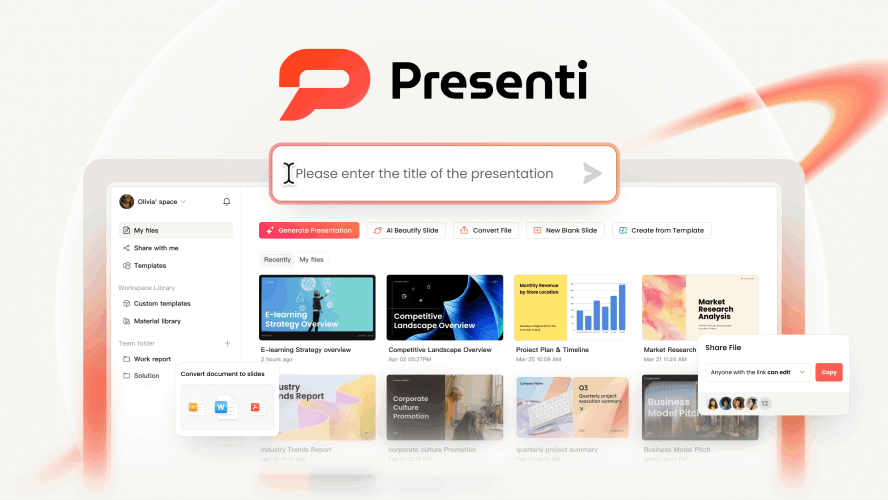
Presenti AI is built around a different starting point from many AI slideshow makers. Instead of assuming that the user has nothing more than a one-sentence prompt, it is designed for people who already have information but do not yet have a presentation.
That information might be contained in a 30-page PDF, a Word report, a Markdown document, an existing PowerPoint file, a mind map, a web page, an audio recording, or a rough collection of notes.
Presenti analyzes the source, extracts its hierarchy, and turns the material into an editable presentation structure. Its strongest use case is therefore not simply “make a beautiful deck.” It is:
Understand this material, identify what matters, organize it into a persuasive story, and convert that story into professional slides.
Presenti supports topic-to-presentation drafting and input from Word, PDF, TXT, Markdown, XMind, and links, subject to plan availability. It also offers audio-to-presentation on eligible plans. Improving an existing PPTX is a separate slide-beautification workflow.
Content structure and outline generation
When a document is uploaded, Presenti identifies headings, key arguments, evidence, relationships and supporting points. It then groups them into presentation sections rather than copying paragraphs directly onto slides.
Before committing to the final design, users can work with the generated outline and control:
- The presentation title
- The number of slides
- Section order
- The depth of the content
- The intended audience
- The visual style
- The language
- The presentation format
This intermediate outline stage is important. A weak outline produces a weak presentation regardless of how polished the template looks. By allowing users to review the narrative before slide generation, Presenti makes it easier to correct the message early.
Strategic business layouts
Presenti is particularly useful for business presentations because it supports content structures associated with common strategic frameworks.
These include layouts for:
- SWOT analysis
- PEST analysis
- SMART goals
- Timelines
- Comparisons
- Processes
- Roadmaps
- Market analysis
- Pyramid-style arguments
- Porter’s Five Forces
- Business planning and reporting
Instead of treating every slide as a title followed by four bullet points, the system can match the content to a more suitable visual structure. Users can also switch layouts after generation, allowing the same content to be shown as a process, comparison, timeline, matrix, hierarchy, or other visual model.
AI chat editing
Presenti includes a conversational AI editor for refining the deck after generation. Users can make natural-language requests such as:
- Make this slide more concise
- Turn this paragraph into three key takeaways
- Add a comparison table
- Rewrite this for an executive audience
- Make the tone more persuasive
- Replace the image
- Make this slide more visual
- Add supporting detail
- Simplify the terminology
- Reorganize this section
This reduces the need to manually edit every text box. It also helps users preserve the context of the full presentation while revising an individual slide.
Pro Agent and research-based presentations
Standard AI slide generators are generally strongest at summarizing information supplied by the user. They are less reliable when the presentation requires current market context, competitor research, industry developments, or evidence beyond the uploaded file.
Eligible Presenti plans include a limited number of Pro Agent uses. For a research-based presentation, supply reliable sources and verify any new facts, citations, and chart data in the draft.
This makes the feature more suitable for:
- Industry analysis
- Market trend reports
- Competitive research
- Strategy presentations
- Executive briefings
- Consulting decks
- Board presentations
- Investor materials
Keep the source, date, and relevant context for each important claim. A generated citation is only useful after you confirm that it exists and supports the statement.
PowerPoint beautification
Presenti is not limited to creating new presentations. Users can upload an existing PPTX file and use AI to improve its visual presentation.
This workflow can help with:
- Inconsistent typography
- Outdated templates
- Poor spacing
- Repetitive slide layouts
- Weak visual hierarchy
- Excessive text
- Missing imagery
- Inconsistent colors
- Slides created by multiple contributors
Rather than rebuilding the deck manually, users can preserve the original content while applying new layouts and visual styles.
This is particularly valuable for recurring business materials such as sales decks, monthly reports, training presentations and investor updates. The content may already be approved, but the presentation needs to be modernized.
Brand consistency
For organizations creating presentations at scale, Presenti supports brand settings for logos, colors and fonts. Once established, these controls can help teams generate presentations that follow a consistent visual identity.
This matters when presentations are created by people outside the design team. Sales, HR, operations and marketing employees may all need to produce decks, but they should not each interpret the brand system differently.
Templates and editing
Presenti provides professionally designed templates for business, education, marketing, sales, technology, research and other presentation scenarios. The AI adapts the selected template to the content rather than requiring the user to fill every placeholder manually.
After generation, users can continue editing in the online presentation editor. Text, images, layouts and other content remain adjustable, and individual slide styles can be changed without regenerating the entire deck.
Export and sharing
Presenti supports online presenting and sharing, with editable PPTX and PDF downloads on eligible paid plans. Check the input, export, and advanced-feature allowances required by your project.
The editable PowerPoint workflow is an important advantage for users who must hand a deck to colleagues, clients, teachers, managers or investors. A web-only presentation can be convenient, but many organizations still require a native file that can be stored, edited and presented through familiar software.
Presenti AI limitations
Presenti is strongest when presentation structure, document conversion and PowerPoint compatibility matter. It may be less suitable for users whose main goal is to create social graphics, short videos, posters and presentations in one general-purpose creative suite.
The free tier also functions primarily as an opportunity to evaluate the generation experience. Users who require editable PPTX or PDF exports, advanced document workflows, Pro Agent use, audio conversion or expanded generation limits should review the current paid-plan requirements before starting the project. Presenti’s pricing page currently distinguishes its basic free experience from advanced importing and exporting capabilities.
Presenti AI verdict
Choose Presenti AI when the greatest challenge is not decorating slides but converting substantial information into a coherent presentation.
It is especially well suited to users who:
- Already have a document or existing deck
- Need a structured business narrative
- Need to organize supplied research
- Need editable PowerPoint output
- Regularly redesign older presentations
- Need brand-consistent slides across a team
- Want to edit the presentation through natural-language instructions
2. Canva — Templates and Visual Customization
Best for: Users who want a large design ecosystem, extensive visual assets and flexible manual customization.
Free access: A permanent free plan with limited access to AI tools and premium content.
Supported inputs: Text prompts, images, videos, existing presentations and other uploaded media.
Export options: PPTX, PDF, PNG, JPG and other media formats.
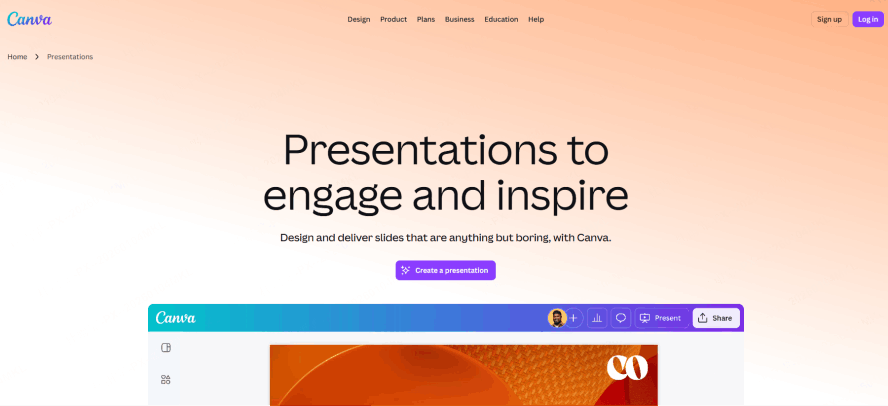
Canva remains one of the easiest tools for creating visually polished presentations without professional design software. Its main strength is the combination of a drag-and-drop editor, a very large template library, stock photography, illustrations, icons, charts, video, audio and AI-assisted design tools.
Magic Design for Presentations can turn a text prompt into an initial slide deck with an outline, written content and coordinated layouts. Users can then replace the imagery, change templates, edit the copy, add animations, apply charts, or reuse the content in another Canva format.
Design and editing
Canva provides more freeform visual control than highly automated presentation tools. Users can move, resize and layer objects freely, which makes it suitable for:
- Marketing decks
- Creative proposals
- Portfolios
- Event presentations
- Social media reports
- Brand presentations
- Photo-heavy presentations
- Educational projects
Its large asset library is useful when visual presentation matters more than deep document analysis.
Canva also supports collaboration, comments, shared folders and presentation links. Teams already using Canva for marketing materials can keep slides, social posts, videos and other assets within the same ecosystem.
Import and export
Existing PowerPoint files can be opened and edited in Canva, although complex animations, unusual fonts or advanced PowerPoint elements may not transfer perfectly.
Completed presentations can be downloaded as PPTX, PDF, PNG or JPG files, or presented directly from Canva.
Canva free-plan limitations
Canva offers a meaningful permanent free plan, but free users will frequently encounter premium templates, stock assets, fonts and AI features marked with a Pro icon. AI generation limits also vary by feature.
The platform is broad rather than specialized. Magic Design can create an attractive first draft, but turning a long, complex report into a rigorous executive narrative may require more manual editing than it would in a document-focused presentation tool.
Canva verdict
Choose Canva when visual customization and asset variety are the priorities. It is one of the strongest options for users who enjoy editing the design themselves and want presentations to connect with a broader creative workflow.
3. Gamma — Card-Based Web Presentations
Best for: Creating a presentable draft quickly and sharing it as a modern web experience.
Free access: A limited introductory AI allowance, with up to 10 cards generated per prompt.
Supported inputs: Prompts, outlines, PDF files and PPTX files.
Export options: PDF, PPTX, PNG and Google Slides.
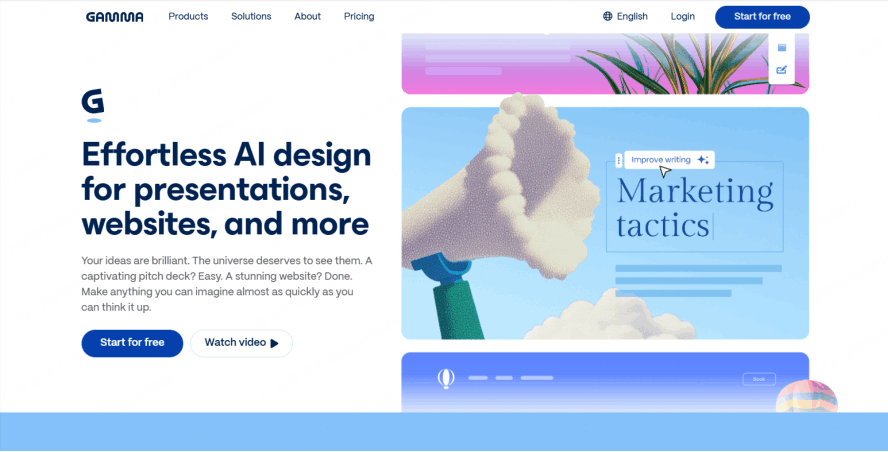
Gamma approaches presentations as flexible, responsive web documents rather than fixed 16:9 slides. Its content is organized into cards that can contain text, images, embedded media, tables and other elements.
This format works particularly well for presentations that will be:
- Shared asynchronously
- Read through a browser
- Embedded in a workspace
- Sent through email or Slack
- Used as a proposal or short report
- Viewed on different screen sizes
The AI generation experience is fast. Users can enter a topic, choose a tone and visual direction, and receive a complete first draft with multiple cards.
Editing and design
Gamma automatically handles much of the layout while allowing users to rewrite content, change themes, add cards and rearrange sections. It is less rigid than a conventional slide template but more structured than a completely freeform design canvas.
Its greatest strength is speed. Someone with a clear topic can move from a prompt to a shareable presentation with relatively little setup.
Import and export
Gamma’s free plan includes PDF and PPTX import. It also allows users to export content as PDF, PPTX, PNG and Google Slides. Free exports retain Gamma branding, while paid plans remove it.
Because Gamma is built around responsive cards rather than traditional PowerPoint geometry, an exported PPTX may require minor adjustments. Layouts that work naturally in a browser do not always map perfectly to a fixed slide canvas.
Gamma free-plan limitations
The free plan has an AI allowance and includes Gamma branding on exports. Check the current generation limits for your account.
Users who frequently create new decks, need advanced AI models, require analytics, want custom fonts, or need unbranded output will eventually need a paid plan.
Gamma verdict
Choose Gamma when you have an idea and need a modern, web-first presentation quickly. It is particularly effective for asynchronous communication, internal updates, proposals and presentations shared primarily through links.
4. Google Slides — Collaborative Slide Editing
Best for: Teams that need multiple people to edit a conventional presentation simultaneously.
Free access: The core Google Slides editor is available without charge through a Google account. Advanced Gemini features depend on the user’s Google Workspace access.
Supported inputs: Manual creation, PowerPoint files, Google Drive content and AI-assisted creation on eligible plans.
Export options: PPTX, PDF and common presentation formats.
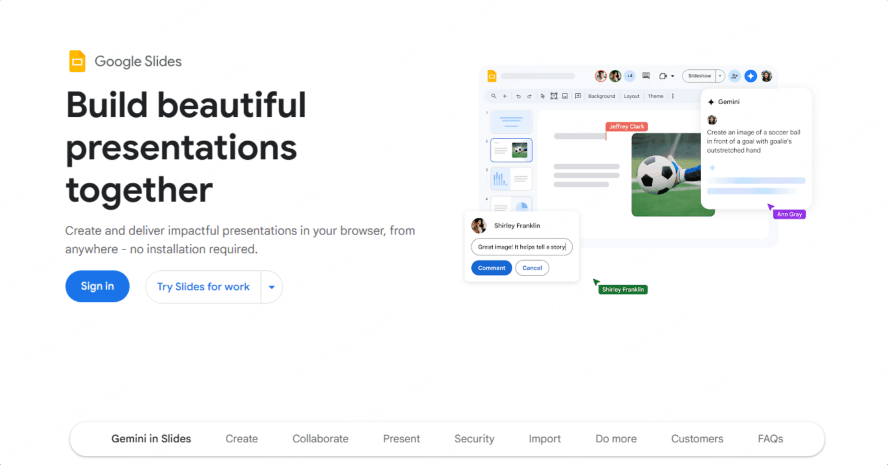
Google Slides remains one of the most practical free presentation tools because it solves collaboration exceptionally well.
Multiple people can work in the same deck, leave comments, assign tasks, review version history and see edits in real time. Sharing permissions are familiar to anyone who already uses Google Docs, Sheets or Drive.
AI capabilities
Google has integrated Gemini into Slides. Depending on account and Workspace eligibility, Gemini can:
- Generate new slides
- Create images
- Summarize a presentation
- Rewrite content
- Reference files stored in Google Drive
- Use information from Gmail
- Help turn existing material into new slides
Google has also improved AI-generated slide layouts, including the ability to create editable visual structures from tables, sketches and source content.
It is important to distinguish the free Google Slides editor from Gemini access. The editor itself is free, but specific generative AI capabilities may require a qualifying Workspace subscription or account configuration.
Editing and compatibility
Google Slides uses a familiar slide-based editor. It supports themes, layouts, charts, diagrams, speaker notes, comments and PowerPoint import and export.
The interface is less design-oriented than Canva and less automated than Presenti, Gamma or Beautiful.ai. Producing a sophisticated visual deck often requires manual layout work or a strong starting template.
Google Slides limitations
Google Slides is excellent for collaborative editing but is not always the fastest tool for creating a complete, polished narrative from raw information.
Its limitations include:
- Less sophisticated automatic layout
- A smaller built-in visual asset ecosystem than Canva
- AI availability that depends on plan eligibility
- More manual work for highly polished business slides
- Occasional PowerPoint compatibility differences
Google Slides verdict
Choose Google Slides when collaboration, access control and familiar cloud editing matter more than advanced automated design.
5. Beautiful.ai — Automatic Layout Assistance
Best for: Professionals who want polished, consistently aligned business presentations without manually positioning every object.
Free access: A 14-day free trial rather than a permanent free plan. A credit card is required for the trial.
Supported inputs: Prompts, generated outlines and manually entered content.
Export options: PowerPoint, PDF and online presentation formats, depending on the plan.
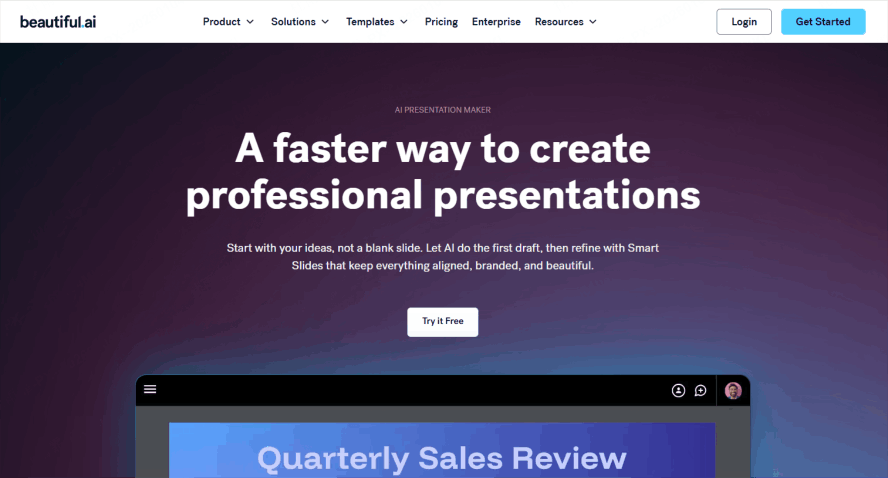
Beautiful.ai is built around Smart Slides. Instead of allowing users to position every item freely, each Smart Slide follows an intelligent layout system that adjusts as content is added or removed.
This constraint is the product’s main strength. It helps prevent:
- Misaligned objects
- Inconsistent spacing
- Overcrowded layouts
- Poor visual hierarchy
- Accidental changes to the design system
AI and editing
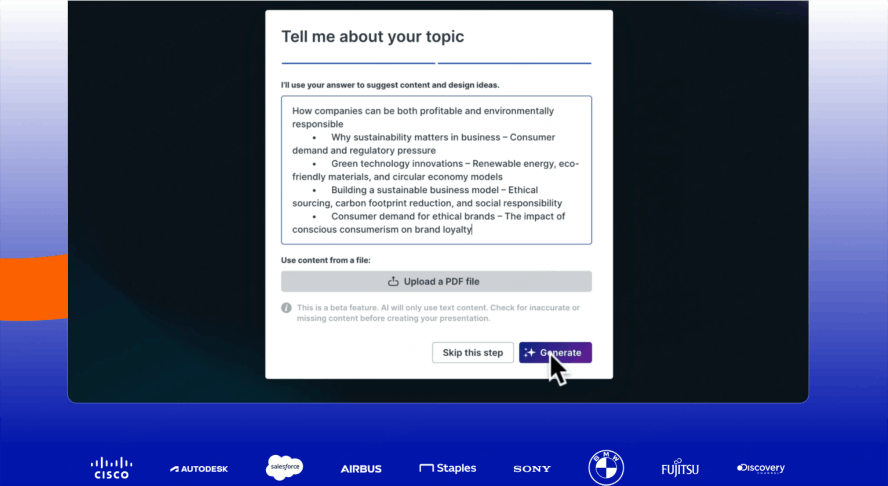
Beautiful.ai can generate a presentation from a prompt, develop content and apply it to suitable Smart Slide layouts. Users can rewrite copy, change images, adjust themes and select different visual structures.
It is particularly effective for:
- Sales decks
- Company presentations
- Strategy reports
- Business reviews
- Project updates
- Marketing plans
- Executive presentations
Brand controls and team features also make it suitable for organizations that want employees to create presentations without departing from approved visual standards.
Beautiful.ai free-access limitations
Beautiful.ai should not be described as a conventional free slideshow maker. It currently offers a 14-day trial of its Pro or Team features. The trial requires a credit card and converts into a paid subscription unless it is canceled.
This distinction matters for students or occasional users looking for a tool they can continue using indefinitely without payment.
Beautiful.ai verdict
Choose Beautiful.ai when automatic alignment and professional business layouts matter more than unrestricted design freedom. Treat it as a paid tool that can be evaluated through a trial, not as a permanent free platform.
6. Prezi — Spatial Storytelling
Best for: Keynotes, educational presentations and live talks that benefit from moving between a big-picture overview and supporting details.
Free access: A Basic plan with limited AI access.
Supported inputs: Prompts, PDF files, PowerPoint files and manually created content.
Export options: Online presentation and plan-dependent offline or downloadable formats.
Prezi does not organize ideas as a sequence of separate rectangular slides. Instead, content is placed on a larger visual canvas. The presenter can zoom between topics, move into supporting details and return to the overall structure.
This can make relationships between ideas easier to understand.
Prezi is effective for:
- Concept maps
- Product ecosystems
- Customer journeys
- Processes
- Educational topics
- Story-driven keynotes
- Presentations with flexible navigation
AI capabilities
Prezi AI can generate a presentation from a prompt, import PDF or PowerPoint content, create AI images and transform existing text. Check the Basic plan’s current AI allowance before starting.
The spatial format also allows presenters to respond more flexibly during live discussions. Rather than advancing through a fixed sequence, they can move directly to a relevant topic.
Prezi free-plan limitations
Presentations created under the free Basic plan are public by default. Privacy controls, advanced export options and offline access are associated with paid plans.
The motion that makes Prezi distinctive can also become distracting when overused. For conservative boardrooms, investor meetings or formal reports, a linear slide deck may still be more appropriate.
Prezi verdict
Choose Prezi when the relationship between ideas is part of the story and when live presentation impact matters more than traditional PowerPoint compatibility.
7. Visme — Data Visualization and Infographics
Best for: Reports, infographics, charts and presentations containing substantial data.
Free access: A free plan with a limited AI allowance.
Supported inputs: Prompts, manually entered content and uploaded media.
Export options: Online sharing and limited free downloads; advanced export formats require a paid plan.
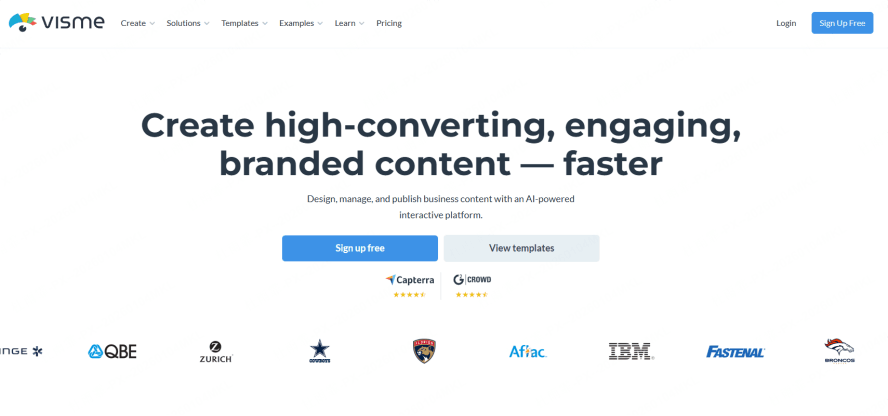
Visme combines presentation creation with infographics, documents, charts, reports, proposals and other forms of business content.
Its strongest features are associated with visualizing information. Users can add:
- Charts
- Maps
- Data widgets
- Timelines
- Diagrams
- Progress indicators
- Infographics
- Interactive elements
- Animated statistics
This makes Visme especially useful for annual reports, research presentations, educational content and data-rich marketing materials.
AI and editing
The AI presentation maker can generate a deck from a prompt and provide a starting structure, visual direction and written content. Users can then edit the result through Visme’s broader design environment.
Visme also supports team workspaces, brand controls and content management, making it more suitable for organizations producing multiple types of visual assets.
Visme free-plan limitations
Different AI actions can consume the account’s allowance differently; review the current limits for your intended workflow.
The free plan is enough to evaluate the editor and generate a small number of designs, but it is restrictive for ongoing AI use. Advanced download formats and broader export capabilities also require an upgrade.
Visme verdict
Choose Visme when charts, data storytelling and infographic-style content are more important than rapid document-to-deck conversion.
8. Adobe Express — Multimedia Presentation Design
Best for: Marketers, educators and creators who want presentations that combine graphics, photography, animation, audio and video.
Free access: A free plan with separate limits for presentation generation and other AI features.
Supported inputs: Text prompts, uploaded documents, images and other media.
Export options: PPTX, PDF and JPG, as well as direct online presenting.
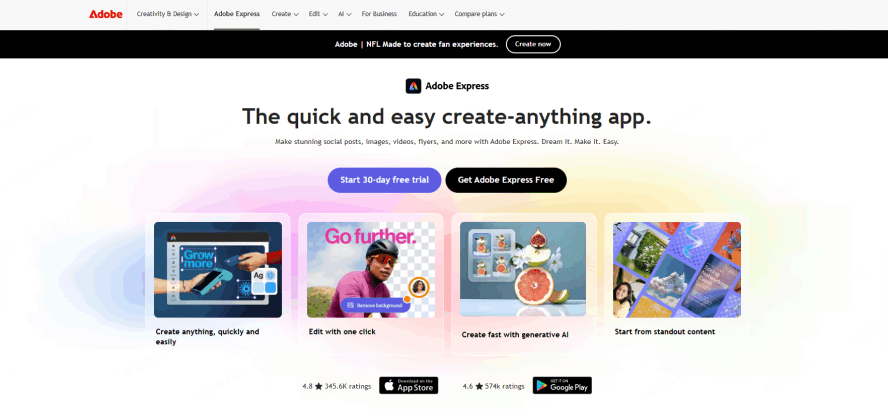
Adobe Express is a broad creative platform rather than a dedicated presentation-only product. Its advantage is the ability to combine presentation creation with Adobe’s wider design and media ecosystem.
Users can access:
- Professionally designed presentation templates
- Adobe Stock images
- Fonts
- Icons
- Animation
- Video
- Audio
- Image editing
- Firefly-powered generation
- Brand assets
- Other Adobe application integrations
AI presentation generation
Adobe Express distinguishes between an AI template generator and an AI presentation generator.
The template generator creates an editable visual direction for a design. The presentation generator produces a complete multi-slide deck from a prompt or uploaded document, including an outline, slide content and layouts.
Review the current Generate Presentations allowance separately from credits for other creative AI features.
Editing and export
Users can customize typography, colors, graphics, media and layouts in the browser. Adobe Express presentations can be downloaded as PPTX, PDF or JPG files, or presented directly from the platform.
Adobe Express limitations
Adobe Express is strongest as a visual production environment. It may require more manual intervention when the source is a complicated business report that needs careful argument development, evidence selection and slide-by-slide narrative planning.
Users may also encounter premium templates, assets and advanced editing features that require an upgrade.
Adobe Express verdict
Choose Adobe Express when presentation design is closely connected to photography, video, animation, social content or a broader Adobe workflow.
9. Pitch — Team Presentation Workflows
Best for: Startup teams, agencies and sales organizations creating presentations together.
Free access: Unlimited presentations under the permanent Free plan, plus a one-time allocation of AI credits.
Supported inputs: Prompts, manually entered content and imported PPTX files.
Export options: Branded PDF exports on the Free plan; PowerPoint export is a paid capability.
Pitch combines presentation design with team workflow. Its interface and templates are particularly well suited to:
- Startup pitch decks
- Sales presentations
- Client proposals
- Product updates
- Project plans
- Team reports
- Fundraising materials
The free plan allows users to create unlimited presentations and collaborate inside a shared workspace.
AI and team workflow
Pitch’s AI generator can create a presentation from a prompt, after which users can choose typography and a color palette and continue editing with team members.
Pitch also provides collaborative features for comments, assignments, shared workspaces and presentation links. Its AI capabilities are increasingly positioned within the full presentation workflow rather than only the initial generation step.
Import and export
Existing PPTX files can be imported into Pitch. Free users can export presentations as PDF files, but those exports include Pitch branding.
PowerPoint export is a premium feature. Current Pitch help documentation states that PPTX export is unavailable when a workspace returns to the free plan.
Pitch free-plan limitations
The free plan is generous for online collaboration, but users needing an unbranded client deliverable or editable PowerPoint file will need to upgrade.
Advanced presentation links, analytics, custom fonts, additional brand options and other business capabilities are also plan-dependent.
Pitch verdict
Choose Pitch when the presentation is being created by a team and will primarily be shared through a modern collaborative workspace. Confirm export requirements before using the Free plan for external client deliverables.
10. Zoho Show — Conventional Online Slide Editing
Best for: Users who want a conventional online presentation editor without ads or subscription pressure.
Free access: Zoho Show is free and does not display ads.
Supported inputs: Manual creation and existing presentation files, including PPT and PPTX.
Export options: PPTX, PPSX, PDF, ODP, HTML and Zoho’s own presentation format.
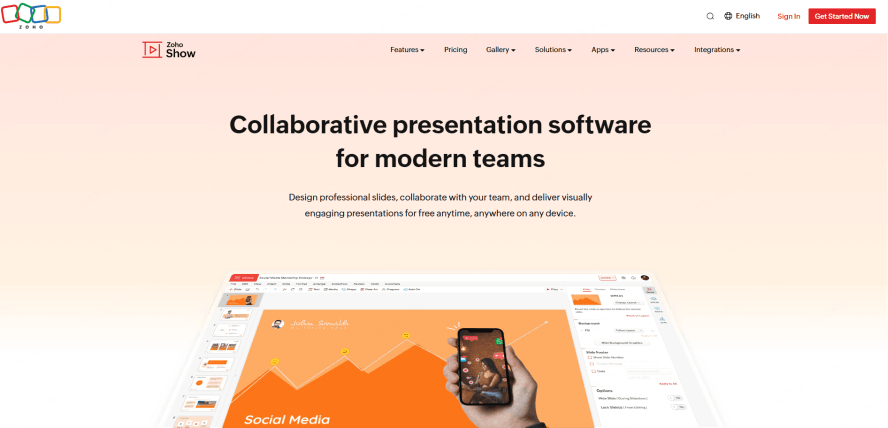
Zoho Show is one of the most complete genuinely free presentation editors. Its interface follows a familiar slide-based model, making it relatively easy for PowerPoint and Google Slides users to understand.
It supports:
- Templates
- Charts
- Tables
- Diagrams
- Media
- Animations
- Transitions
- Infographics
- Team collaboration
- Online publishing
- Remote presentation
- Smart TV broadcasting
- Mobile presentation control
Zoho states that Show is free with no ads.
PowerPoint compatibility
Zoho Show can import PPT, PPTX, PPS, PPSX, ODP and other presentation formats. It can export presentations as PPTX, PPSX, PDF, ODP, HTML and ZSLIDES files. Individual slides can also be downloaded as PDF, JPEG or PNG.
This makes it a strong option for people who need to open, edit and export conventional presentation files without purchasing Microsoft PowerPoint.
Collaboration and presenting
Teams can collaborate on presentations and publish them internally or externally. Presentations can also be embedded on websites or made available for viewers to download.
Zoho’s support for mobile devices, Apple TV, Android TV and other presentation environments is useful for users who regularly present away from a conventional laptop setup.
Zoho Show limitations
Zoho Show is primarily a presentation editor, not an advanced AI research and document-to-deck platform.
If document-to-slide drafting is central to your task, compare the available import and generation workflow with your own source document before choosing a tool.
Zoho Show verdict
Choose Zoho Show when you want a capable, familiar and genuinely free PowerPoint-style editor with strong format compatibility.
11. Genially — Interactive Learning Content
Best for: Teachers, trainers and content creators who need interactive presentations, quizzes and learning experiences.
Free access: Unlimited slides, interactions and animations, along with a free allocation of AI credits.
Supported inputs: Prompts, PDF, PPTX and Google Slides files.
Export options: Online sharing under the Free plan; downloadable formats require eligible premium plans.
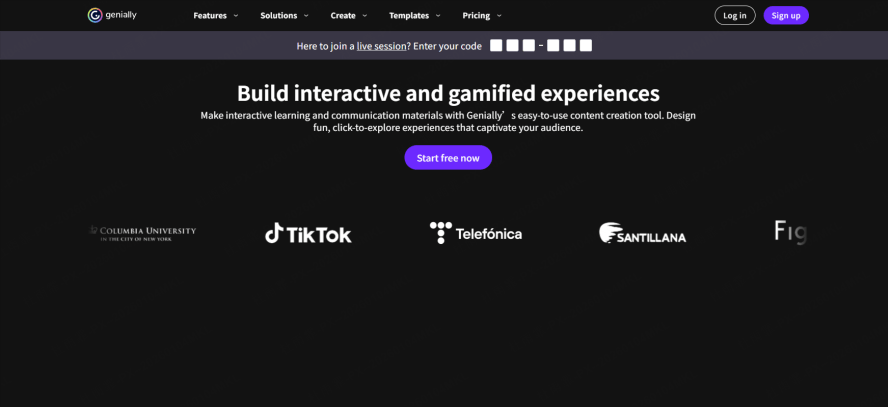
Genially goes beyond conventional presentations by allowing users to add interactions directly to the content.
Examples include:
- Clickable hotspots
- Pop-up explanations
- Interactive images
- Quizzes
- Games
- Escape rooms
- Learning activities
- Branching navigation
- Animated diagrams
- Live audience sessions
This makes it particularly valuable for education, onboarding, corporate training and self-guided learning.
AI capabilities
Genially AI can help generate text, summaries, questions, interactive components and other content. The Free plan includes a limited allowance for supported AI features.
Users can also import PowerPoint, PDF and Google Slides content, making it possible to turn an existing static presentation into something more interactive.
Free-plan limitations
The Free plan supports unlimited slides with interactions and animations.
However, free creations include Genially branding and have restrictions related to privacy and export. Downloading in formats such as PDF, images, video or offline HTML requires an eligible premium plan.
Genially verdict
Choose Genially when audience participation and interactive learning matter more than conventional PowerPoint delivery.
Which Free Slideshow Maker Should You Choose?
The best tool depends on your source material, audience and final delivery format.
Choose Presenti AI if you already have substantial content
Consider Presenti when your starting material is a Word file, PDF, Markdown document, XMind outline, link, or audio recording. Check the input and usage allowance on your plan; use the separate beautification workflow for an existing PPTX.
It is also a strong choice when you need:
- Business frameworks
- Source-based outlines
- AI-assisted editing
- PowerPoint beautification
- Brand consistency
- Editable PPTX output
Choose Canva if you prioritize visual control
Canva is better suited to users who want to explore templates, stock media, graphics, animations and flexible manual design.
Choose Gamma if you need a presentation immediately
Gamma is one of the fastest ways to turn a short prompt into a polished, shareable web presentation.
Choose Google Slides if several people must edit together
Google Slides remains one of the most reliable tools for simultaneous editing, comments and familiar Drive-based permissions.
Choose Beautiful.ai if alignment is your biggest design problem
Beautiful.ai’s Smart Slides reduce the risk of inconsistent spacing and poor layout, but it should be evaluated as a paid product with a trial.
Choose Prezi if your story is nonlinear
Prezi works well when the audience needs to understand both the big picture and the relationships between individual topics.
Choose Visme for data visualization
Visme is a strong choice for charts, infographics, interactive statistics and report-style presentations.
Choose Adobe Express for multimedia presentations
Adobe Express is ideal when slides must combine photography, video, animation, audio and visual effects.
Choose Pitch for startup and sales teamwork
Pitch is effective when a team needs to create, review and share modern business presentations inside a collaborative workspace.
Choose Zoho Show for a completely free conventional editor
Zoho Show is one of the best choices for users who want familiar PowerPoint-style editing and standard file exports without ads.
Choose Genially for interactive learning
Genially is the strongest option for quizzes, training, educational experiences and clickable content.
What to Check Before Choosing a Free Presentation Maker
Before committing to a platform, answer the following questions.
Do you need an editable PowerPoint file?
Some platforms allow users to create and present for free but charge for PPTX export. Others export a PowerPoint file with branding or convert web-native layouts imperfectly.
Check this before building the entire presentation.
Are your presentations confidential?
Some free plans make presentations public by default. This may be acceptable for a school project but inappropriate for:
- Investor information
- Client data
- Internal strategy
- Employee information
- Unreleased product plans
- Financial reports
Review privacy settings before uploading sensitive material.
Does the free plan renew its AI credits?
A platform may offer:
- One-time starter credits
- Monthly credits
- Annual credits
- Lifetime generation limits
- Credits that can be earned through referrals
A free plan that works for one presentation may not support a recurring weekly workflow.
Will the exported presentation preserve advanced elements?
Animations, videos, custom fonts, embedded content and interactive components may behave differently after export.
A deck created for live browser presentation may not look identical in PowerPoint or PDF.
Do you need AI to understand a document?
Prompt-based generators work well when the topic is simple. They are less suitable when the presentation must accurately represent a long report.
For document-heavy work, prioritize tools that support structured file import and allow you to review the generated outline.
How much design control do you need?
Highly automated layout systems are faster and safer for non-designers, but they can limit customization. Freeform editors provide greater control but require more time and design judgment.
Frequently Asked Questions
What is the best free slideshow maker for presentations?
Consider Presenti for source-document drafting, Canva for visual-asset editing, Gamma for card-based web presentations, and Google Slides for collaborative slide editing. Test the workflow that matches your starting material and delivery format.
The best option depends on how you start and how you need to deliver the final presentation.
Is there a completely free AI presentation maker?
Several platforms provide permanent free plans, but most limit AI usage, exports, privacy settings, templates or branding.
Google Slides and Zoho Show provide strong free editing experiences. Gamma, Canva, Presenti, Prezi, Visme, Pitch and Genially provide free access with different AI, branding or export limitations. Beautiful.ai currently provides a trial rather than a permanent free plan.
Can AI turn a PDF or Word document into a presentation?
Yes. Presenti supports document-based drafting from PDF, Word, Markdown, and other supported inputs. Existing PPTX improvement uses the slide-beautification workflow. Review the generated structure and paid export options before committing to the final deck.
Other tools support selected document formats, but the depth of document interpretation and free-plan availability varies.
Which free presentation maker can export to PowerPoint?
Canva, Gamma, Google Slides, Adobe Express and Zoho Show support PPTX export under their respective current plans.
Presenti supports editable PPTX export on eligible paid plans. Pitch reserves PowerPoint export for paid plans. Other tools may limit downloads or attach branding under free access.
Always confirm current export rules before creating a presentation for an important deadline.
Which presentation maker is best for students?
Canva, Google Slides, Prezi, Zoho Show and Genially are all useful for students.
Presenti is particularly useful for turning research notes, reports and papers into an initial presentation structure. Genially is better for interactive class activities, while Google Slides is better for group assignments.
Which tool is best for business presentations?
Presenti AI is well suited to business presentations that require document conversion, strategic layouts, research, brand consistency and editable PowerPoint output.
Beautiful.ai is useful for automatically aligned business slides, Pitch is strong for startup and sales collaboration, and Visme is useful for reports containing charts and data.
Which presentation maker has the best templates?
Compare Canva and Adobe Express when template choice and visual assets are central. Preview examples relevant to your subject and check which assets are included in your plan.
Presenti focuses more specifically on presentation-ready templates that can be populated automatically from source material and adapted to business structures.
Can I improve an existing PowerPoint with AI?
Presenti allows users to upload an existing PPTX file and use AI to restructure, redesign and beautify the presentation.
This can be faster than rebuilding an outdated presentation manually, particularly when the content is already approved but the visual style needs improvement.
Final Verdict
There is no single free slideshow maker that is best for every workflow.
The tools approach presentation work differently: Canva and Adobe Express combine slides with wider visual-design workflows; Gamma uses a card-based workspace; Google Slides and Pitch support team editing; Beautiful.ai assists with layouts; Prezi uses a spatial canvas; Visme focuses on visual content and data; Zoho Show provides a conventional editor; and Genially supports interactive content. Choose according to the task and current plan conditions.
Presenti AI stands out when presentation creation begins with information rather than an empty slide.
Presenti brings supported source inputs, outline drafting, slide editing, and a separate PPTX beautification workflow into one presentation product. Evaluate the resulting deck with your own source material, brand requirements, and export needs.
Instead of asking users to manually move information from a document into a template, Presenti helps connect the full process:
Source material → structured outline → designed presentation → AI refinement → editable final file
For professionals, students and teams working with substantial content, that workflow can remove some of the most time-consuming parts of presentation creation.
Turn your document, idea or existing PowerPoint into a structured presentation with Presenti AI.