A portfolio presentation should help an interviewer understand how you think, what you contributed, and what your work actually shows. Select a few projects that support the role you want, then explain the decisions behind the finished artifacts. A sequence of attractive images leaves too much of that story for the audience to guess.
For a hiring presentation, the interview brief comes first. Follow its time limit and requested content; the guide to preparing slides for a job interview covers the wider introduction and role-fit discussion. This article focuses on the portfolio itself: choosing three cases and turning them into a connected presentation.
The worked example follows a fictional product designer applying for a role on a workplace software team. The three example projects show how to explain decisions, individual contributions, and work that has not yet shipped.
Choose projects that prove different things
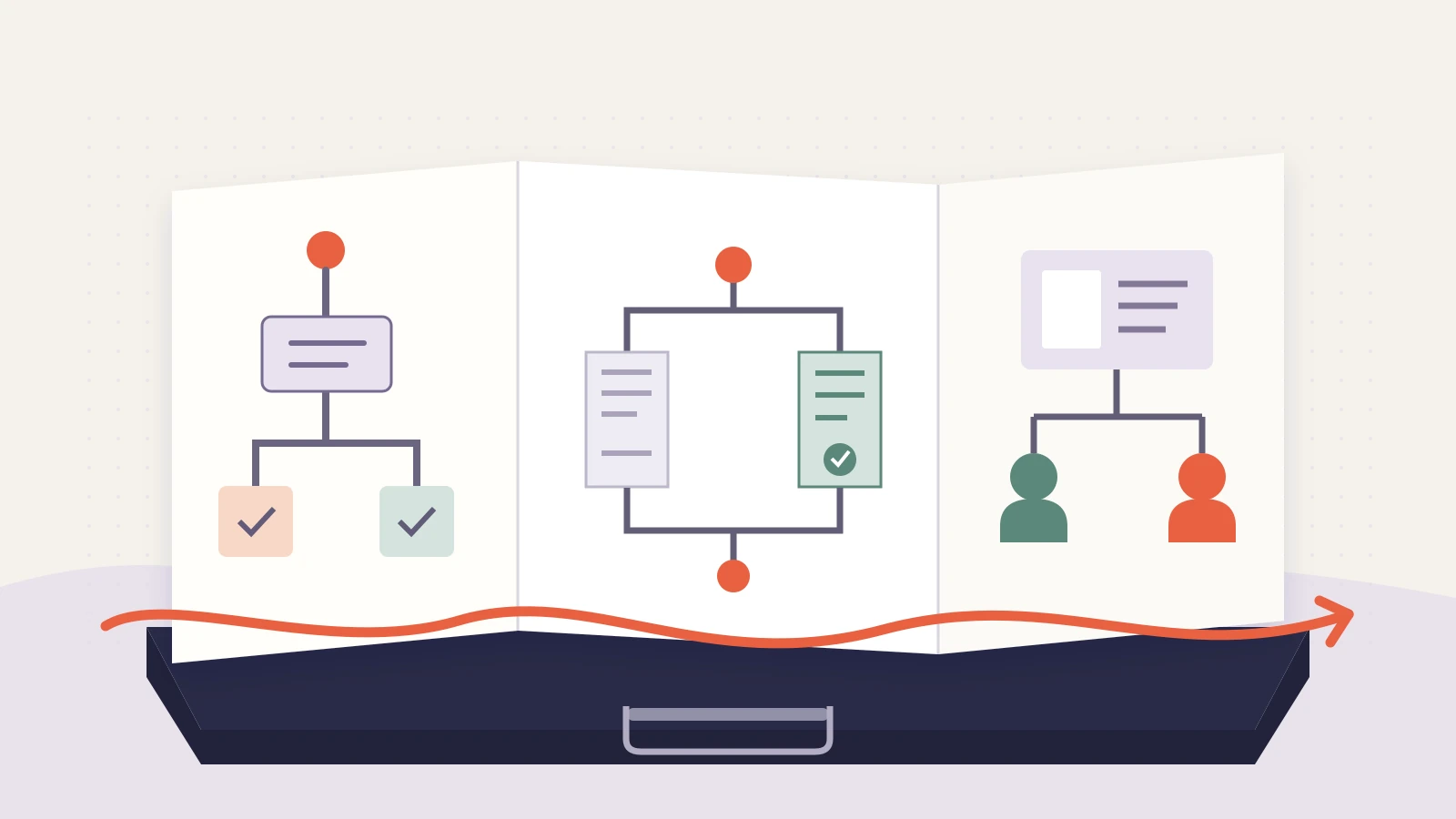
Start with the capabilities the role asks for. Then choose projects that give you specific material to discuss. Three similar polished screens may prove less than one finished feature, one difficult trade-off, and one smaller improvement whose limitations you can explain.
For the example designer, the role calls for clear workflows, practical collaboration, and the ability to improve an existing product. The selected cases are:
| Project | What the case demonstrates | Evidence worth showing |
|---|---|---|
| Shift-swap request | Turning a confusing workflow into a clearer decision sequence. | The original flow, an alternative considered, and the final prototype. |
| Expense-submission form | Working within an existing system and negotiating a trade-off. | A constraint, the proposed change, and the reason one option was rejected. |
| Permissions handover | Making a design usable by the team that will build and maintain it. | An annotated state diagram and a handover example. |
Do not choose a project only because the client is recognizable. If you cannot explain your contribution or share enough material, a smaller project may make a stronger case. Equally, do not force three projects into a brief that explicitly asks for one deep case study.
Build the story around your strongest case
Give the project most relevant to the job enough time to reveal a decision. The other cases can add breadth. In a twelve-minute example slot, the designer might use one minute to frame the portfolio, five for the shift-swap case, three for the expense form, two for the handover case, and one to close. That is a planning example; use the interviewer's actual format and leave time for questions where requested.
A useful opening is specific: “These projects show how I clarify workflows, make trade-offs within an existing product, and prepare work for implementation.” It gives the audience a reason to follow three different cases without claiming mastery of everything.
For each case, keep the same questions in view: what needed to change, what you owned, which decision mattered, what you produced, and what happened afterward. The amount of detail can vary. You do not need to display every research note and iteration simply to prove that a process took place.
Worked case: a shift-swap request
Make the problem visible
In the fictional workplace app, an employee can select a replacement colleague before seeing whether that person is eligible to cover the shift. The request may fail late in the flow. The design task is to make the selection and approval sequence understandable without hiding the rules.
Show a short version of the original journey: choose a shift, select a colleague, submit, then receive an eligibility message. Explain the consequence as a workflow problem. Do not add an abandonment percentage unless you have records that support it.
Separate your role from the team's work
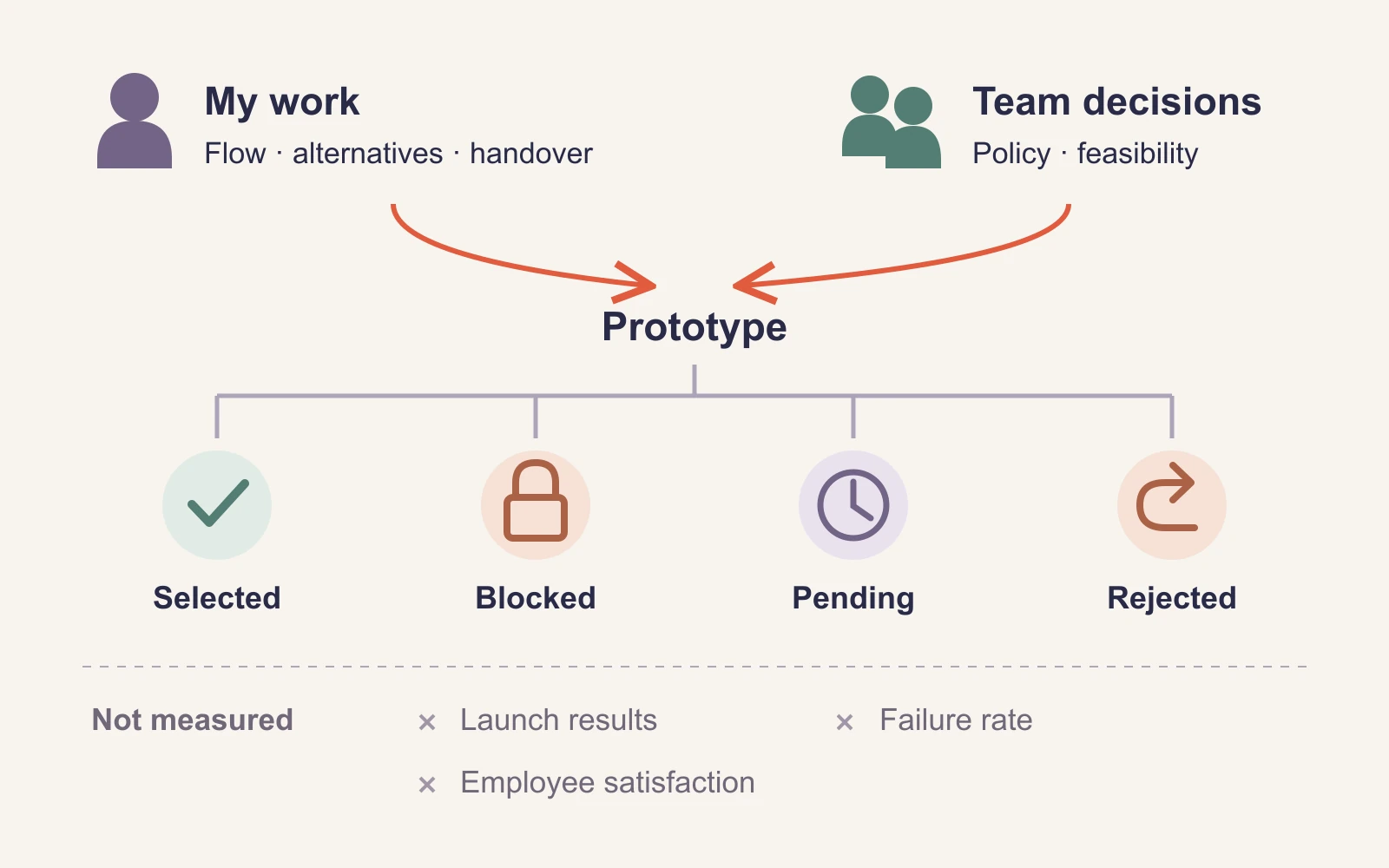
The designer's role in this example is to map the interaction, develop alternatives, and prepare the prototype and handover. The product manager defines the scheduling policy with operations. Engineering determines which eligibility checks can run before submission.
Say those boundaries aloud. “I designed the request flow” is credible and precise. “I transformed workforce scheduling” conceals who did what and makes the contribution harder to assess.
Show the decision, not every iteration
The designer considers two options. One hides ineligible colleagues from the selection list. The other shows them with a short explanation and prevents selection.
The prototype uses the second option. In this fictional case, employees already know their teammates; an unexplained missing name could look like a broken list. The design therefore shows the relevant status and reason. That is a design rationale to discuss, not evidence that every workforce product should make the same choice.
Put the two alternatives beside the constraint and the chosen approach. An interviewer can now ask about privacy, changing eligibility, or what happens when the rule cannot be checked. Those questions are more useful than a tour of twenty nearly identical wireframes.
Describe the output and what is still unknown
The completed portfolio case shows the selected-colleague state, a blocked choice with an explanation, a pending approval state, and the return path when a request is rejected. Explain how these states fit together.
For this example, the work ends at prototype and handover. The designer can say what was designed and why. They cannot claim fewer failed requests, better employee satisfaction, or a successful launch. If the project later ships, add the actual outcome and explain the evidence behind it.
Use the other cases to add range
The second case should reveal something the first one did not. In the expense-form example, the designer proposes removing a required field. Finance explains that it is needed for the current approval process. Instead of hiding that disagreement, the portfolio shows a narrower change: moving the explanation next to the field and clarifying the required format.
The point is not that this was the best possible form. It is that the candidate can explain a constraint, distinguish a design preference from an operational requirement, and make a useful change within the available scope. Show the rejected option briefly enough to make the chosen one understandable.
The third case demonstrates handover. For the fictional permissions feature, a screen alone would not explain what a viewer, editor, and owner may do. The designer provides a small role-and-state diagram, an example of a disabled action, and the message displayed when access changes.
Describe what the artifact communicates to the implementation team. Do not present it as proof that the feature was built exactly as designed unless you have checked the released result.
Make each slide carry a clear piece of evidence
A nine-slide portfolio could use this sequence:
- Portfolio promise: the three capabilities the selected projects will demonstrate.
- Shift-swap problem and role: the original sequence, the user's difficulty, and your responsibility.
- Shift-swap decision: the alternatives, constraint, and reason for the chosen approach.
- Shift-swap output: the key states, delivered artifact, and current project status.
- Expense-form constraint: the requested improvement and the requirement that could not change.
- Expense-form response: the narrower design decision and what it does and does not establish.
- Permissions handover: the state diagram and the implementation question it answers.
- What connects the work: how you approached uncertainty, collaboration, and explanation across the cases.
- Discussion: the case or decision you would be glad to explore further.
Use readable crops or diagrams that expose the decision being discussed. A complete desktop screen reduced to a thumbnail rarely explains a detail. Keep the broader context nearby when a crop could make the interface or workflow misleading.
Handle confidential or unfinished work honestly
Check what you are allowed to share before preparing a hiring copy. Anonymizing a logo may not be enough if the screen contains customer data, private strategy, or recognizable internal information. Where permission is limited, explain the problem and your role at an appropriate level, or select a different project.
If you use a reconstruction, label it as such and describe what it represents. Keep concept work, prototypes, shipped work, and measured outcomes distinct. An unfinished project can still show a thoughtful decision; it becomes misleading when the presentation quietly gives it an outcome it never reached.
Prepare a small appendix for questions: an additional alternative, a closer view of an artifact, or the evidence behind a result. Keep it separate from the main story so the first presentation remains focused.
Create the deck from your approved project notes
After choosing the cases, write one short brief per project: context, your role, the decision, the artifact, the project status, and any shareable result. Presenti can turn those project notes into an editable slide draft. Supply approved material and tell the drafting tool not to invent metrics, research participants, customer quotations, or launch outcomes.
Review the result for ownership and emphasis. Team work must remain team work, and a promising prototype must remain a prototype. Rehearse with the actual interview time available, moving extra detail into the appendix rather than rushing through the decision that makes a case worth showing.
A strong portfolio makes it easy to discuss your work in depth. The audience should leave knowing what you contributed, why you made the choices you did, and which parts of the story are supported by the evidence you can share.