You've got the notes. A pile of bullet points, maybe a rough outline, written in whatever order the thoughts arrived in — not the order a room full of people would want to hear them. Paste that straight into a deck and you get a wall of bullets that even you don't feel great presenting, because the logic that made sense in your head never made it onto the slide.
This is a different problem from generating a deck out of nothing. You already have the material. What's missing is the shape — the sequence, the grouping, the transitions that turn a list into something someone can actually follow. Here's how to get from one to the other without retyping everything by hand. Once your notes are organized, the text-to-presentation workflow offers a way to turn that material into an editable slide draft.
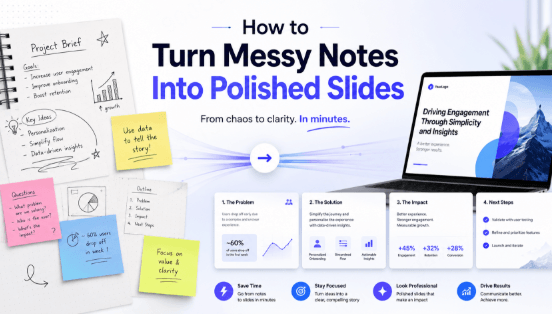
What the AI Is Actually Doing When It Restructures a Rough Outline
It's easy to assume this just means "move the text into slide-shaped boxes," but that's not really what's happening. Turning an outline into a real slide narrative involves a few decisions a person would normally make while drafting: which points belong together, where one idea ends and the next one starts, and what connective thread keeps the sequence from reading like a random list.
A quick example makes this easier to see than describing it in the abstract. Say your notes look something like this:
launch pushed to march, marketing assets due feb 15, budget still not approved, engineering needs two more sprints, john on pr, sarah on design, competitor X shipped something similar last month, if budget slips further we miss march entirely
Pasted directly into a deck, that's one dense slide nobody wants to read off of. Run through an outline-to-presentation workflow, it typically comes out closer to this:
- Slide 1 — Launch Timeline Update: new target is March; the previous date is not specified
- Slide 2 — Why the Delay: engineering needs two more sprints; budget approval still pending
- Slide 3 — Competitive Context: a competitor shipped a similar feature last month
- Slide 4 — Ownership: PR with John, design with Sarah, marketing assets due Feb 15
- Slide 5 — Risk: further budget delay could push the launch past March entirely

The outline groups the supplied information; confirm missing context such as the year, original launch date, and budget owner. It's the same notes, just grouped by what they're actually about instead of the order they happened to get written down in.
From Messy Notes to a Slide Narrative: A Walkthrough
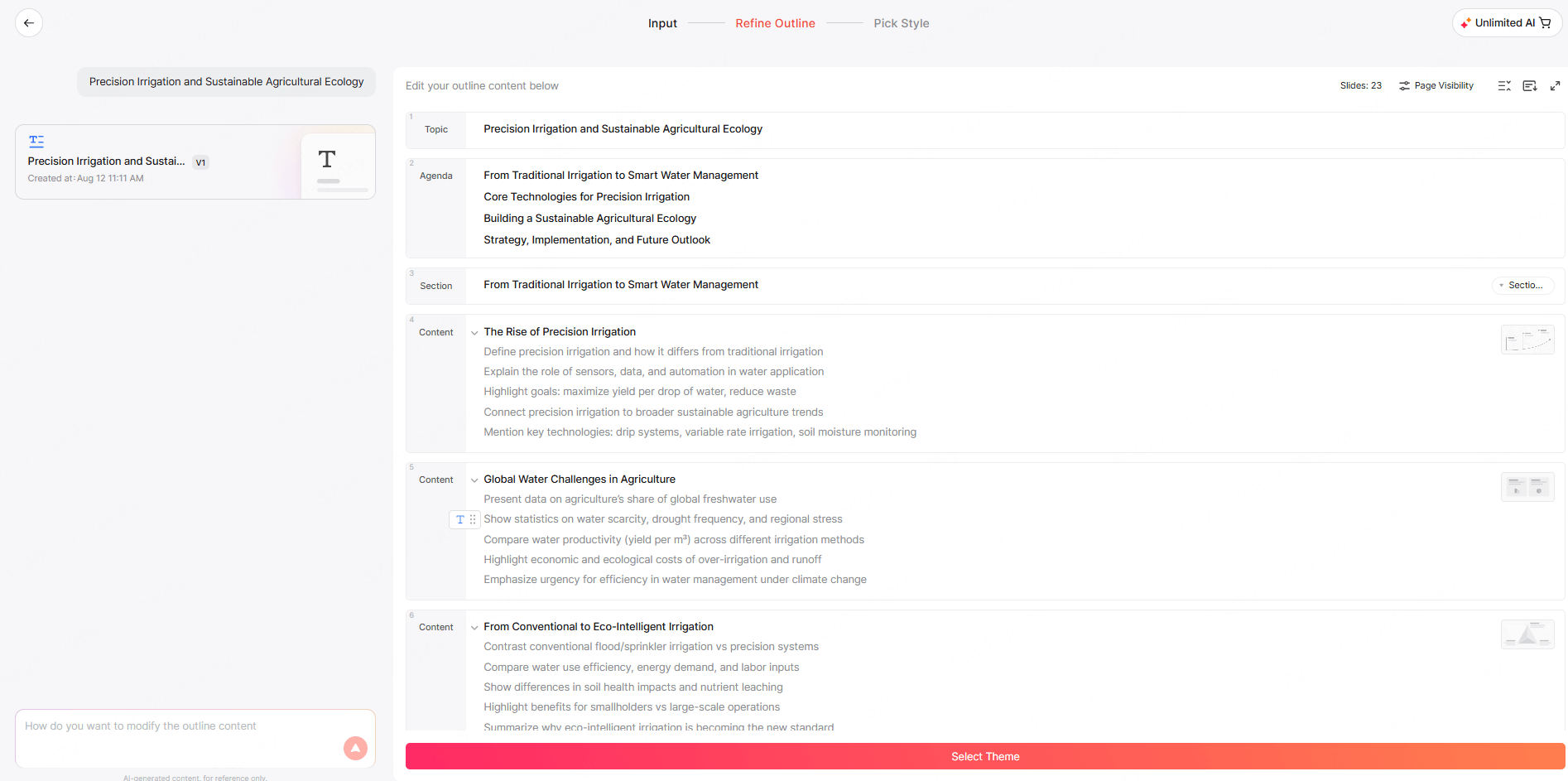
In Presenti, this starts with Generate from Outline — built specifically for input that's already partly there, rather than a blank prompt. Paste the notes in, or upload them as a file, and the content transformation step returns a first-draft outline along the lines of the example above: grouped, sequenced, and broken into slide-sized chunks.
The part that matters most happens right after that draft appears, and it's easy to miss if you're used to tools that generate once and stop. The outline is editable through conversation, not just drag-and-drop. If two sections should really be one slide, you can just say "merge slides 3 and 4." If a slide's too dense, "this one's too dense, tighten it up" works the same way. You're not manually rearranging boxes — you're telling it what's wrong and letting it make the fix.
Once the outline is right, you pick a visual style and generate the full deck. That's normally where a tool like this would consider the job done, but the conversation doesn't actually stop there. After generation, you can go slide by slide and keep talking to it: rewrite a sentence, shift the tone from casual to more formal, or ask it to generate a new image and swap it in for whatever's currently on the slide, without going and finding your own visual first. That ongoing back-and-forth, even after the deck technically exists, is the real difference between this and a tool that hands you one result and calls it finished.
A Specific Case: Turning Meeting Notes Into a Presentation
Meeting notes are a slightly different flavor of messy — they're usually a mix of discussion points, decisions that got made, and a list of action items with someone's name attached. Turning meeting notes into slides works the same way as any other outline, but there's one extra piece worth calling out: the AI tends to separate those three categories automatically, so discussion becomes context slides, decisions become a "what we agreed on" section, and action items land as their own slide, which you can arrange in a table with confirmed owners and due dates.
If what you're actually working from is a recording rather than typed notes, you don't need to transcribe it first. Eligible plans include limited audio-to-presentation uses — one less manual step between the meeting ending and the recap existing.
Where a Human Check Still Matters
None of this removes the need for a final look before the deck goes out. The AI is good at sorting content into the right buckets, but it doesn't know whether "John" is actually still on PR after last week's reorg, or whether a detail that made sense in the room needs to be in a recap that other people will read without that context. Owner names, dates, and anything that reads as a commitment are worth double-checking, and it's worth trimming anything that was relevant live but doesn't need to survive into the shareable version. The AI gets you a structured first draft fast; deciding what's actually accurate and what the audience needs is still yours to do. For a worked example of that review, the meeting-notes-to-slides guide separates decisions, proposals and unassigned actions, then gives a copyable brief that keeps those distinctions in the draft.
FAQ
I have a messy outline and a few bullet points — what's the best way to turn that into a clean slide narrative with an AI tool?
Feed the outline in as-is through a tool built for existing content rather than starting from a blank prompt. Presenti's Generate from Outline groups related points, sequences them, and breaks them into slides, and the draft it returns is editable by just telling it what to change — merge slides, cut density, adjust tone — instead of manually rearranging everything by hand.
What's the best workflow to go from meeting notes to a polished presentation using an AI agent?
Paste in the raw notes (or upload the audio recording directly) and let it separate discussion, decisions, and action items on its own — check action items against the record and add only confirmed owners and dates. From there, review the draft, adjust anything by conversation rather than manual editing, and do a final pass on names, dates, and anything that shouldn't make it into the version other people see.
Get started free — paste in your own messy notes and review the structured draft against the original notes before sharing it.