A rise from 20% to 30% is an increase of 10 percentage points and a 50% relative increase. Both statements can be correct, but they answer different questions. Percentage points describe the distance between the two rates. Percent change describes that distance relative to the starting rate.
On a presentation slide, name the measure and show enough context for the audience to understand the comparison. “Up 50%” is incomplete if nobody can tell what rose, from what starting value, or over which period. In a data story built around a decision, accurate units are part of the argument, not a detail to fix after designing the chart.
The examples below use fictional course-completion counts. They illustrate arithmetic and slide wording; they do not describe a real programme or establish that one teaching method is better than another.
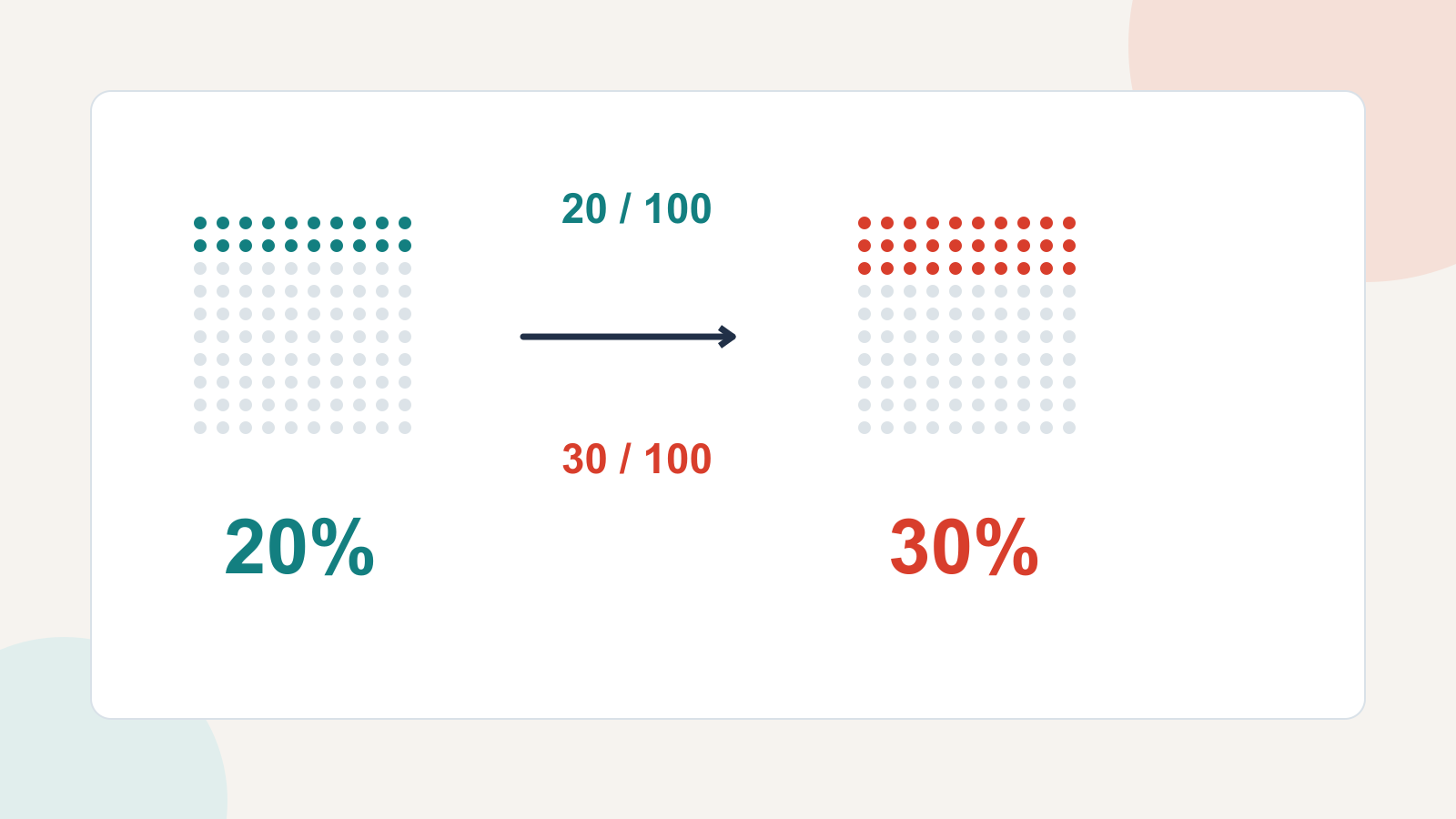
Start with the counts behind the rate
Suppose 20 of 100 enrolled people complete a course in the first cohort. In the second cohort, 30 of 100 complete it. Both cohorts are measured using the same completion definition and the same time allowed after enrolment.
| Measure | First cohort | Second cohort |
|---|---|---|
| People completing the course | 20 | 30 |
| People enrolled | 100 | 100 |
| Completion rate | 20 ÷ 100 = 20% | 30 ÷ 100 = 30% |
The percentage is a part divided by its relevant whole, multiplied by 100. Here the numerator is people completing the course, and the denominator is people enrolled. “Completion rate” would mean something else if the denominator were people who started the final lesson.
Write down the denominator before drafting the slide. An accurately calculated number can still be misleading if its definition changes between periods or differs from what the audience expects.
Calculate percentage points by subtracting the rates
To find the difference in percentage points, subtract the old percentage from the new percentage:
30% − 20% = an increase of 10 percentage points.
This describes the gap on a percentage scale. A pair of bars at 20% and 30%, with the gap labelled “+10 percentage points,” makes the comparison easy to see. The starting and ending rates remain visible, so the audience does not have to reconstruct them from the change alone.
A suitable headline is “Course completion rose from 20% to 30%.” A smaller annotation can add “+10 percentage points.” For a broad audience, spell out the unit the first time rather than relying on an unexplained abbreviation.
Do not label the gap “+10%.” That would normally mean a relative increase of 10%, which would take a 20% rate to 22%, not 30%. A missing word changes the arithmetic the slide communicates.
Calculate percent change against the starting rate
For the relative change, divide the difference by the original rate, then multiply by 100:
(30 − 20) ÷ 20 × 100 = a 50% relative increase.
The difference of ten is half the original twenty. That is why the relative increase is 50%. It does not mean the new completion rate is 50%; the rate is still 30%.
If relative improvement is the useful comparison, a clear headline is “Completion rate increased by 50%, from 20% to 30%.” Including the two rates prevents a large relative number from standing alone without context. If the point is how many people remain incomplete, the 30% end rate and the underlying counts may matter more than the relative increase.
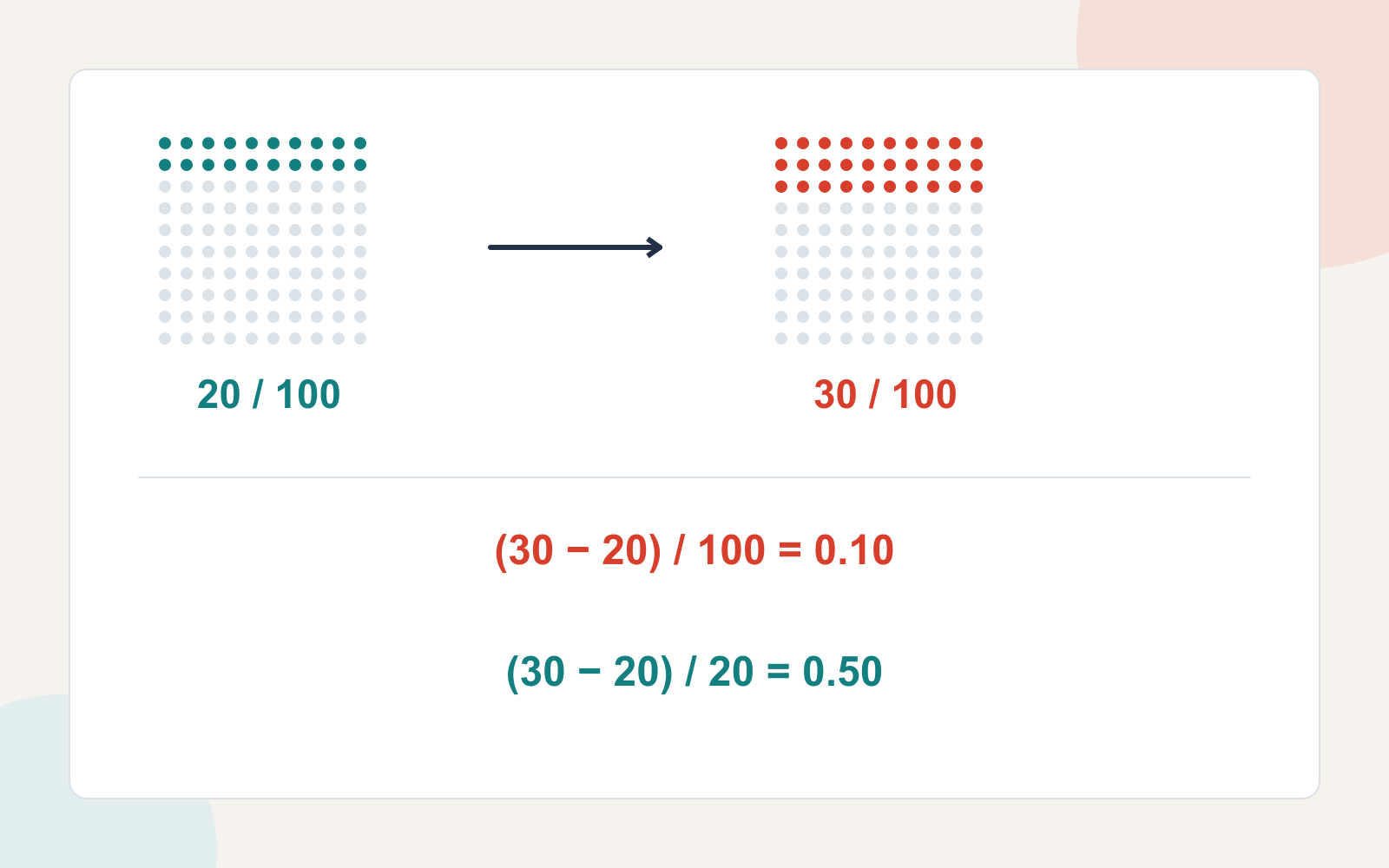
You do not need to display both calculations on every slide. Choose the expression that answers the audience's question, and retain enough information to make it interpretable. In a discussion where the distinction itself matters, showing both can prevent people from arguing over two different descriptions of the same change.
Check whether the denominator changed
Now change the example. The second cohort has 200 enrolled people, and 30 complete the course. There are more completions, but the completion rate is lower:
| Measure | First cohort | Second cohort |
|---|---|---|
| People completing the course | 20 | 30 |
| People enrolled | 100 | 200 |
| Completion rate | 20% | 15% |
The completion count increased by 50%: (30 − 20) ÷ 20 × 100. The completion rate fell by five percentage points: 15% − 20%. Relative to the original rate, that is a 25% decline: (15 − 20) ÷ 20 × 100.
These results do not contradict each other. They describe different measures. A headline saying only “Completions improved by 50%” hides the fact that enrolment doubled and a smaller share completed the course.
A more useful slide could say: “More people completed the course, but the completion rate fell from 20% to 15%.” Show the counts and denominators together. Then investigate the reason separately: the arithmetic alone cannot tell you whether cohort mix, course design, available time or something else explains the change.
Changing denominators is especially important when comparing survey responses, conversion rates or service incidents. Keep the population, time window and definition alongside the rate. If those differ materially, explain the difference before treating the figures as a like-for-like trend.
Handle zero and small baselines honestly
If a rate rises from 0% to 5%, the increase is five percentage points. The usual relative-change formula would divide by zero, so a finite percentage increase cannot be calculated that way. Do not put “+500%” or “infinite improvement” on the slide.
Say “The rate rose from 0% to 5%,” and show the underlying counts. If the original count was zero because no data was collected, that is a missing observation, not a measured zero. Use the correct description.
Small starting values can also make relative changes look dramatic. A rise from 1% to 2% is a 100% relative increase and a one-percentage-point increase. Neither wording is inherently wrong. Showing the original and final rates helps the audience judge the practical size without guessing the baseline.
Rises and falls are not symmetrical in relative terms either. Moving from 20% to 30% is a 50% increase; returning from 30% to 20% is about a 33.3% decrease. The denominator in the change calculation is different. Both movements span ten percentage points.
Write a headline the chart can support
Use this sentence pattern when you have two comparable rates: “[Measure] changed from [old rate] to [new rate] during [period]: [difference] percentage points.” Add relative change when it helps answer a specific question, not merely because it is the larger number.
| Ambiguous wording | Clearer wording |
|---|---|
| Completion improved by 10%. | Completion rose from 20% to 30%, an increase of 10 percentage points. |
| Completion is up 50%. | The completion rate increased by 50%, from 20% to 30%. |
| Results improved from zero. | Five of 100 participants completed the task, compared with zero of 100 previously. |
Keep the chart's labels equally explicit. Label a rate axis with percentages and a count axis with people, orders or the actual unit. Do not place a “50% increase” badge where it could be read as the final rate. Avoid changing the visual scale simply to make the gap more dramatic.
When you turn these findings into an editable slide draft in Presenti, provide the counts, denominators, exact rates and preferred wording together. For example: “20 of 100 completed in cohort A; 30 of 100 in cohort B. Show 20% and 30%. Describe the difference as 10 percentage points. Do not state that the change was caused by the new course.”
Read the drafted headline against your source table before sharing. A slide can be visually polished and still replace “percentage points” with “percent,” omit the denominator or imply a cause. The useful final result is a comparison the audience can understand and verify without doing detective work.