Choose a topic you can explain within the assignment’s time limit and support with a source or something you can show. Start with one question, one main answer and one useful visual. That gives you a manageable presentation before you open a blank slide.
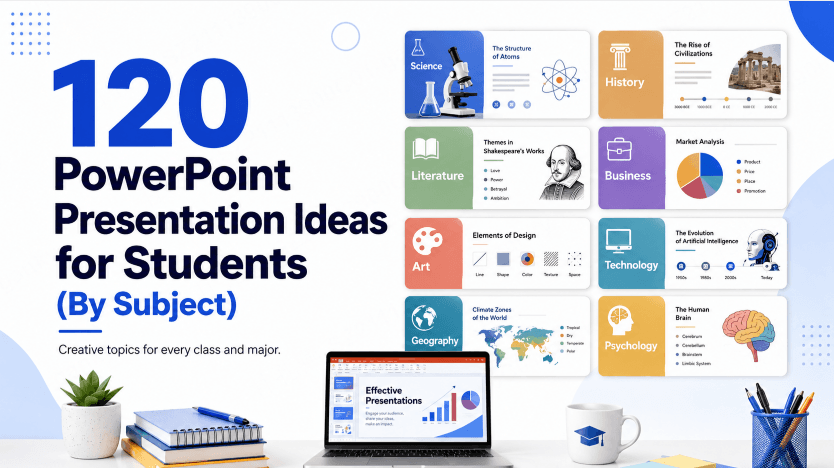
This is a set of 120 PowerPoint presentation ideas for students, sorted by subject so you can jump straight to what you're actually working on — science, history, literature, health, the environment, tech, art, or a personal "about me" presentation. After the list, we'll cover how to turn a topic into an actual structured presentation, and how to build the slides themselves with Presenti AI. When turning this material into slides for a class, Presenti’s education presentation workflow provides a starting point for the draft.
What Makes a Student Presentation Topic Actually Good
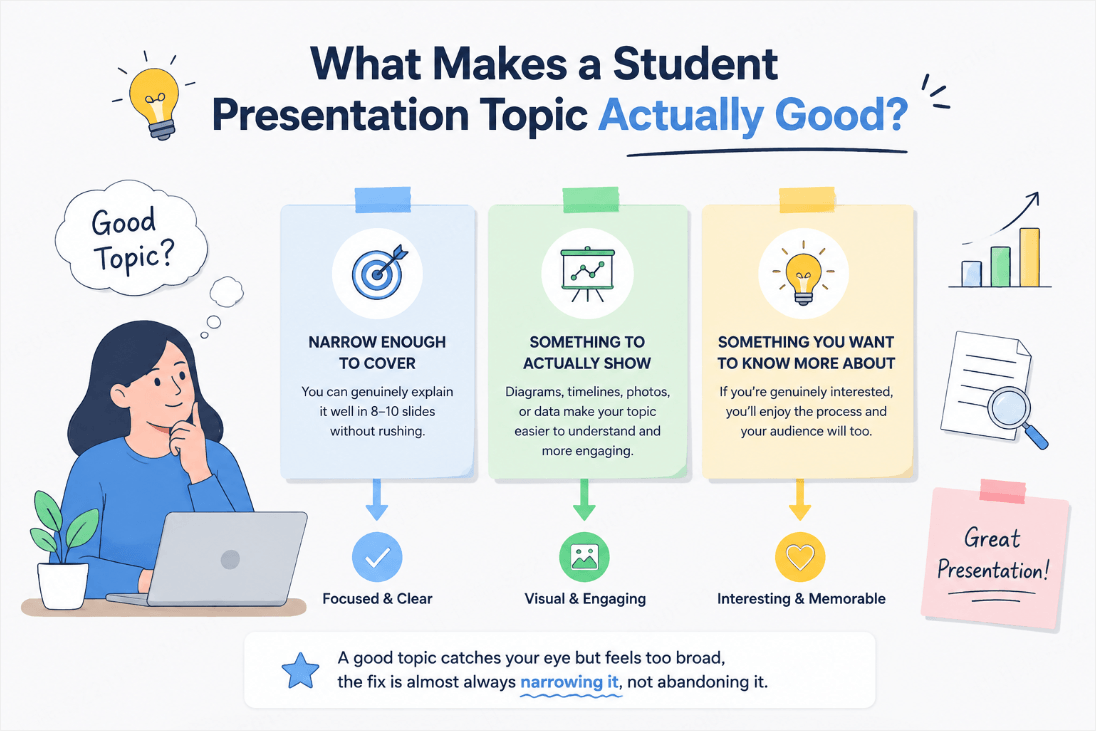
Before the list, it's worth knowing what separates a topic that's easy to present from one that fights you the whole way through. Three things matter more than how "impressive" a topic sounds:
- It's narrow enough to actually cover. "World War II" is a topic for a semester, not a 10-slide presentation. "How the Berlin Wall's fall changed Europe" is something you can genuinely cover in five to eight slides.
- It has something to actually show. A topic with a diagram, a timeline, a photo, or a chart waiting to happen makes slide-building dramatically easier than a topic that's pure explanation with nothing visual to anchor it.
- You'd actually want to know more about it. Presentations on a topic the presenter finds genuinely interesting are noticeably easier to talk about naturally, without reading straight off the slide.
Keep those three in mind while scanning the list below — if a topic catches your eye but feels too broad, the fix is almost always narrowing it, not abandoning it.
Match the idea to the assignment
| Assignment | A manageable choice | What to gather before making slides |
|---|---|---|
| Two- or three-minute introduction | One hobby, one object, or one moment from your life | A photo or object you may share and a short explanation of why it matters |
| Five-minute classroom explanation | One mechanism, such as why the sky is blue | A suitable reference, a simple diagram and an example question |
| Eight- to ten-minute evidence-based talk | One comparison, historical change or local environmental question | A small set of relevant sources with dates and contrasting evidence |
| Group presentation | One shared question with clearly different subquestions | A common source list, agreed terminology and a final conclusion that connects the sections |
These are planning examples, not a slide-count rule or a grade-level standard. Follow the teacher’s rubric first. A younger audience may need a concrete object and everyday words; an advanced class may expect definitions, methods and competing explanations. If the required sources are unavailable, narrow the question or choose another topic before designing the deck.
Science & STEM Presentation Ideas (15)
- How vaccines train the immune system
- The physics behind how roller coasters work
- How black holes form
- The science behind why we dream
- How GPS satellites actually pinpoint your location
- The chemistry behind why bread rises
- How renewable energy gets stored for later use
- The biology behind "brain freeze"
- How 3D printing builds an object layer by layer
- The science of color: why the sky is blue
- How CRISPR gene editing actually works
- The physics behind how airplanes fly
- How the human body fights off a common cold
- The science behind optical illusions
- How solar panels convert sunlight into electricity
History & Social Studies Presentation Ideas (15)
- The Silk Road and how it shaped global trade
- How the printing press changed the spread of information
- The history of the Olympic Games
- What daily life was actually like in ancient Rome
- How the fall of the Berlin Wall changed Europe
- The history of the world's first cities
- How World War II changed women's role in the workforce
- The history and impact of the Underground Railroad
- How ancient Egypt actually built the pyramids
- The Cold War's space race, explained
- How the invention of the wheel changed transportation
- A timeline of major civil rights milestones
- How currencies and payment systems developed in a chosen society
- How the Renaissance changed art and science together
- Which factors contributed to the fall of the Western Roman Empire?
English, Literature & Language Arts Presentation Ideas (15)
- Comparing two different translations of the same classic novel
- How dystopian fiction reflects real-world fears
- The surprising origins of common English idioms
- Words associated with Shakespeare and the evidence for their origins
- Comparing a book to its film adaptation
- The history of the English language's biggest influences
- How a poem's structure changes its meaning
- Analyzing an author's use of symbolism in a favorite book
- How mythology shows up in modern superhero stories
- The evolution of a fairy tale across different cultures
- How an unreliable narrator changes the way we read a story
- Comparing the writing styles of two famous authors
- How graphic novels tell stories differently than prose
- The history and rules of haiku poetry
- How banned books have shaped literary history
Health, PE & Life Skills Presentation Ideas (15)
- How sleep actually affects memory and learning
- The basics of building a balanced meal plan
- How stress affects the body physically
- The science of muscle recovery after exercise
- How social media use affects mental health
- A beginner's guide to personal budgeting
- The basics of first aid everyone should know
- How screen time affects sleep quality
- The science behind why stretching actually helps your body
- How to read a nutrition label
- The basics of time management for students
- How hydration affects athletic performance
- The history and real benefits of yoga
- How to build study habits that actually stick
- The basics of understanding credit and debt
Environmental Science & Current Events Presentation Ideas (15)
- How plastic pollution affects ocean ecosystems
- The basics of how recycling actually works
- How climate change is affecting coral reefs
- The rise of electric vehicles, explained simply
- How composting turns waste into usable soil
- The basics of the water cycle and why it matters
- How deforestation affects global weather patterns
- The science behind renewable vs. fossil fuel energy
- How a single-use plastic ban affects a community
- The basics of endangered species conservation
- How urban gardens improve city environments
- The impact of fast fashion on the environment
- How wildfires are connected to climate change
- The basics of a circular economy
- How coastal communities are adapting to rising sea levels
Technology & Computer Science Presentation Ideas (15)
- How the internet actually sends data around the world
- The basics of how artificial intelligence learns
- How encryption keeps online information private
- The history of the smartphone, from brick to pocket computer
- How social media algorithms decide what you see
- The basics of how a computer processor works
- How video game graphics have evolved over time
- The basics of cybersecurity every student should know
- How streaming services deliver video instantly
- The history and future of virtual reality
- How self-driving cars "see" the road
- The basics of coding: what happens when you run a program
- How cloud storage keeps your files accessible everywhere
- The ethics of AI-generated art and writing
- How wireless charging actually works
Art, Music & Culture Presentation Ideas (15)
- How color theory influences the way we feel about art
- The history and evolution of a favorite music genre
- How street art became recognized as fine art
- The basics of how a song is actually structured
- How different cultures celebrate the new year
- The history of a traditional dance from another culture
- How film scores shape a movie's emotional tone
- The story behind a famous piece of public art
- How fashion trends reflect the decade they came from
- The basics of animation, from hand-drawn to CGI
- How museums decide what art is worth preserving
- The cultural history behind a favorite holiday tradition
- How graffiti culture spread from one city to the world
- The basics of photography composition
- How video games use art direction to build a world
Fun & Creative "About Me" Presentation Ideas (15)
Not every assignment is subject-based — plenty of classes open the year with a personal presentation instead. These work well for that.
- "This Is My Life in 10 Objects"
- My family's cultural traditions and where they come from
- A "day in my life," hour by hour
- My top 5 favorite books and why they matter to me
- The story behind my name
- A place I've traveled to that changed how I see the world
- My favorite hobby, explained to someone who's never tried it
- A skill I taught myself and how I learned it
- The person who inspires me most, and why
- My dream job and what it actually involves day-to-day
- A challenge I overcame and what I learned from it
- My favorite meal and the story behind the recipe
- A goal I'm working toward this year
- The music that shaped who I am
- If I could time-travel, where I'd go and why
Turn a broad topic into a question you can finish
| Topic from the list | More focused question | A useful visual or artifact |
|---|---|---|
| Black holes | What distinguishes a black hole from a star? | A labeled comparison diagram with a source |
| The printing press | How did one printing method change the production of a page? | A process sequence and an image with its date and origin |
| A book and its film adaptation | How does one scene change when it moves from prose to film? | A brief permitted excerpt and a scene comparison |
| Student budgeting | How would a student divide a fixed weekly budget? | An explicitly fictional budget with totals that add up |
| Local recycling | Which items does our local collection service actually accept? | The current municipal guidance and examples of accepted items |
| Encryption | What information does a simple message example hide? | A toy example, clearly distinguished from real security |
| Film music | How does music change the mood of one scene? | A short permitted clip or a description of two versions |
| A hobby I learned | What did I change after my first attempt? | Two photos or objects that show the difference |
Research topics about health, money or safety as explanations, not personal advice to classmates. Use an appropriate current primary source and avoid collecting private information merely to make a chart. Personal presentations can use a chosen object or hobby without disclosing family details you would rather keep private.
How to Turn Your Topic Into an Actual Presentation
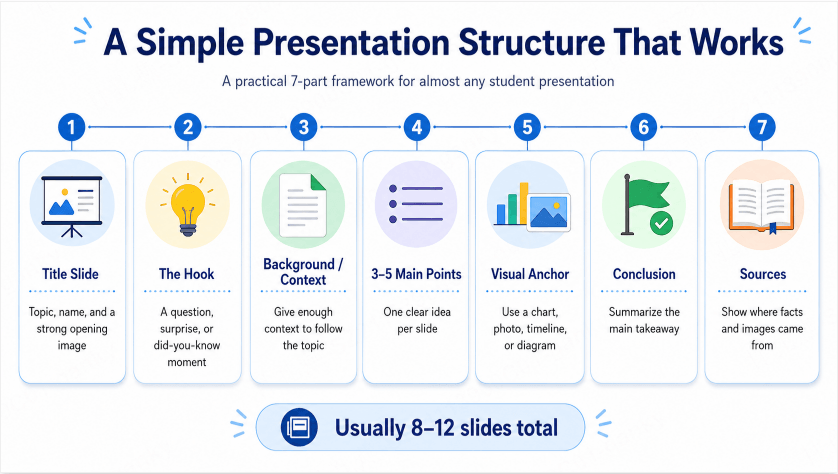
Picking a topic is step one. Here's a structure that works for almost any of the topics above, regardless of subject:
- Title slide. Your topic, your name, and if relevant, a single striking image that hints at what's coming.
- The hook. One slide that makes people want to know more — a surprising fact, a question, or a "did you know" moment related to your topic.
- Background or context. Enough setup for someone with zero prior knowledge to follow the rest of the presentation.
- 3–5 main points. The actual substance, one clear idea per slide. This is where most of your research goes.
- A visual anchor. At least one diagram, chart, timeline, or photo — ideally more. This is usually the single biggest thing that separates a presentation people remember from one they don't.
- Conclusion. A one-slide summary of your main takeaway — not a repeat of every point, just the one thing you want people to remember.
- Sources. Where your facts and images came from, especially if the assignment requires citations.
This outline may produce roughly 8–12 slides. Adjust it to the assignment and your rehearsed delivery time.
Example: a five-slide explanation of a blue sky
For a short introductory science talk, “Why is the sky blue?” is narrower than “How light works.” Use NASA Space Place’s explanation as the science source, then build your own explanation around one diagram. The following is a sample plan, not a required teaching sequence.
| Slide | Message and visual | What to say |
|---|---|---|
| 1. The question | A daytime sky photo and the question “Why blue?” | Ask for a prediction, without treating the answers as a survey |
| 2. Sunlight contains different colors | A simple spectrum diagram | Explain that sunlight contains a range of colors |
| 3. Air scatters light | A labeled Sun–atmosphere–observer sketch | Show blue light scattering more strongly than red light in this simplified explanation |
| 4. Connect the diagram to the sky | Highlight the scattered light reaching the observer | Explain why scattered blue light reaches our eyes from across the daytime sky |
| 5. Return to the question | One-sentence answer and the source link | Ask a classmate to explain the diagram back to you |
Keep the labels on the diagram large enough to read from the back of the room. Credit the source of any reused image as well as the explanation. If the assignment is longer, add a separately researched sunset comparison; do not fill time by copying more paragraphs onto the same five slides.
Build Your Slides Fast With Presenti AI
Once you've picked a topic and know roughly what you want to cover, Presenti AI can turn it into an actual slide deck as a first draft based on the structure above.
Step 1: Type in your topic
Topic: "How vaccines train the immune system"Key points: - What the immune system normally does when it encounters a new germ - How different vaccine types help the immune system recognize a pathogen - Why this means your body can respond faster the next time - A real-world example, like how measles vaccination rates affect outbreaks
You can also start from existing notes or a supported source file. The Presenti plan table lists which imports and exports are included. Keep your source list with the notes so you can check the generated draft against what you actually read.
For the vaccine topic above, begin with the CDC’s explanation of how vaccines work and the sources required by your teacher. Do not ask the generator to invent a medical statistic or an outbreak example.
Step 2 & 3: Let it build the structure, then adjust
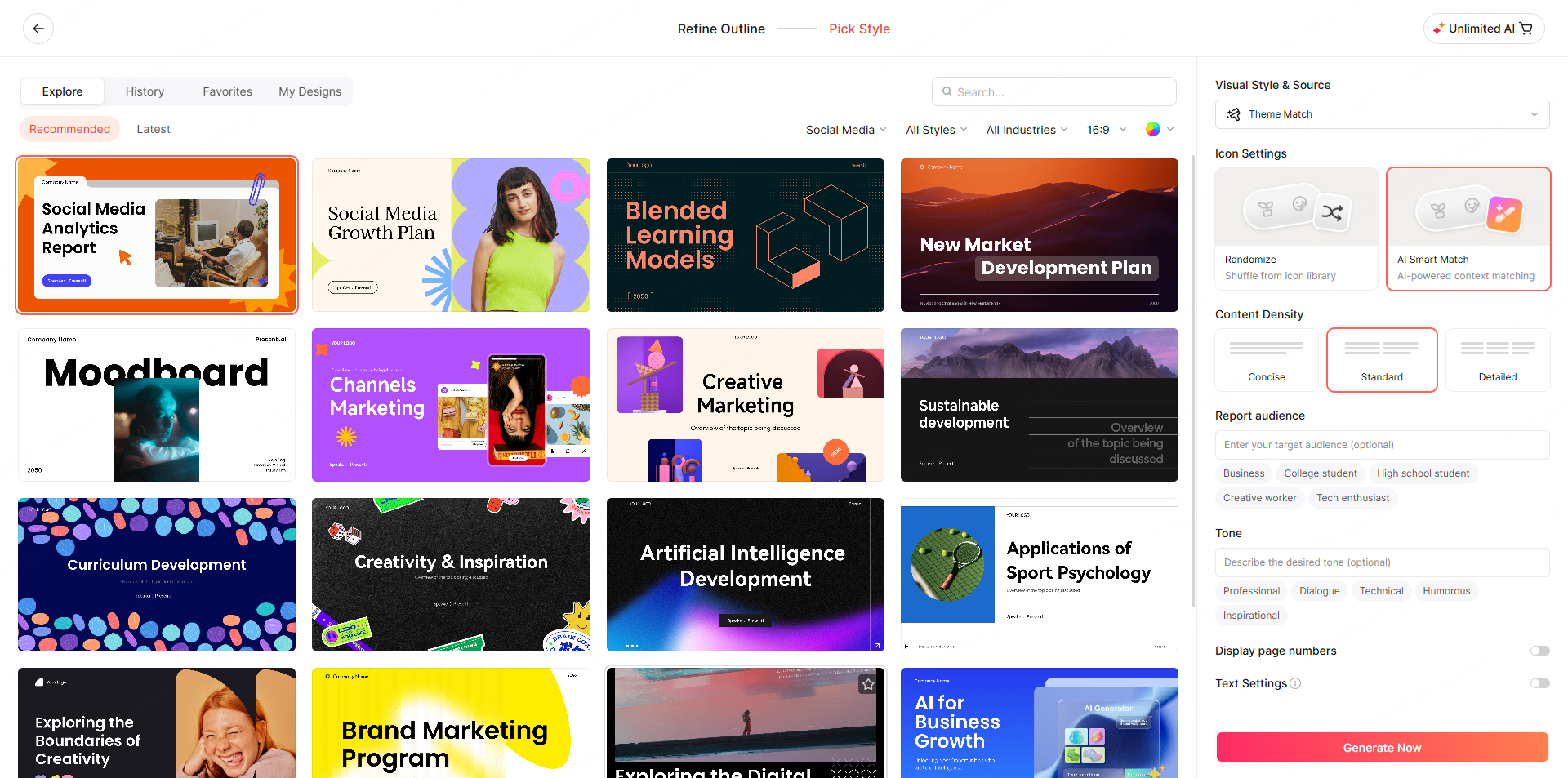
Review the generated outline and apply a template. Check the source for each factual statement, replace unsuitable visuals, and revise crowded slides before rehearsing.
Step 4: Export and present
Paid plans list editable PPTX/PDF export. Open the PPTX in PowerPoint or Google Slides for an editing pass; use PDF when you need fixed pages and review it in a PDF viewer.

Frequently Asked Questions
How do I pick a good presentation topic if none of these fit my assignment?
Use the three criteria from the top of this guide: make sure it's narrow enough to cover in the slide count you have, make sure there's something visual to show, and pick something you're genuinely a little curious about. A topic that passes those three tests is usually easy to build a full presentation around, regardless of subject.
How many slides should a student presentation have?
Follow the assignment’s time and format requirements. An 8–12-slide outline can be a starting point, but rehearse aloud and adjust the number of slides to the explanation and available time.
What's the easiest presentation topic for a last-minute assignment?
If the assignment allows a personal topic, choose one experience you can explain with a photo or object you already have permission to share. For a subject-based assignment, choose a narrow question with an accessible source and a simple diagram, timeline or comparison. Personal familiarity does not replace any research the rubric requires.
Can I use these topics for a group presentation?
Yes — most of these topics split naturally into sections that different group members can take individually. A history timeline topic, for example, divides cleanly by era; a science topic often splits into "how it works," "why it matters," and "a real-world example."
The Bottom Line
Pick a topic that fits the assignment, then write the question your talk will answer. Gather the source and visual that make that answer understandable before designing the slides. If the question needs more evidence or time than you have, narrow it while the plan is still easy to change.