A presentation handout needs to make sense after your voice is gone. Printing six tiny slides on a page may help an attendee take notes during a talk, but it rarely gives an absent colleague enough context to understand a chart or act on a recommendation.
Choose the handout's job first: space for notes during the session, a readable explanation afterward, or a reference document containing supporting details. For material people will read independently, use the principles in our accessible presentation guide, especially meaningful headings, readable text, descriptive links, and explanations that do not rely on color alone.
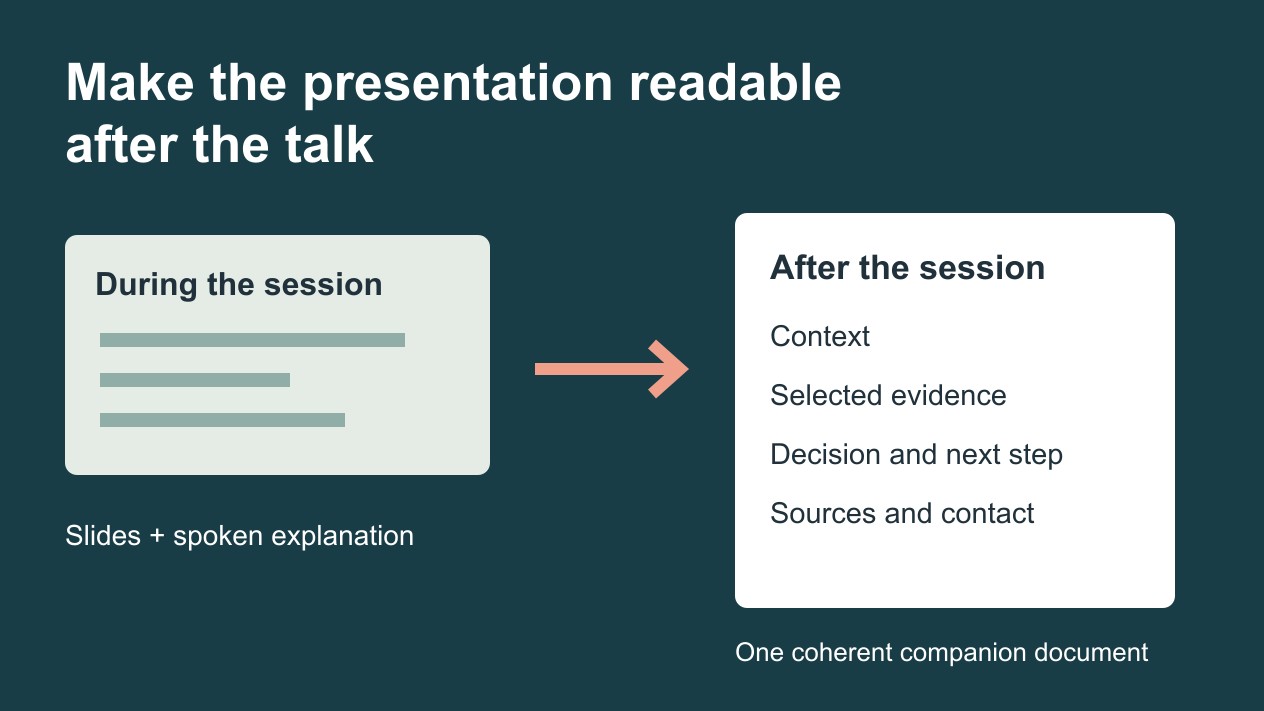
Choose between slide thumbnails and a companion document
A notes handout works when attendees have just seen the full-size slides and need space to record questions. Keep slide numbers so they can connect their notes to the deck. Avoid reducing a dense chart until its labels become illegible.
A companion document is better when readers may not attend or need to make a decision later. Use short paragraphs, selected visuals, and clear source links. It does not have to reproduce every slide or preserve the slide order.
A reference appendix holds detailed methods, definitions, calculations, or supporting tables. Keep it separate when those details would obscure the main handout, but link to it from the relevant explanation. If you will also use that material during the discussion, organize backup slides around likely audience questions and record how to return to the main argument.
For a workshop, combine brief explanations with space for an exercise. For a decision meeting, prioritize the recommendation, evidence, trade-offs, and exact decision requested. Those audiences need different documents even if the same deck introduces the subject.
Rewrite one slide so it stands on its own
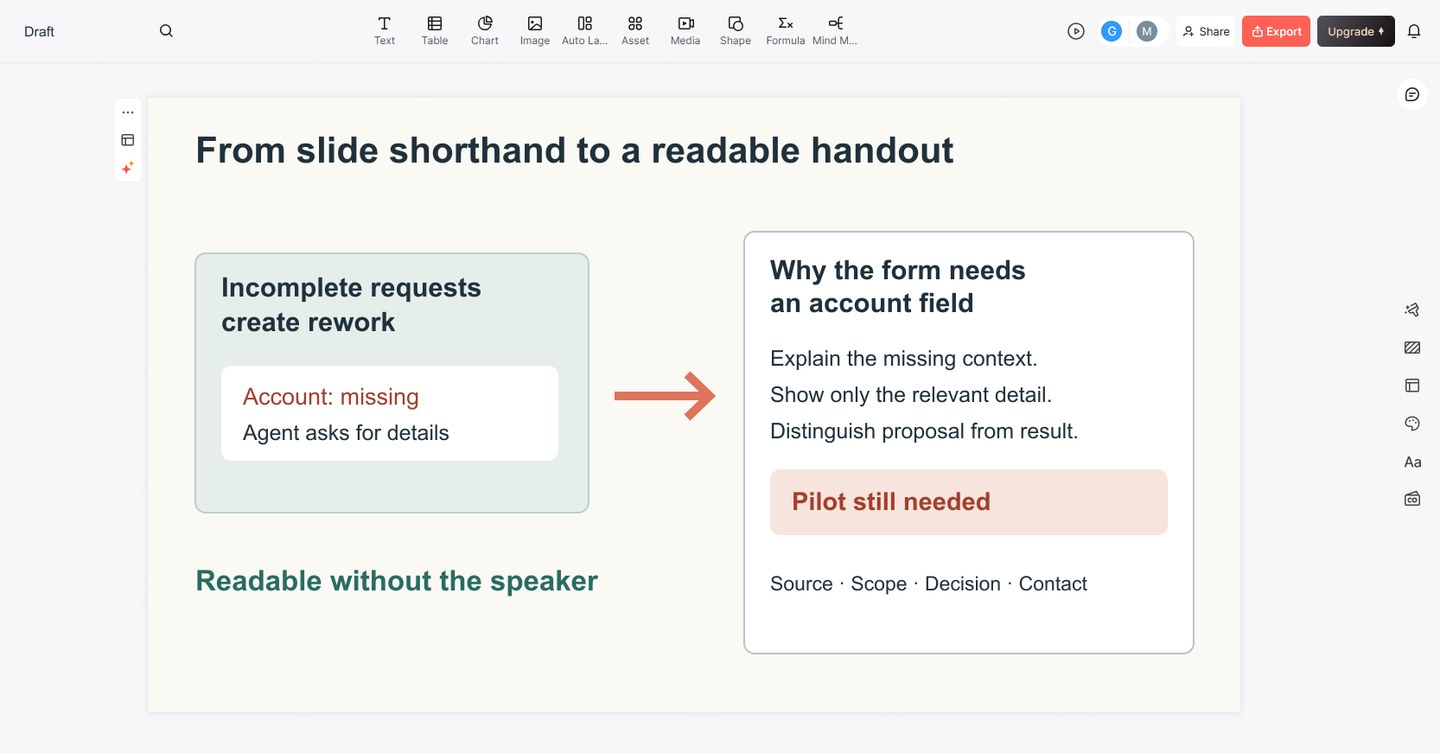
Imagine an internal operations talk with a slide titled “Incomplete requests create rework.” The slide contains a sample request with no account identifier, a small flow diagram, and the speaker's explanation. Copying the slide image into a document leaves the reader guessing what the example means.
A companion section could read:
Why the request form needs an account field
In this illustrative request, the support team cannot identify the affected account. An agent must ask for the missing identifier before investigating. The proposed form would request that identifier at submission. A pilot is still needed to learn whether the revised form reduces follow-up questions without making submission harder.
Below that paragraph, show only the relevant part of the form and label it as an example. Add the real source or internal reference if the statement is based on operational data. Do not turn an illustrative request into a claim about the frequency or cost of rework.
Repeat this process for each essential takeaway: name the point, add the explanation you would have spoken, retain the visual only if it helps, and include the evidence a reader needs to assess it.
Build a compact, readable handout
For the request-form proposal, a two-page starting structure might be:
- Purpose and decision: who the document is for and what approval is requested.
- Current problem: one explained example, with its source or illustrative status.
- Proposed change: the fields being added and the work they affect.
- Scope and trade-offs: what the pilot includes, potential submission friction, and what remains unknown.
- Action and references: owner, review date, contact, and links to supporting material.
Two pages are not a requirement. Add space when a necessary table or explanation would otherwise become unreadable. Remove decorative title slides and repeated section dividers before shrinking the type.
Replace “as you can see here” with an explanation. Expand an abbreviation at first use. Turn a chart's spoken takeaway into a sentence and identify its units, period, and source. Keep actual document headings as text rather than flattening every page into an image.
Export or print, then inspect the result
PowerPoint for Windows offers a route to Word through File > Export > Create Handouts. Microsoft's handout export instructions explain the layout choices and the difference between pasting content and pasting links. A linked document needs additional checking when source files change or move.
If that command is unavailable in your version, build the companion document separately using the selected text and visuals. This article does not assume every platform provides the same export controls, or that a Presenti export automatically creates a finished handout.
Open the final document as a recipient would. Check page breaks, chart labels, working links, reading order, and whether any private speaker notes or comments have been included accidentally. If attendees will print it, preview or test a page at the intended paper size; a readable screen preview is not the same as a usable printout.
Keep the deck and handout aligned
Record the deck version used to prepare the handout. If the recommendation, chart, or date changes, update the corresponding passage before sharing. The files need consistent claims, not identical layouts.
If you are still developing the talk, you can turn its outline into editable slides with Presenti. Keep the approved source notes alongside the deck and write the handout from those notes and the final slides. The handout should explain the presentation, not inherit every shorthand phrase or unsupported statement in an AI draft.