A prospect asks for a tailored proposal tomorrow morning. You have the meeting notes, but still need to turn them into a clear sales pitch deck. AI can help draft the structure and reduce some formatting work; the customer research, commercial terms, and supporting evidence still need your attention.
The workflow below starts from a prepared client brief and moves through five focused drafting passes. The timing depends on the source material and the amount of review needed. Treat a quick draft as the beginning of the work, not a promise of a finished proposal in five minutes.

Why Speed Matters in Modern Sales
Respond promptly, then make the proposal useful
A prompt acknowledgement helps set expectations. A proposal then needs to show that you understand the customer’s situation: what is changing, what is blocked, and what decision you want them to make. Rushing an inaccurate number or an unsupported claim into a deck can undermine that work.
Separate drafting from review
AI can suggest an outline and turn approved source material into a slide draft. Review the customer details, calculations, and offer separately. Reuse a sound structure, but adapt the content to the prospect instead of just replacing a logo.
Estimate the time you actually save
Track preparation, generation, editing, and review time for a few comparable proposals. Use the total time to judge the workflow. Faster slide generation alone does not show how much time the whole sales process saves.

Drafting with Presenti AI
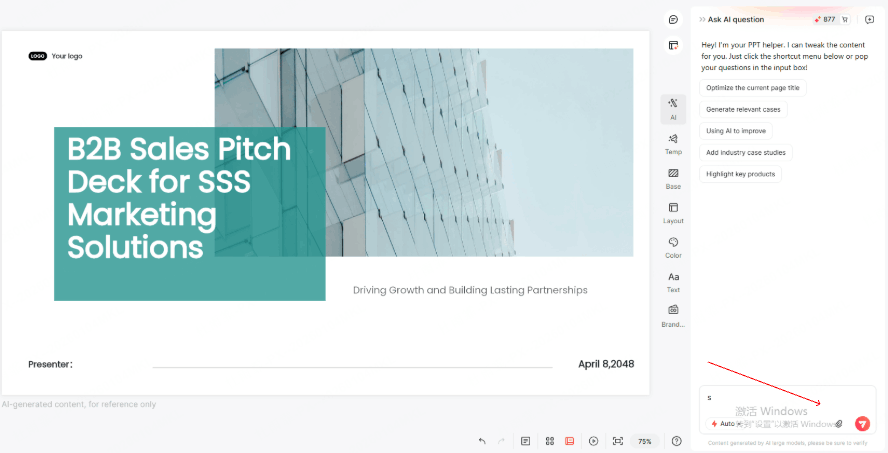
Presenti can help turn a topic or supported source document into an editable presentation draft. Start with a client brief that contains the prospect’s goals, the problem discussed, and the evidence you can share.
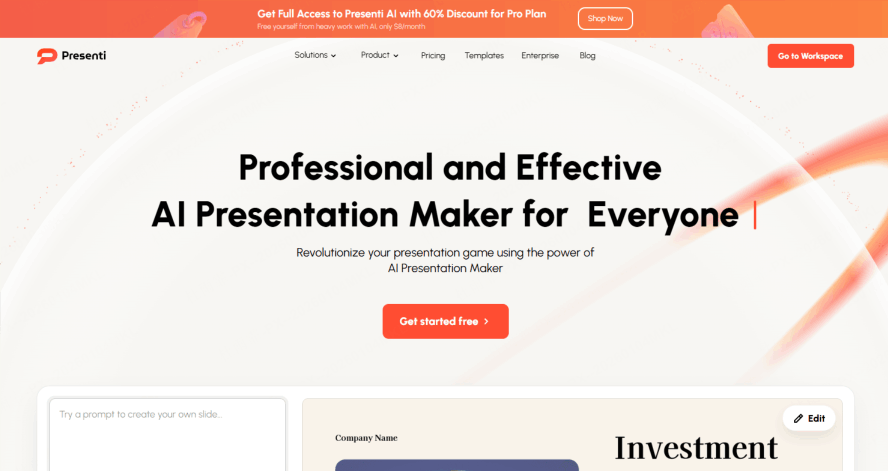
- Source material: Use your notes or a supported document import so the draft has a concrete starting point.
- Structure: Review the generated outline before expanding it into slides.
- Design: Choose a readable layout, then adjust emphasis and visual density for the audience.
Presenti’s plans distinguish limited free access from paid import and export benefits. Choose a plan based on the file types and deliverable you need, rather than assuming every workflow is included for free.
A Five-Pass Sales Pitch Deck Workflow
Before you start: prepare the client brief
- Name the customer’s goal and the problem discussed in the meeting.
- Collect approved figures, relevant case studies, and the proposed commercial terms.
- Identify who will read the deck and the decision each person needs to make.
- Choose one next step, such as a technical review or a scoped pilot.
Pass 1: Generate the structure
A prompt can specify the audience, desired decision, and source limits. For example:
“Create a B2B sales pitch outline for [client] in [industry], using the attached brief. Include the customer’s goal, current problem, proposed approach, supporting evidence, implementation, pricing assumptions, and next step. Use only the supplied figures and mark missing information as [to confirm].”
Check the outline before generating the full draft. Combine overlapping sections and keep the number of slides appropriate for the meeting.
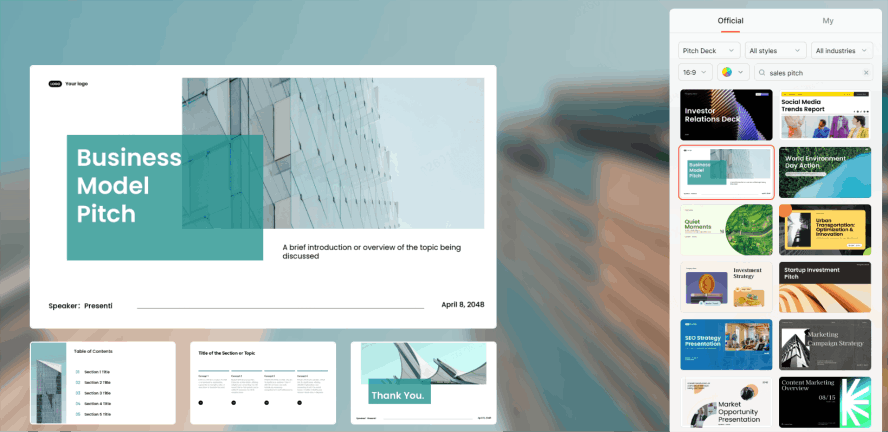
Pass 2: Personalize the argument
Replace generic statements with the prospect’s actual priorities. Use their terminology where it improves clarity, and explain how your proposal addresses the problem discussed. Changing a logo alone does not make a deck tailored.
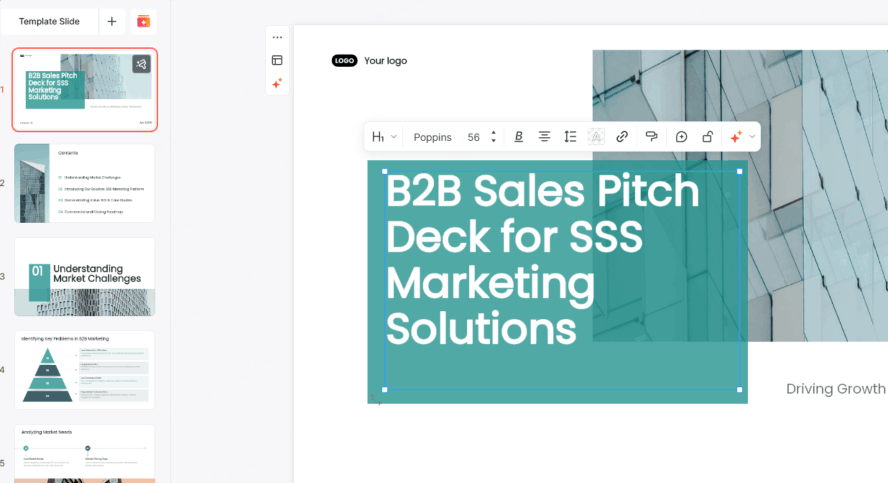
Pass 3: Show the value with evidence
Connect each proposed benefit to a feature, a mechanism, and a supported outcome. Use figures from your own analysis or an approved case study. If an estimate depends on assumptions, show them alongside the calculation.
For an illustrative time-saving estimate, calculate tasks per week × minutes saved per task, then show how those inputs were chosen. Do not replace vague claims with invented percentages simply to make the slide more persuasive.
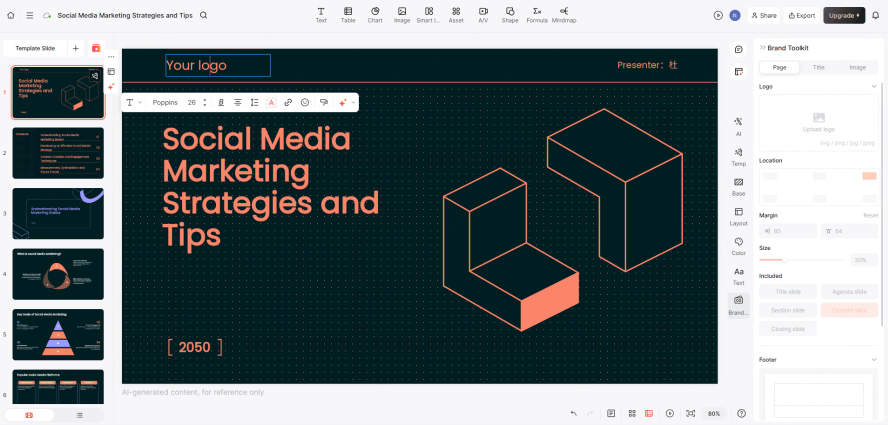
Pass 4: Make the slides easy to read
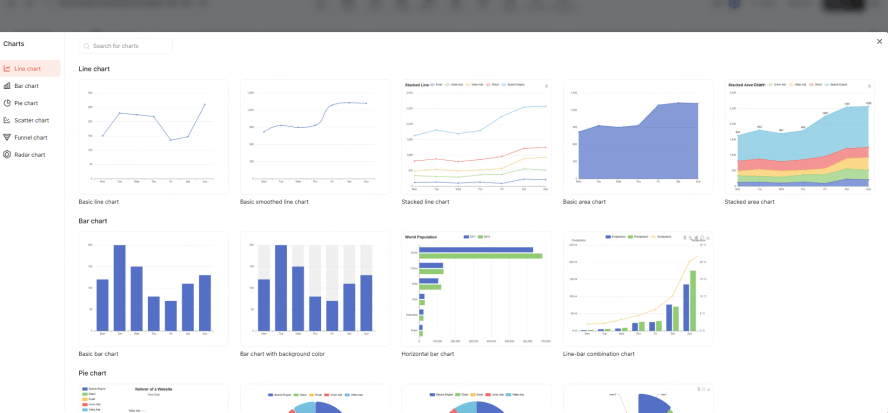
Use one clear takeaway per slide. A chart should use verified values, readable units, and a source; a product screenshot should show the actual workflow being proposed. Add a demo video only if the presentation format supports it and it has been tested.
Pass 5: Review and deliver
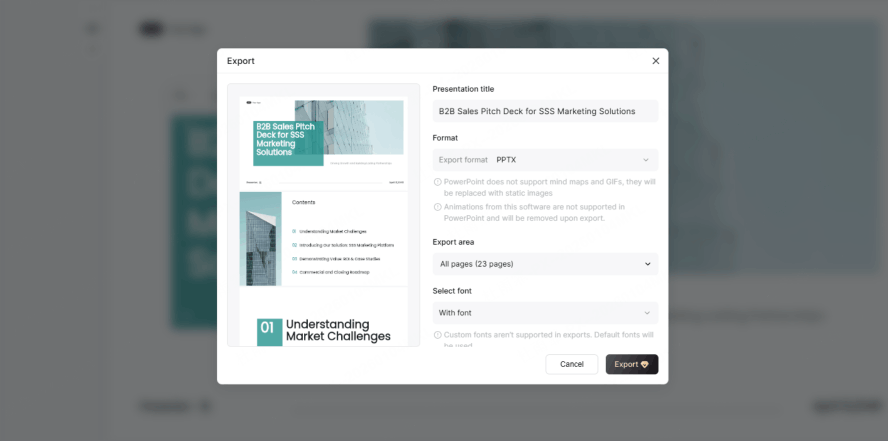
Read the customer’s name, dates, prices, calculations, and offer terms carefully. Remove placeholders. Add brief speaker notes where needed, then open the exported PPTX or PDF on the device or application used for the meeting. Review shared-link permissions as well.
Advanced Personalization Techniques
Use reliable customer data
A current CRM record or approved spreadsheet can help you prepare a better brief. Export or copy only the information needed for the proposal, and record the date of any figure that may change. Automated connections require a documented integration supported by the tools you use; they are not assumed features of Presenti.
For an ROI estimate, show the customer-specific inputs, the calculation, and the assumptions. Use a range when an important input is uncertain. Keep the editable calculation with the proposal so a colleague can review it.
Tell a clear customer story
A useful sequence is current situation → proposed change → evidence → implementation → decision. A relevant case study can support the argument if its results are accurate and you have permission to use the name, logo, or quotation.
Format large numbers consistently. For example, $1.2M can improve readability, but it should mean exactly the same amount as $1,200,000 and should not hide costs or conditions.
Common Sales Pitch Deck Mistakes
A generic proposal
If the problem slide could describe any company, return to the client brief. State the customer’s goal and explain why the proposed approach fits. Use the customer’s stated priorities to judge whether the proposal is relevant.
Too much information on one slide
Keep the decision-making point visible and move supporting detail to an appendix. Use a chart only when it makes the comparison easier to understand; a large number still needs a source or clearly labeled assumption.
An unclear next step
Close with an action the customer can evaluate, such as a technical workshop or a pilot with a defined scope. Include the participants, purpose, and proposed timing without assuming agreement.
A deck that is difficult to view on a phone
Open the shared link or exported file on a phone and inspect the text, tables, and image crops. Simplify crowded slides and provide a static alternative where interactive media is essential. Ask a colleague to review the same file on the device they normally use.
Measuring Sales Pitch Deck Performance
Track outcomes you can observe
Record whether a proposal led to a reply, a review meeting, or an agreed next step. If your sharing tool provides viewing analytics, use them as context. A long viewing time may reflect interest, confusion, or an unattended browser tab.
Compare versions carefully
Change one meaningful element, such as the opening slide or the placement of a case study. Compare similar audiences and document what else changed in the sales process. A handful of views can reveal useful questions, but 20 views per version does not by itself establish a statistically reliable conversion difference.
Improve the next proposal
Collect the questions customers ask and the sections your team repeatedly revises. Use that feedback to improve the reusable structure while retaining the details that make each proposal specific.
Conclusion
A useful sales pitch deck connects a customer’s problem to a supported proposal and a clear next step. AI and reusable presentation templates can help you draft it, but the evidence, calculations, and customer context determine whether it is ready to send. Start with a brief, refine the argument, and allow time for a final review.