Can Wepik truly cure your 'blank slide' anxiety? This overview explains the workflow questions to ask when comparing Wepik with other presentation tools; it does not report a hands-on test. The former Wepik AI presentation page now redirects to Slidesgo, so older Wepik feature and pricing descriptions no longer establish the current offer. If you’re looking for a more robust professional workflow, this review explores Wepik’s practical ceiling and introduces several Wepik AI alternatives that might better suit your needs.

Where the Wepik Presentation Workflow Leads Now
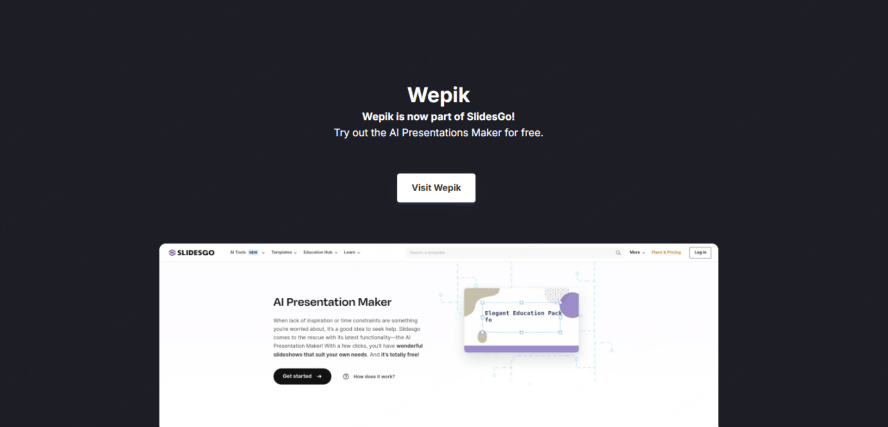
The former Wepik AI presentation URL now redirects to Slidesgo’s AI Presentation Maker. Treat the current Slidesgo workflow and terms as the basis for a new project rather than relying on an older Wepik review or price.
The Current Slidesgo Route
Slidesgo describes a topic-to-presentation workflow with editable customization and PPTX download. Its official FAQ lists three free presentations per month and requires an account to generate and download.
What to Check for Your Project
- Whether you can supply the source material your presentation needs.
- How the outline preserves names, numbers, and essential qualifications.
- Which template license and export conditions apply to the selected design.
- Whether the downloaded PPTX retains the objects and layout you need to edit.
The comparison below offers other workflow options. It is based on documented capabilities, not a controlled test of generated slide quality.
Top 5 Wepik AI Alternatives for Professionals
If you’ve outgrown Wepik’s simple prompts, these wepik ai alternatives offer features that handle complex workflows, existing documents, and professional design standards.
1. Presenti
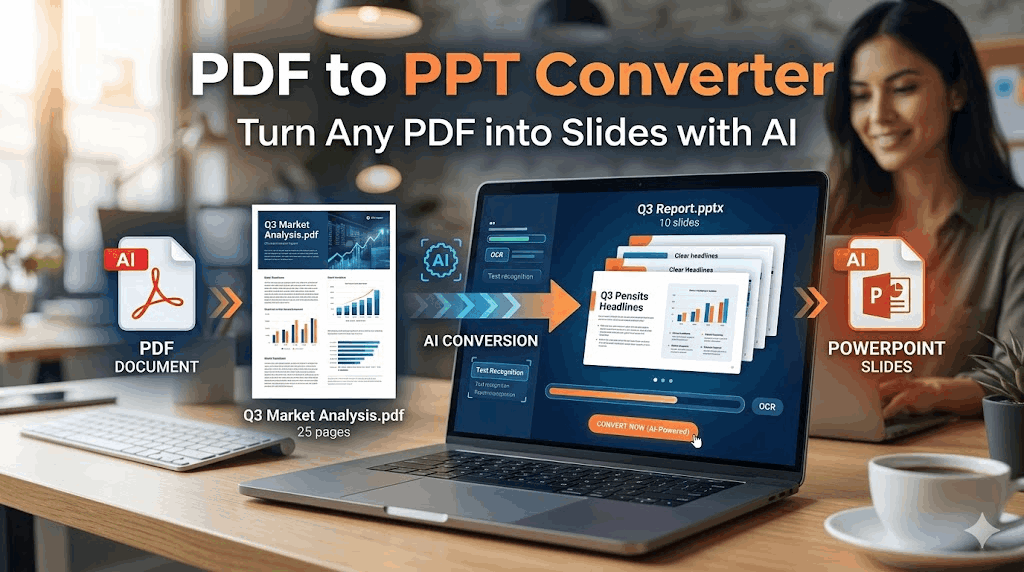
Presenti is a content transformation engine. It is specifically designed for professionals who already have their data in other formats and need a high-quality presentation now.

- Supported Source Inputs: Presenti supports Word and PDF input on paid plans and XMind input with free access. Review how the generated outline organizes your source before developing the slide design.
- XMind to PPT Integration: This is a standout feature. For strategists who brainstorm in mind maps, Presenti preserves the hierarchy of your thoughts, turning main branches into slides and sub-branches into supporting points.
- AI Content Refinement: Presenti doesn't just copy-paste your text. Its AI acts as an editor. It can take a dry, technical paragraph from a PDF and rewrite it into a punchy, persuasive slide deck suitable for a boardroom.
- Smart Dynamic Layouts: Adding a paragraph or chart can change how much space a slide needs. Check the revised slide for crowding and adjust the layout where needed.
- Consistency for Brands: Apply your brand's colors and typography, then review the entire deck for consistent use of headings, body text, logos, and spacing.
2. Gamma
Gamma is another presentation option. It moves away from the traditional 16:9 slide format and uses a "card" system.

- Fluid Formatting: Gamma allows you to create presentations that feel like a mix between a document and a webpage. It’s perfect for "scrolling" through a pitch rather than clicking through slides.
- One-Click Themes: You can change the entire look of your presentation instantly with themes that are more modern and "tech-focused" than those in Wepik.
- Interactive Blocks: You can embed live web pages, videos, and even apps directly into your Gamma cards, making it great for software demos.
3. Canva Magic Design
Canva is the most famous of the wepik ai alternatives, and their "Magic Design" feature is their direct answer to the AI trend.
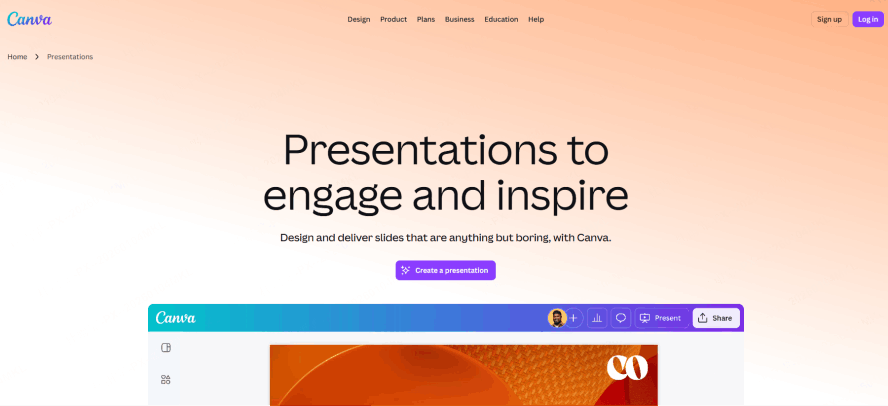
- Massive Template Selection: Canva’s primary strength is the sheer volume of templates. If you want a specific "look," Canva probably has it.
- Magic Switch: This feature allows you to take a presentation and instantly turn it into a blog post or a social media graphic.
- Collaborative Power: Canva’s real-time collaboration is the gold standard. If you have a large team that needs to comment and edit simultaneously, it’s a strong contender. However, like Wepik, it still relies heavily on manual design tweaks.
4. Plus AI
If your workflow is strictly tied to Google Workspace, Plus AI is an alternative to consider because it lives inside Google Slides as an add-on.

- Add-on Convenience: You don’t have to learn a new interface or export/import files. You just open the sidebar in Google Slides and tell the AI what you need.
- Slide "Remixing": You can take an existing slide and ask Plus AI to "rewrite this as a pro/con list" or "change this layout to a three-column format."
- Market Intelligence: Plus AI has specific features for creating "Market Snapshots," which makes it a favorite for researchers and analysts who need quick data summaries.
5. SlidesAI.io
SlidesAI.io is a straightforward tool designed for one purpose: taking a long block of text and slicing it into slides.

- Input-Focused: Check the current input limit for your SlidesAI plan before pasting a long script. It then uses AI to summarize that text and create individual slides.
- Multi-Language Support: It is particularly good at handling multiple languages, making it useful for international teams who need to translate content into presentation format quickly.
- Simplicity: It lacks the advanced design features of Presenti or Gamma, but it’s very effective if you have a finished script and just need it on slides immediately.
Comparative Analysis
To help you choose, compare the workflow requirements for common tasks.
- If you have an existing Word/PDF/XMind file: Presenti is one documented option to evaluate. Wepik and most others will require you to manually copy, paste, and summarize your data before the AI can even begin to help you.
- If you want a "Website" feel: Gamma is the winner. It breaks the "slide" mold and offers a more modern, continuous flow.
- If you are a Designer first: Canva is your best bet. It gives you the most control over every single pixel, though it requires the most "human" work.
- If you need a quick, free graphic: The wepik presentation maker is a solid entry point, provided you don't mind the content being a bit generic.
Conclusion
For the former Wepik presentation workflow, begin with the current Slidesgo entry point. But for the modern professional dealing with high-stakes data, 'good enough' isn't enough. This is where Wepik AI alternatives like Presenti take over. While the Wepik presentation maker helps you design from scratch, Presenti does the heavy lifting by turning your PDFs and Word docs into ready-to-use slides. In the choice of Wepik vs other AI tools, let your workflow decide. If you’re tired of the manual grind, switch to a tool that automates the structure so you can focus on the delivery.