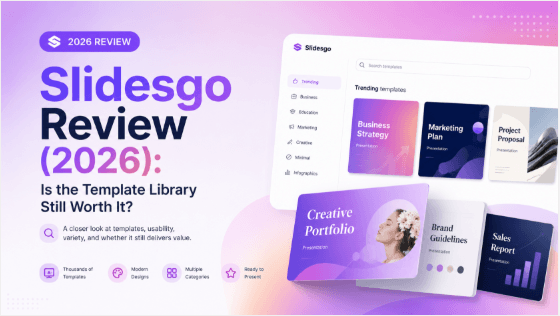
Slidesgo combines presentation templates with AI-assisted drafting. The useful question is which workflow fits your next deck: adapting an existing design or generating a draft from a topic or document. This Slidesgo review covers the differences, current plan limits and the checks to make before paying. If you arrived through an older Wepik listing, the Wepik-to-Slidesgo redirect guide explains why the old product name may still appear.
Review basis: Presenti AI Editor Team checked Slidesgo's public documentation on September 20, 2026. Presenti offers a competing presentation tool. This is a documentation-based review; we did not run a paid product benchmark or assign a hands-on score.
Quick verdict
Consider Slidesgo if you want to choose a visual starting point and finish your deck in a familiar slide editor. Its AI tools also support drafting, so describing it as a static template library is incomplete. Before choosing a plan, check your monthly volume, the attribution requirement for free templates and your preferred export workflow.
For a business proposal, lesson or report, judge the result against the source material and the editing work still required. Public feature lists cannot establish factual accuracy, brand fit or export fidelity for your particular deck.
How Slidesgo's AI and templates differ
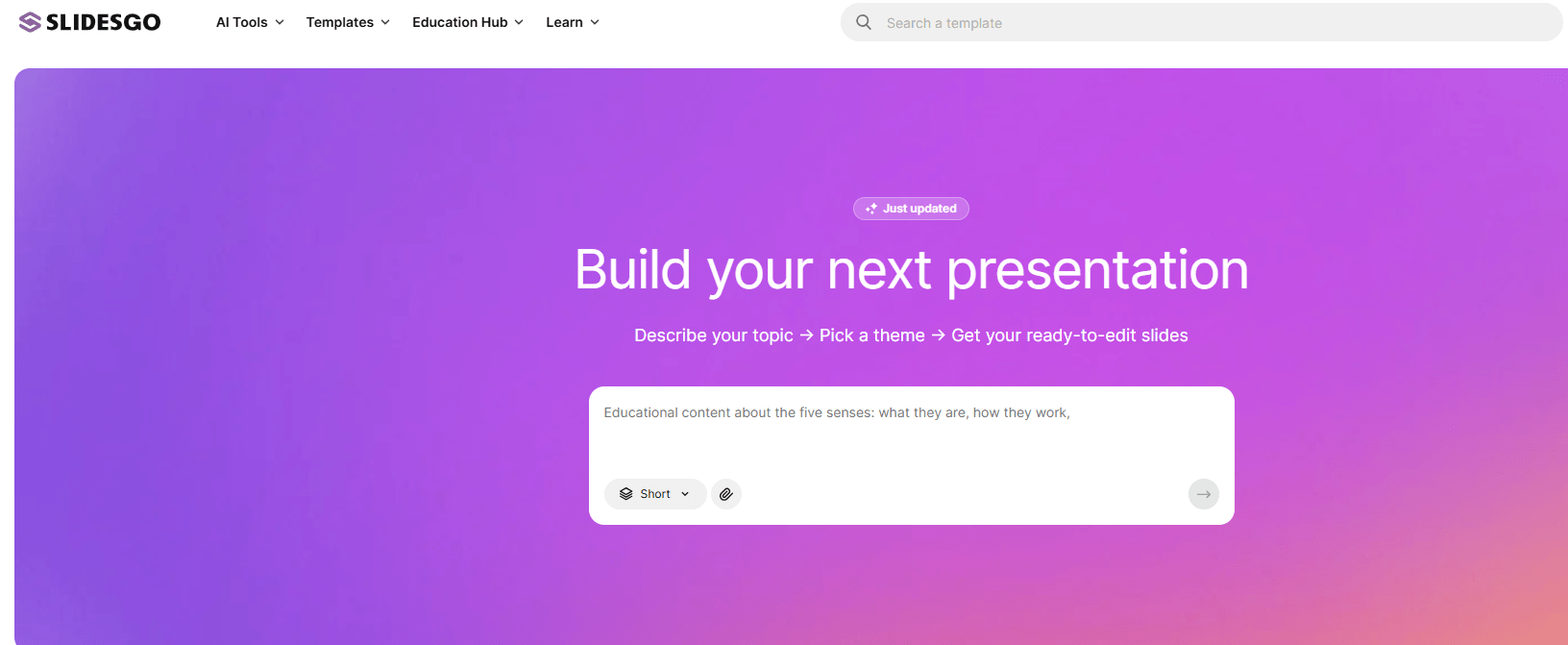
The AI Presentation Maker starts with a topic, lets you adjust the content and design, and downloads an editable PPTX. Its documentation describes customization of text, colors and layouts. Treat the generated text as a draft to review before presenting.
The traditional template route starts with a design you choose. Slidesgo's template FAQ describes a PowerPoint download or a Google Slides copy saved to Drive. That direct template-copy option is different from opening an AI-generated PPTX in Google Slides.
Document imports and export checks
Slidesgo's personalization guide documents DOCX, PDF and TXT inputs, image replacement and photo, illustration or 3D image styles. These options let you start with existing material rather than write a new prompt from scratch.
The separate Slidesgo PDF-to-PPT converter lists PDF, DOC, DOCX, TXT and MD inputs, with a 25 MB file limit. File acceptance does not establish that a scanned page, a dense chart or the original layout will survive conversion accurately. Check those elements in the exported deck.
If you need to insert your own product images, confirm the workflow before committing: the AI maker FAQ currently says personal image uploads are unavailable. Replacing a generated image, as described in the guide, is not necessarily the same capability.
A practical way to evaluate Slidesgo
Use one representative presentation for your trial, rather than a topic with no factual constraints. For example, prepare a short brief with an audience, three claims, one small data table and a required closing action. These are suggested checks, not results of tests we performed:
- Source accuracy: compare names, numbers and conclusions against the brief. Note omissions and invented claims.
- Slide structure: check whether each slide has one clear purpose and whether the order supports your argument.
- Editing effort: time the corrections, including text overflow, image selection and speaker notes. Count this work alongside generation time.
- Final delivery: open the PPTX in the editor you actually use. Inspect fonts, chart labels, alignment and any elements you need to edit.
Set your acceptance criteria first. A classroom explainer and a client proposal may need different levels of visual control and source checking.
Slidesgo pricing and free limits
The official pricing page showed the following USD prices and allowances when checked on September 20, 2026. Confirm the checkout total and applicable taxes before purchasing.
| Plan | Displayed price | Monthly allowances |
|---|---|---|
| Free | $0 | 3 AI generations and 3 template downloads |
| Premium, monthly | $5.99/month | 150 AI generations and 150 template downloads |
| Premium, annual | $35.99 billed annually; displayed as $3.00/month | Same Premium monthly allowances |
Premium is advertised as unlimited, but the pricing table specifies these monthly security caps. AI generation and template downloads are separate allowances. An account and login are required.
For template use, the licensing FAQ requires free users to retain the credits slide; Premium permits use without attribution. Check the license for the assets you intend to share.
Strengths and limitations to weigh
- Choice of starting point: the template and AI routes address different needs. Choose based on whether your content or your visual direction is already settled.
- Continuation in a slide editor: an editable output is useful, but compatibility alone is not evidence that every layout will transfer unchanged.
- Volume and reuse: compare your expected workload with the documented quotas and attribution terms, including decks prepared for other people.
- Unverified requirements: test custom imagery, approval processes and team editing if those are essential. This review does not establish those capabilities.
Who should consider it?
A student or educator can evaluate it for recurring lesson and assignment decks. A freelancer or business team can use the same trial to assess client-facing material. The deciding factor is whether the workflow meets your requirements, not a blanket claim that templates are unsuitable for professional work.
When to compare alternatives
Compare another tool if the trial leaves too much rewriting, formatting or export cleanup. Use the same brief and final editor for each candidate, and compare total preparation time rather than promotional claims.
For an additional option, see our Slidesgo alternative overview or explore Presenti's PDF-to-presentation workflow. These are Presenti product pages; this review does not establish that Presenti produces better results than Slidesgo.
Frequently asked questions
Is Slidesgo free?
Yes. The documented free allowance is three AI generations and three template downloads per month. Free template use requires attribution.
Can I use Slidesgo with Google Slides?
Yes. Traditional templates offer a Google Slides copy option. The AI maker documents PPTX downloads, which can be opened in Google Slides; check the imported layout before presenting.
Can Slidesgo turn a PDF into slides?
Yes. Its PDF-to-PPT tool accepts a PDF up to 25 MB. Compare the resulting text, numbers and slide order with the source before sharing.
Sources and review scope
Feature and plan statements above link to Slidesgo's own documentation. Prices, quotas and editor behavior can change.
A repeatable Slidesgo review sheet
Keep the review useful after a product update by separating three kinds of statements: what the official page says, what you observed in a test account and what you could not verify. Add a checked-on date beside every price, limit or export claim.
Run one controlled task from the same brief: create a short deck, edit a slide, export it and reopen the file. Record which step required a paid plan, which assets remained editable and which details needed manual cleanup. Do not turn an illustrative test into a universal result.
This makes the choice easier: a template-first workflow, a document-to-slides workflow and an editable-PPTX workflow solve different jobs. Presenti can help create an editable draft, but the final content, brand checks and export review still belong to the author.