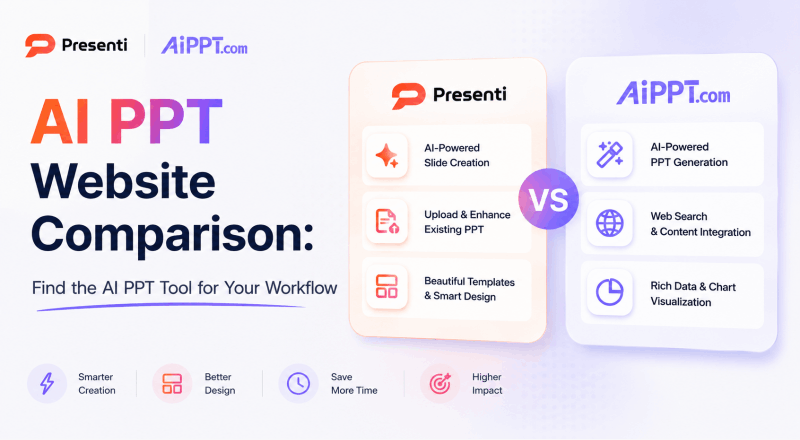
Choosing an AI presentation website is easier when you begin with the material you have and the file you need to deliver. This comparison looks at AiPPT and Presenti through source inputs, layout choices, editing, and export conditions. It does not report a controlled quality test.
What Is AiPPT?
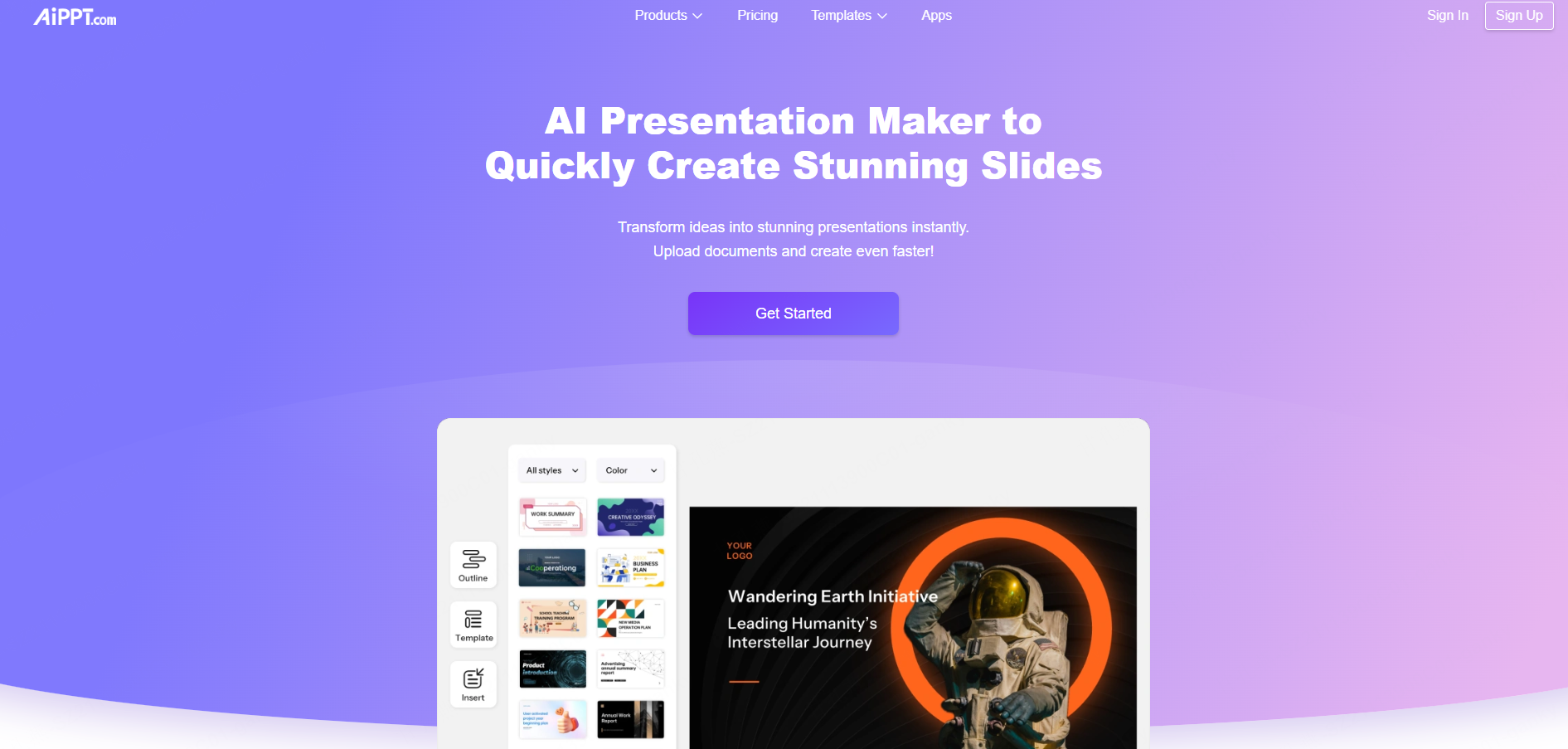
This guide refers to AiPPT at aippt.com. Its official site documents Word, PDF, URL, and text input, and also lists PPTX, Excel, and images. Several creation modes are available, including Agent, Classic, Flow, and Visual.
AiPPT lists PPTX, PDF, and image export plus sharing. Confirm which mode and plan support the source and output needed for your project; it should not be described as prompt-only or limited to one regional audience.
What Is Presenti?
Presenti is an AI presentation maker with topic, text, link, and supported-document workflows. Review the outline before selecting a template and refining the slides.
Free access has limited AI credits and Markdown/XMind input. Word, PDF, and TXT imports and editable PPTX/PDF exports are listed on paid plans. A supported source format does not guarantee that every detail will be included correctly.
Compare the Documented Starting Points
| Requirement | AiPPT | Presenti |
|---|---|---|
| Topics and text | Supported | Supported |
| Word and PDF | Officially listed; check mode and plan | Paid-plan inputs |
| URL | Officially listed | Supported link workflow |
| Other sources | Site lists PPTX, Excel, and images | Markdown/XMind input; TXT on paid plans |
| File output | PPTX, PDF, and images listed; verify plan entitlement | Editable PPTX and PDF on paid plans |
| Quality evidence | Test source fidelity, required edits, and the destination file with the same brief | |
Choose the Input That Matches the Work
A consultant may begin with a PDF brief, a teacher with lesson notes, and a founder with a pitch narrative. Both tools offer source-based workflows; compare the relevant format instead of assuming only Presenti can use documents.
After import, inspect the proposed sequence and check numbers, citations, names, and important qualifications. For a URL, confirm that the relevant content is accessible and was actually extracted.
A focused outline can be more useful than a long document containing unrelated material. Supply the information needed for the deck and that you are authorized to upload.
Evaluate Layouts with Real Content
Different ideas need different visual structures. A comparison, process, timeline, and data summary should not all become the same bullet-list slide.
When browsing Presenti's layout options, look for structures relevant to the task. Examples in the original workflow include timelines, comparisons, pyramids, SWOT, PEST, PDCA, the Golden Circle, fishbone diagrams, and funnels. Available labels and controls may change.
Use the framework only when it clarifies the argument. Check its categories and relationships yourself; selecting a SWOT layout does not validate the analysis. Compare the same required structure in AiPPT before judging editing effort.
Redesigning an Existing Deck
Presenti's Slide Polisher provides a separate workflow for existing PPTX files up to 100 MB. Its page lists support for text, images, specified shapes, SVGs, tables, and basic charts.
Upload a supported deck, inspect the parsed slides, select a theme and image option, then review the redesigned output. Check complex diagrams, table values, and object editability against the original.
AiPPT also lists PPTX input, so it is not accurate to call it a generation-only tool. Evaluate the actual redesign or import mode available rather than asserting that no equivalent exists.
Check the Cost of the Complete Workflow
For AiPPT, verify the current generation allowance, source-input access, export entitlement, branding conditions, and billing terms. This comparison does not establish a specific price or free-export offer.
Presenti's limited free access is useful for exploring drafting, while Word/PDF/TXT input and editable PPTX/PDF export are paid features. Include those costs when the final deliverable is an editable PowerPoint file.
Which Workflow Should You Try?
Try AiPPT when its documented input types or creation modes match your material. Try Presenti when you want to evaluate its outline-to-design process, layout choices, or Slide Polisher workflow.
In either case, use a representative source and perform the edits your team commonly needs. Language quality, visual suitability, and file compatibility should be assessed directly, not inferred from the provider's origin.
Frequently Asked Questions
Can both tools use documents?
Yes. AiPPT lists Word and PDF among its inputs. Presenti lists Word/PDF/TXT on paid plans and Markdown/XMind with free access.
Which produces better designs?
This guide does not establish a tested winner. Compare source accuracy, readability, and the edits needed for your particular deck.
Can I edit the output in PowerPoint?
Both document PPTX output, subject to their plan conditions. Inspect the exported text, images, charts, and grouped objects in PowerPoint or Google Slides before relying on their editability.
Start with a Representative Source
Choose by the source you can supply, the editing controls you need, and the file you must deliver. A small test deck can reveal more than a broad feature ranking.
Explore Presenti's free drafting access and review the paid input and export conditions before building the full project.