AI summary tools can help you work through a report, meeting transcript, or research paper by producing a shorter draft. A useful summary keeps the source’s meaning and qualifications intact; it still needs checking before you rely on it.
This guide covers 13 AI summary tools to compare, organized by use case so you can find the right fit without wading through a generic list. We also break down which tools suit specific job roles, from students and researchers to marketers and business professionals. Once your notes are organized, the text-to-presentation workflow offers a way to turn that material into an editable slide draft.

What Is an AI Summary Tool?
An AI summary tool is software that uses large language models (LLMs) or natural language processing (NLP) to read and condense text, audio, or document content into a shorter, structured output — preserving the key points while removing redundant detail. Most modern AI summarizers support plain text, PDFs, web pages, and audio or video transcripts, and they can produce summaries ranging from a single sentence to a multi-paragraph brief.
Why AI Summary Tools Matter in 2026
Reports, meeting records, and research papers often need different kinds of summaries. Decide whether you need a quick orientation, a record of decisions, or a comparison of evidence before choosing a tool. If you are choosing tools for a wider office workflow, the seven-category office AI guide separates summarization from presentation, design, data, and meeting tasks.
For an article, ask for its central claim and supporting points. For a meeting, ask for decisions, owners, and deadlines. For a research paper, keep the methods and limitations beside the findings. These requests create more useful evaluation tasks than a generic “summarize this” prompt.
Measure the time needed to verify and correct a summary as well as the time needed to generate it.
What to Look for When Choosing an AI Summarizer
Before committing to any tool, evaluate it against these five criteria:
- Accuracy and faithfulness: Does the summary preserve the original meaning, or does it hallucinate facts? Test it on content you know well.
- Use case fit: A tool optimized for legal PDFs will behave differently from one built for meeting notes. Match the tool to your actual workflow.
- Format support: Can it handle your file types — plain text, DOCX, PDF, MP3, YouTube URLs?
- Access and cost: Confirm the trial, input limits, and paid features needed for your actual workflow. A free plan is useful only if it lets you evaluate the relevant task.
- Privacy and data handling: For sensitive business or research documents, check whether your content is used to train the model or stored on third-party servers.
All 13 AI Summary Tools at a Glance
| Tool | Best For | Free Plan | Standout Feature |
|---|---|---|---|
| QuillBot | Academic writing and paraphrasing | Yes | Paragraph and bullet-point summaries |
| Writesonic | Marketing content and long-form text | Check current trial terms | SEO integration + document upload |
| Jasper | Brand-consistent content teams | Limited trial | Brand voice controls |
| ChatPDF | Quick PDF Q&A and summary | Yes | Chat-based PDF interaction |
| AskYourPDF | Multi-document research | Yes | Knowledge base across multiple PDFs |
| Scholarcy | Academic papers and textbooks | Yes | Flashcard-style structured summaries |
| Otter.ai | Real-time meeting transcription | Yes | Live meeting notes + action items |
| Fathom | Free unlimited meeting recordings | Yes; advanced features have limits | Instant post-call summaries |
| Notta | Multilingual audio/video summaries | Yes | Wide format support |
| SciSpace | Academic research and literature review | Yes | Research-specific Copilot |
| Consensus | Evidence-based research queries | Yes | AI-cited answers from research papers |
| Notion AI | Team knowledge management | Limited AI trial; broader paid access | In-workspace summarization |
| ChatGPT | General-purpose summarization | Yes | Flexible, multi-format, conversational |
Best AI Summary Tools for General Text
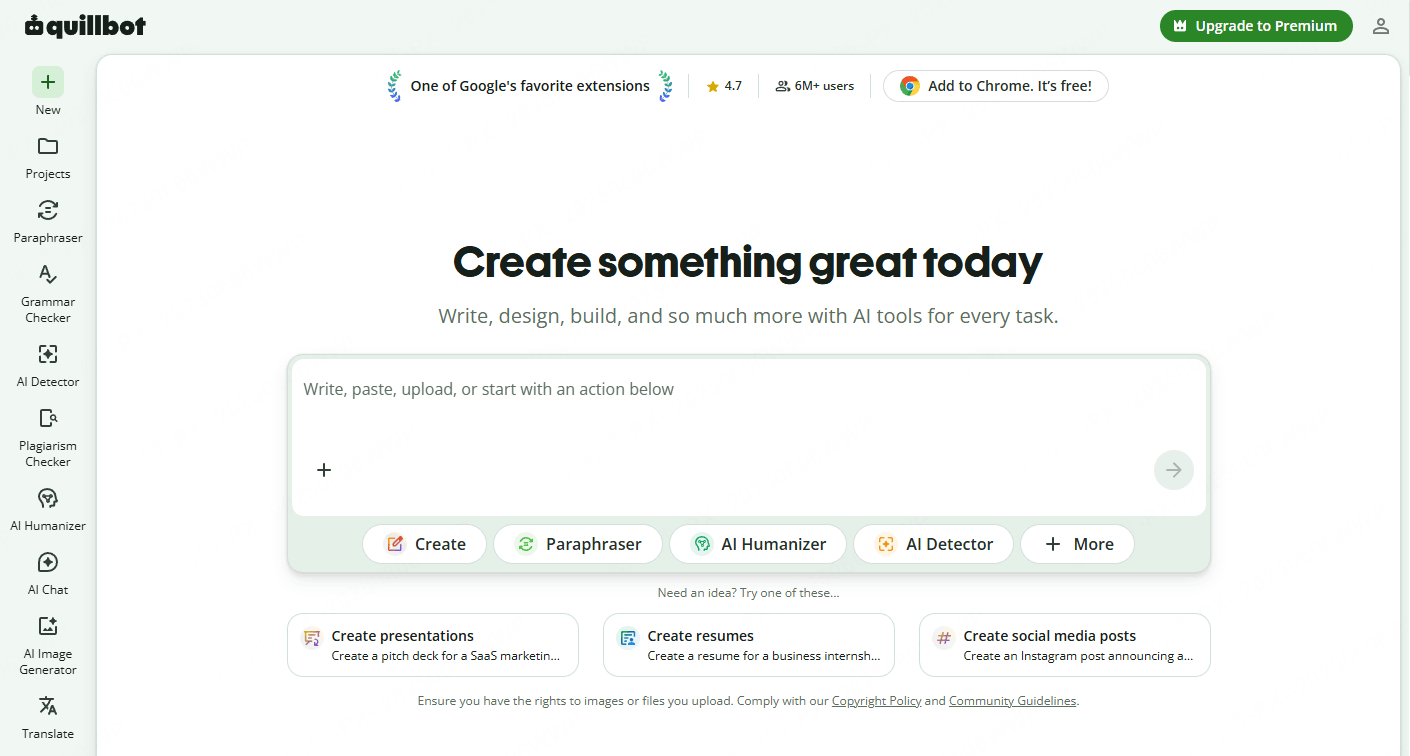
QuillBot
QuillBot’s summarizer offers paragraph and bullet-point output. It can be useful for condensing a passage before revising it for a particular audience. Compare the result with the original, particularly negations, qualifications, and the relationship between a claim and its supporting evidence.
Best for: Students, academic writers, general content processing
Free plan: Yes — limited word count per session
Writesonic
Writesonic is a marketing-oriented platform to consider when summaries feed into a broader content workflow. Evaluate the specific summarizer or document route you plan to use, including its input formats and trial terms. A source summary should stay separate from new promotional copy generated from it.
Best for: Content marketers, copywriters, SEO professionals
Access: Check the current trial and paid workflow
Jasper
Jasper is positioned at the enterprise end of the market. Its summarization features are embedded in a broader AI content platform, which means you get brand voice controls, team workspaces, and template libraries alongside the ability to condense documents. For individual summarization tasks, it is overkill. For marketing teams that need consistent output across multiple content types, the integration is valuable. The trial period lets you test it before committing to a paid plan.
Best for: Enterprise marketing teams, brand content managers
Free plan: Trial only
Best PDF Summarizer AI Tools
ChatPDF
ChatPDF offers a conversational route through a PDF: ask for the main argument, a section summary, or an explanation of a passage. Try it on a document you know, especially if it contains scans or complex tables. A fluent answer does not establish equal performance across contracts, textbooks, and research papers.
Best for: Professionals, students, anyone processing individual PDFs daily
Free plan: Yes — limited uploads per day
AskYourPDF
AskYourPDF extends the chat-with-document concept to support multiple files simultaneously. You can build a knowledge base from several PDFs and query them together — useful for literature reviews, contract audits, or comparing multiple research sources. The interface is clean and straightforward. Heavy users will want the paid plan to unlock larger document volumes, but the free tier is genuinely usable.
Best for: Researchers, legal professionals, multi-source analysis
Free plan: Yes
Scholarcy
Scholarcy approaches PDF summarization differently. Rather than producing one continuous summary, it generates structured outputs: a summary card with key claims, a list of references, extracted data tables, and flashcard-style highlights. For academic work, this structured breakdown is often more useful than a plain-text summary. Students revising multiple papers and researchers building literature reviews will find it particularly efficient.
Best for: Academic researchers, students, systematic review writers
Free plan: Yes
Best Meeting Summary AI Tools
Otter.ai
Otter.ai is an option for real-time meeting summary AI. It joins your Zoom, Google Meet, or Microsoft Teams calls automatically, transcribes in real time, and produces a searchable summary with action items highlighted. Check the plan’s monthly minutes and per-conversation limits against your meeting schedule. What makes Otter.ai particularly practical is the ability to search across past meeting transcripts, which turns your meeting history into a retrievable knowledge base.
Best for: Remote teams, frequent meeting attendees, project managers
Free plan: Yes — transcription limits apply
Fathom
Fathom’s free plan lists unlimited recordings and transcription with automated call summaries. Advanced summaries, action items, and team features have separate plan conditions. For a trial, check speaker attribution and whether a suggested action was actually agreed in the meeting.
Best for: Individual professionals, consultants, sales reps
Free plan: Yes — unlimited recording/transcription; other features vary
Notta
Notta is an option for meeting, interview, and other recorded-content workflows. Check the language, file format, and duration allowance for the recording you want to summarize. Review technical terms and speaker names in the transcript before relying on the summary.
Best for: International teams, content creators, interview-heavy workflows
Free plan: Yes — limited minutes
Best AI Tools for Research Summarization
SciSpace
SciSpace has become a go-to resource for researchers who need to process academic literature efficiently. Its AI Copilot can read a paper, explain complex concepts in plain language, and generate structured summaries that include the research question, methodology, findings, and limitations. You can upload your own PDFs or search SciSpace’s indexed library of millions of papers directly. The tool is particularly effective for interdisciplinary researchers who regularly work outside their primary domain.
Best for: Researchers, graduate students, literature review writers
Free plan: Yes
Consensus
Consensus takes a different angle on research summarization. Rather than summarizing a single document, it answers your research question by scanning a database of peer-reviewed studies and synthesizing the findings with citations. Ask whether a particular intervention works, and Consensus returns a structured summary of what the current evidence says — with links to the source papers. For evidence-based fields like medicine, psychology, and nutrition research, it is an unusually efficient triage tool.
Best for: Evidence-based practitioners, health researchers, policy analysts
Free plan: Yes — limited queries per month
All-in-One Productivity Summarizers
Notion AI
Notion AI works within the Notion workspace, which may suit a team whose project notes and documents are already there. Current Free and Plus plans offer a limited AI trial; Business and Enterprise include broader AI features. This is no longer accurately described as a universal add-on to every plan.
Best for: Teams using Notion as their primary workspace
Access: Limited AI trial on Free/Plus; broader features on Business/Enterprise
ChatGPT
ChatGPT can summarize supplied text and supported uploaded files, then revise the summary through follow-up requests. File tools, browsing, and limits depend on access. Ask for a structured output, such as claim, evidence, and caveat, and compare it with the source; a URL alone does not guarantee that a page was accessible.
Best for: General use, varied content types, users comfortable with prompting
Free plan: Yes; tools and limits vary by plan
Which AI Summary Tool Fits Your Work?
Not every tool fits every workflow. Here is a practical starting point by job role:
Students and academics: Start with QuillBot for writing support and Scholarcy for academic papers. Add SciSpace if you regularly process research literature.
Business professionals and project managers: Otter.ai or Fathom will cover your meeting summarization needs. Notion AI handles document summaries if your team already works in Notion. ChatPDF is another option to try for individual reports.
Researchers and analysts: SciSpace and Consensus are purpose-built for your workflow. AskYourPDF handles multi-document comparison effectively.
Marketers and content teams: Writesonic handles long-form content and competitor research well. Jasper is worth evaluating if you manage a content team that needs brand voice consistency.
From Summary to Presentation: The Next Step
A well-constructed summary is a starting point, not an endpoint. Once you have distilled a research paper, a meeting transcript, or a 50-page market report into its core points, the next practical step is often communicating those points to someone else — a team, a client, a stakeholder.
If the summary needs to become a presentation, Presenti AI can provide a slide draft from an outline or supported file. Keep the original source nearby so the second round of summarization does not drop qualifications. Word/PDF/TXT import and editable PPTX/PDF export are paid features.
Before presenting, compare the slide’s conclusion with the original material, not only with the intermediate summary.
Frequently Asked Questions
Which free AI summary tool should I try?
Choose by input: QuillBot for a text passage, a PDF-focused tool for a document, or Fathom for meeting recordings. Check the action you need under the current free plan; free access does not make one product the best fit for every source.
Can AI summary tools handle PDFs accurately?
Results depend on the document and task. Test a page with the tables, scans, footnotes, or multi-column layout you use, then compare the summary with the original. This guide does not establish a measured accuracy ranking.
Are AI summarizers suitable for confidential documents?
Check your organization’s approved tools and the specific plan’s retention, training, sharing, and deletion terms before uploading sensitive material. A paid or enterprise label alone does not establish the controls your work requires.
How should I check a meeting summary?
Compare names, decisions, action owners, and deadlines with the recording or transcript. Audio quality, overlapping speech, language, and terminology can affect the result. Correct errors before using the summary as a project record.
What is the difference between an AI summarizer and a paraphrasing tool?
An AI summarizer condenses content, reducing it to its essential points. A paraphrasing tool rewrites content at similar or equivalent length, changing the phrasing without necessarily shortening it. QuillBot, notably, offers both features in one platform, which is part of its appeal for academic users.
Conclusion
The best AI summary tools in 2026 are not interchangeable — each one is optimized for a specific type of content and a specific kind of user. The key is matching the tool to your actual workflow rather than defaulting to whatever appears first in a search result. Use QuillBot or ChatGPT for general text. Reach for Scholarcy or SciSpace when the content is academic. Let Otter.ai or Fathom handle your meetings. And when the time comes to communicate what you have learned, let Presenti AI handle the presentation side of the equation.
Information overload is not going away. The right AI summarizer just makes it significantly more manageable.