If you are comparing Canva alternatives for presentations, start with the task that is difficult in your current workflow. You may need to turn a report into an outline, keep a team’s visual style consistent, or hand over an editable PowerPoint file. Presenti and Beautiful.ai are options to evaluate alongside Canva.
Try the same brief in each tool. Compare how it organizes the argument, represents the source material, and handles the edits you need after generation.
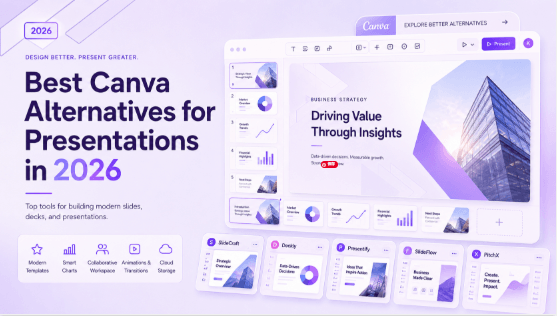
Why People Are Looking for Canva Alternatives
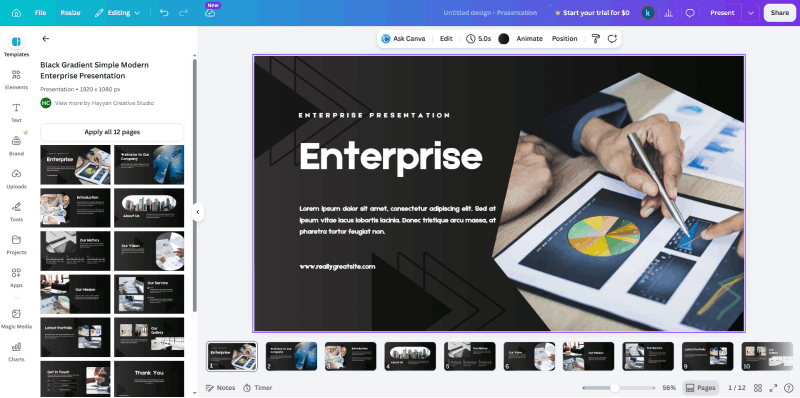
Canva combines presentation design with a broader visual-content workflow. That may suit a team producing both slides and marketing material; a presentation-focused tool may fit a different set of needs. The Canva presentation review separates AI drafting and document use from the retired Docs-to-Decks workflow.
Consider these requirements before switching:
- Revision effort. Generate a draft and see how much editing is needed to fit the audience, argument, and brand.
- Content organization. Check whether the draft retains the key argument, qualifications, and evidence from your brief.
- Source formats. Confirm that the specific workflow accepts your Word, PDF, or existing presentation file.
- Delivery format. Export a sample and inspect it in the application your audience or colleagues will use.
The time you spend reviewing content and correcting layouts matters alongside generation speed. A useful comparison follows a draft through to the file you will actually deliver.
Presenti AI vs Beautiful.ai vs Canva: Full Feature Comparison
| Feature | Presenti AI | Beautiful.ai | Canva |
|---|---|---|---|
| AI Automation Depth | AI-generated content and layouts | AI deck generation and Smart Slides | AI-assisted presentation design |
| Multi-Format Document Input | PDF/Word/TXT on paid plans; Markdown/XMind on free | Prompt generation and PowerPoint import; check other formats | Check the import workflow for your source format |
| Document-to-Deck Conversion | Supported document-to-draft workflows | Check the source format and generation workflow | Check the source format and generation workflow |
| One-Click Theme Switching | Theme selection and switching | Review theme and brand controls | Review theme and brand controls |
| Template Categories | Business, education, marketing, and other categories | Business-focused | Broad visual-content library |
| Export to Editable PPTX | Paid plans; review exported objects | Paid plans; review exported objects | PPTX export; review exported objects |
| Export to PDF | Paid plans | Check plan access | PDF export |
| Image output | Check available export formats | Check available export formats | Image export options |
| Free Plan Quality | Limited AI credits and selected imports | 14-day card-required trial | Free plan with feature limits |
| Cost comparison | Check billing period and export access | Check renewal price and team needs | Check the plan and paid assets required |
| Workflow to Evaluate | End-to-end AI presentation creation | Brand-consistent team decks | Presentations alongside other visual content |
The table describes workflow choices, not a hands-on performance ranking. Use a short report with headings, a table, and a source citation to compare the results under the plans available to you.
Evaluating Presenti as a Canva Alternative
Multi-Format Input: Bring What You Already Have
A strategy brief, research document, meeting notes, or previous draft can provide a stronger starting point than a topic alone. Choose the input route that fits the material you already have.
Presenti lists PDF and Word document import on paid plans, with Markdown and XMind import on the free plan. Review the extracted structure and check whether important context, qualifications, and source references remain in the outline.
Document support differs by product and workflow. Beautiful.ai also offers AI deck generation and PowerPoint import; compare the exact source formats you use instead of assuming either competitor only accepts a short prompt. The Beautiful.ai review examines those source routes alongside Smart Slides and team controls.
AI Layout and the Review It Still Needs
Presenti generates an initial layout with typography, colors, and content placement. Review crowded slides, chart labels, and the hierarchy of the main message.
Some slides may still need shorter text, different spacing, or another layout. Include that revision time when deciding whether the workflow suits your recurring work.
One-Click Theme Switching
One of the most practical features in Presenti AI is also one of the most underrated. Apply a completely different visual theme to your entire deck — new typography, new color scheme, new layout aesthetic — with a single click. No slide-by-slide editing.
For professionals who pitch the same core content to different audiences — a formal board presentation one day, a startup investor meeting the next — this is a genuinely time-saving capability. Your content stays intact. Your visual language adapts to the room.
Checking Editable Exports
Paid Presenti plans list editable PPTX export. Open a sample in PowerPoint and check which elements remain editable, how fonts render, and whether the file fits your organization’s template.
Use the same export check for every candidate: inspect slide dimensions, fonts, charts, images, and any interactive or animated elements your presentation needs. This article does not establish a measured fidelity advantage for one tool.
Comparing Plan Access
Presenti has a limited free plan; Word/PDF/TXT import and editable PPTX/PDF export are paid features. Beautiful.ai offers a 14-day trial that requires a card and renews unless canceled. Compare the current billing period, export access, and team features against the Canva plan you use.
A lower subscription price is useful only if the plan includes the source and output formats you need. Check those requirements before committing to a full deck.
Who Should Make the Switch
Switch to Presenti AI from Canva if:
- You’re building presentations more than visual marketing content
- You spend more time formatting than refining your message
- You need to convert existing documents into slides regularly
- PPTX export quality and fidelity matter to your workflow
Switch to Presenti AI from Beautiful.ai if:
- You need a particular document-input workflow and want to compare it with the options in your current plan
- You need to adapt a deck for several audiences and want to compare theme controls
- The price premium for team plans isn’t justified by your actual collaboration needs
- A trial with your own material shows that another workflow needs fewer content or layout corrections
Choose the workflow that requires the least correction for your actual material. Brand controls, source handling, editable output, and review time may matter differently to an individual presenter and a large team.
Conclusion
Switch when a trial with your own material resolves a specific problem: a stronger outline, easier revisions, more suitable team controls, or a deliverable that works in PowerPoint. Staying with an existing tool can also be sensible if it meets those needs.
Presenti is worth evaluating for a document-to-draft workflow. Compare its output with your source, refine the slide sequence, and test the exported file before making it your default tool.
Try Presenti AI with the free features available in your account, then check the plan needed for your intended import and export formats.