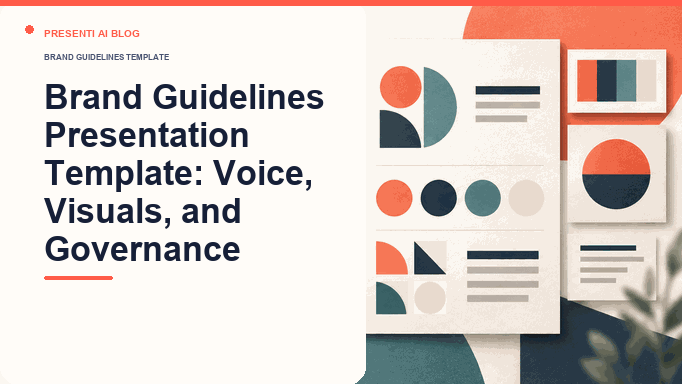
A brand guidelines presentation template should help employees, partners, and vendors make consistent communication decisions without guessing. The deck translates brand strategy into practical verbal and visual rules, approved examples, prohibited uses, asset locations, ownership, and an exception process.
This template fits a brand launch, rebrand, onboarding session, agency handoff, or internal alignment meeting. It is not a substitute for the source asset library or a complete design system. The presentation explains how the system works; linked source files preserve the production-ready logos, fonts, templates, and specifications.
Use Word to presentation when the current guide or strategy is maintained as a document. Start with the approved document, then review the slide draft against the original rules.
What Should a Brand Guidelines Presentation Define?
The deck should define the decisions that must remain consistent and the range within which teams can adapt. Begin with the audience and brand promise, then connect that strategy to language and design choices. If the first half of the presentation is abstract brand vocabulary and the second half is an unrelated color palette, the system will be difficult to use.
Write one governing statement before building slides. For example: "For operations leaders who need complex work to feel manageable, the brand should sound calm, precise, and useful; visual choices should make hierarchy and evidence easy to scan." That sentence gives voice, design, and content reviewers a shared test.
| System layer | Questions to answer | Required artifact |
|---|---|---|
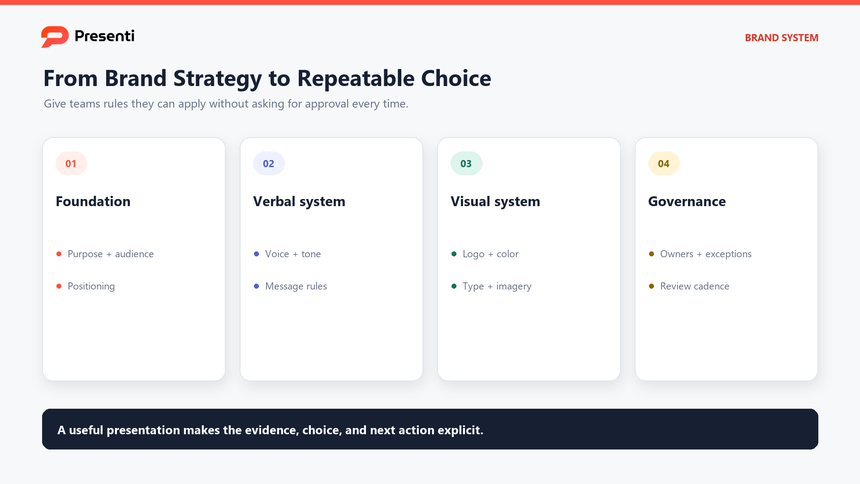
| Foundation | Who is the audience, what do we promise, and how are we distinct? | Purpose, positioning, audience, values, and brand idea |
| Verbal identity | How should the brand sound in different situations? | Voice principles, tone matrix, terminology, and examples |
| Visual identity | How should the brand look across common channels? | Logo, color, typography, imagery, icon, and layout rules |
| Governance | Who owns the system and how are exceptions handled? | Asset source, approval path, review triggers, and change log |
Distinguish fixed rules from flexible guidance. A legal logo lockup may be fixed; photography subject matter may allow a range. Labeling the difference prevents the deck from becoming either too rigid to use or too vague to govern.
Which Slides Belong in a Brand Guidelines Deck?
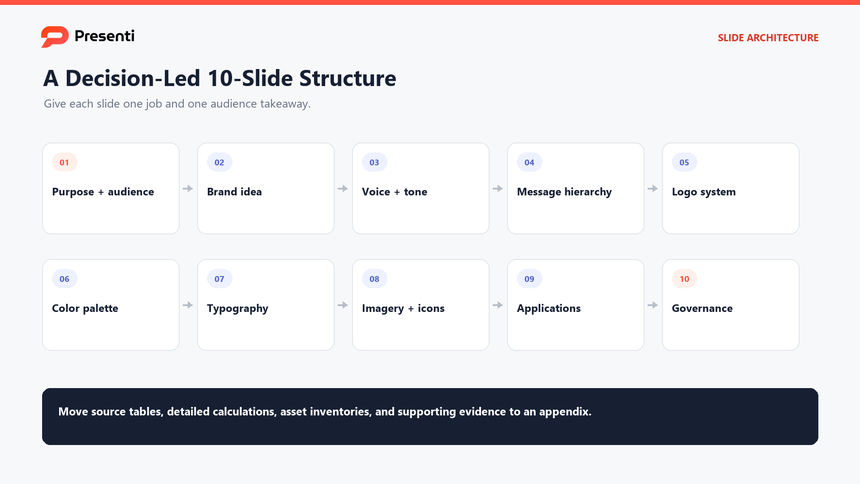
A practical core deck usually contains ten to fifteen slides, followed by application examples or an appendix. A small organization may combine elements; a global brand may split them into separate verbal, visual, motion, data-visualization, and accessibility guides. The main presentation should show the system people need most often.
Use the slide structure as a brand guidelines template, then adapt the fields to the audiences and channels the organization actually supports.
- Purpose and audience. Explain who the brand serves and the business or human outcome it supports.
- Positioning and brand idea. State the distinct promise and the idea that should connect communication.
- Voice principles. Define three or four observable traits with boundaries.
- Tone by situation. Show how expression changes with audience, channel, and stakes without changing identity.
- Messaging hierarchy. Organize the value proposition, proof, key messages, and approved terminology.
- Logo system. Present variants, clear space, minimum size, backgrounds, and common misuse.
- Color system. Give values, roles, combinations, and accessibility checks rather than swatches alone.
- Typography. Define families, hierarchy, weights, spacing, and fallbacks.
- Imagery and icons. Explain subject, composition, treatment, sourcing, and exclusions.
- Applications and governance. Show the system in real artifacts, then name asset sources, owners, exceptions, and maintenance.
Use real applications rather than perfect specimens only. Email banners, sales slides, social posts, product screens, reports, and event materials reveal where rules collide. Include at least one constrained example, such as a small mobile surface or a partner co-branding layout.
How Do You Explain Brand Voice, Tone, and Messaging?
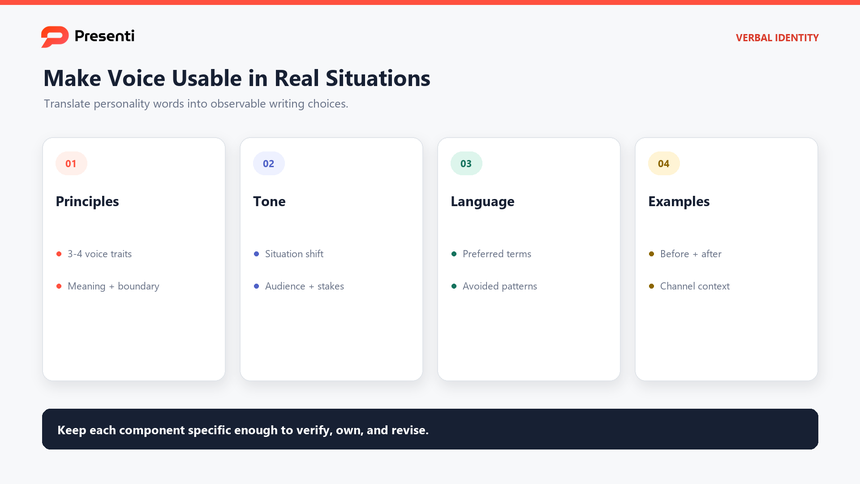
Voice is the stable character of the brand; tone is how that character responds to a situation. "Friendly" or "bold" alone is not operational guidance. Define what each principle means, what it does not mean, and which writing choices make it visible.
A brand style guide presentation should make verbal rules observable through examples, boundaries, and approved alternatives.
For a principle such as "clear," specify behaviors: lead with the user outcome, prefer concrete verbs, define specialist terms, and reduce stacked qualifiers. Then show the boundary: clear does not mean simplistic, abrupt, or stripped of necessary context.
| Situation | Tone adjustment | Example rule |
|---|---|---|
| Product onboarding | Confident and concise | Name the next action and the result the user should see |
| Service interruption | Direct, accountable, and calm | State the impact, current response, and next update time |
| Campaign launch | Energetic but specific | Lead with the benefit and support it with credible proof |
| Policy or compliance | Precise and neutral | Preserve defined terms, scope, exceptions, and effective dates |
Build a message hierarchy that separates the master value proposition from audience-specific messages and proof. A slogan is not a messaging system. Give teams approved terms, terms to avoid, claim requirements, and examples of adapting the same idea across a headline, email, presentation, and support response.
Before-and-after examples are especially useful. Show the original line, the revised line, and a short annotation explaining the relevant rule. The explanation helps people transfer the guidance to a new situation rather than copy one sentence mechanically.
Three annotated voice examples
For this fictional project-management brand, the voice is calm, direct, and helpful. Assume that projects, invitations, task owners, and due dates are confirmed features. The service notice also assumes that the stated impact is confirmed and a 3 p.m. update is committed. These are writing examples, not Presenti feature or service claims.
| Situation | Before | After and reason |
|---|---|---|
| Onboarding | Unlock limitless potential. | Add your first project, then invite your team. — Names the next actions instead of an abstract promise. |
| Service interruption | Oops! Everything will be fixed soon. | Report exports are unavailable. We’re investigating and will post an update at 3 p.m. — States the impact and next communication without promising a repair time. |
| Campaign | The best productivity tool ever. | Keep owners and due dates beside each task. — Replaces an unsupported ranking with a specific feature. |
The voice stays recognizable, but the interruption notice is more restrained than the campaign line. Mailchimp’s voice and tone guide makes the same distinction between a consistent voice and a tone that responds to the reader’s situation. Choose your own brand traits rather than copying another brand’s personality.
How Should You Present the Visual Identity System?
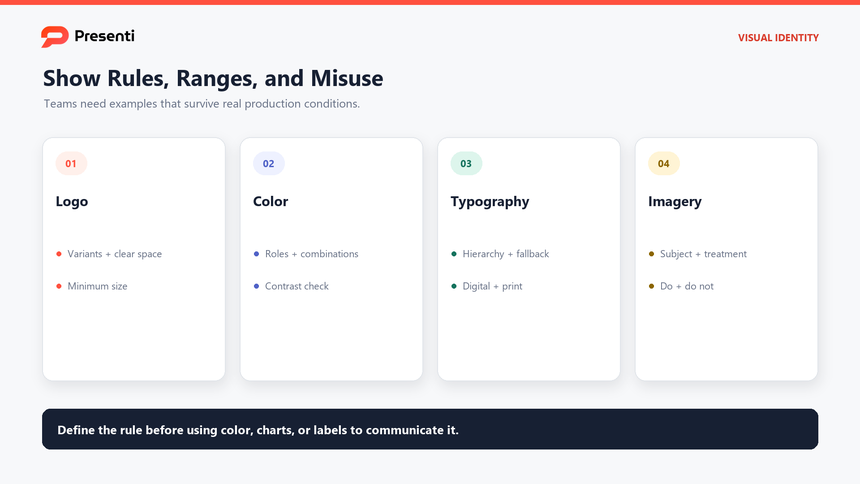
Present each visual element as a rule, range, and application. For the logo, show the approved variants, clear space, minimum size, background behavior, and prohibited changes. For color, distinguish primary, secondary, accent, surface, text, and data roles. Include exact values for the relevant color spaces and identify who maintains them.
Typography guidance should define hierarchy, not only font names. Show heading, subheading, body, caption, and data-label treatments with size, weight, spacing, and fallback rules. A team using presentation software, a website, and office documents may need different available fonts; state the approved substitution path.
- Imagery: specify subject matter, point of view, composition, lighting, treatment, and licensing expectations.
- Illustration and icons: define stroke, fill, perspective, level of detail, corner treatment, and appropriate use.
- Layout: show grid, margins, density, alignment, and hierarchy in real formats.
- Data visualization: define chart colors, emphasis, labels, comparisons, and accessibility checks.
- Motion: when relevant, explain duration, easing, sequencing, restraint, and reduced-motion alternatives.
Do not rely on color to communicate meaning by itself. Check text and interface combinations in their intended context and preserve a non-color cue for status or category. A brand palette can be distinctive and still require specific accessible combinations.
Specify a usable color pair, not just a swatch
For a fictional palette, compare white text against two solid backgrounds. The contrast ratios below use the WCAG relative-luminance calculation, rounded to two decimals.
| Text | Background | Contrast | Ordinary body text |
|---|---|---|---|
| #FFFFFF | #FF4D32 | 3.30:1 | Below 4.5:1 |
| #FFFFFF | #B83A25 | 5.72:1 | Above 4.5:1 |
WCAG 2.2’s AA contrast criterion requires at least 4.5:1 for ordinary text and 3:1 for qualifying large text. Record the intended text role and background together. Passing this pairwise check does not establish accessibility for a whole deck; font size, layout, charts, and other requirements still need review.
How Do You Govern Brand Use, Exceptions, and Updates?
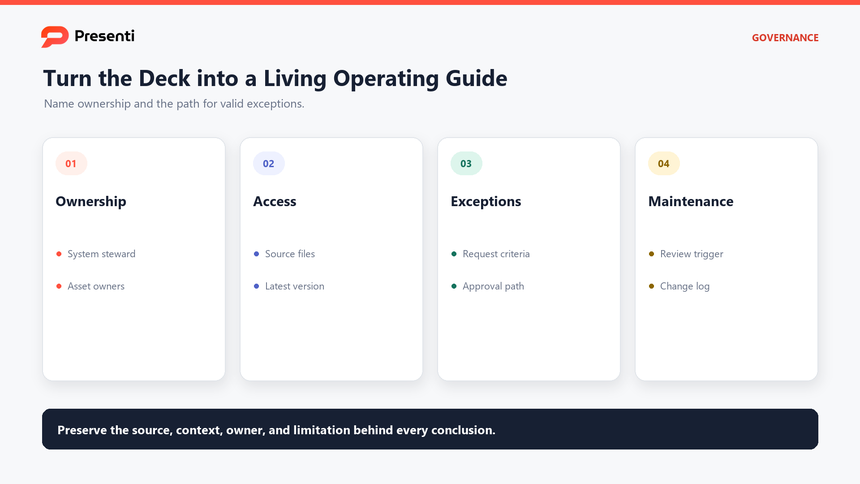
A guidelines deck becomes stale when nobody owns it. End with the operating model: system steward, asset owners, source-of-truth location, version date, change log, review cadence, and the trigger for an out-of-cycle update. If teams cannot tell which file is current, visual consistency will depend on memory.
Define an exception path for cases the deck cannot anticipate. A useful request includes the intended audience, channel, constraint, proposed departure, reason, duration, and owner. The brand steward can then approve a limited exception, recommend another pattern, or update the system when the new need is recurring.
| Governance question | Practical answer to include |
|---|---|
| Where are current assets? | One named library with owners, version dates, and replacement rules |
| Who approves exceptions? | A role, response time, request format, and escalation path |
| When is the guide reviewed? | A regular cadence plus triggers such as new channels, products, or accessibility findings |
| How are changes communicated? | Change log, release note, affected templates, and migration owner |
| How is adoption checked? | Sample audits, recurring questions, asset usage, and common exception patterns |
Measure whether the guide reduces ambiguity, not only whether people viewed it. Repeated questions may reveal a missing example. Frequent exceptions may indicate an unrealistic rule. Inconsistent artifacts may reflect inaccessible source files rather than lack of training.
A short onboarding exercise can test usability: give participants three realistic communication tasks and ask them to choose the correct voice, logo, color, and template treatment. Record where the guide fails to answer the question, then improve the guide.
How Can Presenti Turn Brand Inputs into an Editable Guidelines Deck?
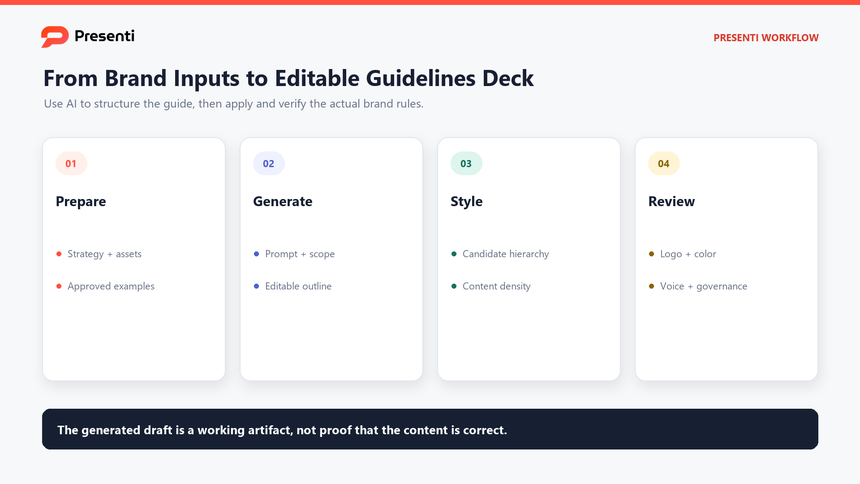
Presenti can help organize approved brand inputs into an editable presentation draft. Text or PDF inputs may also fit the workflow, but prepare a concise, current source and separate production assets from descriptive guidance.
A branding guidelines deck should make correct brand decisions easier, with placeholders replaced by approved assets before distribution.
To start a customized brand guidelines presentation draft, open Presenti, paste the approved brief, review the outline, and choose a suitable style in the Presenti template center. The editable draft gives the brand team a working structure to replace placeholders with approved assets, specifications, examples, and governance rules.
The tool can assist with slide structure and visual drafting. It does not determine which logo file is legally approved, verify a color value, acquire font licenses, or decide whether an exception protects the brand. Those decisions remain with the brand owner.
Step 1: Prepare the source package
Collect the approved strategy, voice rules, logo variants, color values, typography hierarchy, imagery examples, application samples, and governance notes. Remove obsolete versions and record the owner and date for each source.
Step 2: Enter a scoped prompt or source document
Use a prompt such as:
Create a 12-slide brand guidelines presentation for employee and agency onboarding. Include audience and positioning, one brand idea, four voice principles with boundaries, a tone matrix, message hierarchy, logo use, color roles, typography hierarchy, imagery guidance, application examples, asset ownership, exceptions, and review cadence. Use placeholders for all brand assets and exact values not supplied. Do not invent slogans, colors, fonts, or legal requirements.
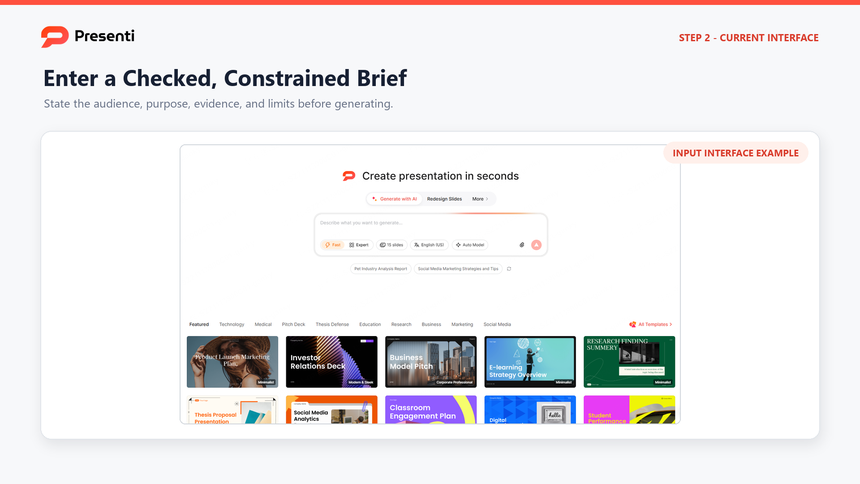
Step 3: Review the outline, then choose a brand-guidelines template
Check that strategy explains the verbal and visual rules, that applications follow those rules, and that governance closes the deck. Remove generic branding advice. Treat any generated visual direction as a candidate until the brand owner applies the approved assets and verifies every specification. Preview a template for the working draft, but do not treat its default colors, typography, imagery, or logo treatment as approved brand rules.
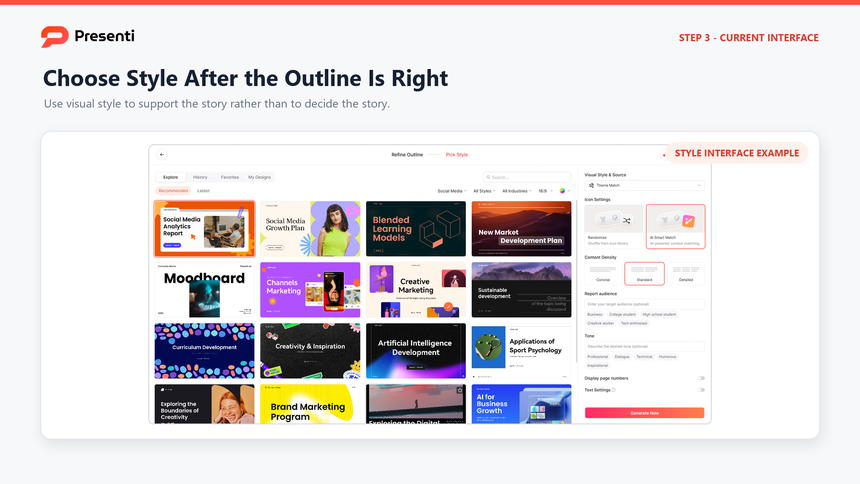
Step 4: Replace placeholders and verify applications
Insert approved source assets, exact color values, type rules, examples, and owner details. Test at least three real formats and one constrained case. Confirm that the deck points to the current asset library and that the exception path works.
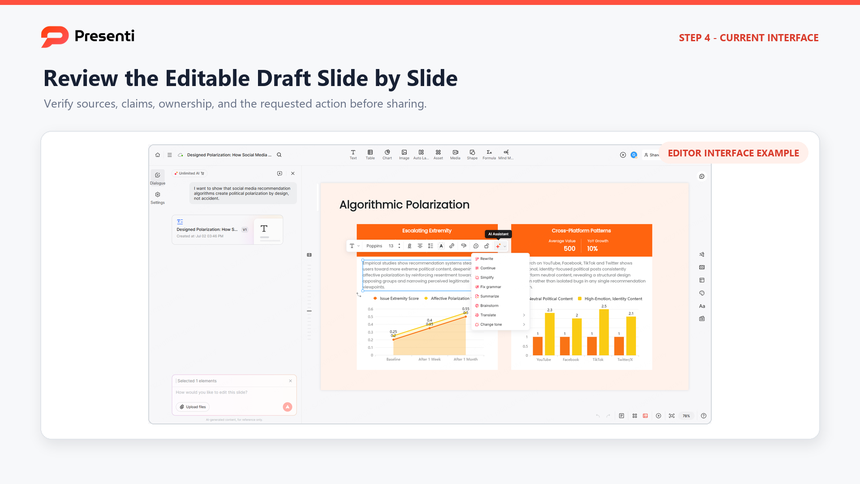
The completed deck should make correct brand decisions easier. If the presentation looks polished but leaves teams unsure how to adapt the system, the guide is not finished.
Frequently Asked Questions
What is a brand guidelines presentation?
It is a presentation that explains how a brand should communicate and appear. It typically covers strategy, voice, tone, messaging, logo use, color, typography, imagery, applications, assets, ownership, and exceptions.
How many slides should brand guidelines have?
A core onboarding deck often needs ten to fifteen slides. Larger systems may use a short overview that links to separate verbal, visual, motion, accessibility, product, and co-branding guides.
What is the difference between brand guidelines and a style guide?
The terms are often used interchangeably. Some teams use "brand guidelines" for the full strategic, verbal, and visual system and "style guide" for more detailed writing or design rules. Define the scope in the document rather than relying on the label.
Should the deck include incorrect examples?
Yes, when they teach a likely mistake. Pair each incorrect example with the relevant rule and a correct alternative so readers understand how to recover.
How often should brand guidelines be updated?
Set a regular review cadence and also define triggers such as a new product, channel, audience, accessibility finding, repeated exception, or asset change. Update only with a named owner and change record.