Interactive tools can help you collect questions, check understanding, or let viewers explore content at their own pace. The right choice depends on the activity, audience, and delivery setting.
This guide covers what interactive presentation tools actually do, how seven platforms approach interaction, and how to choose the right one for your audience and purpose.
What Are Interactive Presentation Tools?
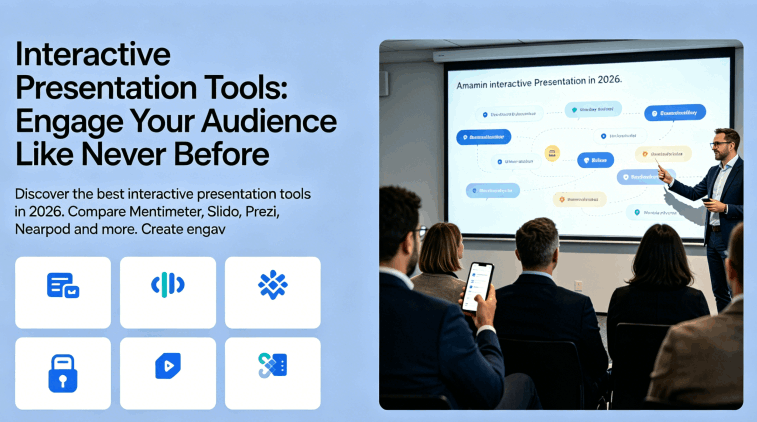
Interactive presentation tools are platforms that enable two-way engagement during a presentation. Rather than a one-directional flow of information from presenter to audience, interactive tools create moments where the audience responds, votes, asks questions, submits answers, or navigates content on their own terms.
The spectrum is wide. At one end, a simple live poll embedded in a slide counts as interactivity. At the other end, fully branching presentations where each audience member follows a personalized content path represent the category at its most sophisticated. Most professional use cases fall somewhere between those extremes.
The common thread is audience agency. An interactive presentation changes what it means to attend a talk, sit through a training, or review a proposal. Passive consumption becomes active participation. Use participation to reveal questions or misconceptions, then respond to what the audience tells you. Interaction is useful when it supports the purpose of the session.
Why Interactive Presentation Sites Are Gaining Ground in 2026
Interactive tools can support live meetings, remote sessions, and self-paced learning when the activity fits the audience’s task.
Remote sessions compete with other screen activity. A purposeful poll or question can invite people back into the discussion. Leave enough time to interpret and respond to the answers.
Live feedback can guide the session. Questions and responses help a presenter decide what to clarify, revisit, or discuss next.
AI can assist question drafting. Some platforms generate draft polls or quizzes from supplied material. Check the question, answer choices, and any proposed correct answer before using them.
The data is genuinely useful. Live polls and Q&A tools do not just create engagement in the moment. They generate data about what your audience knows, believes, and cares about. That data informs everything from follow-up content to product decisions to curriculum design.
Top Interactive Presentation Tools in 2026
Mentimeter
Mentimeter is a presentation platform built around audience participation. Its interactive slide options include live polls, multiple choice questions, word clouds, open-ended text responses, rating scales, and ranked voting.
The presenter controls the flow while the audience participates through a code-based access system on their phones or laptops. Responses aggregate in real time and visualize on the presenter’s screen as audience members submit them. A word cloud grows as more people contribute. A bar chart updates with each new vote. The visual feedback makes the participation feel consequential rather than performative.
Key features:
- 15+ interactive slide types including polls, quizzes, word clouds, and scales
- Anonymous response option for sensitive questions
- Real-time result visualization
- Exportable response data for post-presentation analysis
- PowerPoint and Google Slides integration
Best for: All-hands meetings, conference talks, workshops, classroom instruction, training sessions.
Pricing: A free plan is available. Check current participant limits, question types, and export access.
Slido
Slido focuses on audience questions and polling for meetings and events. Check its current presentation and meeting integrations against your organization’s software and account permissions.
The standout feature is moderated Q&A. Audience members submit questions anonymously, and other participants upvote the questions they want answered. The presenter sees a ranked list of questions ordered by audience interest, eliminating the awkward silence of “does anyone have questions?” and replacing it with a curated, democratically ordered list.
Key features:
- Moderated Q&A with audience upvoting
- Live polls embedded in presentations
- Meeting integrations, subject to platform and plan
- Post-event analytics and response export
- Organization controls to review against your requirements
Best for: Corporate town halls, company-wide meetings, conference sessions, remote team communication.
Pricing: Compare the free plan’s event limits with paid audience, moderation, and reporting options.
Prezi
Prezi takes a structurally different approach from every other tool on this list. Rather than advancing through a linear sequence of slides, Prezi presents content on a single large canvas that the presenter navigates by zooming in and out of different areas.
This non-linear structure is inherently more interactive than slide-by-slide formats because it allows presenters to follow the audience’s interest rather than a predetermined sequence. A question from the audience about a topic covered later? Zoom directly to that section. A digression that connects two ideas? Navigate between them visually rather than saying “we’ll get to that later.”
Prezi offers AI-assisted presentation drafting as well as its spatial presentation format. Review how the generated content is arranged and rehearse the navigation before presenting.
Key features:
- Spatial canvas navigation rather than linear slides
- AI canvas generation from text prompts
- Real-time collaboration
- Presenter and audience views with synchronized navigation
- Video integration with face-in-frame presentation recording
Best for: Sales presentations, storytelling-heavy content, educational content where connections between ideas matter, anyone who wants to stand out visually.
Pricing: Free access is available; check privacy, AI, and download conditions.
Nearpod
Nearpod is designed for interactive teaching and learning. Evaluate its lesson delivery and reporting features for your learners.
The platform combines presentation delivery with embedded activities that students or trainees complete on their own devices during the session. A teacher presents a slide, then sends students directly to an embedded quiz, a collaborative drawing board, an open-ended response prompt, or a virtual reality experience — all without leaving the Nearpod environment.
The synchronization feature is particularly strong: the presenter controls the pace for the whole group, so the group can work through the same activity together.
Key features:
- Embedded quizzes, polls, and collaborative boards
- Virtual field trips and VR content integration
- Student-paced and teacher-paced delivery modes
- Detailed completion and comprehension reports per student
- Google Slides import
Best for: Classroom instruction, corporate training, onboarding programs, educational workshops.
Pricing: Check the free allowance and the school or district licensing that fits your setting.
Genially
Genially specializes in creating interactive content that goes beyond what traditional slide tools support. Presentations built in Genially can include hover effects that reveal additional information, click-to-expand content areas, embedded video and audio, branching navigation paths where different audience choices lead to different content, and gamified elements like escape room mechanics.
The platform is particularly strong for self-paced interactive content where the audience explores material at their own pace rather than following a presenter. Marketing teams use it for interactive proposals. Trainers use it for self-directed learning modules. Educators use it for gamified lessons.
Key features:
- Hover and click-based interactivity on any element
- Branching navigation and conditional content paths
- Embedded video, audio, and external content
- Game-style templates and interactive learning activities
- Analytics on which interactive elements audiences engage with
Best for: Self-paced learning, interactive marketing content, gamified education, training modules that run without a live presenter.
Pricing: A free plan is available with restrictions. Check branding, downloads, and analytics.
Poll Everywhere
Poll Everywhere focuses on collecting and displaying audience responses during a presentation. Use it when the session needs a poll, question, or feedback activity.
Poll Everywhere supports audience-response activities and integrations with presentation software. Choose the question type for the information you need, and check current integration and plan requirements.
Key features:
- Activity types including clickable image responses
- AI-generated draft questions on eligible plans
- Response reports for post-session review
- Native PowerPoint, Keynote, and Google Slides integration
- Moderation tools for open-ended responses
Best for: University lectures, professional training, conference sessions, research and feedback gathering.
Pricing: Check the free audience allowance and the education or organization plan appropriate to your event.
Kahoot
Kahoot gamifies audience participation through competitive quiz mechanics. Participants answer time-limited questions and earn points for correct answers, with a live leaderboard updating between questions. Competition may suit a review activity, but consider whether scoring and time limits help your learners.
Kahoot offers AI-assisted quiz creation. Check the supported source inputs and access on your account, then review every generated question and answer before using it with learners.
Key features:
- Competitive quiz mechanics with live leaderboard
- AI quiz generation from uploaded content
- Team mode for group competition
- Slideshow-style presenter notes
- Reporting on correct answer rates per question
Best for: Corporate training with gamification, classroom review sessions, onboarding knowledge checks, event entertainment.
Pricing: Free and paid options vary by education, personal, and business use.
Interactive Presentation Tools Comparison Table
| Tool | Activity to consider | Before choosing |
|---|---|---|
| Mentimeter | Live polls, quizzes, and word clouds | Check participant allowance and response export |
| Slido | Audience questions, upvoting, and polls | Check moderation and meeting integration |
| Prezi | Presenter-led exploration of related topics | Test navigation, privacy, and download access |
| Nearpod | Interactive lessons and learner activities | Check delivery modes and required reporting |
| Genially | Interactive explanations and self-paced content | Test navigation, device support, and analytics |
| Poll Everywhere | Live audience-response activities | Check audience limit, integration, and AI access |
| Kahoot | Quizzes and knowledge-review activities | Check account type, delivery mode, and participant allowance |
How to Choose the Right Interactive Presentation Tool
The right tool depends on three factors: your audience context, your delivery format, and what you want the interactivity to accomplish.
For live presentations, compare Mentimeter and Slido using the audience size, question types, moderation, and meeting integrations you need. Rehearse joining and submitting a response from an audience device.
For educational settings, consider Nearpod when lesson activities and individual progress reports are central. Check that the available reports match your teaching and assessment needs.
For self-paced content, consider Genially for click-based exploration, interactive explanations, and learning activities. Test navigation and completion on the devices your audience uses.
For gamified training where competitive mechanics drive engagement, Kahoot’s quiz format offers a competitive activity when points and leaderboards fit the group.
For a presentation that emphasizes relationships between topics, consider Prezi’s spatial canvas. Use zoom and movement sparingly and check that the audience can follow the route.
Combining Interactive Tools with AI Presentation Builders
You can pair an AI presentation builder with an interactive tool: first organize the slide content, then add audience activities at points where a response will inform the discussion.
Prepare the narrative and audience activities together. An AI-generated slide draft can help establish the sequence, but leave space for questions, response time, and discussion before refining the layout.
Presenti AI can draft presentations from text and supported documents. On an eligible paid plan, export a PPTX and review it in PowerPoint or import it into Google Slides. Add audience activities through an integration supported by that editor and your account, then rehearse the complete presentation with the polling service connected.
For educators looking at broader comparisons of AI-based slide creation tools, this overview of the best AI PPT tools in 2026 covers the full landscape in detail.
Getting Started with Interactive Presentations
Start with a small activity and check the chosen platform’s free or trial allowance, audience limit, privacy settings, and device requirements. Test the joining process before inviting the full group.
Decide what the audience should do and how you will use their response. A short poll may be enough for a live meeting; an independent lesson may need branching content, feedback, and progress reporting.
Start with one interactive element in your next presentation: a poll at a decision point, a word cloud to surface existing knowledge, or a moderated question session. Review whether the responses helped the session before adding more activities.
Use Presenti AI to draft the slide sequence, then add activities that serve your audience and purpose. Check generation allowances and paid PPTX/PDF export options before preparing the full deck.