Creating a compelling presentation for a job interview can be a game-changer in your career journey. This guide aims to equip you with the essential components for crafting effective interview prep slides to help you stand out from the competition. Whether you're a seasoned professional or a recent graduate, understanding how to structure your interview presentation is crucial for making a lasting impression on potential employers.
What is an Interview Presentation?

An interview presentation is a visual and verbal tool used during job interviews to showcase your qualifications, ideas, and fit for the role. It allows candidates to present their skills and knowledge in a structured format, often giving them an edge over other applicants. Well-crafted interview prep slides can help convey your message clearly and effectively, making a strong impression on potential employers.
What to Include in Your Interview Slides
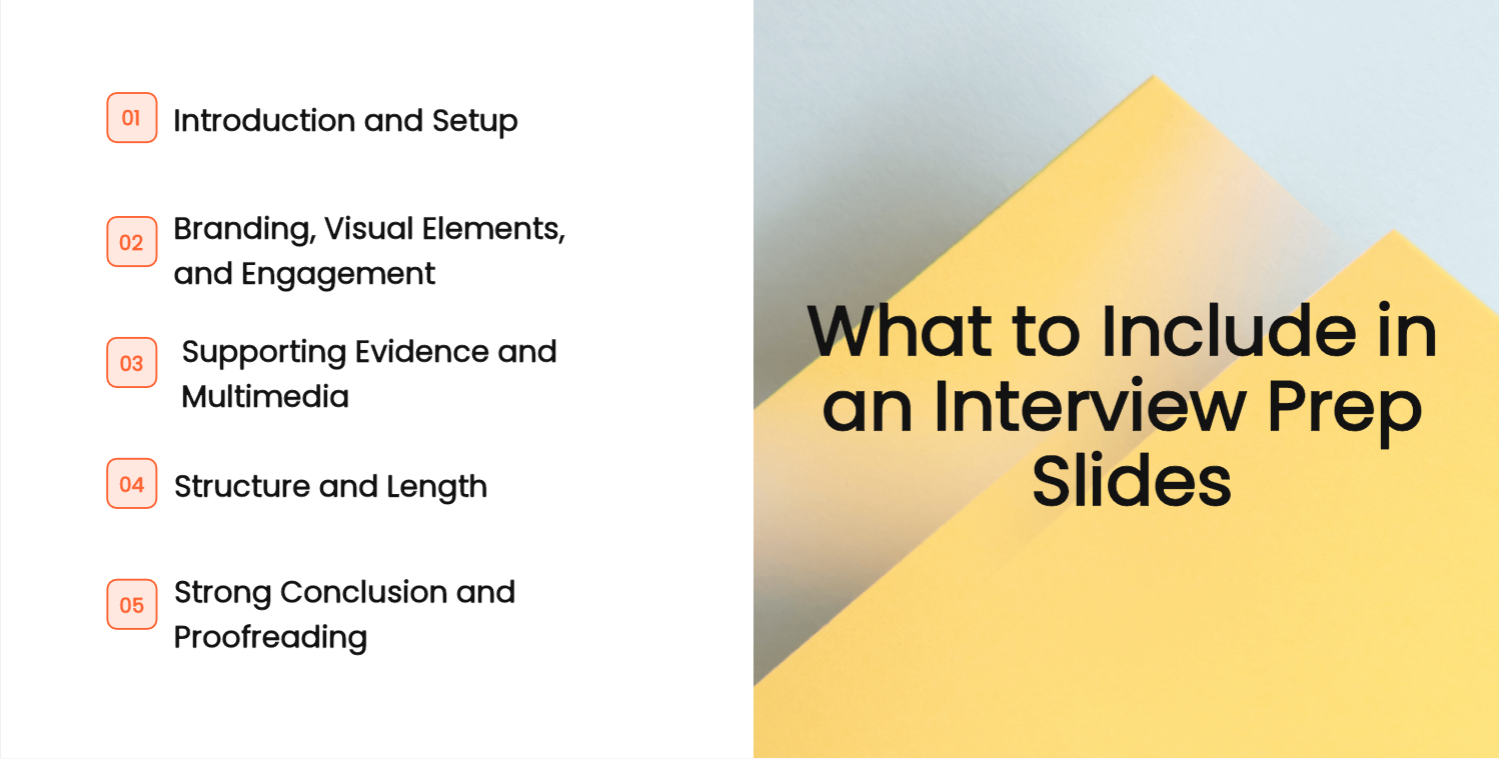
- Introduction and Setup
Begin your presentation with a brief introduction about yourself and outline the main points you will cover. This introduces the topic to your audience and provides them with an understanding of what to expect. For the opening only, these self-introduction slide structures for different settings help you choose what to say about yourself before moving into the evidence for the role.
- Branding, Visual Elements, and Engagement
Use consistent branding and professional visual elements that align with the company's identity. Incorporate interactive elements, such as questions or polls, to engage your audience and foster a two-way conversation.
- Supporting Evidence and Multimedia
Include data, case studies, or examples that support your claims and showcase your achievements. Utilize multimedia elements like videos or graphics to enhance your message while ensuring they remain relevant and clear. If the employer also asks for a visual resume, the workflow for building a visual resume in PowerPoint format covers organizing your background and adapting the design to the role.
- Structure and Length
Organize your presentation logically, with clear sections that flow smoothly from one to the next. Follow the length and topic specified in the interview brief. If no time limit is given, confirm the expected duration and whether it includes questions.
- Strong Conclusion and Proofreading
End with a compelling conclusion that reinforces your main points and emphasizes your enthusiasm for the position. Always proofread your slides for spelling and grammatical errors to reflect professionalism and attention to detail.
Turn one role requirement into a credible slide
Suppose an interview brief asks how you would improve a customer-support process. A slide titled “Excellent communicator” gives the panel a claim but no basis for judging it. A more useful title is “I made the handoff between support and engineering easier to follow”—provided that is something you actually did.
Build the slide around four short elements. First, describe the problem: requests arrived without the information engineering needed. Second, identify your own action: you drafted an intake form and agreed the required fields with both teams. Third, show an artifact you have permission to share, such as a redacted form or a recreated layout. Fourth, explain what you learned: one field was misunderstood, so you changed its wording after feedback. This is an illustrative structure, not an achievement to copy into your own interview.
Be precise about your role. “I wrote the first draft; the support lead approved the process; engineering tested it” is stronger evidence of collaboration than claiming the whole initiative as your own. If you do not have a measured outcome, do not invent a percentage. Explain what evidence you do have and what you would measure next.
Keep proposed work separate from past results. Your next slide might say, “For this role, I would first review a sample of incomplete requests.” That is a hypothesis about where to begin, not a diagnosis of a company you have not worked in. Ask what information would be available before proposing a firm target.
If the interviewer interrupts with a question, the visible artifact should still help you answer. Move detailed background into speaker notes or an appendix and keep the slide understandable without reading a script. Presenti can help arrange the material, but remove confidential names before uploading and compare the draft with the evidence you are allowed to discuss.
How to Prepare for Your Interview Prep Slides
- Conduct Thorough Research
Before your interview, research the company and the specific role you are applying for. Understand the company's culture, values, and current challenges. Tailoring your presentation to align with this knowledge will demonstrate your genuine interest and preparedness.
- Structure Your Presentation Effectively
Structure your content in a logical manner, ensuring there is a clear introduction, body, and conclusion. Ensure each section flows smoothly into the next, making it easy for your audience to follow. Outline key points you want to cover and stick to your structure to maintain clarity.
- Focus on Design and Visuals
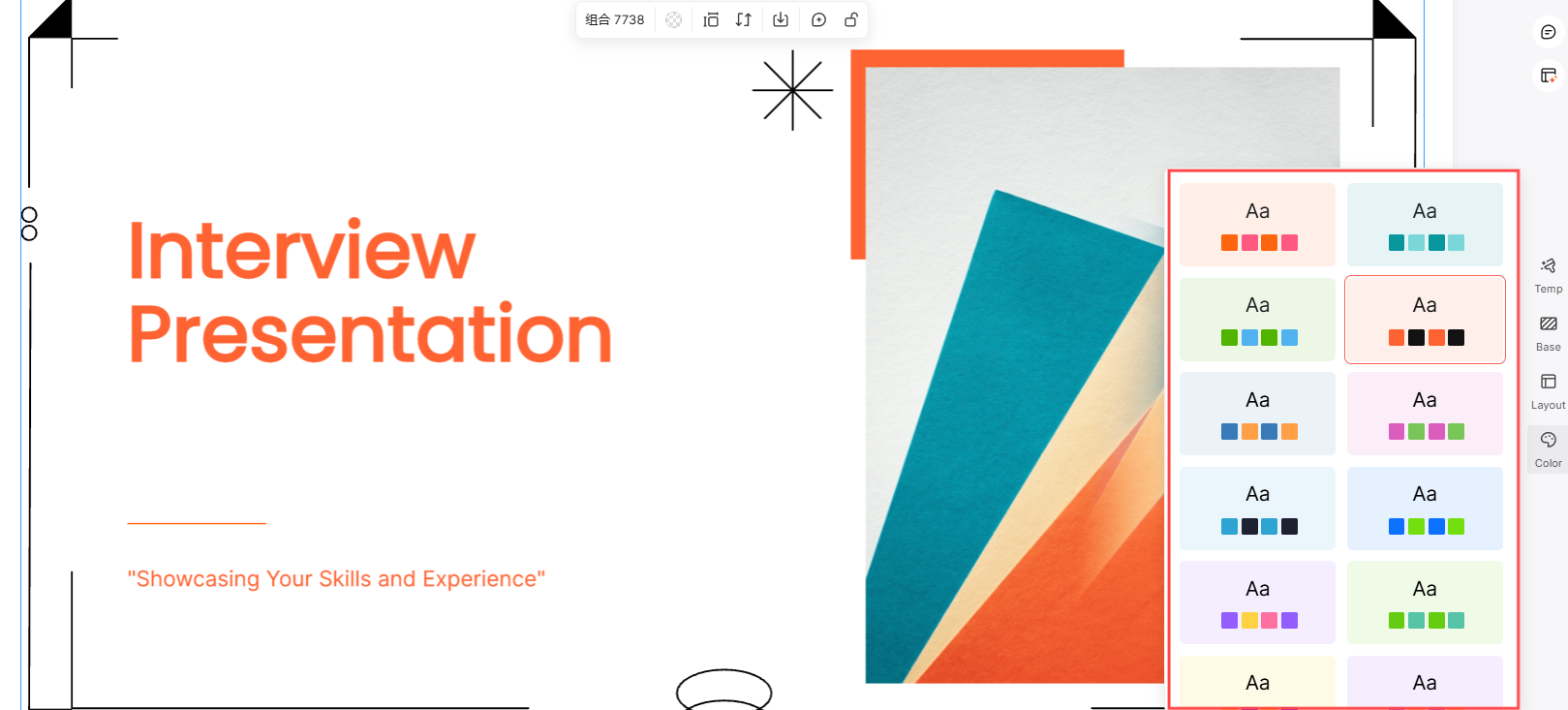
Pay attention to the design of your interview prep slides. Ensure a tidy and professional design by maintaining consistent fonts and colors throughout the layout. Incorporate visual aids like charts and graphs to represent data clearly and effectively, making complex information more digestible.
- Practice Your Delivery
Rehearse your presentation several times to boost your confidence and improve your delivery. Practice in front of a mirror or with a friend to receive feedback. Focus on your tone, body language, and pacing to ensure you come across as confident and engaging.
- Prepare for Questions and Follow-Up
Anticipate potential questions from your interviewers and prepare thoughtful responses. Be prepared to adjust your presentation according to the audience's reactions. After your presentation, determine how you will follow up on any questions or feedback to demonstrate your commitment and professionalism.
10 Interview Presentation Tips to Help You Stand Out

- Choose the Right Attire
Dress professionally to create a positive first impression. Your outfit should reflect the company culture while ensuring you feel confident and comfortable.
- Arrive Early and Prepare
Arriving early gives you time to settle in, familiarize yourself with the environment, and reduce anxiety. Use this time to test any equipment you'll be using.
- Start Strong and Build Rapport
Begin your presentation with a confident introduction and engage with your audience. Establishing a connection early on helps create a welcoming atmosphere.
- Project Confidence
Confidence in your delivery can significantly influence how your message is received. Maintain eye contact and use a strong, clear voice throughout your presentation.
- Tell a Compelling Story
Try incorporating storytelling techniques to make your presentation more engaging and memorable. Sharing personal experiences or relevant anecdotes can help illustrate your points effectively.
- Incorporate Visual Aids
Make use of visual aids, like slides or props, to improve your message. Well-designed visuals can make complex information more accessible and keep the audience engaged.
- Utilize Speaker Notes Wisely
Keep key points in mind with speaker notes, but avoid reading directly from them. Try to use them as prompts to ensure a smooth and natural delivery.
- Be Ready to Adapt
Stay flexible and be prepared to adjust your presentation based on audience reactions. Responding to questions or feedback during your presentation can demonstrate your ability to think quickly and adapt to changing situations.
- Conclude with Impact
End with a strong conclusion that summarizes your key points and reinforces your enthusiasm for the position. A powerful conclusion can create a lasting impact on your audience.
- Encourage Questions and Feedback
Invite questions at the end of your presentation and be open to feedback. Engaging in a dialogue shows your willingness to communicate and collaborate, further showcasing your suitability for the role.
Create an Impressive Interview Presentation with Presenti
An interview presentation should make your experience and reasoning easy to assess. Use the employer’s brief to decide what to include, show evidence for your claims, and leave enough time to discuss your choices. A polished deck cannot guarantee an interview outcome.
Preparing a presentation for a job interview? Then you need to use intuitive presentation software like Presenti. Whether you are new to slide design or have experience, Presenti is easy to use. The tool provides an extensive collection of presentation templates, including built-in graphics, design elements, and more. With the right interview prep slides, you can confidently showcase your skills and make a memorable impact during your interview. Start with the role requirements and choose examples that show how you would approach the work.