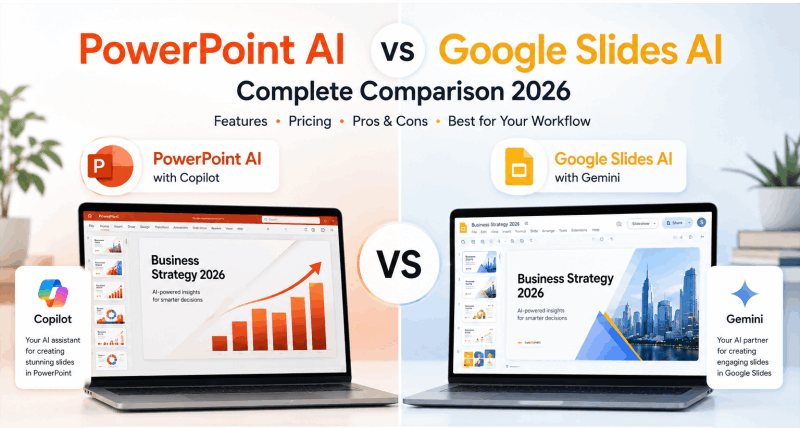
Choosing between PowerPoint AI and a Google Slides AI generator is no longer a simple question of Microsoft versus Google. Both ecosystems have expanded their AI capabilities significantly, and the gap between them shifts depending on what you actually need to build. This guide breaks down every meaningful difference — features, pricing, real-world performance, and the cases where a third-party tool outperforms both.
What Is PowerPoint AI?
PowerPoint AI refers to Microsoft Copilot’s native integration inside Microsoft 365’s PowerPoint application. As of 2026, Copilot can generate complete slide decks from a text prompt or an existing Word document, suggest design improvements, rewrite slide content, summarize long presentations, and apply formatting changes across an entire deck in seconds.
The core strength is deep integration. If your organization already runs on Microsoft 365, PowerPoint AI requires no additional tool adoption. Your slides stay inside the familiar PowerPoint environment, accessible from desktop, browser, and mobile.
The core weakness is the licensing wall. Copilot functionality requires a Microsoft 365 Copilot add-on license, currently priced at approximately $30 per user per month on top of an existing M365 subscription. For individual users and small teams, that cost adds up fast.
What Is a Google Slides AI Generator?
A Google Slides AI generator refers to the collection of AI features built into Google Workspace, primarily through Google Gemini. In 2026, Gemini integration inside Google Slides allows users to generate slide content from prompts, suggest layouts, create speaker notes automatically, and produce images directly within the editor.
The Google Docs presentation AI path is particularly useful: draft a document in Google Docs, then use Gemini to convert it into a structured slide deck inside Google Slides. The workflow stays entirely within Google Workspace, which matters for teams that live in Drive, Docs, and Sheets.
Like Microsoft’s offering, Google’s AI features sit behind a paid tier. The Gemini for Google Workspace add-on costs approximately $20 to $30 per user per month depending on the plan, with features varying by tier.
PowerPoint AI vs Google Slides AI: Feature Comparison
| Feature | PowerPoint AI (Copilot) | Google Slides AI (Gemini) |
|---|---|---|
| Generate slides from text prompt | Yes | Yes |
| Generate slides from existing document | Yes (Word) | Yes (Google Docs) |
| Auto-design and layout suggestions | Yes | Yes |
| Speaker notes generation | Yes | Yes |
| Image generation inside editor | Yes (Designer) | Yes (Gemini) |
| Real-time collaboration | Limited | Excellent |
| Offline access | Yes (desktop app) | Limited |
| Export formats | PPTX, PDF, ODP | PPTX, PDF, ODP |
| Mobile app quality | Strong | Strong |
| AI content rewriting | Yes | Yes |
| Template library | Large | Large |
| Third-party add-on support | Moderate | Extensive |
| Free tier availability | No | Limited |
On raw feature count, the two platforms are closely matched in 2026. The differences that actually matter come down to ecosystem fit, collaboration needs, and cost structure.
Ecosystem Fit: Where Each Tool Belongs
PowerPoint AI Works Best When You Are Already in Microsoft
The honest case for PowerPoint AI is organizational inertia — in the best possible sense. If your company already uses Outlook, Teams, Word, and Excel, adding Copilot to PowerPoint is a natural extension of a workflow that already exists. Files live in SharePoint or OneDrive. Presentations open natively in PowerPoint. There is no format translation, no export friction, no compatibility question.
Enterprise teams with strict IT security requirements often find the Microsoft ecosystem easier to approve and manage than third-party AI tools. Compliance, data residency, and access controls are already configured for Microsoft products.
Google Slides AI Generator Works Best for Collaborative, Cloud-First Teams
The AI Google Slide generator built on Gemini shines in environments where multiple people are editing the same deck simultaneously. Google Slides’ real-time collaboration is still ahead of PowerPoint’s — multiple cursors, instant syncing, and comment threads that don’t require file re-sharing.
For startups, agencies, and distributed teams that build presentations collectively, the Google Workspace environment is more fluid. The Google Docs presentation AI workflow specifically benefits teams that draft content in Docs before converting to slides, since the two tools share the same platform and the handoff is seamless.
Pricing: What You Actually Pay in 2026
| Plan | PowerPoint AI | Google Slides AI |
|---|---|---|
| Free access | No AI features | Basic Gemini only |
| Individual paid | M365 Personal ($7/mo) + Copilot ($30/mo) | Google One AI Premium ($20/mo) |
| Business paid | M365 Business ($12.50/user/mo) + Copilot ($30/user/mo) | Google Workspace Business ($12/user/mo) + Gemini add-on ($20/user/mo) |
| Total cost per user | ~$42/user/month | ~$32/user/month |
Google Workspace comes in modestly cheaper for most team configurations, though the functional differences at each tier mean price alone is not the deciding factor. Neither platform offers a genuinely usable free AI tier for presentation generation.
This pricing gap is where third-party tools like Presenti AI become worth evaluating seriously. Presenti’s free plan includes full AI generation — functionality that costs $30 or more per month per user on either major platform.
Real-World Performance: Where Each Struggles
PowerPoint AI Limitations
Microsoft Copilot produces solid results when given well-structured input. Feed it a polished Word document and ask for a 10-slide summary, and it delivers competently. Give it a vague prompt and the output tends toward generic.
Design quality is where Copilot trails. The generated slides often feel conservative — safe layouts, standard color choices, predictable structure. Teams with strong visual identity requirements frequently find that Copilot output needs significant manual redesign before it meets their standards.
The other friction point is the add-on licensing model. Organizations that want to trial AI capabilities before committing face a minimum monthly spend just to test the feature.
Google Slides AI Generator Limitations
Gemini’s slide generation is improving but still inconsistent for complex content. Generating a simple overview from a Google Doc works well. Generating a nuanced investor pitch with specific data and narrative arc from a text prompt produces mixed results that require meaningful cleanup.
The Google Docs presentation AI workflow is the strongest use case, but it requires your source content to already exist in Google Docs format. Users working from PDFs, Word files, or external documents face an extra conversion step before the AI workflow begins.
Offline functionality is also a genuine constraint. If you regularly work without reliable internet access, Google Slides — AI-enhanced or not — creates reliability risks that the PowerPoint desktop app does not.
When Neither Platform Is the Right Answer
Here is the situation most comparison articles skip: both PowerPoint AI and the Google Slides AI generator are add-ons to existing productivity suites, not purpose-built presentation AI tools. Their AI layers are designed to supplement existing workflows, not replace the manual effort of building a deck from scratch.
For users who want to go from a blank slate — or a PDF, or a document — to a complete, professionally designed presentation in minutes, purpose-built tools close that gap more effectively.
Presenti AI accepts text prompts, Word documents, PDFs, and Markdown files, then generates a full slide deck with professional design applied across every slide. The output is a real .pptx file, compatible with both PowerPoint and Google Slides, available to download free without watermarks. No Copilot license required. No Google Workspace subscription needed.
For teams comparing platform AI features, it is worth running a parallel test: generate the same presentation with PowerPoint AI, with Gemini, and with Presenti AI. The output quality and time investment will make the right choice obvious for your specific context.
Head-to-Head Summary
| Criteria | PowerPoint AI | Google Slides AI | Presenti AI |
|---|---|---|---|
| Ecosystem fit | Microsoft orgs | Google Workspace orgs | Any ecosystem |
| Collaboration | Moderate | Excellent | Browser-based |
| AI generation quality | Solid for structured input | Good for Docs-based content | Strong across input types |
| Free AI access | No | Limited | Yes |
| PPTX export without paywall | Yes (requires M365) | Yes (requires Workspace) | Yes (free plan) |
| Offline access | Yes | Limited | No |
| Best for | Enterprise Microsoft teams | Cloud-first collaborative teams | Independent users and small teams |
| Monthly cost per user | ~$42 | ~$32 | Free to start |
Frequently Asked Questions
Can I use Google Slides AI for free?
Google offers limited Gemini functionality within the free Google Workspace tier, but full AI presentation generation requires a paid Gemini add-on. The free experience is substantially reduced compared to paid plans.
Is PowerPoint AI better than Google Slides AI?
For Microsoft-centric organizations, PowerPoint AI integrates more naturally. For collaborative, cloud-first teams, Google Slides AI offers better real-time editing. For users without a platform preference, third-party AI tools often outperform both on pure presentation generation capability.
Can I generate a PowerPoint file using Google AI tools?
Yes. Google Slides exports to .pptx format, and AI-generated slides can be downloaded and opened directly in Microsoft PowerPoint. Some formatting elements may shift slightly during conversion.
What is the best free alternative to PowerPoint AI and Google Slides AI?
Presenti AI offers full AI presentation generation with PPTX and PDF export, no watermarks, and no subscription required. It accepts a wider range of input formats than either platform’s native AI tools. For a broader look at leading options, this comparison of the best AI PPT tools in 2026 covers the full landscape.
Choosing Between PowerPoint AI, Google Slides AI, and Beyond
The right choice is simpler than the feature lists suggest.
Go with PowerPoint AI if your organization runs on Microsoft 365, already has Copilot licensing, and needs AI features that stay inside your existing security and compliance framework.
Go with the Google Slides AI generator if your team is cloud-native, collaborates heavily on shared documents, and already works within Google Workspace.
Consider a purpose-built tool like Presenti AI if you want the strongest AI presentation output without a platform commitment, a Copilot license fee, or a Workspace subscription — especially if you’re an independent professional, a small team, or someone who needs clean PPTX output without a monthly spend.
Try Presenti AI free today and generate your first professional presentation in minutes, regardless of which ecosystem you live in.