Most work presentations fall into a handful of recurring formats — the team update, the pitch, the lunch-and-learn, the icebreaker nobody prepped for until the morning of. Once you know which format you're actually building, the topic tends to follow fast. The stall usually happens earlier than that: staring at a blank invite titled "Team Sync" with no idea what to actually put on the slides.
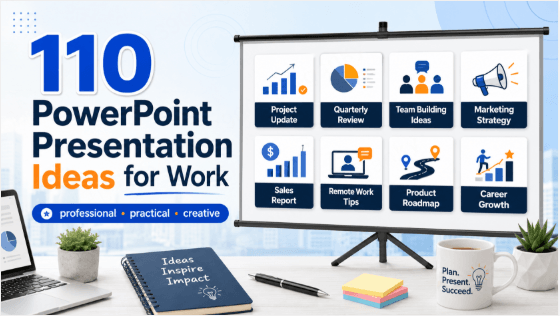
This is a set of 110 PowerPoint presentation ideas sorted by the work scenario they're built for — status updates, pitches, onboarding, team culture, and professional development. After the list, we'll cover how to structure a work presentation properly and how to build the slides fast with Presenti AI. Once your notes are organized, the text-to-presentation workflow offers a way to turn that material into an editable slide draft.
Team Update & Status Presentations (20)
- This quarter's progress against our top three goals
- What shipped this sprint and what's next
- A post-mortem on a recent project — what worked, what didn't
- Current blockers and what we need from leadership to clear them
- A metrics update: what moved, what didn't, and why
- A resourcing update: where the team stands versus the plan
- What we learned from last month's customer feedback
- A risk update: what could derail the current timeline
- A competitive landscape update since our last review
- Where we stand against this year's roadmap
- A budget update: spend versus plan, with context
- What changed in our process this month, and why
- A hiring and headcount update for the team
- Lessons from a recent incident or outage
- A customer churn or retention update, with root causes
- What our top competitor launched, and what it means for us
- A vendor or tooling update: what we're changing and why
- Where a cross-team dependency currently stands
- A recap of what we tested this month and what we learned
- A forward-looking update: what's coming in the next 30 days
Pitch & Proposal Presentations (20)
- A pitch for a new tool or process to fix a recurring problem
- A business case for headcount on a specific project
- A proposal to sunset a project that's no longer worth the investment
- A pitch for a new customer segment worth pursuing
- A proposal to change how the team runs its weekly meeting
- A business case for a pricing or packaging change
- A pitch for a partnership or vendor relationship
- A proposal to automate a manual process currently eating team time
- A case for revisiting a decision made under outdated assumptions
- A pitch for a new internal tool built to solve a specific pain point
- A proposal for restructuring how a specific workflow runs
- A business case for investing in a new skill or certification for the team
- A pitch for piloting an idea with a small test group before rolling it out
- A proposal to consolidate two overlapping tools or processes
- A case for reallocating budget from one initiative to another
- A pitch for a new event, campaign, or initiative worth trying
- A proposal to change the team's current metric of success
- A business case for outsourcing a task the team currently does manually
- A pitch for revisiting a policy that no longer fits how the team works
- A proposal for a new onboarding process for future hires
Onboarding & Training Presentations (15)
- A "how our team actually works" overview for new hires
- A walkthrough of the tools everyone needs on day one
- A "who's who" guide to key people and who to go to for what
- A history of the team or company, told in five slides
- A walkthrough of a core process new hires need to know
- An overview of company values, with real examples of them in action
- A guide to how decisions actually get made on the team
- A walkthrough of a product or service for non-customer-facing new hires
- A "common mistakes new hires make" guide, framed constructively
- An overview of how performance and growth conversations work here
- A walkthrough of the customer journey, start to finish
- A guide to internal jargon and acronyms, explained plainly
- An overview of how cross-team collaboration typically happens
- A "first 30/60/90 days" roadmap for a new role
- A walkthrough of how to escalate an issue properly
Lunch & Learn / Skill-Share Presentations (20)
- A skill you've picked up that's useful outside of work too
- How a tool the team already uses has a feature nobody knows about
- A book, article, or talk that changed how you think about your work
- A beginner's guide to a skill adjacent to your role
- What you learned from a conference or course you recently attended
- A walkthrough of a shortcut or workflow that saves real time
- An intro to a trend in your industry worth knowing about
- A "how I actually do my job" walkthrough for a different department
- A guide to a productivity method you've found genuinely useful
- An explainer on a technical concept, made accessible to non-experts
- A show-and-tell of a personal project or hobby with unexpected career overlap
- A walkthrough of how a specific decision-making framework works
- An intro to a topic outside your role that you're personally curious about
- A guide to negotiating, whether for salary, deals, or everyday requests
- A breakdown of a public case study relevant to your industry
- A "lessons from failure" talk about a project that didn't go as planned
- An explainer on how a part of the business you don't work in actually functions
- A guide to giving and receiving feedback well
- A walkthrough of an AI tool or workflow that's changed how you work
- A talk on a skill you're currently learning and what's surprised you so far
Team Culture & Icebreaker Presentations (20)
- "This is my life in 5 slides" — a personal intro for new team members
- A team superlatives presentation, voted on in advance
- A "how I take my coffee" ranking across the whole team
- A show-and-tell of everyone's home office or desk setup
- A "guess whose childhood photo this is" icebreaker
- A team trivia presentation built from inside knowledge
- A "two truths and a lie" presentation, department-wide
- A retrospective on the team's biggest wins this year, celebrated properly
- A "day in the life" swap presentation between two different roles
- A team playlist presentation, built from everyone's picks
- A "what I wish I knew when I started here" panel-style presentation
- A gratitude presentation, recognizing specific team contributions
- A "hot takes" round, work-appropriate edition
- A team pet showcase, because someone always asks for one
- A "most useful thing I learned this year" round-robin presentation
- A hometown or hobby showcase for a distributed, remote team
- A "rank our team's running jokes" presentation for the record
- A year-in-review highlight reel, built collaboratively
- A "what does everyone actually do all day" cross-team explainer
- A team values retrospective — where we lived them, where we didn't
Client & External-Facing Presentations (15)
- A quarterly business review, structured around client goals
- A proposal presentation for a new client or project scope
- A results recap: what we delivered against what we promised
- An onboarding overview for a new client relationship
- A renewal case, built around demonstrated value delivered
- A roadmap preview for what's coming next in the partnership
- A post-project retrospective, shared transparently with the client
- A case study presentation built from a successful past engagement
- An executive summary deck for stakeholders who need the short version
- A pricing or scope-change conversation, framed around client value
- An industry trends briefing tailored to a specific client's business
- An escalation or issue-resolution recap, presented transparently
- A "here's how we work" overview for a prospective client
- A benchmark comparison showing where a client stands against peers
- A vision presentation for a long-term partnership roadmap
How to Structure a Work Presentation
Most effective work presentations follow a version of the same shape, regardless of category:
- The headline. State your main point on slide one or two — don't make people wait for the conclusion. Busy audiences remember the takeaway, not the buildup.
- Context. The minimum background needed for the headline to make sense to everyone in the room, including people less close to the details.
- Evidence. Data, examples, or specifics that support your main point — usually the bulk of the deck.
- Implications. What this actually means for the team, the timeline, or the decision at hand.
- The ask. What you need from the audience — a decision, a resource, feedback, or simply awareness. Vague presentations without a clear ask tend to generate polite nods and no follow-through.
For most internal updates, 6–10 slides is plenty. Client-facing and pitch decks can run longer, but the headline-first structure holds regardless of length.
Build Your Work Deck Fast With Presenti AI
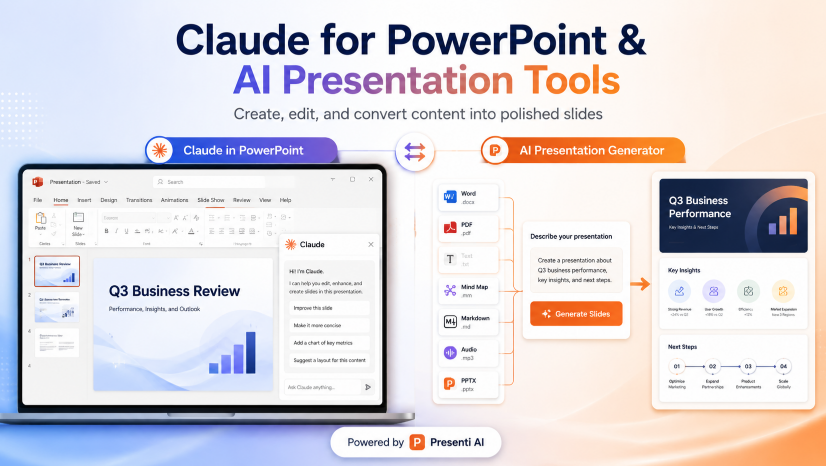
Once you know your topic and main points, Presenti AI can help draft a deck from your topic and approved brand guidance — useful when a meeting invite goes out with less prep time than you'd like.
Topic: "This quarter's progress against our top three goals"Key points: - Goal 1 status: on track, key milestone hit in week 6 - Goal 2 status: delayed, blocked by a dependency on another team - Goal 3 status: ahead of schedule, early results better than projected - What we need from leadership: a decision on the Goal 2 blocker by next week
You can also import a supported Word, PDF, TXT, or Markdown file. For spreadsheet data, prepare a checked summary in a supported format — Presenti AI builds the deck from your actual material rather than generating generic content. Use an eligible paid plan for editable PPTX export, or check the available sharing options.
Frequently Asked Questions
How long should a typical work presentation be?
For internal updates, 6–10 slides covers most cases well. Pitches and client-facing decks often run 12–20 slides depending on complexity, but the headline-first structure matters more than hitting an exact slide count.
What's the biggest mistake in work presentations?
Burying the main point. Many presenters build up to their conclusion slowly, the way a written report might — but a live audience, especially a busy one, needs the headline early. Lead with your point, then use the rest of the deck to support it.
How do I pick a good lunch-and-learn topic if I don't feel like an expert in anything?
You don't need to be a formal expert — a genuinely useful shortcut, a book that changed how you think, or a walkthrough of something you do daily that others don't see are all strong, low-effort topics. The bar is "useful or interesting to this specific group," not "impressive in general."
Are icebreaker presentations worth the time in a busy work schedule?
For distributed or fast-growing teams especially, yes — a short, optional icebreaker can help people get acquainted. Choose one that fits the group and the meeting’s available time.
The Bottom Line
Most work presentations aren't hard because the content is complicated — they're hard because the blank slide arrives before the topic does. Once you know which of these formats you're actually building (update, pitch, training, culture, or client-facing), lead with your headline, back it with evidence, and end with a clear ask. The rest tends to fall into place fast.