SlidesAI can turn supplied text or documents into a presentation draft. This guide compares its workflows with Presenti, Gamma, Canva, and Beautiful.ai, focusing on where you create the deck, how you revise it, and which plan conditions to check.
SlidesAI: Workflows and Features
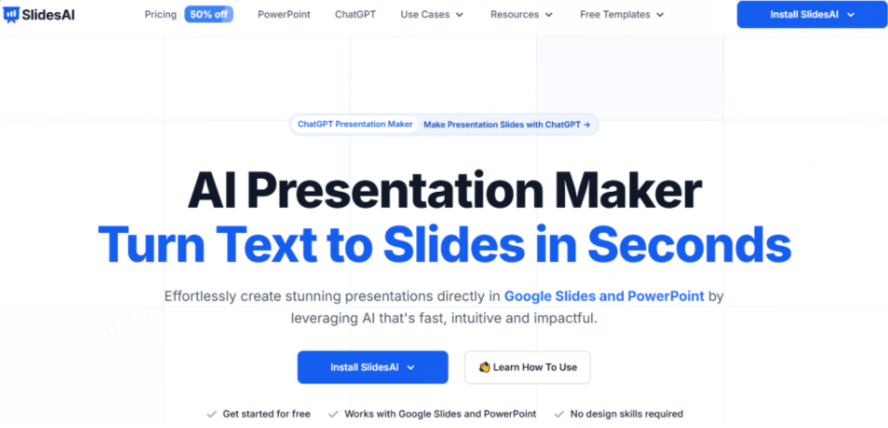
SlidesAI is available through a web app, a Google Slides add-on, a PowerPoint add-in, and a ChatGPT integration. Start with the version that fits where your team already edits presentations.
The Feature Highlights
- Text-to-presentation drafting: Supply text within your plan’s limits, then review the division into titles, evidence, and supporting points.
- Multilingual support: SlidesAI documents support for more than 100 languages. Review terminology, sentence flow, and text fit in the language your audience uses.
- Google Slides add-on: This route lets teams generate within Google Slides. Check account permissions and installation requirements before using it in a shared workspace.
How to Evaluate the Workflow
The following points describe what to evaluate in your own workflow. They are not results from a timed or controlled product test.
Useful Starting Points
- Internal summaries: A short source document can provide a starting point for a team update. Check document-upload access and confirm that the draft retains the decisions and evidence.
- Familiar editing environment: The Google Slides and PowerPoint integrations may suit teams already using those editors. Allow time to learn the generation controls and review the output.
Checks Before You Commit
- Template fit: Check whether the available layouts and typography suit your audience and brand.
- Long-document structure: Compare the generated sequence with your source outline. Restore qualifications, examples, or connections that the summary omits.
- Revision workflow: Try replacing a bullet list with a visual comparison and adjusting a dense slide. Check which revisions the selected integration supports and which require manual editing.
Price Evaluation
SlidesAI offers free and paid plans. Compare presentation allowances, input length, AI credits, and document-upload access with your workload. A plan described as allowing unlimited presentations can still limit AI usage.
- Free access: Check the current generation allowance, input limits, and export conditions for your account.
- Paid plans: Compare the allowance and input size with the documents you expect to use.
- Before subscribing: Test whether the generated slides can be revised in the way your team needs.
Four SlidesAI.io Alternatives to Compare
To give you a complete picture, we’ve rounded up four other major players in the space. Each has a different strength, depending on what you need.
1.Presenti
Presenti provides a dedicated presentation workspace with topic and document inputs, an outline-review stage, templates, and editable slides. Compare the resulting structure with your source and inspect the output format required by your team.

What to Evaluate in Presenti
Presenti offers a separate workspace for drafting and editing presentations. Compare how it organizes your source text and how easily you can change the layout after generation.
- Semantic Layouts: For a company-history slide, choose a timeline layout and check the order and spacing of the milestones.
- Visual style: Choose a theme that supports your content, then review contrast, typography, and image choices.
- Dynamic Editing: Revise the text, chart, or layout when it does not explain the comparison clearly. Inspect the result after each substantial change.
This workflow can support business presentations, lessons, and student projects that need an editable draft.
2. Gamma
Gamma combines presentation drafting with a card-based, web-oriented workspace. Consider it when link sharing and flexible page layouts fit the task. Its free plan supports PPTX export with Gamma branding; review the exported layout before delivery.

3. Canva Magic Design
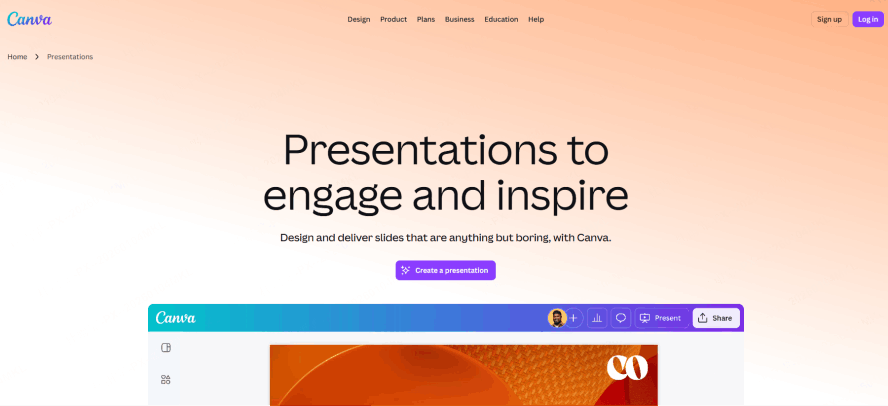
Canva combines presentation editing with a library of templates and visual assets. Consider it when the deck is part of a wider set of branded materials. Check whether the assets and AI features you select are included in your plan.
4. Beautiful.ai
Beautiful.ai offers automatic layout assistance that adjusts slide elements as content changes. Test it with the density and visuals your deck requires. Its 14-day trial requires a payment card and renews into a paid subscription unless canceled before expiry.
Comparison Table: Which AI Tool Should You Choose?
| Decision | SlidesAI | Presenti | Gamma | Canva | Beautiful.ai |
|---|---|---|---|---|---|
| Starting workflow | Web app or supported integration | Topic or source-document draft | Card-based presentation draft | Template and visual-asset editing | Layouts that adjust with content |
| Revision check | Test controls in your chosen integration | Review outline, text, and layout | Review cards and exported slide fit | Check asset and brand consistency | Test dense or unusual content |
| Source check | Input length and document-upload access | Supported input on your plan | Imported content and hierarchy | Text and asset permissions | Content fit within chosen layouts |
| Delivery check | Output from the selected integration | Editable PPTX/PDF on paid plans | Free PPTX export includes branding | Asset and export conditions | Export access on the selected plan |
| Access model | Free and paid allowances | Limited free credits; paid export | Free and paid plans | Free and paid plans | Card-required trial with renewal |
Practical Tips: Making the Most of AI Presentation Tools
For any of these tools, prepare the input before generating and review the result before sharing:
- Structure Your Prompt: Don't just say "make a deck about marketing." Say "Create a 10-slide pitch deck for a SaaS startup focusing on Q3 growth, with a professional and minimalist tone."
- Use High-Quality Input: AI tools like Presenti work best when you provide clear, structured notes. The better your logic, the better the AI’s visual output.
- Human Touch is Mandatory: Never just export and go. Use AI for an initial draft, then allow enough time to verify the content, revise the design, and test the final file.
Conclusion
Choose SlidesAI when one of its supported editing environments fits your workflow and its allowances cover your source material. Try a representative outline and check the structure, language, and revisions required.
Compare alternatives using the same source brief and delivery requirements. Include time for content review, layout changes, and file inspection in your decision. You can try Presenti with limited free credits; editable PPTX and PDF downloads require an eligible paid plan.