If you’ve come across the term “Codex PPT Skill” — maybe from a shared deck that looked unusually polished, or a post about a new way to generate slides inside an AI coding agent — you’re looking at a genuinely clever project, just not necessarily the tool most people picture when they think “AI presentation generator.” Here’s what it actually is, how it works, and when you’d want something more accessible instead.
What Is the Codex PPT Skill?
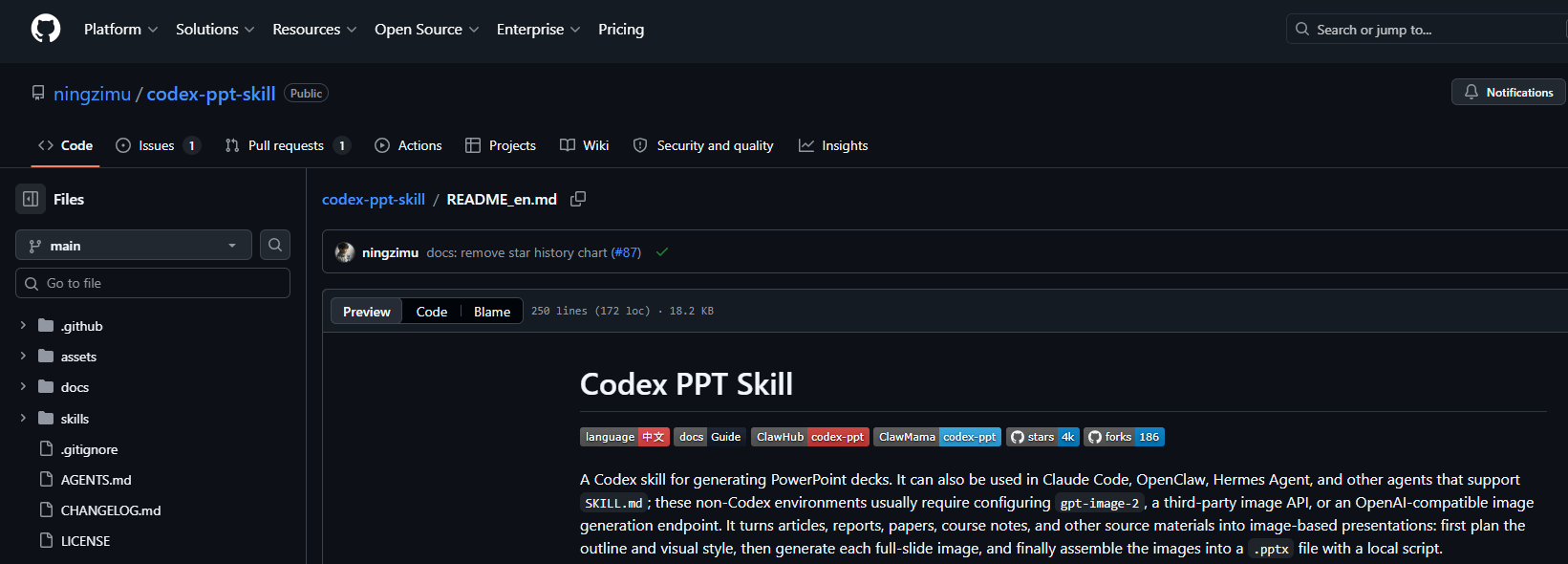
The “Codex PPT Skill” discussed here is the community-maintained ningzimu/codex-ppt-skill package. It is not the name of every presentation feature in Codex. Its README describes use in Codex and other compatible agents, with a workflow that plans slides and assembles generated slide images into a PPTX file. If colleagues need to edit the result, the editable PowerPoint handoff guide explains what to check in the delivered file.
The workflow itself is worth understanding, because it’s quite different from how most AI presentation tools operate:
- The agent reads your source material — an article, a research paper, a report, or course notes — and plans an outline.
- It proposes a slide count and structure for you to confirm.
- It offers a handful of visual style directions to choose from, including options like a clean professional look, a hand-drawn technical explainer style, a scientific-defense style, and a data-dashboard style.
- Instead of building each slide as editable text boxes and shapes, it generates one full image per slide using an image model (
the image backend configured for the package), treating each slide as a single, complete visual composition. - A local script then assembles all of those individual slide images into a standard
.pptxfile.
That last point is the detail that matters most for anyone evaluating whether this fits their needs.
Who This Is Actually Built For
This is not a tool aimed at someone who wants to open a form, type a topic, and get a deck in thirty seconds. It’s built for people already comfortable working inside a coding agent’s environment — installing it means running a CLI command, and in most non-Codex environments, it also means configuring your own OPENAI_API_KEY (or a compatible third-party proxy) for image generation.
That’s a reasonable trade-off for its actual target audience: developers, researchers, and technical users who are already living inside Codex or Claude Code for their day-to-day work, and want a way to produce highly visual, thesis-defense or technical-sharing style decks without leaving that environment. If that describes your workflow, it’s a genuinely well-thought-out project — the ability to feed in specific source figures (like a paper’s architecture diagram) and have the AI build a coherent deck around them is a detail most tools don’t bother with.
If you’re not already working inside one of those agents, though, the setup itself — CLI installation, API key configuration, choosing between built-in and fallback image generation — is a real barrier before you’ve made a single slide. To compare other approaches, review native PPTX, HTML, and Markdown presentation skills against the format and editing work you actually need.
The Real Trade-off: Strong Visuals, Limited Editing
Here’s the part worth understanding clearly before you invest time in any image-based slide workflow, including this one: because each slide is generated as a single flattened image rather than a set of editable text, shapes, and chart objects, you can’t click into a slide afterward and tweak a bullet point, resize a chart, or fix a typo the way you would in a normal PPT file. This limitation belongs to this image-based package, not all Codex or ChatGPT presentation workflows. The project’s own documentation describes it, and even suggests running the output through a second, separate skill if you need a more editable result afterward.
For certain use cases, that trade-off is worth it. If you’re building a deck where visual impact matters more than post-hoc editing — a striking title slide, a stylized technical explainer, a poster-style thesis defense summary — an image-first approach can produce results that look more considered than what a template-based tool would generate. The style library on offer (clean professional, e-ink magazine, hand-drawn whiteboard, and similar directions) reflects real attention to visual variety.
But for the far more common case — you need to present something next week, you’ll likely need to adjust a number, reword a point, or swap in updated data after a first draft, and you don’t already have a coding agent configured with an image-generation API key — an image-only, non-editable workflow adds friction exactly where you don’t want it.
If You Just Want an Editable Deck, Without the Setup
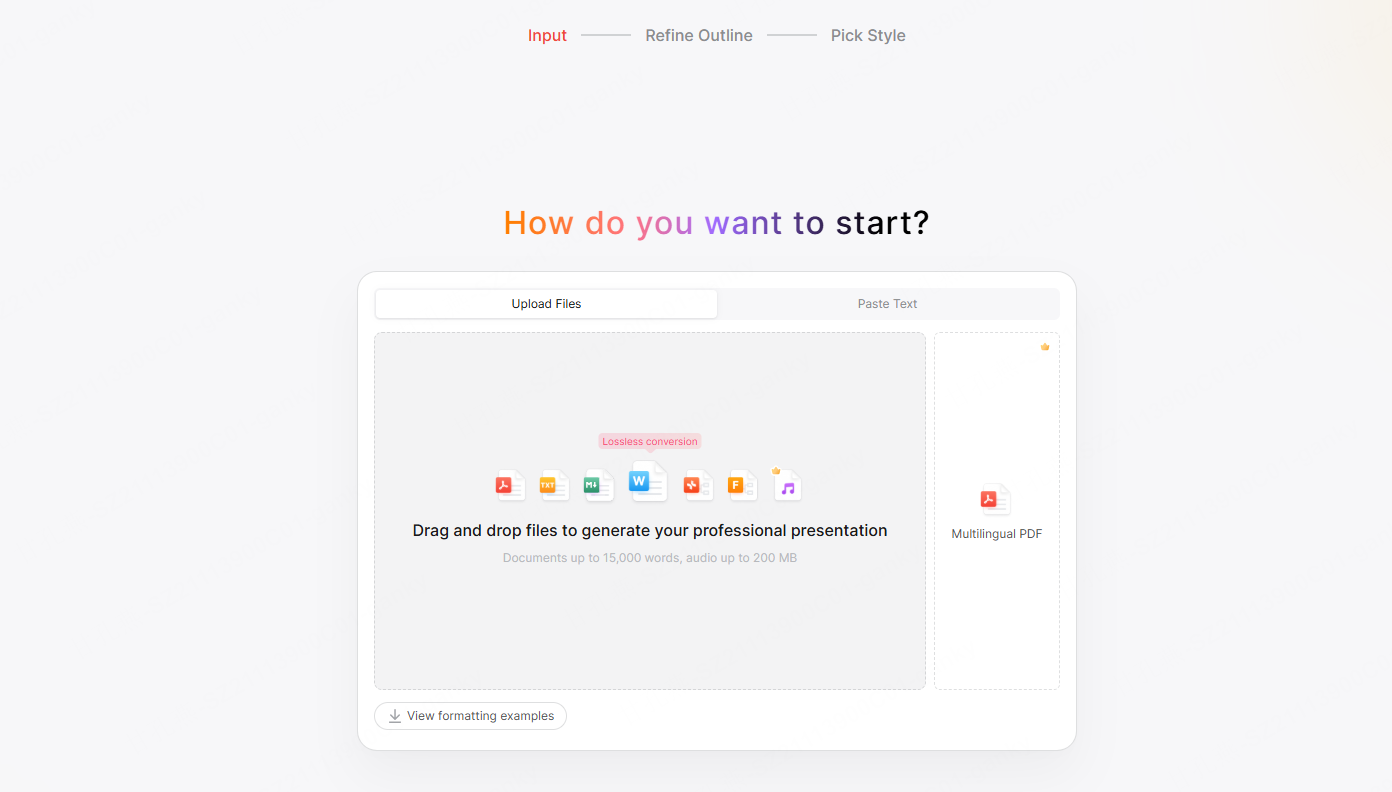
A browser workflow such as Presenti offers another starting point: enter an outline or use a supported document import, review the structure, and generate a draft. Markdown/XMind import is listed on the free plan; Word/PDF/TXT import and editable PPTX/PDF export are paid features.
The core difference isn’t about which one is “smarter” — it’s about what you get to touch afterward:
- Editable PPTX export on paid plans. Review the exported objects in PowerPoint, especially charts and diagrams; an editable file does not guarantee that every visual becomes a native object.
- No local setup or API key management. There’s no CLI install, no environment configuration, and no need to already be working inside a specific coding agent.
- Charts need a source check. Compare values, labels, units, and chart types with the source document before presenting them.
- A beautification workflow for existing decks. Presenti supports PPTX files up to 100 MB and specified element types. Check complex shapes, charts, and layouts after conversion.
If your priority is a distinctive, highly visual, image-driven deck and you’re already comfortable working inside Codex or Claude Code, the Codex PPT Skill is a legitimately interesting option worth trying. If your priority is getting from a document to a clean, presentable, and still editable deck with the least setup possible, that’s the specific gap Presenti AI is built to fill.
👉 Try Presenti AI — upload a document and create a presentation draft.
Frequently Asked Questions
What is the Codex PPT Skill?
It’s an open-source SKILL.md package that lets AI coding agents like Codex and Claude Code turn documents into presentations by generating each slide as a complete image and then assembling those images into a .pptx file with a local script.
Which AI agents support the Codex PPT Skill?
It’s designed primarily for OpenAI’s Codex, and also documented to work with Claude Code, OpenClaw, and Hermes Agent, since all of these can read SKILL.md-based skills.
Can I edit the slides after the Codex PPT Skill generates them?
Not directly. Each slide is a flattened image rather than editable text and shapes, so changing content typically means regenerating that slide’s image rather than editing it in place. The project itself points users toward a separate conversion skill if they need an editable version afterward.
Do I need an OpenAI API key to use it?
Setup depends on the agent and image backend you choose. The project documents built-in image generation where available and alternative backends that may need credentials or local configuration. Follow the current README for that specific setup.
Is there a way to get an AI-generated presentation without installing anything?
Yes — browser-based tools like Presenti AI generate a full, editable presentation directly from a document or outline, with no CLI installation or API key setup required.