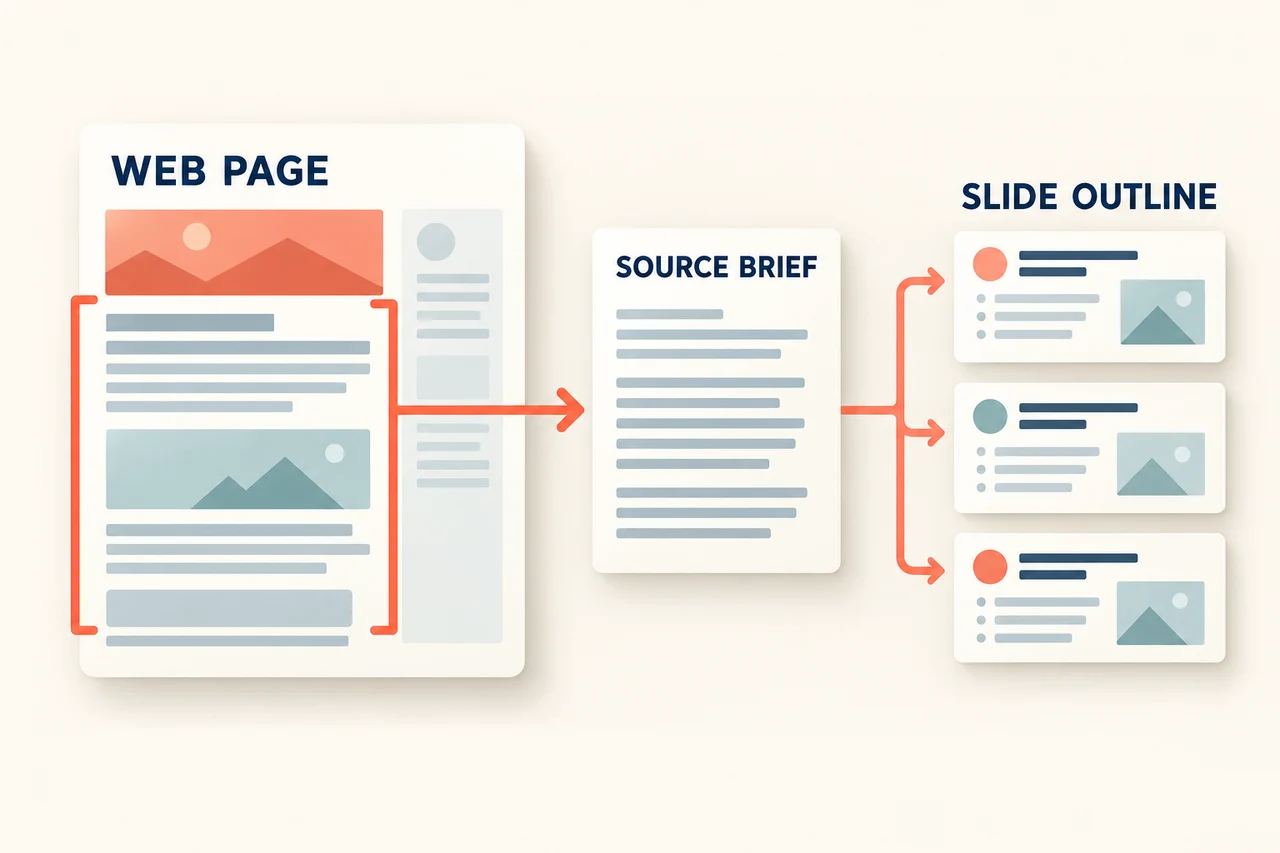
Redesigning a PowerPoint file should make its message easier to read while keeping the facts that give it meaning. Before changing the theme, identify the numbers, labels, captions, and images that must survive the redesign. A slide can look cleaner and still be wrong if “8 of 10 completed” becomes “training complete.”
Presenti's Slide Polisher works from an existing PPTX. This guide covers the upload and style workflow, then shows how to prepare a three-slide content inventory so you can judge the redesigned result.

What Slide Polisher Works With
The official upload page lists PPTX files up to 100 MB and support for text, images, specified shapes, SVGs, tables, and basic charts. Those supported categories are useful starting points, but they do not establish that every complex object or layout will survive unchanged.
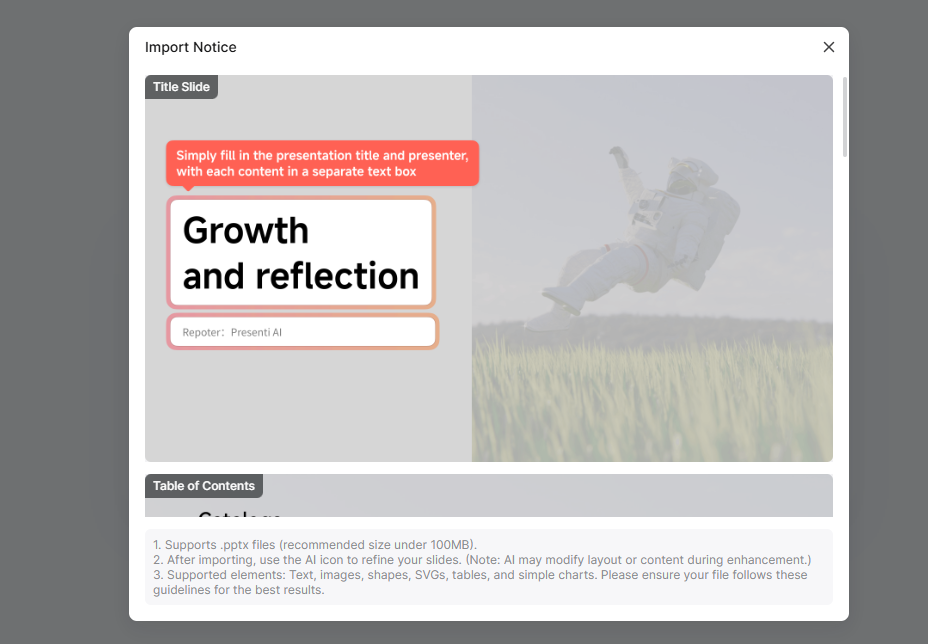
The import guidance shown below explicitly notes that AI may modify layout or content during enhancement. Review the parsed source before generation, then compare the redesigned slides against the original. Selecting original images is a content choice; it is not a substitute for checking their crop, caption, and relationship to the text.
Define What Must Survive Before Choosing a Theme
The following authored example concerns a three-slide pilot-training update. Its source record has ten planned participants, eight completed participants, and two people still waiting for account access. The cutoff is 30 September 2026. These figures are illustrative, not a reported customer result.
| Source slide | Must remain accurate | Layout may change |
|---|---|---|
| 1 · Pilot training update | Title; cutoff date; “8 of 10 completed”; “2 awaiting account access.” The status is partial completion. | Make the completion count prominent, move the pending-access item into a separate callout, and reduce decorative clutter. |
| 2 · Training-session photograph | The approved source photograph and its caption: “Practice session—not a live customer account.” Preserve the equipment needed to understand the demonstration. | Resize or reposition the image while keeping the meaningful content visible and the caption close to it. |
| 3 · Participation by team | Team / Completed / Planned columns; North 4/4, South 3/4, Remote 1/2, Total 8/10. | Improve row spacing, alignment and header contrast. Keep each number associated with the correct row and column. |
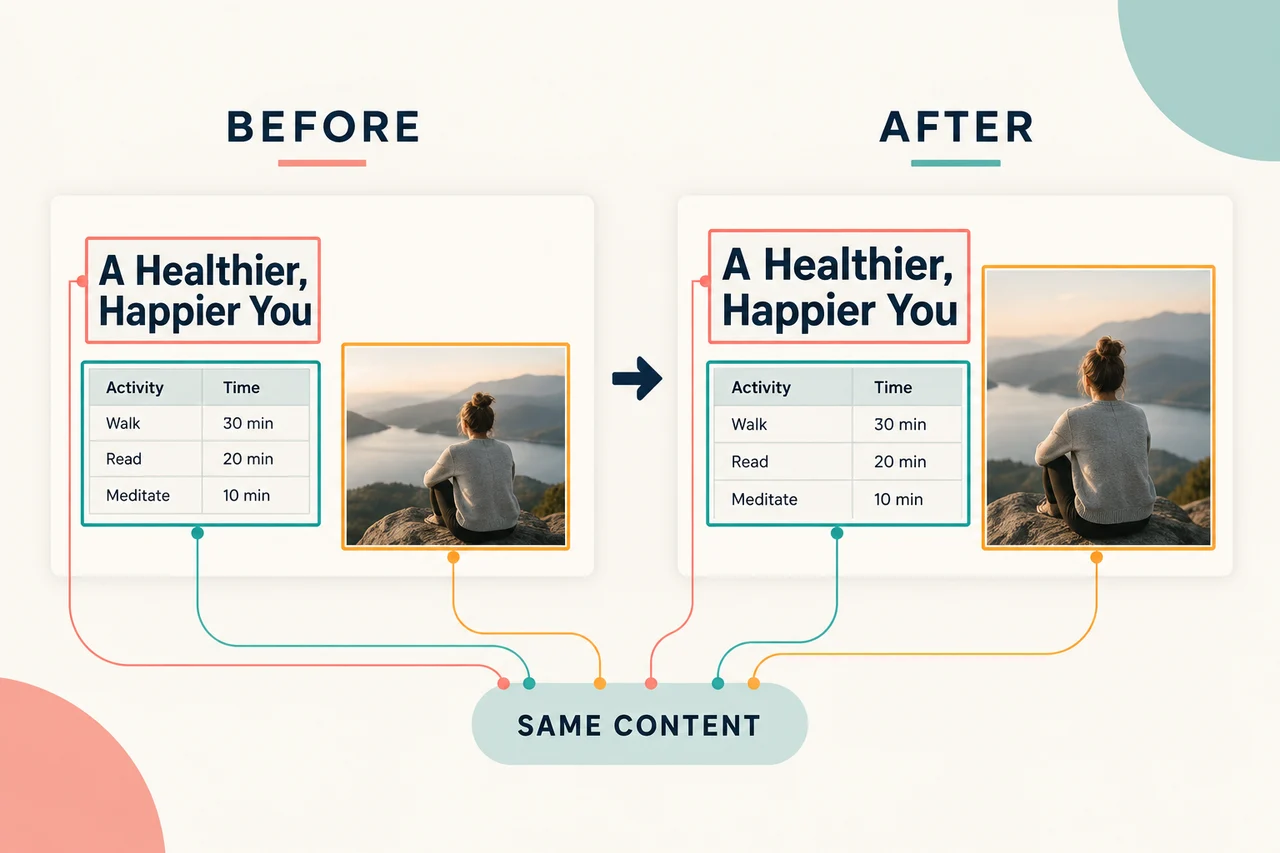
These are content-preservation criteria, not a demand to keep every old font and decorative shape. The status slide can change substantially in appearance as long as its qualification remains visible. A table can become cleaner without dropping the total or combining categories.
Copyable redesign brief
Download the filled-in content-preservation brief.
REDESIGN BRIEF — authored pilot-training example
Purpose: update the visual design of a three-slide progress report without changing its meaning.
Audience: the internal training lead.
Keep the slide order and preserve these source details:
Slide 1: title Pilot training update; cutoff 30 September 2026; 8 of 10 participants completed training; 2 still awaiting account access. Do not label the rollout complete.
Slide 2: retain the existing approved training-session photograph with the caption Practice session—not a live customer account. Keep the caption attached to the photograph. Do not replace it with an AI image or crop out the demonstrated equipment.
Slide 3: table columns Team / Completed / Planned. Rows North 4 / 4; South 3 / 4; Remote 1 / 2; Total 8 / 10. Preserve each row and the column order.
Permitted design changes: typography, colors, spacing, alignment, and placement within each slide. Emphasize the 8-of-10 status without hiding the two pending participants.
Not permitted: new facts, stronger completion wording, reordered table values, omitted caption/source notes, or replacement evidence images.
If an object parses incorrectly, flag it for manual repair rather than inventing missing content. Verify the parsed source first, then compare the redesigned slide with this inventory.
This is an instruction to guide a redesign and its review; it does not guarantee automatic preservation.
How to Use Slide Polisher
1. Open the existing-file workflow
Sign in to the Presenti workspace and open Slide Polisher.

2. Prepare and upload the PPTX
Read the formatting/import guidance and use the sample file if you need a reference. The guidance illustrates separate text boxes for a title and presenter. Keep a source copy and a short content inventory before you upload.
3. Inspect the parsed slides
Browse the imported slides before generating a new design. In the example, confirm that “2 awaiting account access” appears as text and that the participation table still has three team rows plus its total. If either is already missing, correct the source or repair the imported content before continuing.
4. Choose a theme and image source
Continue to the style-selection screen. The saved screenshot shows Theme Match, Custom AI Image, and File picture. For an evidence photograph that must stay, choose the file-image route and inspect the individual selected images. Use a new decorative image only where substitution is appropriate.

Check the image selection before choosing Generate Now. In the training example, replacing the actual demonstration photo with a generic classroom image would remove evidence the slide was intended to show.
5. Compare the redesigned meaning with the inventory
Read the new slides in their intended order. On slide 1, the large number should still read “8 of 10,” not “80” or “complete.” On slide 2, the caption must still qualify the photograph. On slide 3, add the completed column: 4 + 3 + 1 = 8; add planned participants: 4 + 4 + 2 = 10.
Use the browser editor to restore missing wording, adjust layout, and place the original image where required. For export access, consult the current plan details. An eligible PPTX or PDF download should follow the content review.
Decide How to Handle Objects That Parse Differently
A source slide may contain more than ordinary text and pictures. Decide what the object contributes before trying to recreate its appearance.
| Source object | What to preserve | When manual work is appropriate |
|---|---|---|
| A basic table | Headers, row labels, values, units and totals | If merged cells or reading order change, rebuild a simple table from the source values. |
| A chart linked to another file | The relevant values, period, units and source note | If the imported chart loses a necessary distinction, reconstruct it from the actual source data or retain a clearly labeled static reference where appropriate. Do not infer a live link. |
| A diagram with connectors | Which items connect, arrow directions and explanatory labels | If grouping changes the relationships, rebuild the small diagram explicitly. Matching colors alone does not preserve its meaning. |
| An embedded video or animation | The point the sequence demonstrates | Choose an understandable static explanation for the redesign, or keep the demonstration in its original presentation workflow. Do not assume the import preserves playback. |
If the original deck is already current and only one slide is crowded, repair that slide directly. A full redesign is most useful when the visual system needs a broader change and you have time to compare the result with the source.
Use the Redesign to Improve the Reading Order
In the pilot-training example, the audience should first see the partial-completion status, then the demonstration context, then the team breakdown. That order stays useful across different themes. Keep the source inventory beside the redesigned deck until each fact, qualification, and evidence image has a clear place.
Open Slide Polisher in Presenti with a source deck whose contents you can verify. Choose the appearance after identifying what must remain true.