An executive summary slide should let a decision-maker understand the conclusion, the evidence behind it, the main risk, and the action required without reading the rest of the deck. It is not a table of contents, a title slide, or a dense recap of every section. In most business presentations, it belongs immediately after the cover and should work even when forwarded without the presenter.
Use the layouts and project example below to decide what belongs on the summary and what can wait for the supporting slides.
What Should an Executive Summary Slide Answer?
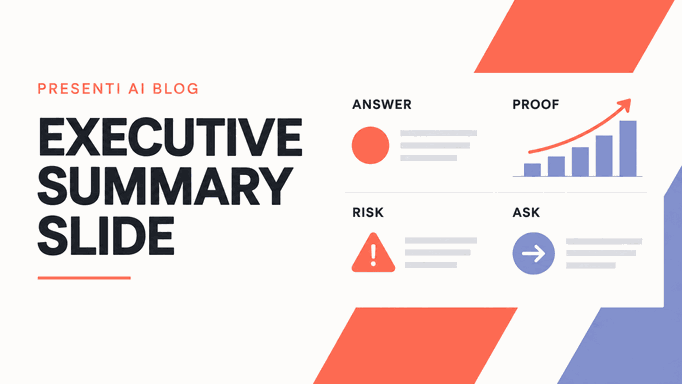
A reader should understand your conclusion, the evidence behind it, the main uncertainty, and what you need from them. If they can only tell you which topics the deck covers, the summary needs more substance.
That makes the slide a compressed argument. The body slides provide detail and traceability, but the summary must contain the logic that connects evidence to action. If it merely lists "Market, Performance, Risks, Next Steps," it describes the deck without summarizing it.
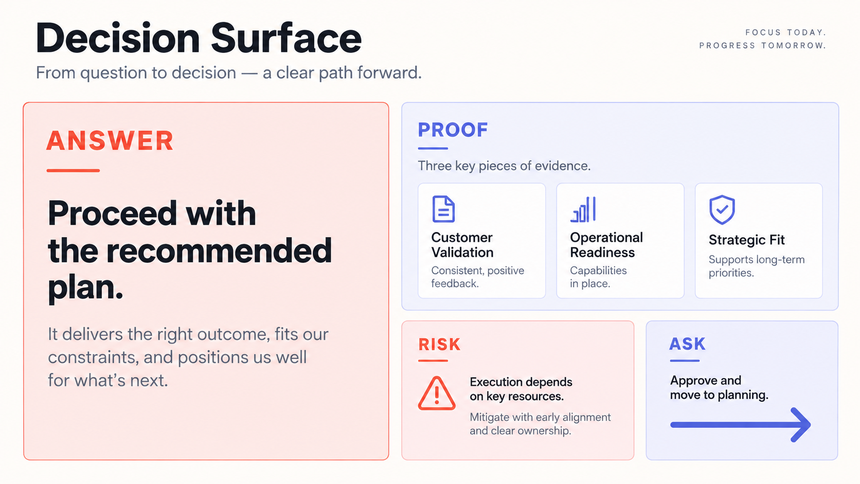
Write the slide so it still makes sense when forwarded without you. During the meeting you can explain the detail, but a reader opening the file later should not need your narration to understand the recommendation.
Which Executive Summary Structure Fits the Decision?
There is no single universal layout. Choose a structure based on what the audience must decide, not on the template that happens to be available.
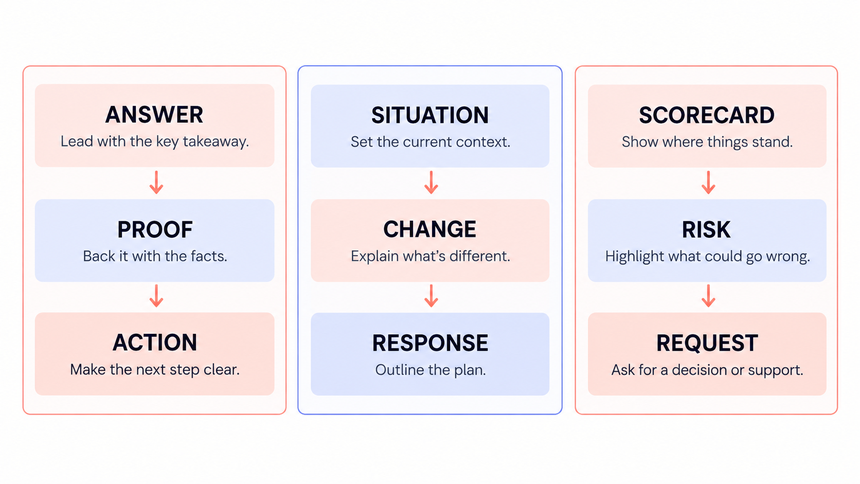
Answer, Proof, Action
Use this for a recommendation, proposal, or go/no-go decision. Put the conclusion in the title, show two to four evidence points, then end with the requested decision and next step. Add one visible risk when uncertainty materially affects the choice.
Situation, Change, Response
Use this when the audience needs to understand what changed and how the team should respond. It works well for market shifts, incidents, project updates, and operational reviews. Keep the situation factual, quantify the change, and connect the response directly to the cause.
Scorecard, Risk, Request
Use this for recurring reviews such as a QBR or program update. Show only the few outcomes that define health, name the most consequential risk, and state the leadership request. Supporting KPI detail belongs later in the deck or appendix.
If the deck contains several unrelated decisions, do not squeeze them into tiny boxes. Use a one-page portfolio summary with clear status and asks, or create separate decision pages. Density is not the same as completeness.
How Do You Write an Answer-First Headline?
Start with a working conclusion before designing the layout. An answer-first title is a complete thought: "Launch can stay on schedule if data migration receives a dedicated owner." A topic label such as "Project Update" forces the reader to infer the message from the rest of the slide.
Then select the minimum evidence needed to support that conclusion. A useful proof block contains three parts: the observed fact, the comparison or context, and the implication. For example:
Because migration testing is two weeks behind while the core build remains on plan, assign a dedicated migration owner now to protect the launch date.
Keep every metric traceable. Use the same definition, period, and denominator as the supporting analysis. If the number is preliminary, forecast, sampled, or dependent on a model, say so. A compact source note or appendix reference is more valuable than a decorative icon.
Finish with a specific request. “Support needed” is vague; “Approve two contractor weeks by September 18” tells the reader what to do and when. Add who will arrange the work. If you only need readers to note a result, say that instead of inventing a decision.
Use evidence references that survive forwarding
An executive summary is concise, but it should not become untraceable. Give each proof block a short source cue such as "Finance forecast, September 12" or "Customer interviews, n=18." If the evidence is explained on a later page, add a small slide reference. This lets a skeptical reader move from the summary to the supporting analysis without searching the entire deck.
Distinguish actuals, forecast, target, and judgment visually and verbally. Do not place a forecast next to an actual result with identical styling and leave the status implicit. When a recommendation depends on an assumption, name the assumption near the recommendation and explain what would change the decision.
Design the reading order before adding decoration
Give the conclusion the strongest visual position, then make the eye move through proof, risk, and ask. Use one alignment system, a restrained palette, and enough spacing to show which evidence belongs together. A reader should not have to infer whether a chart supports the recommendation or is merely contextual. Remove icons, labels, and borders that do not clarify the argument.
What Does a Before-and-After Executive Summary Look Like?
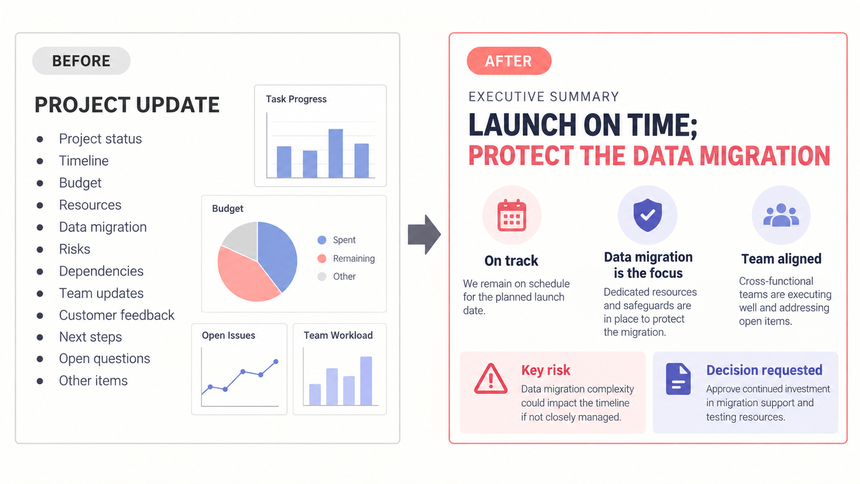
Consider a project deck whose summary is titled "Project Update" and contains eight bullets about workstreams. It reports activity but leaves the audience to find the decision.
| Weak summary | Decision-ready revision |
|---|---|
| Title: Project Update | Launch can stay on schedule if migration gets a dedicated owner |
| Eight equal-status workstream bullets | Three proof blocks: build on plan, migration behind, testing capacity available |
| Risk buried in the sixth bullet | Risk shown separately with impact and trigger |
| "Leadership support needed" | Decision: approve owner and temporary capacity by September 18 |
| No source path | Evidence references the schedule, test log, and staffing plan |
The revision does not hide complexity. It organizes complexity around the choice the audience must make. The full schedule and test log still belong in the deck, but the executive summary tells the reader why those details matter.
Use the same logic in a data storytelling workflow: verified finding, interpretation, decision, and expected outcome. The summary is the compressed version of that chain.
How Should the Slide Change by Deck Type?
The core logic stays stable, but the governing question changes with the deck.
| Deck type | Primary question | Evidence to foreground | Typical ask |
|---|---|---|---|
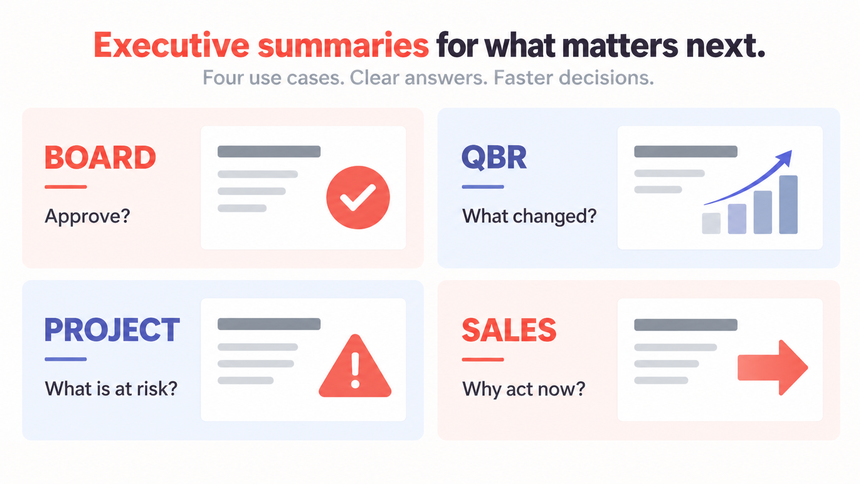
| Board update | What requires oversight or approval? | Strategic progress, major variance, risk, cash or governance implications | Approve, challenge, or note |
| Quarterly business review | What changed, why, and what happens next? | Outcome versus plan, drivers, customer impact, next-quarter priorities | Align resources or priorities |
| Project update | Will the outcome, timing, scope, or cost change? | Milestones, dependencies, forecast, risk triggers | Resolve a dependency or accept a trade-off |
| Sales or proposal deck | Why should the buyer act now? | Problem, fit, proof, implementation path, commercial assumption | Advance to the next buying step |
For a quarterly business review, place the detailed performance figures after the summary. Keep the headline, supporting figures, and recommendation consistent across both sections.
How Can Presenti Turn an Executive Summary Brief into a Decision-Ready Deck?
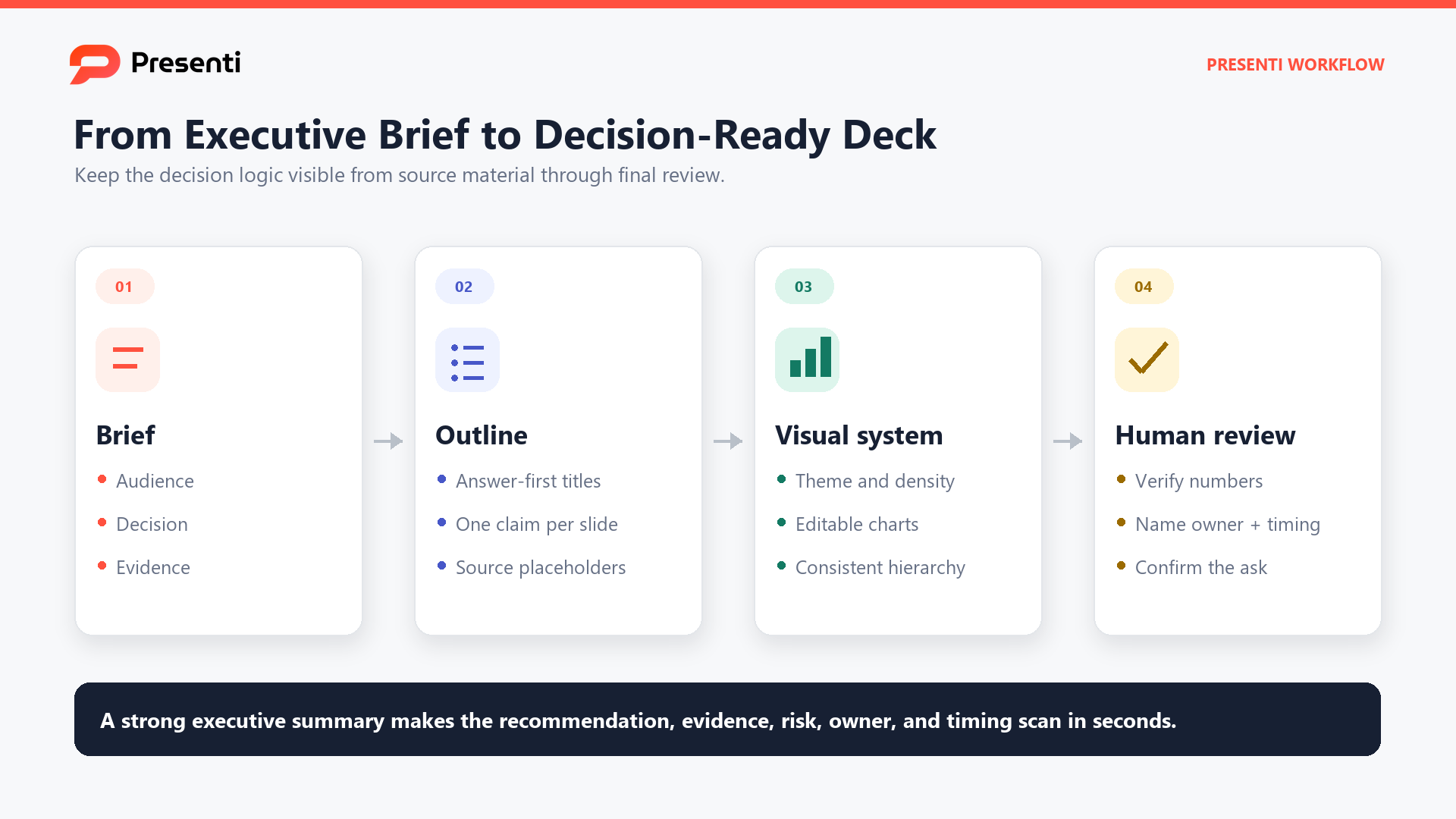
Presenti can draft slides from an executive-summary brief or source document. Start with text to presentation for a written brief, Word to presentation for a working report, or PDF to presentation for a finalized document. Word and PDF inputs, plus PowerPoint and PDF exports, require an eligible paid plan.
What should you prepare before generation?
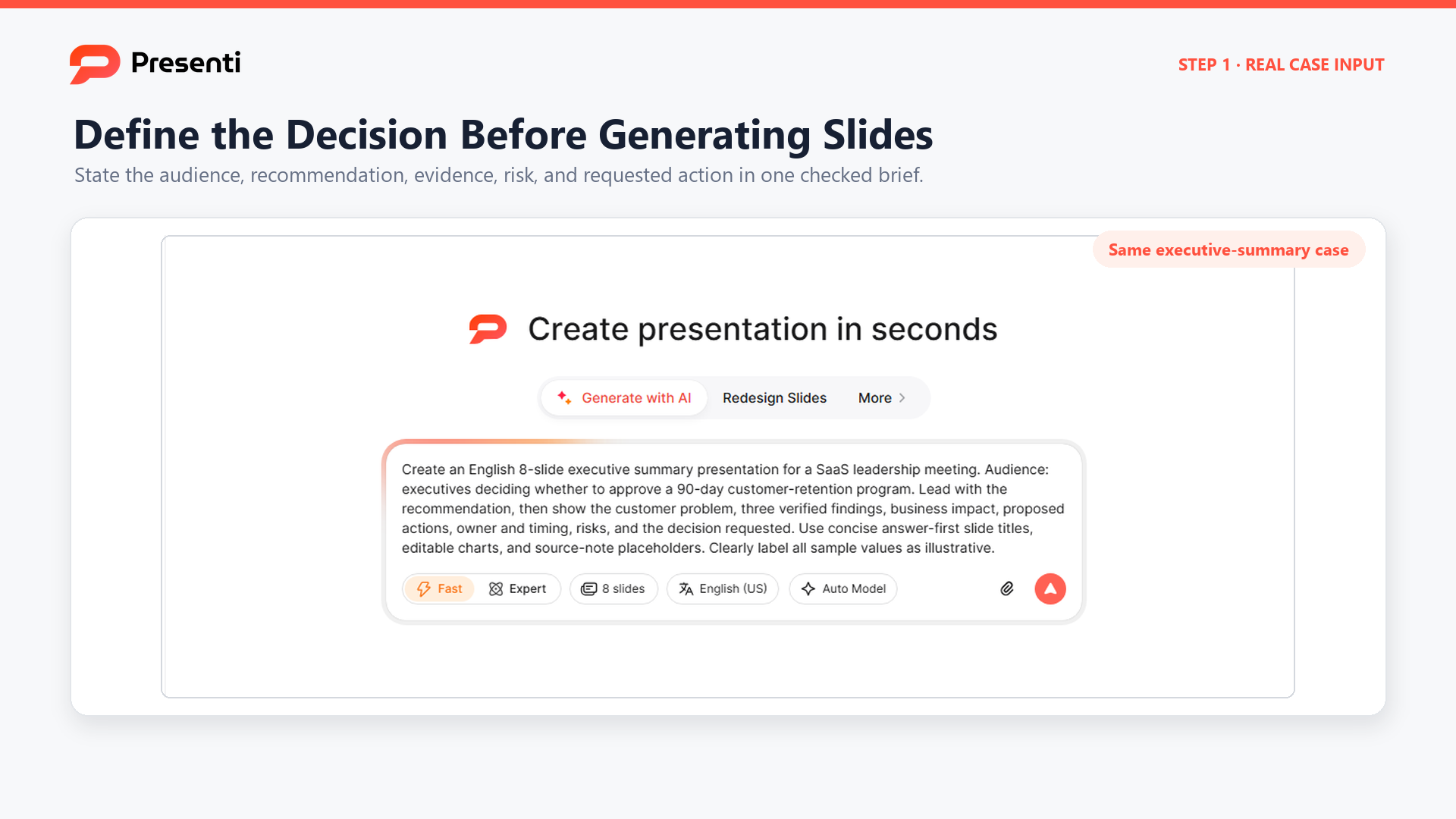
Step 1: Enter a decision-focused brief
Select the input route that matches your approved material, then add the audience, meeting purpose, recommendation, evidence, material risk, and exact decision request. Ask for answer-first slide titles and source-note placeholders; if a fact is missing, instruct Presenti to flag the gap rather than invent a value.
Step 2: Tighten the generated outline
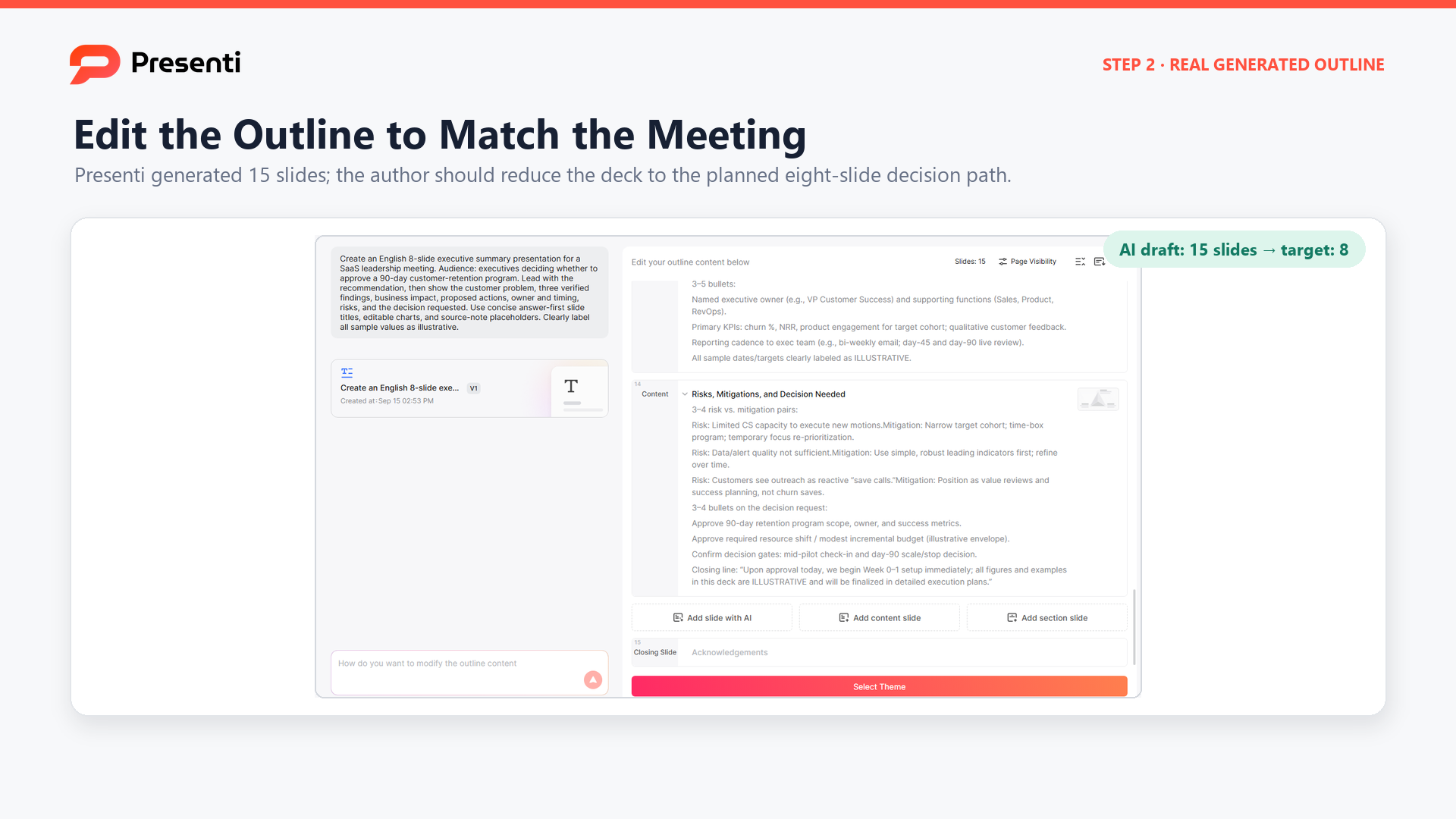
Review the outline before choosing a visual style. Confirm that the recommendation appears early, every evidence slide supports it, the risk is visible, and the final slide asks for a specific decision. In our September 15, 2026 English (US) test, an 8-slide request expanded to a 15-slide outline, so repeated background sections needed to be removed and supporting analysis moved to an appendix.
Step 3: Choose and refine a visual system
Choose a restrained business theme after the decision logic is fixed. Use the design controls to refine colors, fonts, and materials without changing approved evidence. Keep the recommendation and decision request visually dominant, and avoid decorative elements that compete with charts or source notes.

Step 4: Verify the editable output before sharing
Open the generated deck in the editor and test it as the decision-maker would. Confirm that the recommendation is explicit, every number matches its source, chart labels and time periods are complete, and the final action names an owner and timing. Keep source notes visible and replace any illustrative value before export.
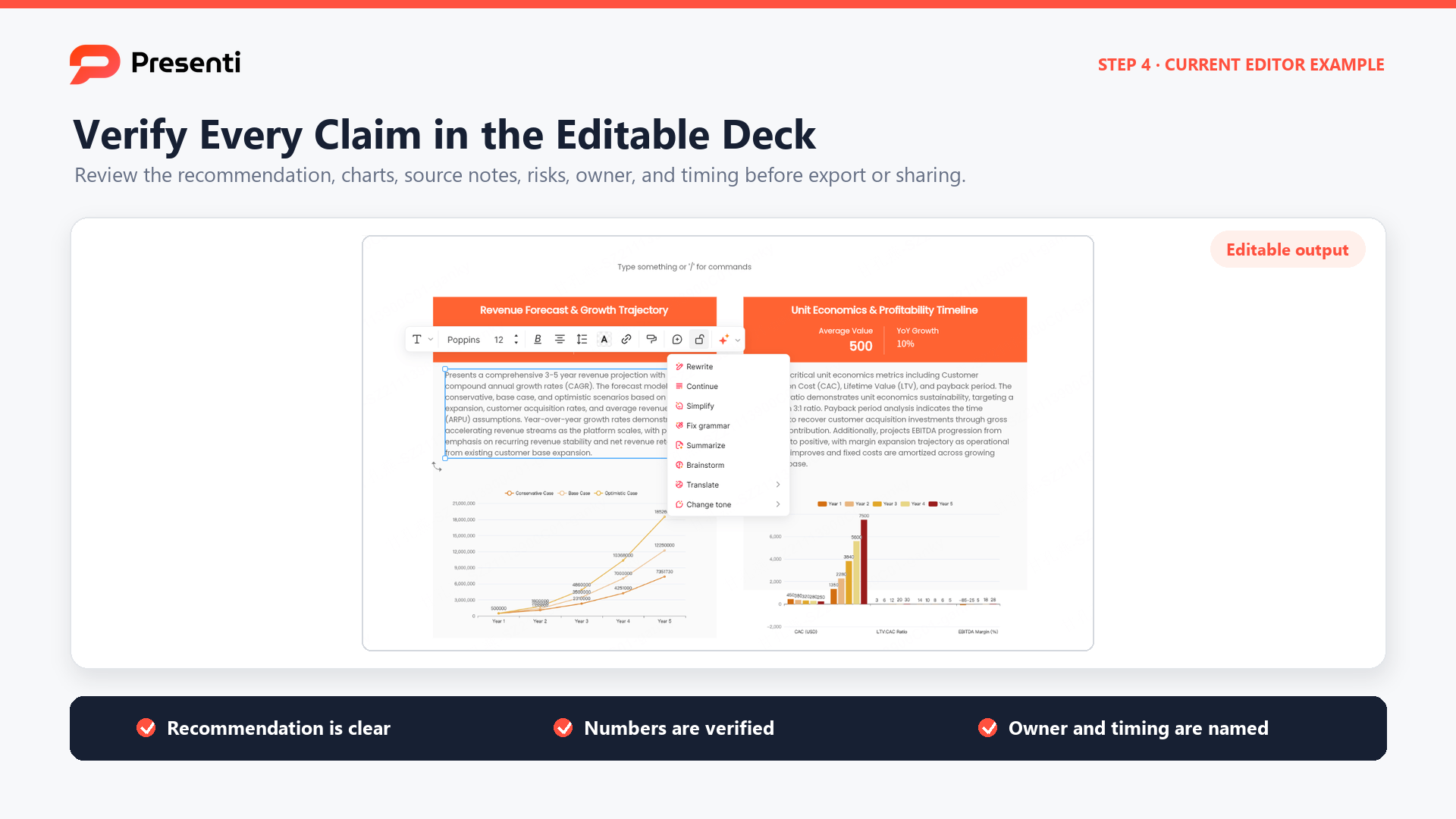
Presenti can shorten the path from approved evidence to an editable executive-summary deck, but the presenter still owns the final recommendation and every supporting fact. The action, evidence, risk, owner, and timing should remain clear even when the deck is read without narration.
Frequently Asked Questions
Where should the executive summary slide go?
In most business decks, place it immediately after the title slide. A pre-read or asynchronous deck may open with the summary after a minimal cover. If the audience needs essential context first, keep that context brief and explain why it precedes the decision.
How much text should an executive summary slide contain?
Use enough text to make the complete argument understandable without narration, but remove anything that does not change the decision. A conclusion headline, two to four evidence blocks, one risk, and one ask is a useful starting structure. Test legibility at the actual delivery size.
Is an executive summary the same as an agenda?
No. An agenda lists what the presentation will cover. An executive summary states what the analysis concludes and what the audience should decide or do.
Should I write the executive summary first or last?
Draft it early as a hypothesis of the storyline, then revise it after the analysis is complete. Writing it early exposes a weak argument; finalizing it later ensures the evidence and recommendation are accurate.
Can an executive summary use charts?
Yes, when a chart provides essential proof that can be read quickly. Use a small number of well-labeled visuals and state the takeaway. Move detailed analysis to supporting slides.
Make the Summary Useful on Its Own
A reader should leave the summary knowing your recommendation and why it deserves consideration. Give the evidence and uncertainty enough space to be understood. If the slide is crowded, move detail to the supporting pages rather than shrinking the text.